Key takeaways
- AI search tools rewrite a user's prompt into several smaller searches (query fan-out), then merge the results into one answer. Your content only has to match one of those searches to get cited.
- Measured fan-out is smaller than the hype suggests: Promptwatch Data shows averages of roughly 1 to 2 queries per ChatGPT response, with 3-8+ as the upper end.
- Cover sub-question types (comparisons, pricing, alternatives, how-tos) with focused pages, and write headings that read like real searches.
- Don't treat fan-outs as exact-match keywords, and don't spin up a separate thin page for every variation.
- ChatGPT's behavior shifts overnight. Re-audit your coverage regularly.
What query fan-out actually is
When you ask ChatGPT, Gemini, or Google AI Mode a question, the model rarely runs your exact words through a search engine. It rewrites the question into several sub-queries, runs them in parallel, and stitches the retrieved material into a single answer. Similarweb's explainer puts the consequence neatly: you're no longer competing for one search query, you're competing across every sub-query the AI generates.
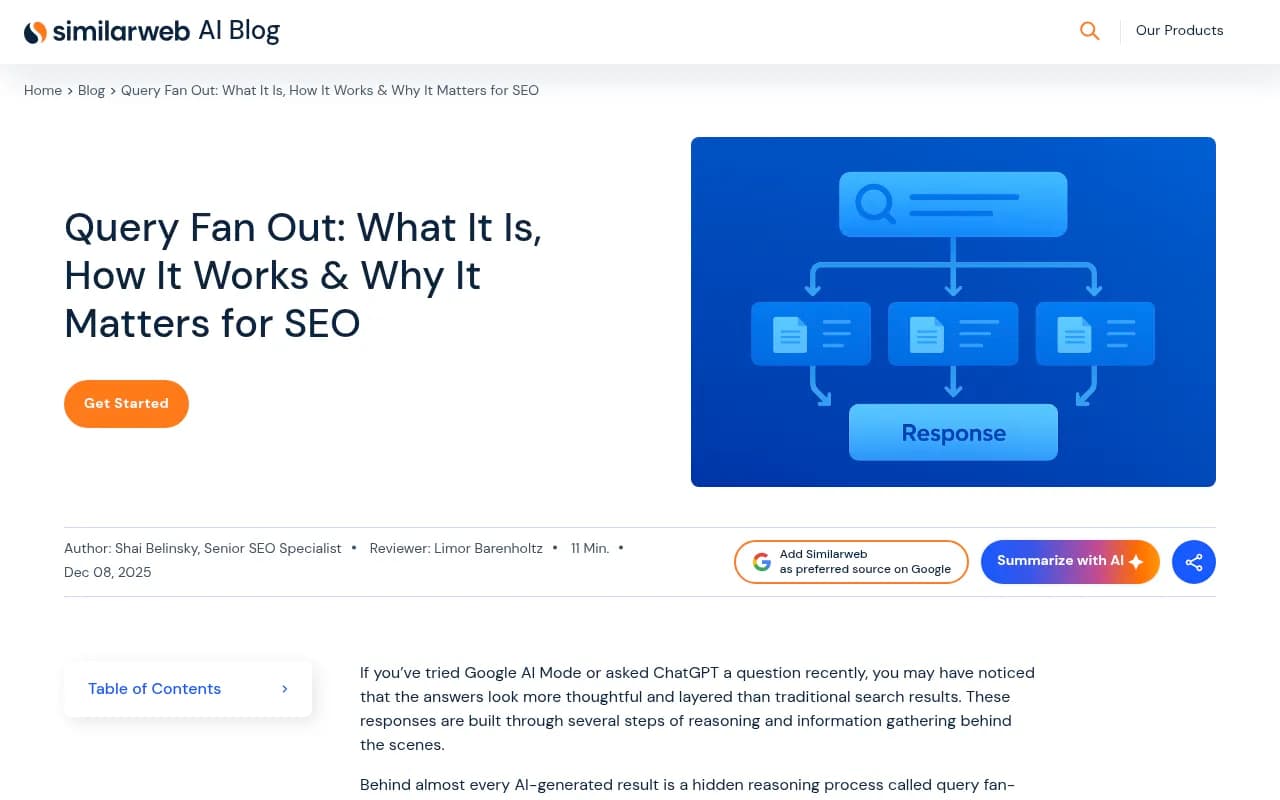
Take a prompt like "what CRM should a five-person agency use?" The model might search for "best CRM for small agencies 2026", "CRM pricing comparison", and "HubSpot alternatives for small teams". Those are the queries your pages are really judged against. The original prompt is mostly invisible to you.
That's the whole shift. You stop writing for a prompt nobody can see and start writing for the sub-questions underneath it.
What the data says about fan-outs (and what it doesn't)
A lot of articles on this topic imply every prompt explodes into dozens of searches. The numbers are more modest. Promptwatch Data's ChatGPT query fanouts report notes that one prompt can trigger 3-8+ searches, but its own measured averages are lower:
- About 2.15 fan-out queries per response in early December, and roughly 1.84 by early March.
- Exactly 1.0 per response when data resumed in April.
- Average query length fell from about 117 characters in December to the high 80s in February and March, then to about 53 characters in April. That's roughly 6-8 words, close to a normal keyword search.
So the typical fan-out query is short and looks like something a person would type into Google. That matters for how you write headings, which I'll get to.
Then there's the volatility. On August 8, 2026, ChatGPT started using the site: operator at scale. The share of fan-out queries using site: jumped from 0.37% to 16.8% in one day, roughly 1 in 6 instead of 1 in 280. Average fan-out queries per response rose from about 1.08 to 1.83 on the same day and stayed there. In other words, the new site: searches were added on top of the generic ones.
Two lessons. First, don't quote a single fan-out number as gospel, because it was different in winter, spring, and late summer. Second, any keyword-to-heading mapping you built before August 8 is probably stale.
Step 1: map the sub-questions around your topic
You can't see the exact queries an engine will run, but you can predict the types. Promptwatch's report suggests covering these sub-question families:
- Comparisons ("X vs Y")
- Pricing and cost
- Alternatives
- How-tos and implementation
- Best-for lists ("best X for small agencies")
Ahrefs makes a useful warning here: people treat fan-outs like "topic clusters 2.0" and try to match the exact phrasing. Fan-outs resemble long-tail queries but behave differently. They fill gaps in your coverage (you rank for "how to start a podcast" but have nothing on "podcast equipment for beginners"). Use them to find missing angles, not to stuff phrases.
Ways to gather candidates:
- Run your target prompt through ChatGPT and look at the searches it performs. The free GEO Inspector Chrome extension from Promptwatch shows fan-outs and fetched versus cited sources.
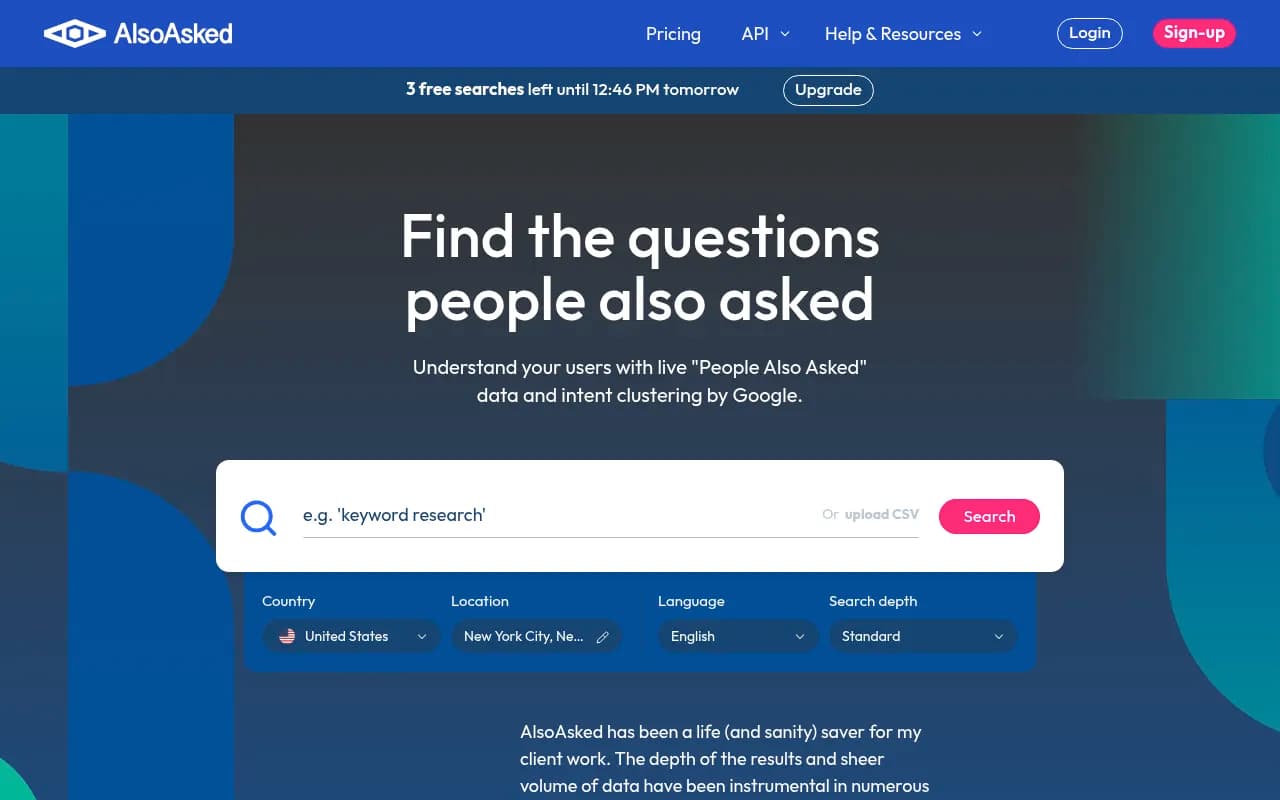
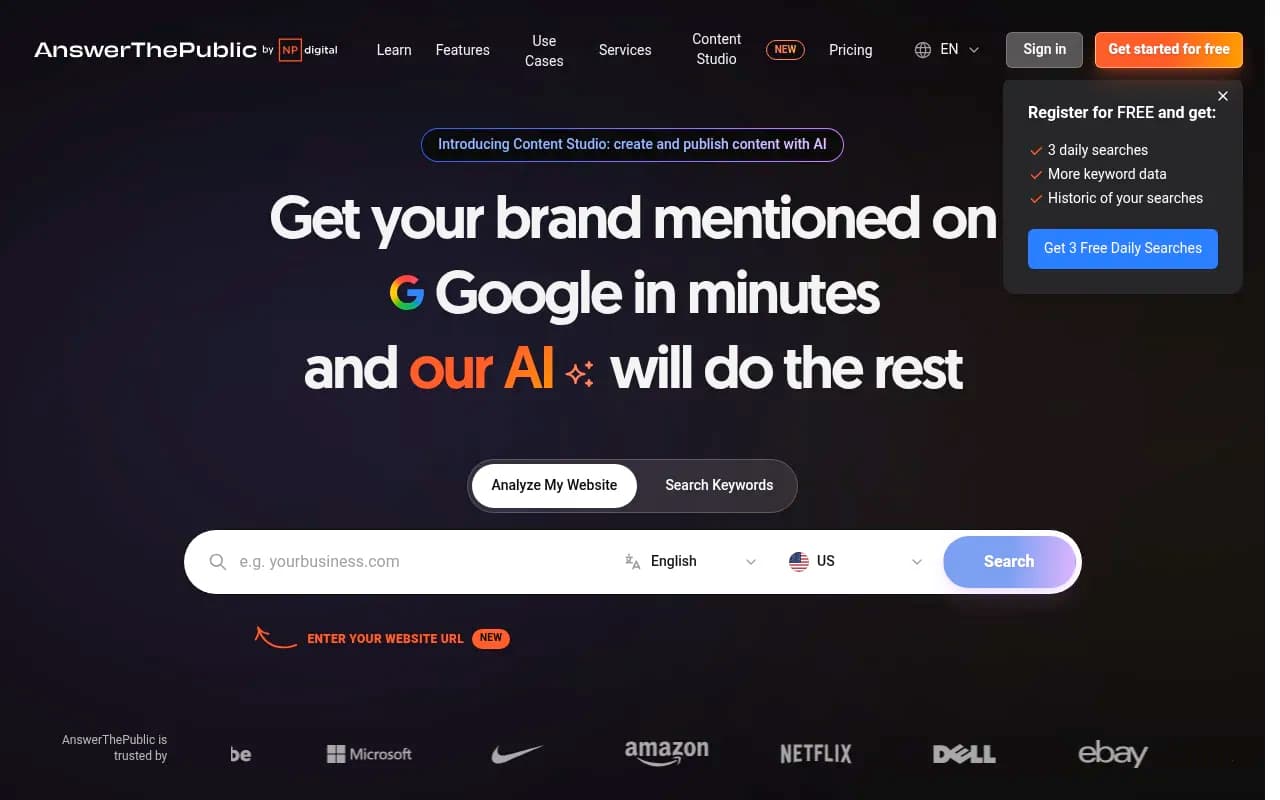
- Pull People Also Ask data with AlsoAsked or question research from AnswerThePublic.
- Check your own Search Console queries for impressions you don't have a dedicated section for.
The fastest way to get the actual data is a tracker that records fan-outs per prompt. Promptwatch does this with prompt volumes, difficulty scores, and query fan-outs per response, which lets you build the sub-question list from observed behavior instead of guesses.

Step 2: audit what you already cover
Before writing anything new, check where your existing content falls short. Ahrefs suggests asking which angles you cover, whether you serve multiple intents, and whether you have content for different stages of the journey (awareness, education, comparison, decision, implementation). Gaps at the topic level become new pages. Gaps inside a page become new sections.
A simple audit sheet works fine:
| Sub-question | Intent | Existing page | Status |
|---|---|---|---|
| Best CRM for small agencies 2026 | Commercial | /crm-guide | Covered in passing, no heading |
| CRM pricing comparison | Commercial | None | New page |
| Switching from spreadsheets to a CRM | How-to | /blog/crm-migration | Covered, outdated |
| HubSpot alternatives | Alternatives | None | New page |
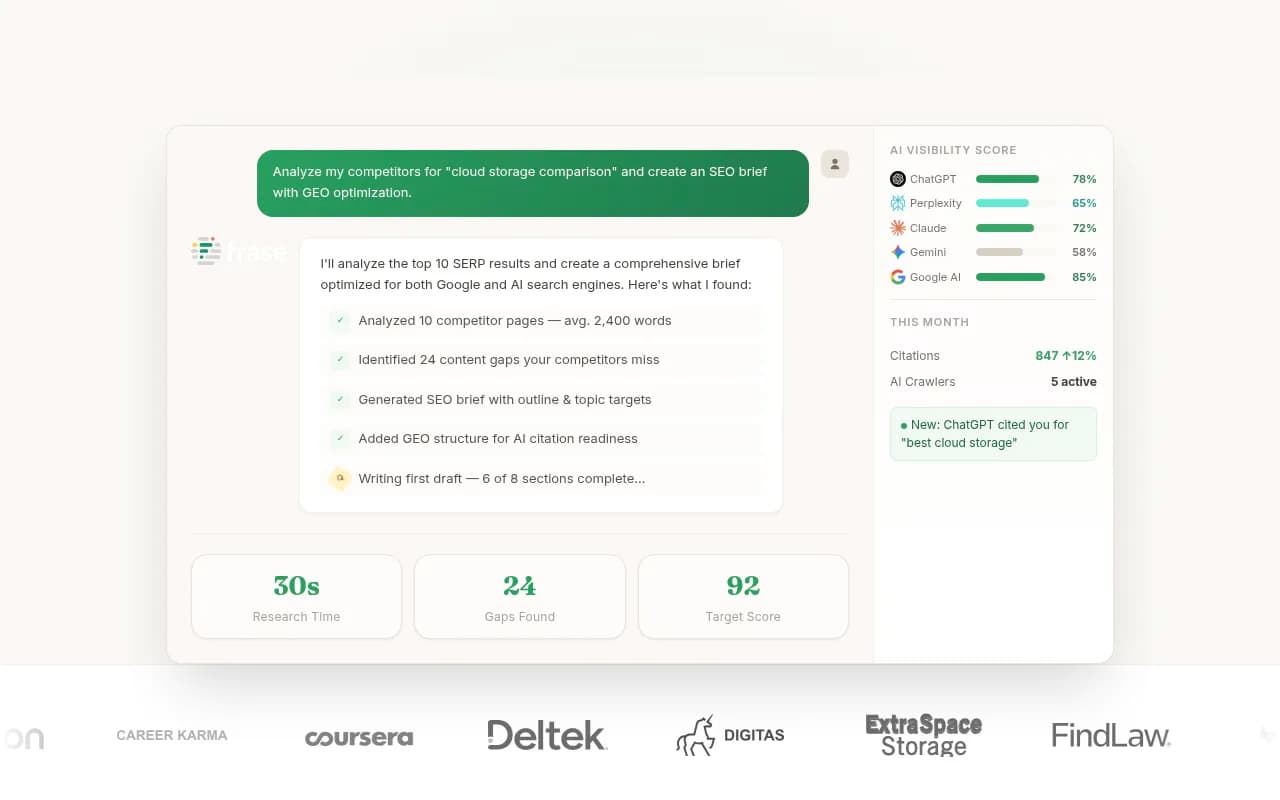
You can do this by hand or use a content tool to speed it up. Ahrefs' AI Content Helper takes a page plus a target fan-out query and suggests sections to add. Content optimizers like Clearscope, Frase, and MarketMuse do a similar gap analysis against competing pages.

Step 3: build focused pages, not one mega-page
The standard advice from Conductor is a pillar page covering the broad topic, linked to supporting pages that answer specific sub-queries. Promptwatch's data report lands in the same place with a sharper reason: a page aimed at one intent beats a page that half-covers two.
In practice:
- One pillar page for the broad topic ("CRM for small agencies").
- Cluster pages for the distinct intents (pricing, alternatives, migration, comparisons).
- Internal links both ways, with descriptive anchor text.
There is a limit. OMNIUS points to Google's 2026 guidance that creating separate content for every fan-out variation, mainly to manipulate rankings or AI answers, can count as scaled content abuse. I couldn't verify that wording at the primary source, so check Google's Search Central documentation yourself before relying on it. Either way the rule of thumb is sensible: group related questions where one page can answer them well, and only split when the intent is genuinely different.
Step 4: write headings like searches
This is the most practical tactic and the one people overthink. Since typical fan-out queries run 6-8 words, headings that sound like keyword searches map better than clever or conversational ones.
| Weak heading | Stronger heading |
|---|---|
| What should you look for when choosing a CRM? | Best CRM for small agencies 2026 |
| Let's talk money | CRM pricing comparison |
| Other options worth a look | HubSpot alternatives for small teams |
| Getting started | How to migrate from spreadsheets to a CRM |
Put the entity and category first in titles and H2s. Conductor takes a slightly different approach, recommending H2s and H3s that mirror likely sub-questions, such as "How much do marathon running shoes cost?" Both work. The point is that the heading should be recognizable as the answer to a specific query, whether it's phrased as a question or a keyword string.
Step 5: answer first, then add depth
Retrieval is fast and impatient. Conductor's advice is blunt: skip the long intro, because the longer it takes a bot to find the relevant content, the more likely it is to use another source.
A structure that holds up well:
- Open each section with a direct answer in one or two sentences.
- Follow with supporting detail: numbers, examples, a quote, a short table.
- Keep every section self-contained so it still makes sense if lifted out of the page. Similarweb calls these extractable chunks.
Here's a before and after for a pricing section.
Before:
Pricing is something every buyer wonders about, and there are many factors involved...
After:
Most CRMs for small agencies cost $15-$60 per user per month. Free tiers exist but cap contacts and automation. The table below compares five options.
The second version can be quoted verbatim. The first can't.
List and round-up formats help for the same reason. OMNIUS notes that lists cover multiple sub-queries in one piece. Promptwatch's citation data backs up the general pattern: product pages are the most cited content type in ChatGPT at 22.4% of citations (Sep 28 to Oct 4, 2026), followed by landing pages and listicles.
Step 6: treat your own domain as a retrieval surface
After the August 8 shift, ChatGPT sometimes searches within a specific domain. A site: query can only return pages a search engine has indexed. That makes a few boring technical items suddenly relevant:
- Make sure key pages are crawlable and indexed.
- Fix thin category pages and broken internal search.
- Check that important content isn't locked behind scripts or odd rendering.
A crawler like Screaming Frog will find orphaned and non-indexable pages, and Google Search Console shows what is indexed. If you want to see which AI bots actually hit your site and which pages they read, Promptwatch's IP-verified crawler logs cover that.

Step 7: close gaps off your own site
Some sub-questions can't be answered well on your site at all. "Is Brand X any good?" or "X vs Y reviews" will be answered by third parties. Ahrefs notes you can use fan-out patterns to inform off-site strategy because these can't be optimized on your own website.
That means review sites, comparison articles, and community discussion. A word of caution on Reddit: reddit.com's share of ChatGPT citations fell from about 4% to 0.5% on August 14, 2026, and from Sep 28 to Oct 4, 2026 ChatGPT drew just 0.46% of its citations from social platforms while Google AI Overviews drew 12.2%. Where you invest off-site depends on which engine matters to you.
Also keep authority in perspective. In August 2026, sites with domain rank 46-75 earned almost half of ChatGPT citations, while DR 91-100 sites fell to about 3%. You don't need a giant domain to win a specific sub-question, you need the best match for it.
Step 7: measure and re-audit
Fan-out behavior moves in steps. The query-length drop in Promptwatch's report tracked specific behavior changes, and the site: jump happened in a day. A workable routine:
- Track a fixed set of prompts monthly, and record which fan-outs appear.
- Re-map keywords to headings after any major ChatGPT update.
- Watch for platform-wide shifts before you rewrite your strategy. A change that hits every site equally is not a signal that your content got worse.
- Check which pages get cited, and compare with the sub-questions they were meant to cover.
Content also decays. Promptwatch Data's half-life study found landing pages and docs stayed cited longest, while news lost half its pages within 36 days. Evergreen sections hold up better than timely ones, so refresh the time-sensitive ones first.
Tools worth considering
No tool shows you the full fan-out for every prompt your buyers use, so combine research, optimization, and tracking.
| Job | Tools | Notes |
|---|---|---|
| Observe fan-outs and track citations | Promptwatch, Profound, Peec AI | Promptwatch also ties in crawler logs, content gaps, and publishing |
| Question research | AlsoAsked, AnswerThePublic | Good for sub-question ideas |
| On-page gap analysis | Clearscope, Frase, MarketMuse | Compare your coverage against top pages |
| Technical crawl and indexing | Screaming Frog, Google Search Console | Needed for site: retrieval |
| Enterprise suites | Conductor, BrightEdge | Include AEO tracking with SEO workflows |



For a wider comparison of options, the GEO software directory at bestgeosoftware.com lists tools by category.
Common mistakes
- Chasing exact phrases. Fan-outs are signals about intent, not strings to match.
- Creating dozens of near-duplicate pages. One strong page per distinct intent is better.
- Burying the answer. If the first paragraph is throat-clearing, the retriever moves on.
- Assuming the numbers are fixed. Fan-outs per response were about 2 in winter, 1.0 in April, and 1.83 after August 8.
- Ignoring indexing. If a page isn't indexed, it can't appear in a
site:search or a normal one.
A practical checklist
- Pick one high-value prompt and list its likely sub-questions.
- Check each against your site. Mark covered, thin, or missing.
- Rewrite headings so they read like 6-8 word searches, with entity and category first.
- Lead each section with a direct answer.
- Create focused pages only where intent differs.
- Verify indexing and crawl access.
- Re-check in a month, and again after any major model update.
Start with one topic, not your whole site. Fixing ten sections on the pages that already almost rank will teach you more than a month of planning.