Screaming Frog SEO Spider Review 2026
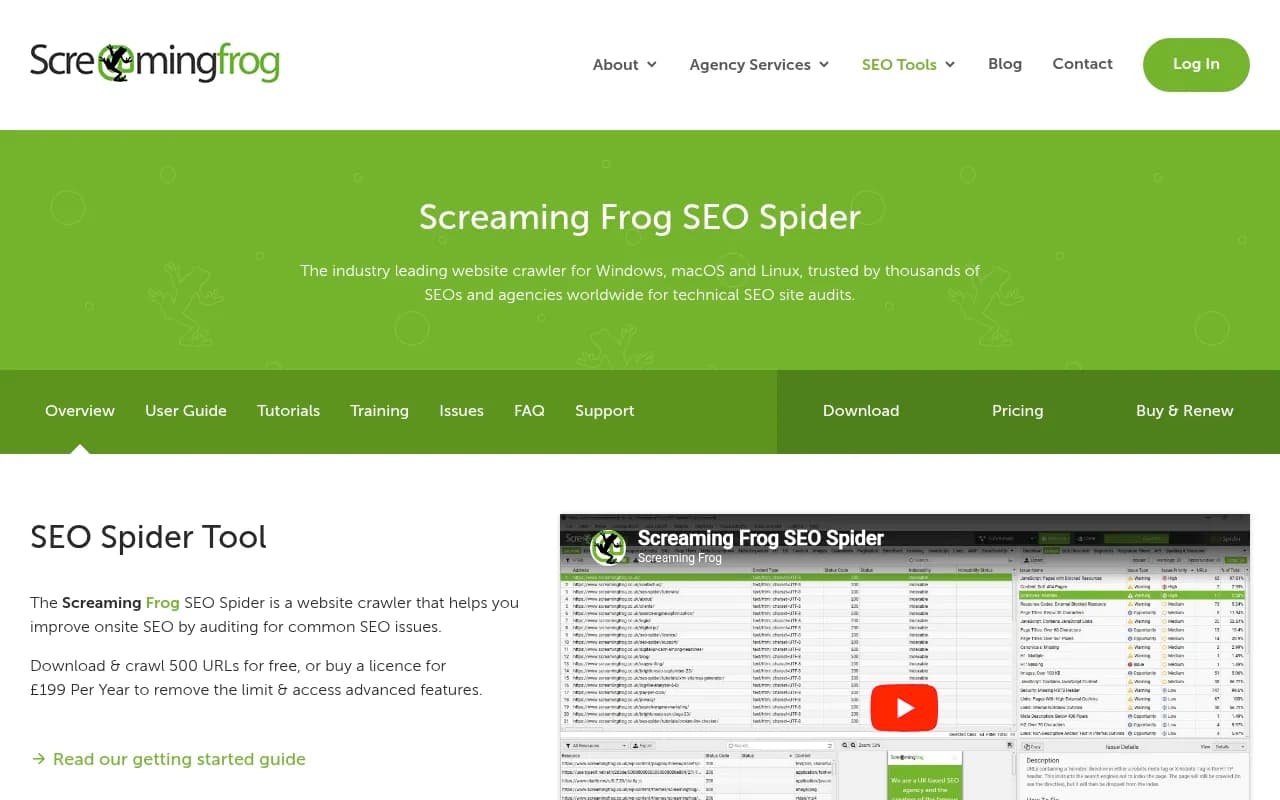
Screaming Frog SEO Spider is the industry-standard desktop website crawler for technical SEO audits. Trusted by Apple, Google, and Disney, it identifies 300+ SEO issues, crawls JavaScript sites, integrates with GA/GSC/PSI, and costs just £199/year.
Key takeaways
- Screaming Frog SEO Spider is the go-to desktop crawler for technical SEO audits, used by solo consultants and enterprise teams alike at Apple, Google, and Disney
- At £199/year per licence, it's one of the best-value tools in the SEO industry -- the free tier (500 URLs) is genuinely useful for smaller sites or quick checks
- Covers 300+ SEO issues across metadata, redirects, structured data, JavaScript rendering, accessibility, hreflang, and more
- Recent versions added AI integration (OpenAI, Gemini, Ollama, Anthropic) for custom prompt-based analysis during crawls
- Not a cloud tool -- it runs locally on your machine, which means speed and privacy but also hardware dependency
- Does not monitor AI search visibility or brand presence in LLMs; for that, a dedicated GEO platform is needed
Screaming Frog SEO Spider has been the default technical SEO crawler for most of the industry for well over a decade. Built by Screaming Frog, a UK-based SEO agency turned software company, it started as an internal tool and grew into what is now arguably the most widely used website crawler in professional SEO. The fact that it runs as a desktop application -- not a SaaS dashboard -- is both its biggest quirk and one of its genuine advantages.
The tool crawls websites the same way Googlebot does: following hyperlinks in HTML using a breadth-first algorithm, collecting data on every URL it encounters. What you get at the end is a detailed spreadsheet-style view of your entire site's technical health. Broken links, redirect chains, missing meta descriptions, duplicate content, hreflang errors, structured data issues -- it surfaces all of it in one place, exportable to CSV or directly into Google Sheets.
The target audience is broad but skews toward people who actually understand what they're looking at. Freelance SEO consultants, in-house technical SEO teams at mid-to-large companies, and digital agencies running audits for clients are the core users. It's not a beginner tool in the sense that it won't hold your hand through every finding, but it does provide in-app explanations for each issue type, which helps newer practitioners get up to speed.
Key features
Broken link and redirect auditing
The bread-and-butter use case. Screaming Frog crawls every internal and external link on a site and reports back with HTTP status codes. You can see 404s, 5XX server errors, redirect chains (where a URL redirects to another redirect before reaching the final destination), and redirect loops. For site migrations especially, this is invaluable -- you can upload a list of old URLs and map them against the new site to verify redirects are working correctly. The export is clean and easy to hand off to a developer.
Metadata and on-page element analysis
Every page title, meta description, H1, and H2 gets pulled into the crawl. The tool flags those that are missing, duplicated, too long, too short, or appearing multiple times on the same page. You can sort and filter by any of these dimensions, which makes prioritizing fixes much faster than manually checking pages. It also checks for non-sequential heading structures, which is useful for accessibility as much as SEO.
JavaScript rendering
Using an integrated headless Chromium browser (the same engine as Chrome), Screaming Frog can render JavaScript-heavy pages before crawling them. This matters a lot for sites built on React, Angular, or Vue.js, where content and links might not exist in the raw HTML. The tool lets you compare raw HTML vs. rendered HTML side by side, so you can see exactly what Googlebot would see vs. what a user sees. This feature is restricted in the free version.
Custom extraction with XPath, CSS selectors, and regex
One of the more powerful and underappreciated features. You can write custom extraction rules to pull any data from a page's HTML -- prices, SKUs, social meta tags, custom schema attributes, anything. This turns the SEO Spider into a general-purpose web scraper for structured data collection. Agencies use this to build content inventories at scale, pulling product data or article metadata across thousands of pages in a single crawl.
AI integration (OpenAI, Gemini, Ollama, Anthropic)
Added in recent versions, this lets you set up custom AI prompts that run against each page during a crawl. You could, for example, ask GPT-4 to classify each page's content type, generate a suggested meta description, or flag pages that seem thin. It's a genuinely useful addition, though it adds crawl time and API costs depending on your setup. Ollama support means you can run local models without sending data to external APIs.
Google Analytics, Search Console, and PageSpeed Insights integration
Connect your GA4 or Universal Analytics account and the crawler pulls in sessions, conversions, and other user metrics for each URL. The Search Console integration brings in impressions, clicks, and index status data. PageSpeed Insights adds Lighthouse scores and Core Web Vitals data. Having all of this in one place -- technical crawl data alongside traffic and performance data -- is genuinely useful for prioritizing which issues to fix first.
Structured data extraction and validation
The tool extracts JSON-LD, Microdata, and RDFa from every page and validates it against Schema.org specifications and Google's rich result requirements. You can see exactly which pages have structured data, what type, and whether it passes validation. This is much faster than running individual pages through Google's Rich Results Test.
Crawl comparison
Save a crawl, run another one later, and compare the two. The tool shows you what changed -- new issues, resolved issues, URLs that appeared or disappeared. This is useful for tracking the impact of technical fixes over time, or for comparing a staging environment against production before a launch. The URL mapping feature handles cases where URLs have changed between crawls.
Site architecture visualizations
Interactive force-directed diagrams and tree graphs that show how pages link to each other. You can see crawl depth (how many clicks from the homepage to reach a given page), internal link counts, and directory structure. It's not the prettiest visualization tool out there, but it's functional and gives you a quick read on whether important pages are buried too deep in the site structure.
Scheduling and automation
The paid version lets you schedule crawls to run automatically at set intervals and export data to a specified location, including Google Sheets. You can also run the tool from the command line, which opens up integration with CI/CD pipelines or custom reporting workflows. Looker Studio integration lets you build automated crawl health dashboards.
Accessibility auditing
Uses the open-source AXE ruleset to check pages against WCAG guidelines. This is a useful addition for teams that need to report on accessibility alongside SEO, though it's not a replacement for a dedicated accessibility audit tool.
Who is it for
The clearest fit is the freelance or agency SEO consultant who runs technical audits as a core part of their work. If you're doing site audits for clients -- whether that's a one-person consultancy or a 50-person agency -- Screaming Frog is almost certainly already in your toolkit or should be. The £199/year price point is low enough that it's a no-brainer business expense, and the depth of data it provides would cost significantly more from any cloud-based alternative.
In-house SEO teams at companies with complex websites -- e-commerce sites with tens of thousands of product pages, news publishers with large content archives, SaaS companies with multilingual sites -- get a lot of value from the tool's ability to crawl at scale and surface hreflang errors, duplicate content, and crawl depth issues that would be hard to catch manually. The Google Analytics and Search Console integrations make it easier to connect technical issues to actual traffic impact, which helps when making the case for engineering resources.
Screaming Frog is probably not the right starting point for someone brand new to SEO who wants a guided, dashboard-driven experience. Tools like Semrush or Ahrefs offer more hand-holding, automated recommendations, and keyword data alongside their site audit features. Screaming Frog gives you raw data and expects you to know what to do with it. That's a feature for experienced practitioners and a friction point for beginners.
Integrations and ecosystem
- Google Analytics (GA4 and Universal Analytics): pulls user and conversion data per URL during a crawl
- Google Search Console: imports impressions, clicks, CTR, average position, and URL inspection data
- PageSpeed Insights API: Lighthouse metrics, CWV data, speed opportunities at scale
- Majestic, Ahrefs, and Moz APIs: import external link metrics (Domain Authority, Trust Flow, etc.) directly into a crawl for link profile analysis
- OpenAI, Google Gemini, Anthropic, Ollama: AI prompt integration for custom analysis during crawls
- Looker Studio: automated crawl report templates for ongoing site health monitoring
- Google Sheets: direct export of crawl data for collaborative reporting
- Command line interface: full automation support for scheduling and pipeline integration
- GitHub: Screaming Frog maintains a GitHub presence (github.com/screamingfrog) with resources and tooling
The tool runs on Windows, macOS (both Apple Silicon and Intel), and Linux (Ubuntu and Fedora). There's no mobile app or browser extension -- it's a desktop application, full stop.
Pricing and value
Screaming Frog's pricing is straightforward:
- Free: crawl up to 500 URLs per crawl, no sign-up required. Most advanced features (JavaScript rendering, custom extraction, API integrations, scheduling, saving crawls) are locked.
- 1-4 licences: £199 per licence, per year
- 5-9 licences: £189 per licence, per year
- 10-19 licences: £179 per licence, per year
- 20+ licences: £169 per licence, per year
Volume discounts kick in at 5 licences, which makes it reasonable for agencies buying seats for multiple team members. Each licence is tied to a user, not a machine, so you can install it on multiple computers as long as only one instance is running at a time.
Compared to cloud-based alternatives, this is extremely competitive. Semrush's site audit is bundled into plans starting at $139.95/month. Ahrefs starts at $129/month. DeepCrawl (now Lumar) starts at several hundred dollars per month for enterprise use. Screaming Frog at £199/year works out to roughly £17/month, which is hard to argue with for the depth of functionality you get.
The main trade-off is that it's a desktop tool, so crawl speed and the number of URLs you can process are limited by your local hardware. For very large sites (millions of URLs), cloud crawlers have an advantage. But for the vast majority of use cases -- sites up to a few hundred thousand URLs -- a decent laptop or desktop handles it fine.
Strengths and limitations
What it does well:
- Depth of technical data: Few tools match the breadth of what Screaming Frog surfaces in a single crawl. 300+ issue types, custom extraction, JavaScript rendering, structured data validation -- it's genuinely comprehensive.
- Price-to-value ratio: £199/year for unlimited URL crawling and the full feature set is hard to beat. Most comparable cloud tools cost 5-10x more annually.
- Speed and privacy: Because it runs locally, crawls are fast (limited by your internet connection and the target server, not a shared cloud queue) and your data stays on your machine.
- Flexibility: Custom extraction, custom JavaScript execution, custom user agents, custom HTTP headers -- the tool bends to unusual requirements in a way that more opinionated SaaS tools don't.
- Longevity and reliability: This tool has been around for over a decade and is actively maintained. Version 23.3 is current as of this review. The team ships regular updates and responds to support requests.
Limitations:
- No cloud or collaboration features: Crawl data lives on your local machine. Sharing findings means exporting to CSV or Google Sheets. There's no shared workspace, no commenting, no team dashboard. For agencies with multiple people working on the same audit, this creates friction.
- Hardware dependency: Large crawls require significant RAM and storage. The tool's documentation recommends specific hardware configurations for crawling sites with millions of URLs. If your machine isn't up to it, crawls slow down or fail.
- No AI search visibility monitoring: Screaming Frog is built for traditional technical SEO -- Googlebot, crawl errors, metadata, structured data. It has no capability to track how your brand or content appears in AI search engines like ChatGPT, Perplexity, or Google AI Overviews. As AI search becomes a larger share of how people find information, this is a meaningful gap. Teams that need visibility into AI-driven search results will need a separate tool for that.
Bottom line
Screaming Frog SEO Spider remains the most practical, cost-effective technical SEO crawler available in 2026. For any SEO professional doing site audits -- whether you're a solo consultant, an agency team, or an in-house technical SEO -- it belongs in your toolkit. The free tier is enough to evaluate it properly, and the paid licence at £199/year is one of the easiest spending decisions in the industry.
Best use case: running comprehensive technical SEO audits on sites of any size, from small business websites to large e-commerce platforms with complex redirect structures, JavaScript rendering requirements, and international hreflang setups.
Frequently asked questions
What is Screaming Frog SEO Spider?
Is Screaming Frog SEO Spider free?
How much does a Screaming Frog licence cost?
What operating systems does Screaming Frog support?
How does Screaming Frog compare to Semrush or Ahrefs for site audits?
Can Screaming Frog crawl JavaScript websites?
Similar and alternative tools to Screaming Frog SEO Spider