Zoho Social Review 2026
Schedule posts, monitor keywords, collaborate with teams, and generate reports across social channels with Zoho's integrated platform.
Key Takeaways
- Unlimited scheduling across 10+ platforms (Instagram, Facebook, X, LinkedIn, YouTube, Pinterest, TikTok, Mastodon, Telegram, Google Business Profile) with SmartQ best-time predictions and custom publishing queues
- Strong team collaboration features with approval workflows, shared calendars, and role-based permissions -- built for agencies managing multiple client accounts
- Deep Zoho ecosystem integration (CRM, Desk, Canva) makes it powerful for businesses already using Zoho products, but less compelling as a standalone tool
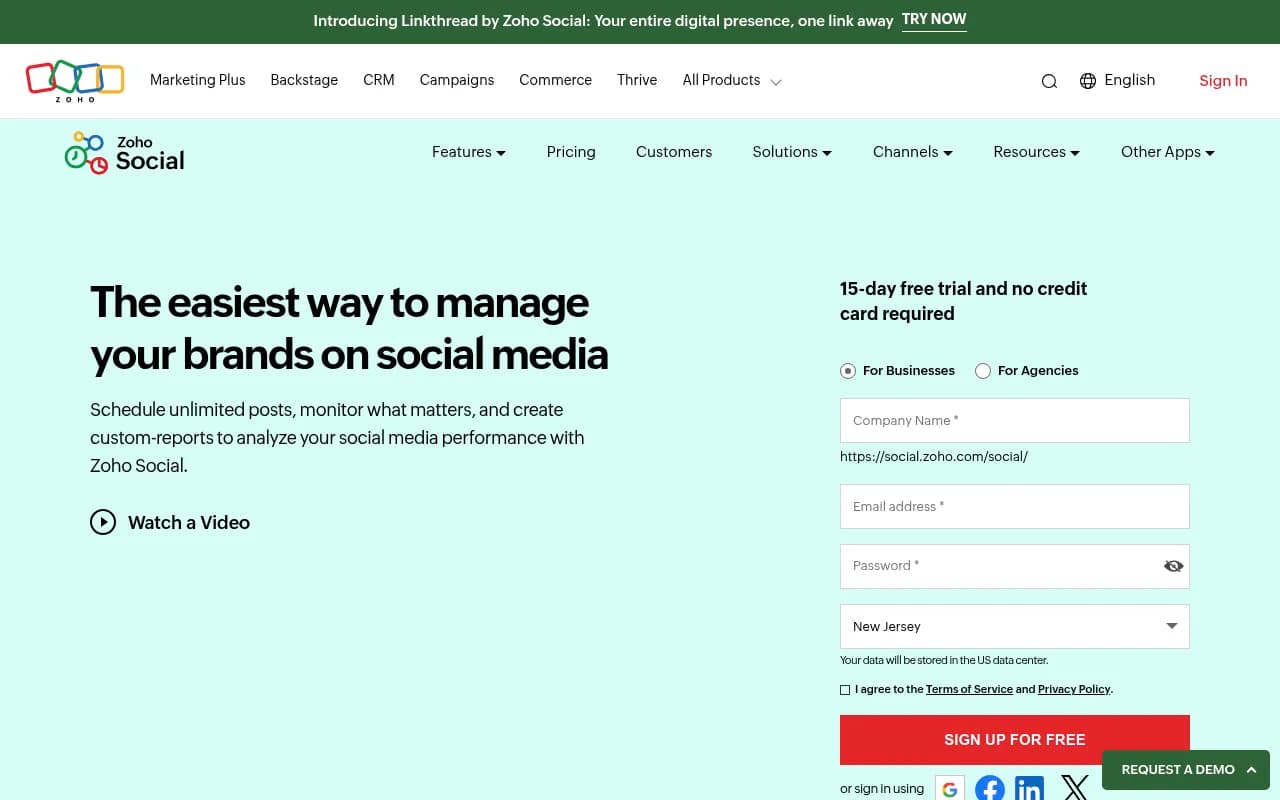
- Affordable pricing starting at $15/mo per brand (Standard plan) with a 15-day free trial and no credit card required
- Limited AI features compared to newer competitors -- no AI content generation, sentiment analysis, or advanced listening capabilities that tools like Sprout Social or Hootsuite offer
Zoho Social is a social media management platform built by Zoho Corporation, the Indian software giant behind 50+ business applications used by 100 million users worldwide. Launched as part of Zoho's mission to provide affordable, integrated business software, Social targets small-to-medium businesses, marketing teams, and digital agencies that need a straightforward way to manage multiple social accounts without the enterprise price tag.
The platform covers the core social media management workflow: schedule posts, monitor conversations, collaborate with teammates, and analyze performance. It supports 10 social networks -- Facebook, Instagram, X (formerly Twitter), LinkedIn, YouTube, Pinterest, TikTok, Mastodon, Telegram, and Google Business Profile. That's broader platform coverage than many competitors, especially with newer additions like Mastodon and Telegram.
Zoho Social sits in the middle tier of the social media management market. It's more capable than basic scheduling tools like Buffer or Later, but less feature-rich than enterprise platforms like Sprout Social or Hootsuite. The sweet spot is businesses that want solid fundamentals (scheduling, monitoring, reporting) without paying for advanced features they won't use. If you're already in the Zoho ecosystem (using Zoho CRM, Zoho Desk, Zoho Analytics), the integration story becomes much more compelling.
Publishing & Scheduling
Zoho Social's publishing tools are straightforward and reliable. You can schedule unlimited posts across all connected accounts from a unified composer. The interface supports text, images, videos, carousels (Instagram), and link previews. You write once, then customize per platform if needed -- useful when Instagram needs hashtags but LinkedIn doesn't.
SmartQ is Zoho's predictive scheduling feature. It analyzes your audience engagement patterns and suggests optimal posting times for each network. You can accept the suggestions or override them. It's not revolutionary (most competitors have similar features), but it works. The predictions improve over time as the system learns your audience behavior.
Custom Queues let you create recurring time slots for each day of the week. For example, you might set Monday posts to go out at 9am, 1pm, and 5pm, while Tuesday uses different slots. Add posts to the queue and they auto-fill the next available slot. This is particularly useful for agencies managing content calendars for multiple clients -- you set the schedule once, then just keep feeding content into the pipeline.
Direct Instagram scheduling is supported, including Stories, Reels, and carousel posts. You don't need to use mobile notifications or third-party workarounds. Same for TikTok -- you can schedule video posts directly from the desktop. This is table stakes in 2026, but worth noting since some older tools still require manual posting.
The content calendar view shows all scheduled posts in a visual grid. You can drag-and-drop to reschedule, color-code by campaign or client, and filter by platform or team member. It's clean and functional, though not as visually polished as Later's calendar or Planable's grid view.
Bulk scheduling via CSV upload is available on Professional and Premium plans. Upload a spreadsheet with post text, images, links, and publish times, and Zoho Social queues everything automatically. Useful for campaign launches or when migrating from another tool.
One limitation: no built-in image editor. You can integrate with Canva (more on that below), but there's no native cropping, filtering, or text overlay tool. If you need to resize an image for different platforms, you're doing it outside Zoho Social.
Monitoring & Engagement
The monitoring dashboard uses a multi-column layout similar to TweetDeck. You create listening columns for brand mentions, hashtags, keywords, or specific accounts, then monitor them in real-time. Each column updates live as new posts come in. You can reply, like, retweet, or share directly from the dashboard without switching to the native platform.
Supported monitoring sources include X mentions and keywords, Facebook page comments and messages, Instagram comments and mentions, LinkedIn company page activity, and YouTube comments. You can also track Google Business Profile reviews and questions.
What's missing: no sentiment analysis. Zoho Social doesn't automatically categorize mentions as positive, negative, or neutral. You're manually reading and triaging everything. Competitors like Sprout Social and Brandwatch offer AI-powered sentiment scoring, which becomes critical when you're monitoring hundreds of mentions per day.
Also missing: no Reddit, TikTok, or forum monitoring. You can publish to TikTok, but you can't monitor TikTok comments or mentions from within Zoho Social. Same for Reddit -- a major gap since Reddit discussions heavily influence brand perception and even AI search results (tools like Promptwatch track Reddit mentions because they directly impact how brands appear in ChatGPT and Perplexity responses).
Collaboration features are solid. You can assign incoming messages to team members, add internal notes, and mark conversations as resolved. Approval workflows let you require manager sign-off before posts go live -- essential for agencies or regulated industries. Role-based permissions control who can publish, who can only draft, and who can access analytics.
The unified inbox aggregates messages from Facebook, Instagram, X, LinkedIn, and Google Business Profile into a single feed. You can filter by platform, unread status, or assigned team member. Response times are tracked automatically, which helps if you're trying to maintain SLA targets for customer support.
Analytics & Reporting
Zoho Social provides pre-built reports for each platform: audience growth, post performance, engagement rates, reach, impressions, clicks, and top-performing content. Reports are visual (charts and graphs) and can be exported as PDF or CSV.
Custom reports let you mix and match metrics across platforms. For example, you could create a report showing Instagram engagement rate vs LinkedIn engagement rate over the past 30 days, broken down by post type (image vs video vs carousel). You choose the metrics, date range, and visualization style.
Competitor benchmarking is available for Facebook and Instagram. You add competitor pages, and Zoho Social tracks their follower growth, posting frequency, and engagement rates alongside yours. It's basic -- you see the numbers but not the actual content or detailed breakdowns. Tools like Rival IQ or Socialbakers offer much deeper competitive analysis.
Brand health dashboard gives a high-level snapshot: total followers across platforms, engagement rate trend, top traffic sources, and click distribution. It's designed for executives who want a quick status check without diving into detailed reports.
One nice touch: scheduled report delivery. You can set reports to auto-generate and email to stakeholders (clients, managers, team members) on a daily, weekly, or monthly schedule. Agencies love this -- it automates client reporting without manual work.
What's missing: no AI-powered insights. Zoho Social doesn't surface recommendations like "Your audience engages 40% more with video posts on Thursdays" or "Your engagement dropped 15% this week because you posted less frequently." You're manually interpreting the data. Competitors like Sprout Social and Hootsuite use AI to highlight trends and suggest optimizations.
Also missing: no influencer tracking or UGC discovery. If you want to find user-generated content to repost or identify influencers mentioning your brand, you're doing it manually. Tools like Dash Hudson and Emplifi specialize in this.
Integrations & Ecosystem
Zoho Social's biggest strength is its native integration with other Zoho products. If you use Zoho CRM, you can view social profiles and activity directly in CRM contact records. When a lead mentions your brand on X or comments on your LinkedIn post, that activity syncs to their CRM profile. Sales reps see the full context before reaching out.
The Zoho Desk integration turns social media mentions into support tickets. If someone tweets a complaint, you can convert it to a Desk ticket with one click, assign it to a support agent, and track resolution. The customer gets a response on X, but the backend workflow happens in Desk. This is powerful for brands that handle customer service via social media.
Canva integration lets you create and edit designs without leaving Zoho Social. Click "Create with Canva," design your graphic in Canva's editor (which opens in a modal), then the finished image auto-populates in your Zoho Social post. It's seamless if you use Canva. If you use Adobe Express, Figma, or another design tool, you're manually uploading images.
Zapier integration connects Zoho Social to 5,000+ apps. You can build workflows like "When a new post is published in Zoho Social, log it in Google Sheets" or "When someone mentions our brand on X, create a Slack notification." This extends Zoho Social's capabilities without custom development.
No Google Search Console, Google Analytics, or Google Ads integration. If you want to correlate social media activity with website traffic or conversions, you're exporting data and analyzing it elsewhere. Competitors like Hootsuite and Sprout Social offer deeper analytics integrations.
No Slack or Microsoft Teams integration for notifications or approvals. If your team lives in Slack, you can't get Zoho Social alerts there (unless you use Zapier as a workaround).
Mobile Apps
Zoho Social offers iOS and Android apps with most desktop features: schedule posts, monitor mentions, reply to messages, view analytics. The mobile experience is solid -- you can manage your social accounts on the go without feeling limited. The app supports push notifications for new mentions or messages, which is useful for real-time engagement.
One limitation: no mobile-first features like Instagram Story templates or TikTok video editing. The app is a mobile version of the desktop tool, not a mobile-native experience. If you're a creator who primarily works from your phone, tools like Later or Planoly offer better mobile workflows.
Who Is Zoho Social For
Zoho Social is best for small-to-medium businesses (10-200 employees) managing 1-10 social media brands -- think local retailers, SaaS startups, professional services firms, nonprofits, and B2B companies. If you're a marketing team of 2-5 people handling social media alongside other responsibilities, Zoho Social gives you the core tools without overwhelming complexity.
Digital agencies managing 5-50 client accounts are another strong fit. The Agency and Agency Plus plans support multiple client portals with white-label branding. You can invite clients to view their own analytics dashboards without seeing other clients' data. Approval workflows and team collaboration features are built for agency workflows. Pricing is reasonable compared to enterprise agency tools like Sprout Social or Hootsuite.
Businesses already using Zoho products (CRM, Desk, Analytics, Campaigns) get the most value. The integrations turn Zoho Social from a standalone tool into part of a unified business system. If you're not in the Zoho ecosystem, the integration story is less compelling -- you're better off with a tool that integrates deeply with your existing stack.
Who should NOT use Zoho Social: Enterprise brands with complex workflows, advanced listening needs, or large social teams (10+ people). Zoho Social lacks enterprise features like advanced sentiment analysis, crisis management workflows, influencer tracking, and granular role-based permissions. Tools like Sprout Social, Hootsuite, or Brandwatch are better fits.
E-commerce brands heavily focused on Instagram and TikTok shopping should look elsewhere. Zoho Social doesn't support Instagram Shopping tags, TikTok Shop integration, or product catalog syncing. Tools like Later or Dash Hudson specialize in social commerce.
Content creators and influencers managing personal brands will find Zoho Social overkill. The tool is built for businesses and agencies, not individuals. Buffer, Later, or Planoly offer simpler, cheaper options for solo creators.
Pricing & Value
Zoho Social uses per-brand pricing, not per-user pricing. A "brand" is a set of social media profiles (one Facebook page, one Instagram account, one X account, etc.). You pay based on how many brands you manage, then add unlimited team members.
Standard Plan: $15/month per brand (billed annually) or $20/month (billed monthly). Includes unlimited scheduling, 1 listening column per brand, basic reports, and 1 team member. Good for solopreneurs or very small teams managing one brand.
Professional Plan: $40/month per brand (annual) or $50/month (monthly). Adds unlimited listening columns, custom reports, bulk scheduling, approval workflows, and unlimited team members. This is the sweet spot for most small businesses and agencies.
Premium Plan: $65/month per brand (annual) or $80/month (monthly). Adds competitor analysis, advanced analytics, custom report scheduling, and priority support. Best for agencies or businesses that need deeper reporting.
Agency Plan: $240/month for 10 brands (annual) or $300/month (monthly). Includes all Premium features plus white-label client portals and agency-specific tools. Additional brands cost $20/month each.
Agency Plus Plan: $480/month for 20 brands (annual) or $600/month (monthly). Same as Agency but with more brands included. Additional brands cost $15/month each.
All plans include a 15-day free trial with no credit card required. You can test the full feature set before committing.
How does this compare to competitors?
- Buffer (scheduling-focused): $6/month per channel for basic scheduling, $12/month per channel for analytics. Cheaper for simple scheduling, but lacks monitoring and collaboration features.
- Hootsuite (enterprise-focused): $99/month for 1 user and 10 social accounts, $249/month for 3 users. More expensive and feature-rich, but overkill for small businesses.
- Sprout Social (enterprise-focused): $249/month per user for Standard plan. Much more expensive, but includes advanced analytics, sentiment analysis, and CRM features.
- Later (Instagram-focused): $25/month for 1 user and 6 social sets. Cheaper, but limited to scheduling and basic analytics -- no monitoring or collaboration.
Zoho Social sits in the middle: more capable than Buffer or Later, less expensive than Hootsuite or Sprout Social. The value proposition is strongest for businesses that need solid fundamentals without enterprise complexity or pricing.
Strengths
- Unlimited scheduling across 10+ platforms with no post limits -- rare at this price point
- Strong collaboration features (approval workflows, team assignments, unified inbox) make it viable for agencies and teams
- Deep Zoho ecosystem integration (CRM, Desk, Canva) creates a unified business system if you're already using Zoho products
- Affordable pricing with transparent, predictable costs -- no hidden fees or surprise charges
- Broad platform support including newer networks like Mastodon, Telegram, and TikTok
- 15-day free trial with no credit card required makes it easy to test
Limitations
- No AI-powered features -- no content generation, sentiment analysis, or automated insights. Competitors like Sprout Social and Hootsuite are adding AI assistants and predictive analytics; Zoho Social feels behind the curve here.
- Limited monitoring capabilities -- no Reddit, TikTok comments, or forum tracking. No sentiment analysis or crisis detection. If you need advanced listening, tools like Brandwatch or Mention are stronger.
- No built-in image editor -- you're relying on Canva integration or external tools for image editing and resizing
- Basic competitive analysis -- you see competitor metrics but not their actual content or detailed breakdowns
- No influencer tracking or UGC discovery -- if you want to find user-generated content or identify influencers, you're doing it manually
Bottom Line
Zoho Social is a solid, affordable social media management platform for small-to-medium businesses and agencies that need reliable scheduling, monitoring, and reporting without enterprise complexity. It's particularly strong for businesses already using Zoho CRM or Zoho Desk -- the integrations create a unified system for sales, support, and marketing. The unlimited scheduling, broad platform support, and team collaboration features make it a good value at $40-65/month per brand.
However, it's not the most innovative tool in the category. The lack of AI features (content generation, sentiment analysis, automated insights) and limited monitoring capabilities (no Reddit, TikTok comments, or advanced listening) mean it's best for businesses with straightforward needs. If you need cutting-edge AI tools, deep competitive intelligence, or enterprise-grade listening, look at Sprout Social, Hootsuite, or Brandwatch instead.
Best use case in one sentence: Small business marketing teams and digital agencies managing 1-10 brands that want affordable, reliable social media management with strong collaboration features and Zoho ecosystem integration.
Tags:
Similar and alternative tools to Zoho Social