Key takeaways
- Google does not give you one report for AI shopping visibility. You assemble it from Merchant Center data, Search Console, GA4 and prompt-level monitoring.
- Start with a clean product feed. If identifiers and attributes are missing, tracking will only confirm that you are absent.
- Track a fixed set of commercial prompts weekly and record which products and brands appear, in which position, and with what price and claims.
- Use GA4 to isolate AI-driven sessions, but expect gaps. Referrer data from AI surfaces is incomplete.
- Dedicated AI visibility tools automate the prompt checks. Pick one that monitors the real user interface, not just API output.
What counts as Google AI shopping results
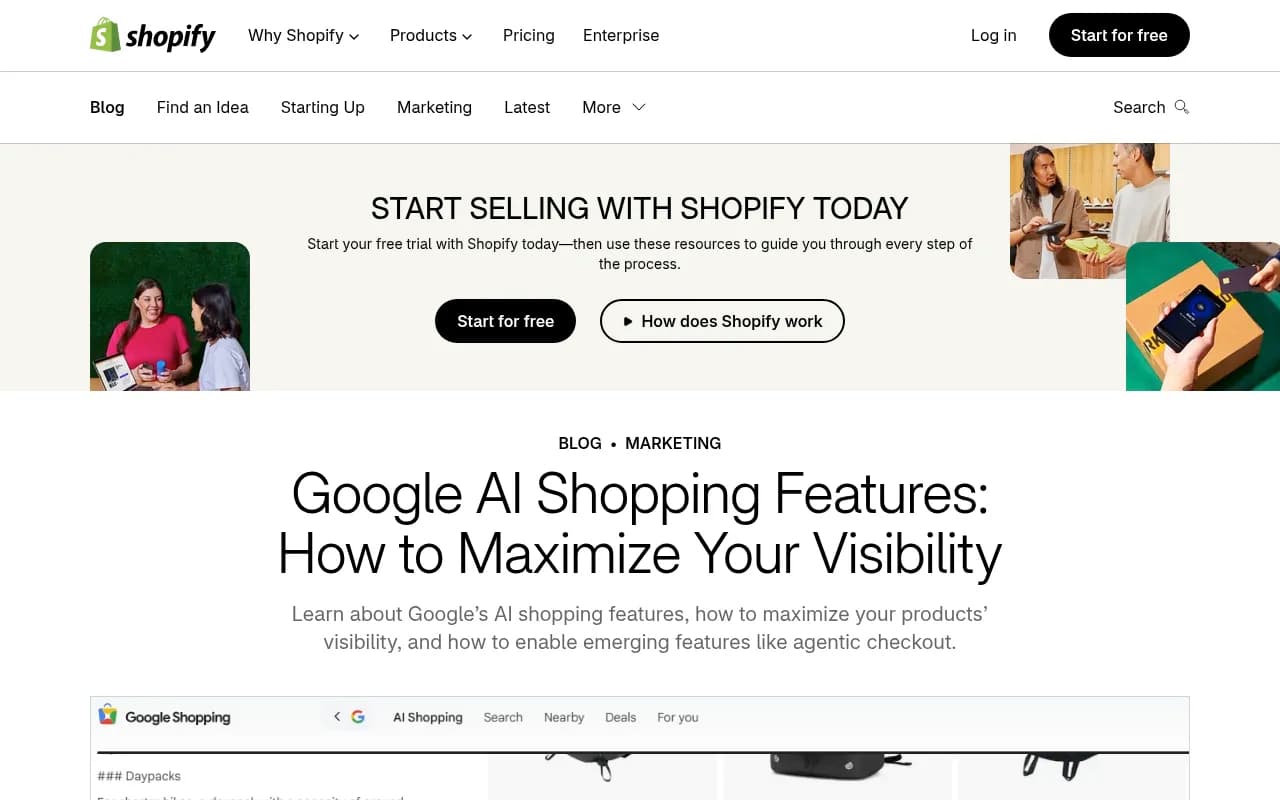
Google AI Shopping is a set of AI-driven product experiences across Google Search, AI Mode and the Shopping tab. These include conversational product discovery, comparison-style answers, virtual try-on and, increasingly, agentic checkout. Shopify's April 2026 guide on Google AI shopping features describes them as spanning the whole customer life cycle, from research to purchase.
There is a catch, and it is the reason this guide exists. Google Search Console does not separate AI Overview data from standard organic results, as the Otterly.AI team notes in its AI Overview tracking guide. I have not found any Google report that cleanly breaks out AI Mode shopping carousels either. So you are building a measurement system from partial signals. That is fine, as long as you know what each signal can and cannot tell you.
The four layers of a tracking setup
Think of the setup as four layers, each answering a different question.
| Layer | Question it answers | Data source | Cost |
|---|---|---|---|
| Feed health | Is my product data eligible and complete? | Merchant Center, Google & YouTube channel | Free |
| Search performance | Do I get impressions and clicks from Google? | Google Search Console | Free |
| Traffic and conversion | Do AI-driven visits convert? | GA4 | Free |
| Prompt monitoring | Which products and brands does the AI actually show? | Manual checks or an AI visibility tool | Free to paid |
Most teams stop at layer two and wonder why they cannot explain a traffic drop. The prompt layer is where you see what shoppers see.
Step 1: Fix your product data first
Tracking a feed that is broken just produces a depressing dashboard. Shopify's guidance is simple: install the Google & YouTube sales channel, connect your Google account and sync your product feed. Then audit the catalog and fill every required and recommended field. If a field is empty, the AI may deprioritize or exclude the product in certain results.
A practical audit checklist:
- Every product has a GTIN, MPN or brand identifier where one exists.
- Titles contain the attributes shoppers actually use (size, material, model, color).
- Prices and availability in the feed match the landing page exactly.
- Product schema markup is complete on the page itself.
- Images are high quality and show the product clearly.
Promptwatch's own advice from its ChatGPT shopping data is the same: complete Product schema, keep prices and availability accurate, keep the merchant feed clean. The principle carries over to Google. Mismatches between feed and page are the cheapest problem to fix and the most common.
To check your site against these issues at scale, a crawler like Screaming Frog SEO Spider can extract structured data from every product page.

Step 2: Build a prompt set that mirrors how people shop
This is the step people rush, and it decides whether your tracking is useful. AI shopping queries are conversational and specific. "Running shoes" is a keyword. "Best running shoes for flat feet under 150 dollars for marathon training" is a prompt.
Build 30 to 50 prompts across four types:
- Category prompts: "best standing desks"
- Constraint prompts: "standing desk for a small apartment under 400"
- Comparison prompts: "Brand A vs Brand B standing desk"
- Branded prompts: "is [your brand] standing desk worth it"
Pull ideas from Search Console queries that are longer than six words, from People Also Ask, and from customer support tickets. AlsoAsked is handy for the question-style variants.
Keep the set stable. If you change prompts every week, you cannot compare weeks.
Step 3: Set up Google Search Console filters
Search Console is free and still the only first-party source of Google click data. It will not label AI shopping results, but you can approximate.
- Open Google Search Console and go to Performance.
- Use the Search Appearance filter for AI Mode if it is available for your property. Otterly's guide recommends this as a first-day step.
- Add a query filter with a regex for long-tail, conversational queries, for example
^(\S+\s+){6,}\S+$to match queries of seven or more words. - Compare impressions and CTR for those queries month over month.
Treat this as directional. Falling CTR on long queries with stable impressions is a hint that an AI answer is absorbing the click. It is not proof.
Step 4: Create an AI traffic channel in GA4
GA4 can separate sessions that arrive from AI platforms, which gives you the conversion side of the story. Otterly's walkthrough uses a custom channel group:
- Go to Admin, then Data Display, then Channel Groups.
- Create a new channel group.
- Add a channel called AI Search.
- Set the condition: Source matches regex
google.*ai|chatgpt\.com|perplexity\.ai|gemini\.google\.com|copilot\.microsoft\.com - Move the channel above Organic Search in the ordering so it takes precedence.
Be honest about the limits. Clicks out of Google's own AI surfaces often arrive as ordinary google / organic traffic, so this channel will undercount Google AI Mode specifically. It does a better job on ChatGPT and Perplexity. I still set it up because the trend line is useful, even when the absolute number is low.
For attribution that goes past last click, HockeyStack is one option when you need to tie AI-influenced sessions to revenue.
Step 5: Run manual prompt checks (the free baseline)
Before you pay for anything, do this by hand for one week. It teaches you what to automate.
For each prompt in your set, in a clean browser profile and from your target country:
- Run it in Google AI Mode and in standard Search with an AI Overview.
- Note whether product cards or shopping results appear.
- Record which brands and retailers are shown, and in what order.
- Capture the price shown, any claims ("best for", "top rated") and the cited source links.
- Screenshot the result.
Put it in a spreadsheet with columns for date, prompt, surface, your product present (yes/no), position, competitors shown, price shown and cited domains.
The problem is obvious after about 20 prompts. Results vary by location, session and day, and the work does not scale. That is when a tool earns its cost.
Step 6: Automate with an AI visibility tool
What to look for when you pick a tool for AI shopping tracking:
- Real UI monitoring. What users see in AI Mode can differ from API outputs, so a tool that only calls a model API will miss shopping cards.
- Shopping or product-level tracking, not just brand mentions.
- Country and ideally city-level tracking, since local availability changes results.
- Citation data, so you can see which pages and domains the AI leans on.
- Some route from insight to action.
Promptwatch is the one I would look at first for this job. It monitors the real interfaces of Google AI Overviews, AI Mode, ChatGPT and others, and has an AI Shopping module that tracks product visibility in ChatGPT shopping carousels and Alexa results (you upload your catalog to track your own products). Worth stating plainly: its dedicated shopping tracking today covers ChatGPT and Alexa, so for Google AI Mode shopping you will rely on its prompt tracking, citations and Ads Radar rather than a Google-specific product carousel report. Beyond that, crawler logs show whether AI systems can actually read your product pages, and the Action Board turns gaps into a prioritized to-do list.

Other options worth a look:
| Tool | Strength | Limitation to check |
|---|---|---|
| Promptwatch | Real-UI tracking, crawler logs, shopping module, content and action workflow | Dedicated shopping carousels cover ChatGPT and Alexa |
| Otterly.AI | Affordable, straightforward prompt and AI Overview tracking | Monitoring only, no content or crawler layer |
| Peec AI | Clean monitoring dashboards | Monitoring without optimization |
| Profound | Enterprise-scale monitoring | Higher price point |
| Semrush | Fits existing SEO workflows | AI tracking is an add-on with fixed prompt sets |
| SE Visible | Brand visibility and sentiment across AI search | Verify shopping-specific coverage |



Always confirm current pricing and coverage on each vendor's site. These products change quickly. If you want to compare more options, the AI rank tracking directory and the GEO software directory list many of them side by side.
Step 7: Watch the sources Google leans on
In AI Mode, the pages cited often decide who gets shown. Promptwatch Data's Google AI Mode citation share report for June 2026 (May 31 to Jun 26) found that google.com took 7.31% of AI Mode citations, up from 4.24% in May, and that YouTube held 2.88%. Google properties plus YouTube accounted for more than 10% of citations, and below the top three every domain sat under 1%.
For a retailer, the practical reading is that Google's own assets matter. Merchant Center, Google Business Profile, Maps and YouTube are direct channels, not side projects. If you sell physical products, a product video on YouTube is a plausible citation source you control.
Also check how often social sources show up for your category. Promptwatch Data's social media citations report found that from Sep 28 to Oct 4, 2026, Google AI Overviews got 12.2% of citations from social platforms while ChatGPT got only 0.46%. That gap means Reddit and YouTube presence matters more for Google surfaces than for ChatGPT.
Step 8: Know the ChatGPT baseline too
Shoppers do not stay inside Google. Promptwatch's ChatGPT shopping usage data shows that shopping features attach to only a low single-digit percentage of ChatGPT web-search responses overall, but concentrate on commercial and transactional prompts. The rate also moves in steps, roughly doubling overnight at one point and then falling back, which looks like OpenAI tuning when product cards appear.
Two lessons for your own tracking. First, record results on commercial prompts specifically, since averages hide the action. Second, log the date of every check, because a sudden jump or drop may be a platform change rather than anything you did.
Step 9: Build a weekly dashboard
Keep it small. Six numbers is enough:
- Share of tracked prompts where your product appears
- Average position among shown products
- Share of voice against your top three competitors
- Feed errors and disapproved products in Merchant Center
- AI Search sessions and conversion rate in GA4
- Long-tail query CTR in Search Console
Read them together. Low presence with a clean feed points to a content or authority problem. Good presence with weak conversion points to price, reviews or landing page issues. Good rankings but low citations of your own pages means the AI is using third parties to describe your product, so fix your on-page content and get reviews published.
Looker Studio can pull GA4 and Search Console together for free, and some visibility tools offer connectors. For client work, AgencyAnalytics handles reporting.
Step 10: Act on what you find
Tracking without action is a hobby. After each weekly review, pick the two or three highest-impact fixes:
- Products absent from prompts where competitors appear: improve titles, attributes and on-page comparison content.
- Price mismatches: fix the feed sync.
- Competitor wins on a prompt you should own: study which pages are cited and what they contain that yours do not.
- Missing structured data: add or correct Product, Offer and Review markup. Schema App can manage this at scale.
Google's own guidance on optimizing for generative AI features says to stay informed about agentic experiences, such as browser agents and new protocols that let AI agents interact with your site. Agentic checkout is the part to watch, and the details of Merchant Center eligibility for it are worth verifying directly in Google's documentation before you plan around it.
Common mistakes
- Changing the prompt set every week, which destroys trend data.
- Tracking from one location only when your shoppers are spread across regions.
- Trusting a single run. AI answers vary, so look at repeated runs and trends.
- Counting a mention as a win without checking whether your product, price and link were shown correctly.
- Ignoring the feed because the dashboard looks more interesting.
A realistic first month
| Week | Focus |
|---|---|
| 1 | Audit feed and schema, build the 30 to 50 prompt set |
| 2 | Configure Search Console filters and the GA4 AI Search channel, run manual checks |
| 3 | Trial an AI visibility tool against the same prompts, compare to your manual baseline |
| 4 | Build the weekly dashboard, pick the first round of fixes |
If you would rather hand the work to specialists, an SEO and GEO agency such as 1001 SEO Media can run the audit and reporting for you. Otherwise, the steps above are enough to get a working setup this week.
Start with the feed. Everything else depends on it.