Prerender.io Review 2026
Focuses on technical optimization to ensure content is properly crawled and indexed by AI search engines and language models.
Summary
- Solves a critical technical problem: Prerender.io fixes JavaScript rendering issues that prevent search engines and AI crawlers from properly indexing your content. If your site is built with React, Vue, Angular, or similar frameworks, this is likely affecting your visibility.
- Proven results at scale: 100,000+ brands use it, including Spotify, Walmart, Wix, and HubSpot. Clients report 67% increases in Google traffic, 50% boosts in organic traffic, and 100x faster page loads for bots.
- AI search visibility is the new pitch: Prerender now positions itself as essential for appearing in ChatGPT, Perplexity, Claude, and other LLM-based search tools -- not just Google. AI crawlers can't execute JavaScript, so without rendering, your content is invisible to them.
- Missing optimization and monitoring: Prerender is purely infrastructure -- it renders your pages for crawlers but doesn't tell you what's working, what's missing, or how to improve. For AI visibility specifically, you'll need a separate tool like Promptwatch to track citations, identify content gaps, and optimize what AI models actually see.

Prerender.io is a JavaScript rendering service that's been around since the early days of single-page applications (SPAs). The core problem it solves: search engine crawlers and AI bots struggle to execute JavaScript, so sites built with React, Vue, Angular, Next.js, or similar frameworks often have massive indexing problems. Pages that look fine to human visitors are invisible or incomplete to Googlebot, Bingbot, and -- critically in 2026 -- AI crawlers like ChatGPT, Perplexity, and Claude.
The company was founded to address this exact bottleneck. When a crawler requests a page, Prerender intercepts the request, renders the JavaScript into static HTML using headless Chrome, caches the result, and serves that HTML to the bot. Human visitors still get the normal JavaScript experience. Bots get clean, fast HTML. The result: faster indexing, better PageSpeed scores, accurate SERP snippets, working social media link previews, and -- the new selling point -- visibility in AI search engines.
How it actually works in practice
You install a middleware on your server (Node.js, Nginx, Apache, AWS Lambda, Cloudflare Workers, etc.) or use one of their pre-built integrations (Netlify, Vercel, Heroku, WordPress, Shopify). When a request comes in, the middleware checks the user agent. If it's a bot, the request is routed to Prerender's cloud service. Prerender spins up a headless Chrome instance, loads your page, waits for JavaScript to finish executing, captures the fully rendered HTML, and sends it back. The rendered version is cached so subsequent bot requests are served instantly (average response time: 0.03 seconds).
For human visitors, nothing changes -- they get the normal client-side rendered experience. This is called dynamic rendering, and it's Google's recommended approach for JavaScript-heavy sites that can't implement server-side rendering (SSR) natively.
The caching layer is key. Once a page is rendered, it's stored in Prerender's cache and served to all future bot requests until you invalidate it (manually via API or automatically via webhook when content changes). This means you're not re-rendering the same page thousands of times -- you render once, serve from cache, and only re-render when the page actually changes.
AI search visibility: the 2026 positioning shift
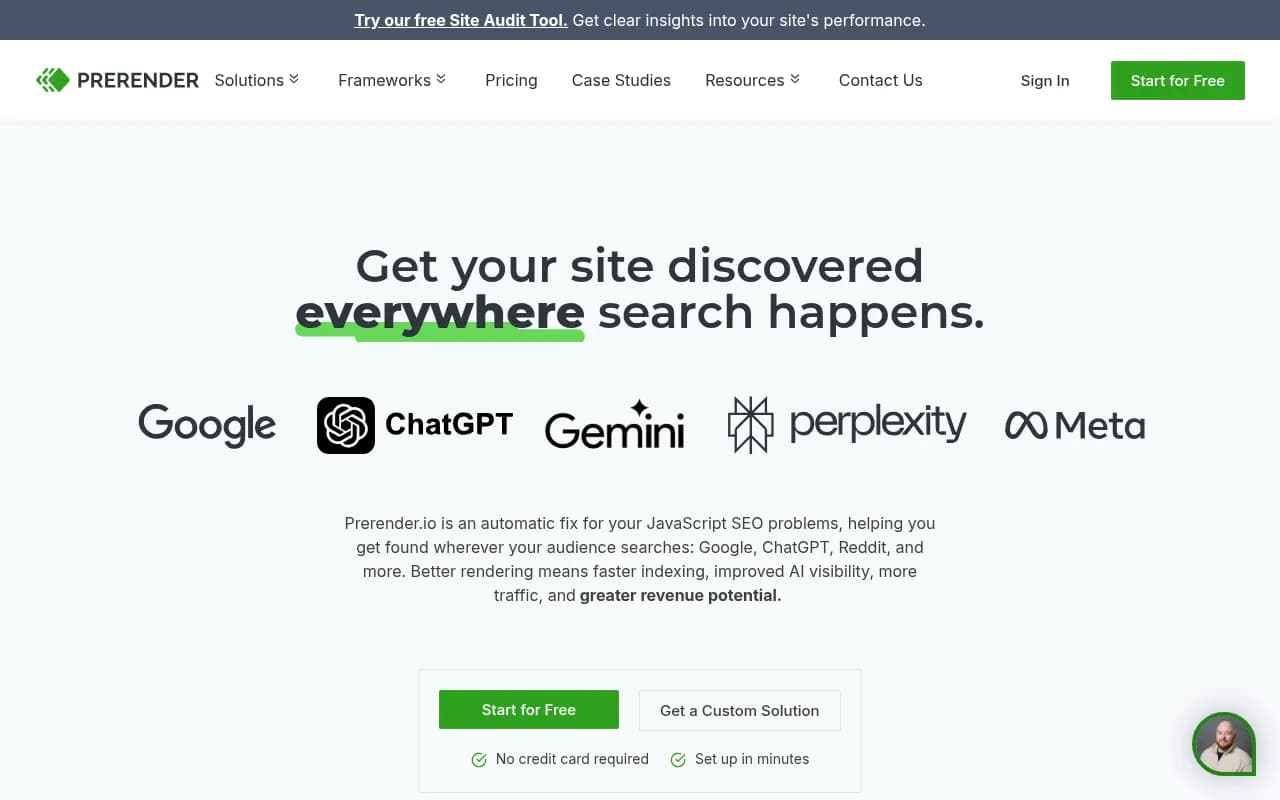
Prerender has pivoted hard into AI search optimization (they call it AEO -- Answer Engine Optimization). The pitch: AI crawlers from OpenAI (ChatGPT), Anthropic (Claude), Perplexity, Google (Gemini), and Meta can't execute JavaScript. If your site relies on client-side rendering, AI models literally can't read your content. They see an empty shell or a loading spinner.
Prerender's data shows that fixing this improves AI search visibility by up to 100%. Clients like Popken Fashion Group (Ulla Popken) are explicitly using Prerender to prepare for AI-driven shopping, which they expect to become a major traffic source. The Head of SEO there is quoted saying: "Shopping directly in LLMs doesn't quite exist yet, but it will soon. We're using Prerender.io to help us stay visible in AI search when that day comes."
This is a smart bet. AI search is growing fast -- Perplexity alone is doing 100M+ queries per month, and ChatGPT's search feature is live. But here's the gap: Prerender makes your content accessible to AI crawlers, but it doesn't tell you whether AI models are actually citing you, which prompts you're visible for, or what content you're missing. It's infrastructure, not intelligence.
For that, you need a GEO platform like Promptwatch, which tracks your brand's citations across ChatGPT, Perplexity, Claude, Gemini, and other AI models, shows you exactly which prompts competitors rank for but you don't, and helps you generate content that fills those gaps. Prerender gets you in the door; Promptwatch tells you what to do once you're there.
Key features breakdown
Headless Chrome rendering: Prerender uses headless Chrome (via Puppeteer) to render your pages exactly as a real browser would. This means it handles modern JavaScript frameworks, lazy-loaded images, dynamic content, AJAX requests, and third-party scripts. The rendered HTML includes everything a bot needs: meta tags, Open Graph tags, structured data, and the full DOM.
Caching and recaching: Once a page is rendered, it's cached indefinitely until you tell Prerender to refresh it. You can trigger recaching manually via the dashboard, programmatically via API, or automatically via webhooks (e.g. when you publish new content in your CMS). The cache is global and served from CDN edge locations, so bot requests are fast no matter where they originate.
User agent detection: The middleware detects bots by user agent string. Prerender maintains a list of known search engine crawlers (Googlebot, Bingbot, Yandex, Baidu, DuckDuckBot, etc.) and social media crawlers (Facebook, Twitter, LinkedIn, WhatsApp, Slack, etc.). You can customize the list to include or exclude specific bots. AI crawlers (ChatGPT-User, Claude-Web, PerplexityBot, etc.) are now included by default.
Social media link preview optimization: Prerender fixes broken link previews on Facebook, Twitter, LinkedIn, WhatsApp, Pinterest, Slack, and other platforms. If your site uses client-side rendering, social media crawlers often can't read your Open Graph tags or Twitter Card meta tags, resulting in blank or broken previews. Prerender ensures they get fully rendered HTML with all the necessary meta tags.
PageSpeed Insights improvement: Because bots get pre-rendered HTML instead of waiting for JavaScript to execute, your PageSpeed Insights scores improve dramatically. Clients report going from red (0-49) to green (90-100) scores after implementing Prerender. This matters because Google uses page speed as a ranking factor, and slow pages get crawled less frequently.
Structured data support: Prerender ensures that structured data (JSON-LD, Microdata, RDFa) is fully rendered and accessible to search engines. This is critical for rich snippets, knowledge panels, and other SERP features. If your structured data is injected via JavaScript, search engines might not see it without rendering.
Middleware and integrations: Prerender offers pre-built middleware for Node.js, Nginx, Apache, IIS, and cloud platforms like AWS Lambda, Cloudflare Workers, and Google Cloud Functions. There are also official integrations for Netlify, Vercel, Heroku, WordPress, Shopify, Magento, and more. If your stack isn't covered, you can use the API directly or build a custom integration.
Render monitoring and analytics: The dashboard shows you which pages have been rendered, how many times, cache hit rates, and any rendering errors. You can see which bots are requesting your pages and how often. There's also a "Render Preview" tool that lets you see exactly what bots see when they request a page.
Custom rendering rules: You can configure rendering behavior on a per-URL basis. For example, you can set custom wait times for pages with slow-loading content, block specific resources (ads, tracking scripts) from rendering, or inject custom JavaScript before rendering. This is useful for sites with complex client-side logic.
API and webhooks: The API lets you programmatically trigger recaching, check cache status, and retrieve rendered HTML. Webhooks let you automate recaching when content changes in your CMS (WordPress, Contentful, Sanity, etc.). This keeps your cached pages fresh without manual intervention.
Open source option: Prerender's core rendering engine is open source (GitHub: prerender/prerender). You can self-host it if you want full control or have specific compliance requirements. The hosted service adds caching, CDN distribution, monitoring, and support.
Who is it for
Prerender is for anyone running a JavaScript-heavy site who cares about search visibility. The primary personas:
E-commerce brands with 500+ SKUs: If you're running a React or Vue storefront (Shopify Hydrogen, Vue Storefront, custom headless setup), you probably have indexing problems. Product pages, category pages, and filters are often client-side rendered, which means Google might not index them properly. Prerender fixes this. Clients like Walmart, Canadian Tire, and Haarshop use it to ensure their product catalogs are fully indexed.
SaaS companies with marketing sites built in React/Next.js: If your marketing site is a single-page app, you're likely losing organic traffic because Google can't crawl your content properly. Prerender ensures your blog posts, landing pages, and feature pages are indexed. Companies like HubSpot, Wix, and Netlify use it.
Media and publishing sites: If you're serving millions of articles via a JavaScript framework (like Stacker, which was mentioned in a recent Prerender podcast), you need rendering to ensure every article is indexed and appears correctly in Google News, Apple News, and social media feeds.
Agencies managing multiple client sites: Prerender offers agency pricing and multi-site management. If you're building client sites in React, Vue, or Angular, you can add Prerender as a standard part of your stack to avoid indexing issues down the road.
Enterprise brands with complex tech stacks: Companies like Spotify, Oracle, Salesforce, and Microsoft use Prerender because it integrates with their existing infrastructure without requiring a full rewrite to server-side rendering. It's a pragmatic solution for large organizations that can't easily refactor their frontend.
Who should NOT use Prerender: If your site is already server-side rendered (Next.js with SSR, Nuxt.js with SSR, traditional PHP/Rails/Django), you don't need Prerender. You're already serving HTML to bots. Also, if your site is small (under 100 pages) and you can easily switch to a static site generator (Gatsby, Hugo, Jekyll), that's a simpler solution.
Integrations and ecosystem
Prerender integrates with most modern web stacks. Specific integrations include:
- Hosting platforms: Netlify, Vercel, Heroku, AWS Lambda, Cloudflare Workers, Google Cloud Functions, Azure Functions
- Web servers: Nginx, Apache, IIS, Node.js (Express, Koa, Fastify), Ruby (Rack), Python (Django, Flask), PHP
- CMS platforms: WordPress (official plugin), Shopify, Magento, Contentful, Sanity, Strapi, Prismic
- JavaScript frameworks: React, Vue, Angular, Svelte, Next.js, Nuxt.js, Gatsby, Ember
- CDNs: Cloudflare (Workers integration), Fastly, Akamai
- Analytics: Google Search Console (for indexing data), Google Analytics (for traffic attribution)
The API is RESTful and well-documented. You can use it to trigger recaching, check cache status, retrieve rendered HTML, and manage your account. Webhooks let you automate recaching when content changes in your CMS.
There's no mobile app, but the dashboard is mobile-responsive. The GitHub repo (prerender/prerender) has 13k+ stars and is actively maintained.
Pricing and value
Prerender uses a render-based pricing model:
- Free tier: 1,000 renders per month. Good for testing or very small sites.
- Essential: $90/month for 10,000 renders. Includes basic caching and support.
- Professional: $250/month for 50,000 renders. Adds priority support and custom rendering rules.
- Business: $500/month for 150,000 renders. Adds dedicated account manager and SLA.
- Enterprise: Custom pricing for 500,000+ renders. Adds custom contracts, on-premise deployment, and white-glove support.
A "render" is counted each time a page is rendered (not served from cache). If you have 10,000 pages and each page is rendered once per month, that's 10,000 renders. If a page is served from cache 1,000 times, it still only counts as one render.
This pricing is significantly cheaper than building and maintaining your own server-side rendering infrastructure. Clients report saving $120k+ per year compared to in-house SSR solutions. It's also cheaper than competitors like Botify (reportedly $500+/month for basic plans) and more transparent than enterprise SEO platforms that require custom quotes.
The free tier is generous enough to test the service on a real site. Most small to mid-sized sites (under 10,000 pages) fit comfortably in the $90-$250/month range.
Strengths and limitations
Strengths:
- Proven at scale: 100,000+ brands, including household names like Spotify, Walmart, and Wix. The infrastructure is battle-tested.
- Fast implementation: Most clients are up and running in under an hour. The middleware is simple to install, and the dashboard is intuitive.
- Dramatic results: Clients consistently report 50-100% increases in indexed pages, 30-67% increases in organic traffic, and PageSpeed scores jumping from red to green.
- AI search positioning: Prerender is ahead of the curve in positioning itself as essential for AI visibility. Most competitors are still focused purely on Google SEO.
- Open source option: You can self-host the rendering engine if you need full control or have compliance requirements.
Limitations:
- No optimization guidance: Prerender makes your content accessible to crawlers, but it doesn't tell you what to optimize, which pages are underperforming, or what content is missing. It's infrastructure, not strategy. For AI search specifically, you need a separate tool like Promptwatch to track citations, identify gaps, and generate optimized content.
- Render limits can be restrictive: If you have a large, frequently updated site (e.g. a news site publishing 1,000 articles per day), render limits can become a bottleneck. You'll need to carefully manage cache invalidation to avoid burning through your render quota.
- No built-in A/B testing: You can't test different versions of a page to see which performs better in search. You'd need to integrate with a separate A/B testing platform.
- Limited analytics: The dashboard shows basic metrics (renders, cache hits, errors), but it doesn't integrate deeply with Google Search Console or provide detailed SEO insights. You'll need to cross-reference with GSC to see how rendering improvements translate to rankings and traffic.
- AI crawler detection is reactive: Prerender adds new AI crawlers to the default bot list as they emerge, but there's always a lag. If a new AI search engine launches tomorrow, you might need to manually add its crawler to your config.
Bottom line
If you're running a JavaScript-heavy site and you care about search visibility -- whether that's Google, Bing, or AI search engines like ChatGPT and Perplexity -- Prerender.io is the most proven, cost-effective solution on the market. It solves a real technical problem (JavaScript rendering for bots) with minimal setup and delivers measurable results (faster indexing, better PageSpeed scores, more traffic).
The AI search positioning is smart and timely. As AI-driven search grows, being invisible to ChatGPT or Perplexity will hurt just as much as being invisible to Google. Prerender ensures you're not left behind.
That said, Prerender is infrastructure, not optimization. It gets your content in front of crawlers, but it doesn't tell you what's working or how to improve. For AI search specifically, pair it with a GEO platform like Promptwatch to track citations, identify content gaps, and optimize what AI models actually see. Prerender gets you in the door; Promptwatch tells you what to do once you're there.
Best use case in one sentence: E-commerce brands, SaaS companies, and media sites running React/Vue/Angular who need to fix indexing problems and prepare for AI search without rewriting their entire frontend.
Similar and alternative tools to Prerender.io