GetResponse Review 2026
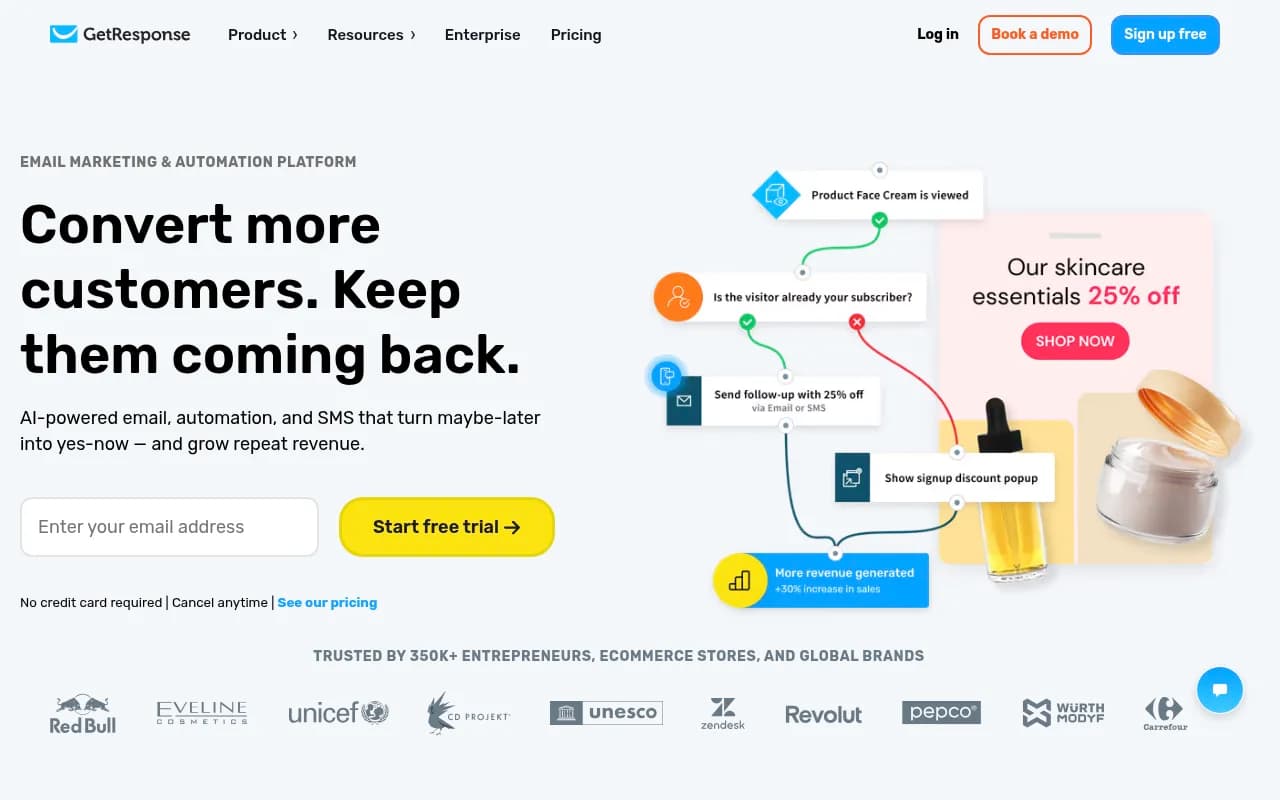
GetResponse is an email marketing and automation platform for ecommerce stores, solo entrepreneurs, and mid-market marketing teams. It combines email campaigns, marketing automation, landing pages, webinars, and SMS in one dashboard, with AI tools for copy, subject lines, and send-time optimization.
Key takeaways
- GetResponse is a broad marketing suite built around email and automation, with landing pages, webinars, SMS, and a course creator bolted on. It's trying to be the one tool a small ecommerce brand or solopreneur needs instead of stitching together five apps.
- Pricing starts at $19/mo (Starter, 1,000 contacts) but the useful automation features - ecommerce tracking, abandoned cart recovery, contact scoring - don't kick in until Marketer at $59/mo list price ($48.38/mo billed annually).
- Review sites paint a mixed picture on billing: Capterra data shows a striking 91% negative sentiment on comments about billing and cancellation, with complaints about charges continuing after cancellation and account suspensions without warning. That's worth weighing before committing a full year upfront.
- G2 users rate it 4.3/5 across 1,141 reviews, and support responsiveness gets consistent praise, but "missing features" and "expensive" show up repeatedly as cons.
- This is not an AI-search or GEO tool, so it has nothing to do with tracking brand visibility in ChatGPT or Google AI Overviews - it's a traditional email and marketing automation platform, full stop.
GetResponse has been around since 1998, which makes it one of the older names in email marketing, older than Mailchimp in most people's minds even if it doesn't get the same press. It's grown from a straightforward newsletter tool into a lifecycle marketing platform: email, automation, landing pages, webinars, a course creator, SMS, and web push notifications, all sitting under one login. The company claims 350,000+ customers worldwide and cites logos like Red Bull, UNICEF, Zendesk, and CD Projekt on its homepage, though those are almost certainly a mix of enterprise and long-tail small business accounts rather than all paying full enterprise rates.
The pitch is straightforward: instead of running Mailchimp for email, Unbounce for landing pages, Calendly for webinars, and a separate SMS tool, you run all of it inside GetResponse. Whether that consolidation is worth it depends heavily on how deep you need to go into any one of those categories, because GetResponse is rarely the best-in-class option for any single feature - it's a solid generalist.
Key features
Email marketing and AI writing tools. The core is still email: unlimited sends on every paid plan, drag-and-drop builder, custom HTML, RSS-to-email, dark mode preview, and an AI email generator plus AI subject line generator. On the Starter plan, though, AI tools are capped at "up to 3 uses" - a strange limitation for a feature GetResponse markets heavily on its homepage. You need Marketer or above to get unlimited AI generation, A/B testing, ecommerce tracking, and "Perfect Timing" and "Time Travel" send-time optimization, which adjust delivery based on subscriber time zones and past engagement.
Marketing automation builder. A visual workflow builder handles welcome sequences, drip campaigns, birthday emails, and click/open-based follow-ups even on Starter. But the automation triggers that actually matter for revenue - abandoned cart, visited-URL triggers, event-based automation, purchase automation - are locked to Marketer and above. Contact scoring and tagging are also gated the same way, which means Starter users get automation in name only.
Landing pages and websites. The AI landing page creator writes copy, picks layouts, and publishes pages with unlimited visitors and pages included even on Starter. The website builder (5 active sites on Creator, 10 on Enterprise) is separate from the landing page tool and adds galleries, popups, custom code, membership areas, and Facebook Pixel tracking, but only from the Creator tier up. If you just need one polished landing page, Starter covers it; if you want an actual site builder with SSL and custom domains, you're paying for Creator.
Ecommerce tools. Store and product sync, abandoned cart recovery, order confirmation automation, promo codes (including unique, synced codes), and product recommendation blocks in email are all gated to Marketer and above. GetResponse integrates directly with Shopify, WooCommerce, Magento, PrestaShop, Shoper, and IdoSell for this. Recent updates added Shopify tag synchronization for segmentation and automated Price Drop campaigns, per GetResponse's own "What's New" changelog.
Webinars. This is a differentiator most competitors in this price range don't have. Creator plan gets live webinars for up to 100 attendees with 3 hours of recording storage; Enterprise scales to 1,000 attendees, 20 hours of storage, and breakout rooms. Webinar funnels and a dedicated webinar email block (pulling in title, date, and registration link automatically) round this out. If you already run webinars through Zoom or a dedicated tool, this is a genuine reason to consolidate.
Course creator and premium newsletters. Also Creator-tier and up: up to 40,000 students, 0% transaction fees, PayPal/Stripe payment integration, and a mobile app for students. This puts GetResponse in loose competition with Kajabi and Teachable for creators who want courses and email in one place, though it's much shallower than a dedicated course platform.
SMS and web push. Web push notifications are unlimited from Marketer up. Full SMS marketing - bulk campaigns, automation, personalization, link shortening, consent management - is Enterprise-only, bundled with 5,000 free SMS credits. That's a steep gate for a channel that's often used by smaller ecommerce brands specifically because it's cheap.
GetResponse Chats. A live chat widget for landing pages and websites, with quick replies, automated welcome messages, and email-based replies, starting at Marketer with 5 seats. It's a nice-to-have rather than a reason to switch, since most teams already have a support chat tool.
Reporting and integrations. Custom reports, ecommerce reports, and recommendation reports appear from Marketer up; FTP report delivery is Enterprise-only. GetResponse lists 150+ integrations across contact sync, list growth, automation, and sales categories, plus Zapier access to thousands more apps. Native integrations include Salesforce, Stripe, PayPal, Google Analytics, Google Ads, and Facebook Ads; Microsoft Dynamics 365 is Enterprise-exclusive.
Who is it for
GetResponse fits small ecommerce stores and solo entrepreneurs who want one platform instead of five, particularly Shopify or WooCommerce sellers running 500 to 20,000 contacts who need abandoned cart emails, promo codes, and basic segmentation without hiring a dedicated email marketer. It also fits course creators and coaches who want to bundle a landing page, a webinar funnel, and a lightweight course platform under one subscription rather than paying separately for Kajabi plus ConvertKit plus Zoom.
Mid-market companies with 51-1,000 employees show up as a real user segment on G2, usually running the Marketer or Creator plan for a marketing team of 3-5 people managing multiple campaigns. Agencies managing several client accounts might find the per-plan user limits (3 on Starter, 5 on Marketer and Creator) restrictive unless they go straight to Enterprise.
Who shouldn't use it: teams that need best-in-class automation logic and complex multi-branch customer journeys will likely find GetResponse's automation builder feels basic next to Klaviyo or ActiveCampaign, especially for ecommerce-specific triggers. Anyone allergic to annual billing risk should also think twice given how consistently negative the billing and cancellation reviews are on Capterra - if you're not sure you'll stick around, start monthly even though it costs more.
Integrations and ecosystem
GetResponse's integration directory breaks into six categories: synchronizing contacts (92 integrations), growing your list (85), automating processes (58), promoting offers (45), selling online (30), and analyzing results (20). The ecommerce integrations are the strongest part of this - direct connections to Shopify, WooCommerce, Magento, PrestaShop, Shoper, and IdoSell, plus Stripe and PayPal for payments. CRM coverage is thinner: Salesforce is native, but Microsoft Dynamics 365 is locked to Enterprise.
Zapier support opens up the rest of the ecosystem - Pipedrive, Typeform, Gravity Forms, Zoom, Teachable, Eventbrite, ClickFunnels, Unbounce, and more. An API is available starting at the Starter plan, which is generous compared to platforms that gate API access behind higher tiers. There's no public GitHub presence for GetResponse; it's a closed SaaS product, not a developer tool, so don't expect an open-source community or self-hosted option.
Pricing and value
GetResponse runs four tiers, priced by contact list size (brackets at 1k, 2.5k, 5k, 10k, 25k, 50k, 100k+):
- Free: 500 contacts, 2,500 emails/month, 1 landing page capped at 1,000 monthly visitors, no automation workflows, GetResponse branding stays on.
- Starter: $19/mo ($15.58/mo billed annually) for 1,000 contacts. Unlimited email sends, but AI tools capped at 3 uses, no A/B testing, no ecommerce tracking, 3 users.
- Marketer: $59/mo ($48.38/mo annually). Unlimited AI generation, ecommerce tracking, abandoned cart automation, contact scoring/tagging, unlimited web push, 5 chat seats, Google/Facebook Ads integration.
- Creator: $56.58/mo billed annually. Adds the AI landing page/website builder, course creator (up to 40,000 students, 0% transaction fees), live webinars (100 attendees), premium newsletters.
- Enterprise (Max): custom pricing. Unlimited users, SSO, dedicated sending domain, SMS marketing with 5,000 free SMS, transactional email API, 1,000-attendee webinars, dedicated onboarding and account manager.
Annual billing knocks 18% off, and there's an extra 10% off for completing GetResponse's onboarding checklist. Registered non-profits can apply for up to 50% off. Compared to Mailchimp, which gets expensive fast as your list grows, GetResponse is competitively priced at the low end but the feature-gating means you often need to jump two tiers to unlock the automation you actually came for. Against Klaviyo, which charges purely by contact volume with deeper ecommerce logic built in from tier one, GetResponse's value proposition is breadth over depth - you get webinars and a course platform, but the automation itself is less sophisticated.
Strengths and limitations
What it does well: the sheer range of tools under one login is genuinely useful for a lean team, especially the webinar functionality, which most email platforms in this price range simply don't have. The API is available from the entry-level plan, not locked behind Enterprise. Customer support responsiveness gets consistent praise across G2 and Capterra, and the free plan, while limited, is a real way to test the interface before paying.
Where it falls short: automation logic is basic compared to Klaviyo or ActiveCampaign, particularly for ecommerce-specific triggers and multi-branch journeys. The tier-gating is aggressive - core things like ecommerce tracking and abandoned cart recovery aren't available until the second-cheapest plan, which makes the $19 Starter tier feel more like a demo than a real offering. Billing and cancellation complaints are a real pattern, not a one-off: Capterra's review analysis found 91% negative sentiment specifically on billing/cancellation comments, citing charges continuing after cancellation and account suspensions without clear notice. That's a meaningful red flag for anyone considering annual billing.
Bottom line
GetResponse works best for ecommerce sellers and course creators who want email, landing pages, webinars, and light automation in a single subscription rather than juggling separate tools, and who are willing to land on the Marketer or Creator tier rather than trying to make Starter work. If your priority is sophisticated ecommerce automation logic specifically, Klaviyo will likely serve you better; if billing transparency during cancellation is a dealbreaker, read the Capterra reviews carefully before going annual.
Tags:
Frequently asked questions
How much does GetResponse cost?
Does GetResponse have a free plan?
What's the difference between GetResponse's plans?
Is GetResponse good for ecommerce stores?
Are there complaints about GetResponse's billing?
Does GetResponse have webinars and a course creator?
Similar and alternative tools to GetResponse