Key takeaways
- A hosted MCP server runs on the vendor's side over streamable HTTP, so you install nothing locally. You paste one URL or click one connector.
- Promptwatch's server lives at
https://server.promptwatch.com/mcpand works with Claude, Claude Code, Cursor, Lovable, OpenAI Codex and any MCP-compatible client. - Claude and Claude Code can use OAuth. Cursor's documented path is an API key. Use read-only or project-scoped keys when an assistant only needs to look.
- Lovable has its own MCP server at
mcp.lovable.dev. That is a different thing from adding Promptwatch inside Lovable. Don't mix them up. - Once connected, you stop exporting CSVs and start asking questions like "which sources are LLMs citing when they mention us?"
Why bother connecting GEO data to an AI client
Most GEO work is a loop. Check visibility, find the gap, write something, publish it, check again. Each step usually lives in a different tab. The dashboard shows the numbers, a spreadsheet holds the analysis, a doc holds the draft, and the CMS holds the final page.
An MCP (Model Context Protocol) connection collapses part of that loop. MCP is an open standard that lets an AI agent discover and call external tools. When the agent connects to a server it sees what tools exist and decides when to use them. So instead of you copying numbers into a chat, the assistant pulls them itself.
That matters most in two places. In Claude or ChatGPT-style chat, you get an analyst that can answer questions over live data. In Cursor or Claude Code, you get an agent that can read your visibility gaps while it edits the actual site code or content files. I find the second one more interesting, because the data sits right next to the thing you are changing.
A concrete example of a good question: how many sources does each AI engine cite per answer? According to Promptwatch Data's average sources per response report, ChatGPT cites about 5 sources per web-search answer, Google AI Overviews about 10, and Perplexity almost exactly 10 every day. An assistant wired to your own data can tell you how your pages fit into those lists, not just what the averages are.
What a hosted MCP server is (and why hosted beats local)
There are two kinds of MCP servers. A local one is a process you install and keep running on your machine, usually launched through npx or a Docker container. A hosted one is a URL. The vendor runs it, patches it, and scales it. You point your client at the address and authenticate.
For GEO data, hosted is the better fit for a few reasons:
- Nothing to maintain. No Node version issues, no stale package.
- Your whole team can use the same server without each person running a copy.
- OAuth consent can happen in the browser, with the vendor deciding which projects the client can see.
- It works the same from a laptop, a CI job or a cloud IDE.
The tradeoff is that your data travels to whichever model provider your client uses. Read your client's data handling terms before connecting a workspace with sensitive information. LaunchDarkly's hosted MCP docs say the same thing about their server: data the client reads is sent to the AI model provider that client uses. It applies to every hosted server, ours included.
What the Promptwatch MCP server exposes
Promptwatch is an AI search visibility and GEO platform, and its hosted MCP server is the cleanest example of this pattern in the GEO space. It exposes both read tools and write tools.

Read tools cover:
- Visibility and sentiment time series
- Citations with rank analysis and top pages
- Reddit and YouTube citations
- Prompts and responses
- Competitor heatmaps
- Content gaps and query fan-outs
- Site health
- Crawler and visitor analytics
Write tools cover:
- Creating and managing prompts, tags, topics and personas
- Generating content
- Managing Content Agent slots
- Pushing drafts and publishing live to a connected CMS
- Creating reports and action items
The write side is why key scoping matters, which I'll get to below. Other channels exist too: Slack, a ChatGPT plugin, a Claude connector and a REST API. This guide sticks to the MCP route.
Pick your auth method first
Before you connect anything, decide how the client will authenticate. The server supports OAuth or an API key sent as a Bearer token.
| Method | Best for | Scope control | Notes |
|---|---|---|---|
| OAuth | Claude (web and Desktop), Claude Code | You choose organization and projects on the consent screen | No key to store or rotate |
| Project-scoped API key | Cursor, scripts, shared tooling | Sees one project only | Good default for a single client site |
| Organization API key | Agencies working across accounts | Sees all projects | Treat like a password |
| Read-only API key | Assistants that should only look | Write tools are unavailable | Safest option for exploration |
My opinion: start read-only. You can always issue a second key with write access once you trust the workflow. Handing a write-capable key to an assistant that only needs to answer questions is how people end up with draft articles they never asked for.
Connect Claude (web and Desktop)
Promptwatch is an official connector in the Claude directory, so there is no API key and no config file.
- Open Claude and go to Customize, then Connectors, then Browse.
- Search for Promptwatch and click Connect.
- On the Promptwatch consent page, choose the organization and projects the client may access, then click Accept.
- Claude redirects you back and the tools appear in the composer.
One thing to watch: Promptwatch's own integration page words the path as Settings, then Connectors, then Browse, while the setup docs say Customize. Claude's interface labels shift, so if you don't see one, look for the other.
If the directory listing isn't available to you, Claude chat also lets you add a custom connector with a server URL. Use https://server.promptwatch.com/mcp and complete the sign-in when prompted.
Connect Claude Code
Claude Code is the one I'd set up first for anyone who works in a repo. The OAuth route is the recommended one.
claude mcp add --transport http promptwatch https://server.promptwatch.com/mcp
Then, inside a session:
- Run
/mcp. - Select promptwatch and choose Authenticate.
- Finish the consent in your browser.
- Back in the terminal, run
claude mcp list. The server should show Connected.
The pitfall here is easy to hit. Do not pass --header when you want OAuth. Adding a header switches Claude Code to API-key auth and skips the OAuth flow entirely, silently. If you actually want key auth, that is a valid choice:
claude mcp add --transport http promptwatch https://server.promptwatch.com/mcp --header "Authorization: Bearer YOUR_API_KEY"
Just make it a deliberate decision.
Connect Cursor
Cursor's documented path for Promptwatch uses an API key.
- In the Promptwatch dashboard, open Settings, then API Keys, and create a key. Pick read-only or project-scoped depending on the job.
- Use the one-click deeplink install from the Cursor integration page, replace YOUR_API_KEY in the dialog, and click Install.
- Or edit the config by hand.
For the manual route, add this to .cursor/mcp.json in your project root (or ~/.cursor/mcp.json for a global setup):
{
  "mcpServers": {
    "promptwatch": {
      "url": "https://server.promptwatch.com/mcp",
      "headers": {
        "Authorization": "Bearer YOUR_API_KEY"
      }
    }
  }
}
If the file already has an mcpServers object, add the promptwatch entry inside it. A second mcpServers block makes the file invalid JSON, and Cursor will quietly ignore it. Reload the window after saving.
Because a project-scoped .cursor/mcp.json often gets committed, keep the key out of version control. Use the global file, or reference an environment variable if your setup supports it.
Connect Lovable (and don't confuse the two servers)
Here is where people trip. There are two separate MCP relationships involving Lovable, and they point in opposite directions.
| Promptwatch inside Lovable | Lovable's own MCP server | |
|---|---|---|
| Direction | Promptwatch data flows into Lovable | External clients drive Lovable |
| URL | https://server.promptwatch.com/mcp | https://mcp.lovable.dev |
| Where you set it up | Lovable, Connectors, custom MCP server | Claude, ChatGPT, Cursor or VS Code |
| Auth | OAuth or Bearer API key | OAuth only, no API keys |
| Purpose | Let the Lovable agent read GEO data while it builds | Create, edit and deploy Lovable projects from another client |
To give Lovable access to your GEO data:
- In Lovable, open Connectors and add a custom MCP server.
- Point it at
https://server.promptwatch.com/mcp. - Authorize with OAuth, or paste a Bearer API key.
Lovable describes this as a chat connector: it lets the Lovable agent connect to your tools. Promptwatch's docs setup page has no dedicated Lovable section, only the generic server link, so the Lovable-side labels may differ slightly from what I've written. Follow what the Lovable connector screen asks for.
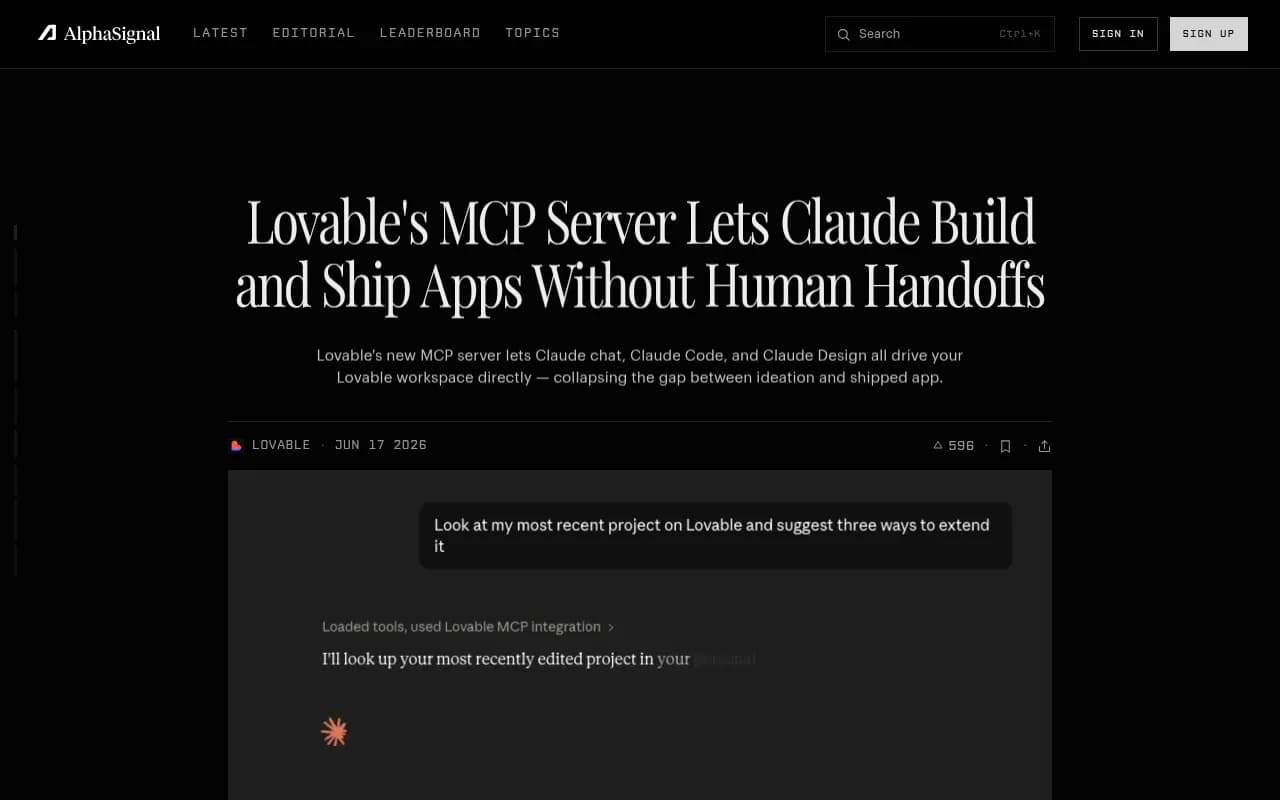
Now the reverse. Lovable exposes itself as an MCP server at https://mcp.lovable.dev, available on every plan including Free. It lets Claude, ChatGPT, Claude Code, Cursor or VS Code create projects, send messages, inspect code and deploy. Per Lovable's docs it uses OAuth only, and create_project and send_message calls consume your Lovable credits.
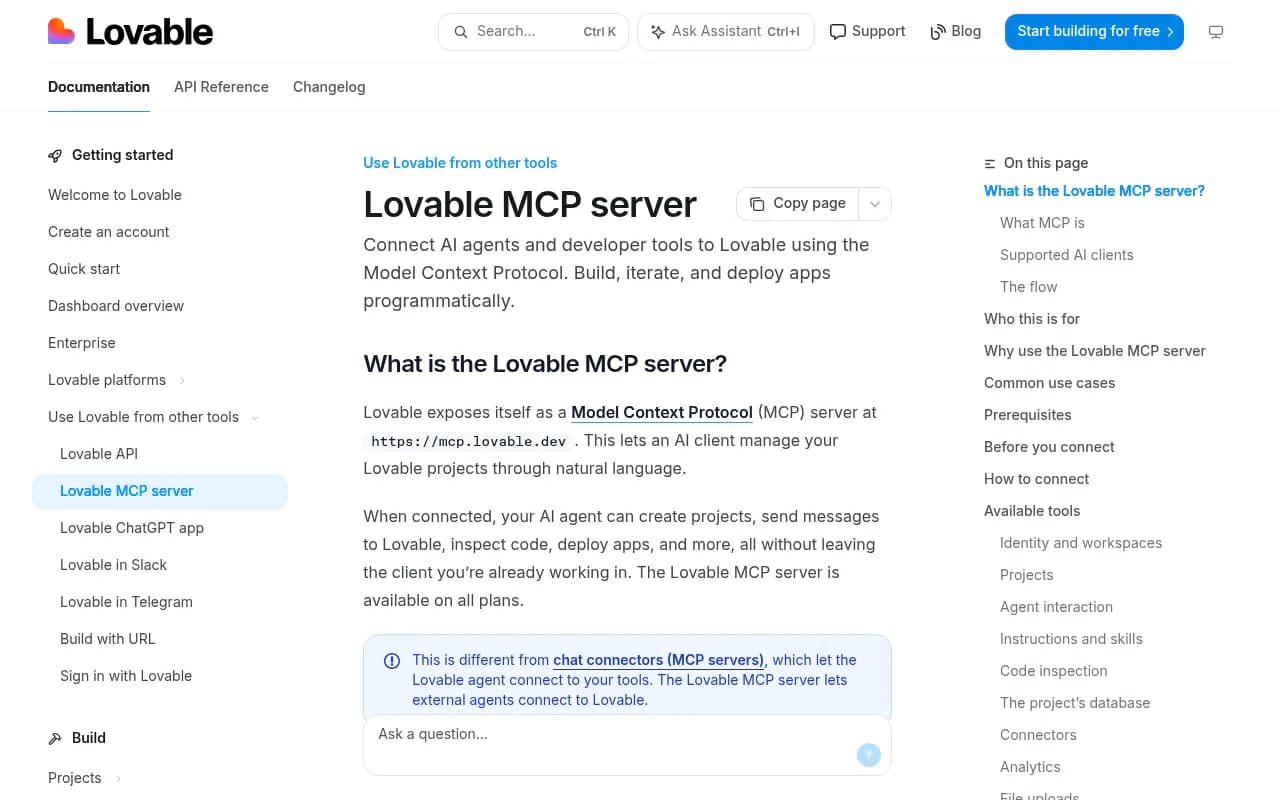
The interesting thing is using both together. Connect Promptwatch to Claude Code and Lovable's server to the same session, and an agent can read a content gap, scaffold a landing page in Lovable and hand you the URL. I wouldn't automate that end to end on day one, but as a workflow it is plausible.
For Claude Code, Lovable's command is:
claude mcp add --transport http lovable "https://mcp.lovable.dev"
Older clients and the mcp-remote fallback
Some clients don't support remote HTTP servers yet. The transport is Streamable HTTP with an Authorization: Bearer header, and for clients without that support you can bridge with the mcp-remote proxy:
npx -y mcp-remote https://server.promptwatch.com/mcp --header "Authorization: Bearer YOUR_API_KEY"
This one does need Node on your machine, so it gives up the "nothing local" benefit. Use it only when you have to.
For ChatGPT, the recommended route is the Promptwatch plugin from the ChatGPT store. A manual custom MCP also works, with type Streamable HTTP and an Authorization header.
Prompts worth trying once you're connected
Start broad, then narrow. These come from the Promptwatch docs and work in any connected client:
- How visible is my brand in AI search results?
- Which sources are LLMs citing when they mention us?
- Compare our AI visibility against competitors.
- What content gaps should I address?
- How much traffic are we getting from AI tools?
- Generate a blog post for prompt X using persona Y.
A few patterns that tend to work better than single questions:
- Ask for the evidence along with the answer. "Show the prompts and cited URLs behind that" keeps the assistant honest.
- Combine read and write carefully. Ask it to propose three action items first, then create them once you approve.
- In Cursor or Claude Code, point it at a specific file. "Check this page against our content gaps and suggest edits" gives the agent both the page and the data.
Quick comparison of the four clients
| Client | Recommended auth | Setup effort | Good for |
|---|---|---|---|
| Claude (web and Desktop) | OAuth via directory connector | Few clicks | Analysis and reporting conversations |
| Claude Code | OAuth via claude mcp add | One command | Editing a repo with GEO data in context |
| Cursor | Bearer API key | Deeplink or JSON edit | In-editor content and page work |
| Lovable | OAuth or Bearer API key | Add a custom connector | Building pages informed by visibility data |
Troubleshooting and safe habits
- Server shows as not connected in Claude Code. Run
/mcp, select promptwatch and authenticate again. If you added it with--header, remember OAuth was skipped and your key may be wrong or revoked. - Cursor sees nothing. Check for a duplicated
mcpServersblock and reload the window. - Write tools missing. You are probably using a read-only key. That is working as intended.
- Seeing too many or too few projects. Project-scoped keys see one project, organization keys see all of them, and OAuth consent lets you pick. Re-run consent if you chose wrong.
- Rotate keys when someone leaves a team, and keep separate keys per client so you can revoke one without breaking the rest.
I could not find public notes on MCP plan gating or rate limits, so check Promptwatch's pricing page and the docs index before you build anything that depends on heavy usage.
Where to go next
If you are still choosing a platform to connect, the GEO software directory lists the options, and the AI rank tracking directory covers tools that are monitoring-first. Not every one of them ships a hosted MCP server, so it is worth checking that before you commit.
The short version: pick OAuth where it exists, use a read-only key where it doesn't, keep write access deliberate, and keep Lovable's two MCP roles straight in your head. Then ask your assistant what your AI visibility looks like today.