HubSpot Marketing Hub Review 2026
Creates marketing emails, social media content, and automates campaigns with AI content creation tools integrated into a full marketing suite.
Summary
- Best for mid-market and enterprise teams who want an all-in-one marketing platform that connects directly to their CRM without duct-taping together 10 different tools
- Strengths: Deep CRM integration, unified customer data, AI content generation across email/social/blog, built-in analytics and attribution, extensive app marketplace (1,900+ integrations)
- Limitations: Expensive at scale (Professional starts at $890/mo), steeper learning curve than simpler tools, some advanced features locked behind Enterprise tier ($3,600/mo)
- Pricing can surprise you: Seat-based pricing adds up fast for larger teams, and you'll likely need Professional tier ($890/mo) to access the features that justify switching from cheaper alternatives
- HubSpot's platform play: Marketing Hub works best when paired with Sales Hub, Service Hub, or Content Hub -- the real power is in the unified customer platform, not the marketing tools alone
HubSpot Marketing Hub is the marketing automation component of HubSpot's broader customer platform. It's designed for companies that have outgrown basic email tools like Mailchimp but aren't ready for enterprise complexity like Marketo or Salesforce Marketing Cloud. The core pitch: everything you need to attract visitors, convert leads, and prove ROI lives in one place, connected to a CRM that your sales team actually uses.
HubSpot (the company) has been around since 2006 and essentially invented the term "inbound marketing." Marketing Hub is their flagship product, used by over 200,000 customers including Weight Watchers, Reddit, and Monday.com. In 2024-2025, HubSpot went all-in on AI with their "Breeze" suite of AI tools, adding content generation, customer-facing chatbots, and AEO (Answer Engine Optimization) features to compete in the AI search era.
The target audience is marketing teams at B2B companies with 50-500 employees, plus agencies managing multiple clients. If you're a solo founder or small team under 10 people, HubSpot is likely overkill. If you're a 5,000-person enterprise, you might hit HubSpot's limits and need something more specialized.
Key Features
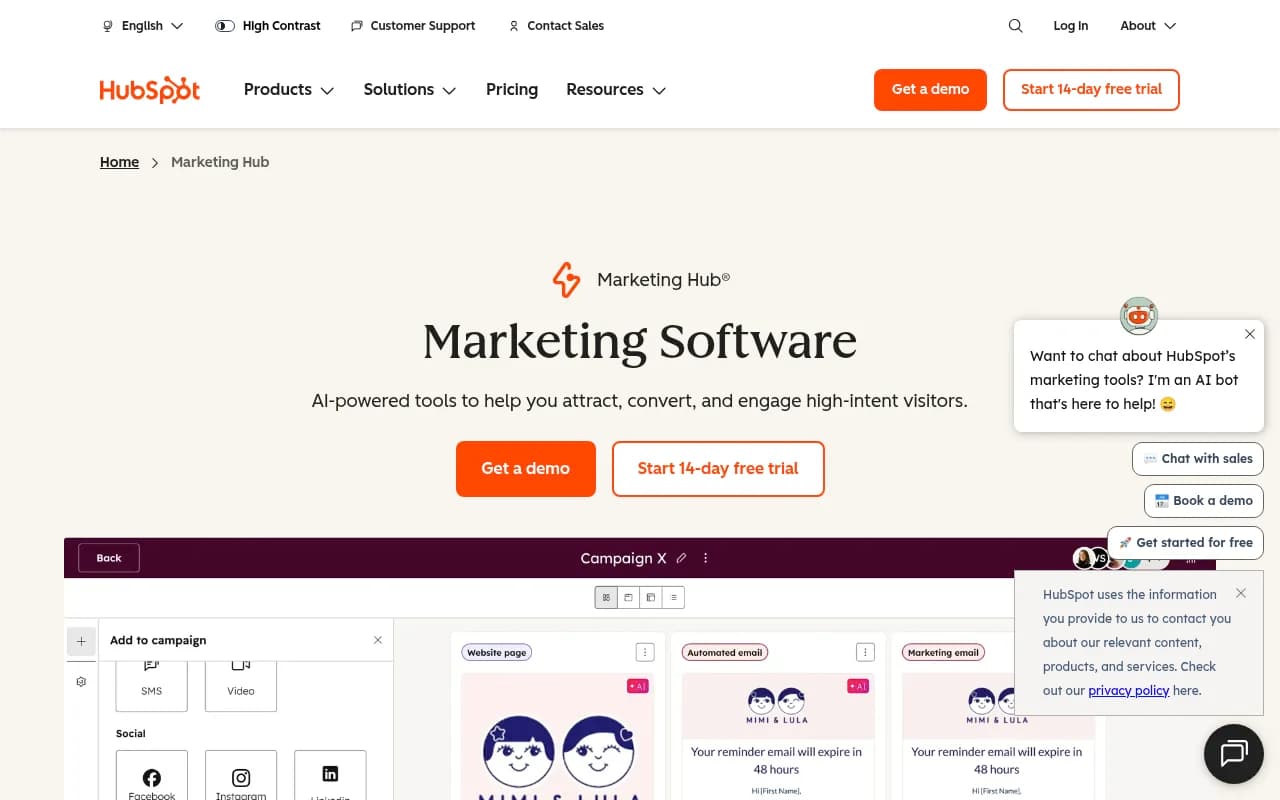
Marketing Studio: A unified workspace for planning, creating, and launching campaigns. Think of it as HubSpot's answer to the chaos of managing campaigns across email, social, ads, and landing pages in separate tools. You can map out a campaign timeline, assign tasks to team members, generate content with AI, and track performance all in one view. It's not revolutionary, but it solves the "where did we put that campaign brief" problem that plagues most marketing teams.
AI-Powered Email Marketing: HubSpot's email builder includes drag-and-drop design, A/B testing, and personalization tokens that pull from CRM data. The AI angle: Breeze Assistant can generate email copy, subject lines, and even suggest send times based on recipient behavior. You can set up automated workflows triggered by form submissions, page visits, or CRM property changes. The email editor is solid but not as polished as dedicated tools like Klaviyo or ActiveCampaign. Where HubSpot wins is the CRM integration -- you can see every email a contact received, opened, and clicked without leaving the contact record.
Forms and Lead Capture: HubSpot's form builder is one of its strongest features. Forms can be embedded on your website, shared as standalone pages, or popped up based on visitor behavior. The "progressive profiling" feature shortens forms by hiding fields the contact already filled out previously. "Smart forms" adapt questions based on CRM data -- if someone's already a customer, you can skip the "company size" question and ask about their specific use case instead. Forms feed directly into the CRM, so leads are instantly available to sales. You can also set up lead scoring rules to prioritize high-intent contacts.
Breeze Customer Agent: An AI chatbot that lives on your website, answers visitor questions, qualifies leads, and books meetings. It's trained on your website content, help docs, and CRM data. The agent can hand off conversations to a human rep when needed. This is HubSpot's answer to Intercom and Drift. It works, but it's not as sophisticated as dedicated conversational AI tools. The advantage: it's included in Professional tier and shares data with the rest of HubSpot, so you can see chat transcripts in the contact timeline.
Social Media Management: Publish and schedule posts to Facebook, Instagram, LinkedIn, and Twitter from one dashboard. Monitor mentions and replies in a unified inbox. The AI can generate post copy and suggest hashtags. You can also track social performance in HubSpot's analytics. This is fine for basic social management but lacks the depth of tools like Hootsuite or Sprout Social. No TikTok support as of early 2026. No social listening beyond direct mentions. If social is a major channel for you, you'll probably still use a dedicated tool and integrate it with HubSpot.
Website Personalization: Show different content to visitors based on CRM data, lifecycle stage, or behavior. For example, show a "Request a Demo" CTA to enterprise prospects and a "Start Free Trial" CTA to small businesses. Or display case studies from the visitor's industry. This is powerful but requires Professional tier and some technical setup. You'll need to define audience segments, create content variations, and set up rules. It's not as plug-and-play as HubSpot's other features.
SEO Tools: Keyword research, topic clusters, on-page optimization recommendations, and backlink tracking. HubSpot's SEO tools are decent for content marketers who want guidance but not as deep as Ahrefs or Semrush. The "topic cluster" model (pillar pages + supporting content) is baked into the interface, which is helpful if you're building a content strategy from scratch. In 2025, HubSpot added AEO (Answer Engine Optimization) features to help you optimize for AI search engines like ChatGPT and Perplexity. The "AEO Grader" scans your content and flags pages that are vulnerable to being replaced by AI-generated answers. The "Blog Research Agent" suggests high-intent topics based on your top-performing posts. These are early-stage features but signal where HubSpot is headed.
Marketing Analytics and Attribution: Built-in dashboards show campaign performance, traffic sources, conversion rates, and revenue attribution. You can create custom reports by dragging and dropping metrics. The "multi-touch attribution" feature (Enterprise tier only) shows which touchpoints contributed to a deal across the entire customer journey. This is where HubSpot's CRM integration shines -- you can connect marketing activity directly to closed revenue. The limitation: attribution only works for contacts in your CRM. If someone converts anonymously or through a channel you're not tracking in HubSpot, you won't see the full picture.
Audience Segments: Identify anonymous website visitors based on firmographic data (company size, industry, location) and intent signals (pages visited, time on site). This is powered by Clearbit data. You can target these segments with personalized content or ads. It's useful for account-based marketing but requires Professional tier and costs extra based on the number of companies you want to track.
Lookalike Lists: Upload a list of your best customers and HubSpot will find similar contacts in your database using AI. This is helpful for expanding your target audience without manually building segments. It's a newer feature (launched 2025) and still a bit basic compared to lookalike audiences in Facebook Ads or LinkedIn.
Workflows and Automation: Build multi-step workflows triggered by form submissions, email clicks, CRM property changes, or custom events. Workflows can send emails, update contact properties, create tasks for sales reps, or trigger webhooks to external systems. The workflow builder is visual and relatively easy to use, though complex workflows can get messy. You can set up lead nurturing sequences, onboarding campaigns, re-engagement flows, and more. This is table stakes for any marketing automation platform, and HubSpot does it well.
Who Is It For
HubSpot Marketing Hub is built for B2B marketing teams at companies with $5M-$100M in revenue. The sweet spot is 50-500 employees, 5-20 person marketing team, and a sales team that's already using (or willing to adopt) HubSpot CRM. If your sales and marketing teams are constantly arguing about lead quality or losing leads in the handoff, HubSpot solves that by giving everyone the same data.
Agencies are another major user group. HubSpot offers agency-specific pricing and tools for managing multiple client accounts. If you're running campaigns for 10+ clients, HubSpot's multi-account dashboard and reporting tools are a big time-saver.
SaaS companies and professional services firms (consultants, law firms, accounting firms) are common users. These businesses have longer sales cycles, multiple touchpoints, and a need to track the full customer journey. HubSpot's attribution and lifecycle stage tracking fit this model well.
Who should NOT use HubSpot: E-commerce companies (Shopify + Klaviyo is a better stack), solo founders or teams under 5 people (too expensive and complex), enterprise companies with 1,000+ employees (you'll hit HubSpot's limits and need Marketo or Salesforce), and anyone who just needs email marketing (Mailchimp or ConvertKit is cheaper and simpler).
If you're a content-heavy business (media company, publisher, large blog), HubSpot's Content Hub might be a better fit than Marketing Hub. If you're a product-led growth company where users sign up and activate without talking to sales, HubSpot's traditional lead-to-deal model might not fit your funnel.
Integrations & Ecosystem
HubSpot has 1,900+ integrations in their App Marketplace. Major ones: Salesforce (bi-directional sync), Slack (notifications and bot commands), Zapier (connect to anything), Google Ads and Facebook Ads (track ad performance in HubSpot), Zoom (embed meeting links in emails), Stripe (track revenue), WordPress (embed forms and track visitors), Shopify (sync customer data), and Databox (advanced reporting).
The Salesforce integration is particularly strong -- it's a full two-way sync, so changes in HubSpot update Salesforce and vice versa. This is useful if your sales team is committed to Salesforce but your marketing team wants HubSpot's tools.
HubSpot also has a robust API for custom integrations. Developers can build private apps or list public apps in the Marketplace. The API documentation is solid, and there's an active developer community.
Browser extensions: HubSpot Sales Chrome extension lets you track email opens, schedule emails, and log calls from Gmail. There's also a mobile app (iOS and Android) for managing contacts, deals, and tasks on the go.
Pricing & Value
HubSpot's pricing is complicated and can surprise you. Here's the breakdown:
Free tier: Includes email marketing (2,000 sends/month), forms, live chat, ad tracking, and basic reporting. This is genuinely useful for small teams just getting started. The catch: HubSpot branding on emails and forms, limited automation, and no advanced features.
Starter tier: $15/month per seat (normally $20/month, but there's a discount for new customers). Includes 1,000 marketing contacts, remove HubSpot branding, A/B testing, and basic automation. This is fine for very small teams but you'll quickly outgrow it.
Professional tier: $890/month (includes 3 seats, additional seats $100/month). This is where HubSpot gets serious. Includes 2,000 marketing contacts, advanced automation, website personalization, social media tools, multi-touch attribution, and Breeze Customer Agent. Most companies that commit to HubSpot end up on Professional.
Enterprise tier: $3,600/month (includes 5 seats). Adds advanced reporting, custom objects, predictive lead scoring, and dedicated support. This is for larger teams with complex needs.
Hidden costs: HubSpot charges separately for "marketing contacts" (contacts you're actively marketing to). The base Professional plan includes 2,000 marketing contacts. If you have 10,000 contacts in your CRM but only 2,000 are in active campaigns, you're fine. But if you're marketing to all 10,000, you'll pay extra. Additional contacts cost $224/month per 5,000 contacts on Professional tier. This can add up fast.
Seat-based pricing: Each user costs $100/month on Professional tier. If you have a 10-person marketing team, that's $1,000/month in seat fees alone, on top of the $890 base price.
How it compares: HubSpot is more expensive than Mailchimp, ActiveCampaign, or ConvertKit, but cheaper than Marketo or Salesforce Marketing Cloud. The value proposition is the all-in-one platform -- you're replacing 5-10 tools with one system. If you're currently paying for Mailchimp + Calendly + Intercom + Google Analytics + a CRM, HubSpot might actually save money. But if you're just doing email marketing, it's overkill.
Free trial: 14 days for Professional and Enterprise tiers. No credit card required.
Strengths & Limitations
Strengths:
- Unified customer data: Everything lives in one CRM. No more "which tool has the latest contact info?" or "why didn't this lead sync to Salesforce?"
- Sales and marketing alignment: When sales and marketing use the same platform, handoffs are smoother and attribution is clearer.
- Ease of use: For an all-in-one platform, HubSpot is surprisingly intuitive. The UI is clean, the onboarding is solid, and there's tons of free training (HubSpot Academy).
- AI content generation: Breeze Assistant can write email copy, blog posts, social media captions, and ad copy. It's not perfect but it's a huge time-saver.
- Strong support and community: HubSpot has extensive documentation, an active community forum, and responsive support (especially on higher tiers).
Limitations:
- Expensive at scale: Once you factor in seats, marketing contacts, and add-ons, HubSpot gets pricey. A mid-sized team can easily hit $2,000-$3,000/month.
- Feature gaps in specialized areas: HubSpot's social media tools are basic compared to Hootsuite. The email editor is good but not as advanced as Klaviyo. The SEO tools are helpful but not as deep as Ahrefs. If you're a specialist in one channel, you'll probably still use a dedicated tool.
- Learning curve: HubSpot is easier than Marketo but harder than Mailchimp. Expect a few weeks of onboarding to get your team up to speed.
- Contact limits can bite you: The "marketing contacts" model is confusing and can lead to surprise bills if you're not careful.
- Enterprise features locked behind high tiers: Multi-touch attribution, advanced reporting, and custom objects require Enterprise tier ($3,600/month). Some competitors offer these features at lower price points.
Bottom Line
HubSpot Marketing Hub is the right choice if you're a B2B company with a sales team, a marketing team, and a need to connect the two. It's an all-in-one platform that replaces a messy stack of point solutions with one unified system. The CRM integration is the killer feature -- you can track a contact from first website visit to closed deal without duct-taping together Zapier workflows.
But it's expensive, especially at scale. If you're a small team or a solo founder, start with the free tier or a simpler tool like Mailchimp. If you're a large enterprise, you might outgrow HubSpot and need Marketo or Salesforce Marketing Cloud.
Best use case in one sentence: Mid-market B2B companies (50-500 employees) that want to align sales and marketing on one platform and are willing to pay for the convenience of an all-in-one system.
Similar and alternative tools to HubSpot Marketing Hub