Zapier Review 2026
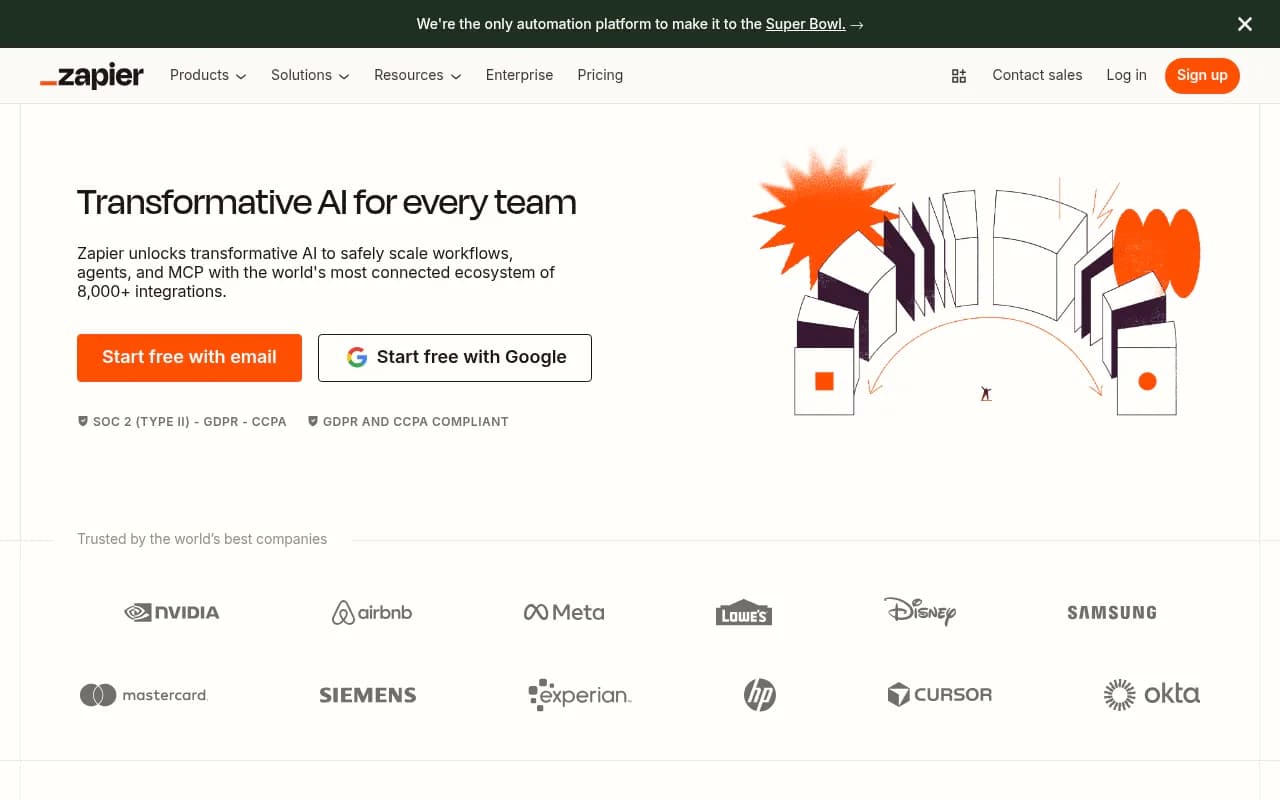
Zapier is the leading automation platform that connects over 8,000 apps and services with AI-powered workflows, agents, and chatbots. Trusted by 3 million+ businesses including Nvidia, Meta, and Disney, it enables teams to automate complex processes without coding—from lead routing and IT support to
Key Takeaways
- Zapier connects 8,000+ apps with no-code automation, making it the most comprehensive integration platform available in 2026
- AI-powered workflows, agents, and chatbots handle everything from IT tickets to lead qualification without manual intervention
- Trusted by Fortune 500 companies and startups alike—3 million+ businesses rely on Zapier for mission-critical automation
- Free tier available; paid plans start at $19.99/month with enterprise options for large teams
- SOC 2 Type II certified with 99.99% uptime SLA for enterprise customers
Zapier has been the backbone of business automation since its launch in 2011, and in 2026 it's evolved into something far more powerful than a simple connector tool. Founded by Wade Foster, Bryan Helmig, and Mike Knoop, Zapier started as a way to link web apps together without code. Today, it's an AI orchestration platform that processes hundreds of millions of automated tasks monthly for companies ranging from solo founders to enterprise giants like Booking.com, Okta, and Samsung.
What sets Zapier apart is its sheer reach. With 8,000+ app integrations—more than any competitor—it connects virtually every tool a modern business uses. Google Workspace, Slack, Salesforce, HubSpot, Shopify, Airtable, Notion, Asana, Jira, Stripe, QuickBooks, Mailchimp, Typeform, Calendly, Zoom, Microsoft Teams, Trello, Monday.com, ClickUp, Intercom, Zendesk, GitHub, Linear, Webflow, WordPress, WooCommerce, BigCommerce, ActiveCampaign, ConvertKit, Pipedrive, Close, Gong, Outreach, Apollo, Clay, ChatGPT, Claude, Perplexity, Gemini, OpenAI, Anthropic—the list goes on. If a tool has an API, Zapier probably supports it. And if it doesn't yet, you can build a custom integration using Zapier's developer platform or webhook support.
AI Workflows: Automation That Actually Thinks
Zapier's AI Workflows are where the platform really shines in 2026. These aren't simple if-this-then-that triggers anymore. You can build multi-step workflows with conditional logic, data transformations, AI processing, loops, delays, filters, and branching paths. The platform's built-in AI assistant helps you design workflows in plain English—describe what you want to automate, and it generates the workflow structure for you.
Real example: A SaaS company uses Zapier to automatically triage support tickets. When a new ticket arrives in Zendesk, Zapier's AI analyzes the content, determines urgency and category, checks the customer's account status in Stripe, searches the knowledge base for relevant articles, drafts a personalized response using ChatGPT, and either sends it automatically (for simple issues) or routes it to the right team member (for complex ones). The entire process takes seconds, and the company reports resolving 28% of tickets without human intervention.
Workflows can pull data from multiple sources, enrich it with AI, store it in Zapier Tables (the platform's built-in database), and push results to any connected app. You can schedule workflows to run at specific times, trigger them via webhooks, or start them manually. Error handling is sophisticated—workflows can retry failed steps, send alerts when something breaks, and even use AI to diagnose and fix common issues automatically.
AI Agents: Automation That Works While You Sleep
AI Agents are Zapier's answer to the question "What if automation could make decisions on its own?" These are autonomous workflows that monitor conditions, take actions, and adapt based on results—no human intervention required.
Example use cases from real Zapier customers:
- Lead research agent: Monitors new leads in your CRM, searches LinkedIn and company websites for context, enriches contact data, scores lead quality, and updates your sales team in Slack with a full brief before the first call
- IT helpdesk agent: Watches for support requests in Slack or email, categorizes issues, checks internal documentation, attempts automated fixes (password resets, access grants, etc.), creates Jira tickets for complex problems, and follows up with users
- Content repurposing agent: Takes new blog posts, generates social media versions for Twitter/LinkedIn/Facebook, creates email newsletter snippets, schedules posts across platforms, and tracks engagement
- Email auto-responder: Reads incoming Gmail, determines intent and urgency, drafts context-aware replies using your past email history as training data, and either sends automatically or queues for review
Agents run continuously in the background. Toyota of Orlando uses agents to manage 30,000+ lead records and reports saving 20+ hours weekly. The agents flag anomalies, answer questions in plain language, and surface insights the team didn't know to look for.
AI Chatbots: Customer Service That Scales
Zapier's AI Chatbots let you deploy conversational interfaces on your website, in Slack, or via API. These aren't basic FAQ bots—they're connected to your entire tech stack and can take real actions.
You can build chatbots that:
- Qualify leads by asking questions, checking CRM data, and routing hot prospects to sales
- Handle customer support by searching your knowledge base, checking order status in Shopify, processing refunds, and escalating complex issues to humans
- Onboard new employees by answering HR questions, provisioning accounts, assigning training, and tracking progress
- Assist sales reps by pulling customer history, suggesting next steps, and updating deal stages in your CRM
Chatbots are trained on your data—upload documents, connect to your knowledge base, or point them at specific URLs. They learn from interactions and improve over time. You control the tone, personality, and guardrails. And because they're built on Zapier, they can trigger any workflow or access any connected app.
Canvas: Turn Ideas Into Systems Instantly
Canvas is Zapier's visual builder for creating complete automation systems. Think of it as a whiteboard where you can sketch out workflows, forms, tables, and logic—then have AI turn your sketch into a working system.
You describe what you want ("I need a lead capture form that enriches contact data, scores leads, and routes them to the right sales rep based on territory and deal size"), and Canvas generates the entire system: the form, the data table, the enrichment workflow, the scoring logic, the routing rules, and the notifications. You can tweak it visually, test it, and deploy it—all in minutes.
This is particularly powerful for ops teams who need to build custom systems fast. Instead of waiting weeks for IT to build something or cobbling together multiple tools, you can prototype and deploy in an afternoon.
Tables: Your Workflow Database
Zapier Tables is a built-in database that lives inside your workflows. It's where you store the data that powers your automations—leads, customers, inventory, tasks, whatever you need.
Tables integrate seamlessly with workflows. You can:
- Store enriched lead data from multiple sources in one place
- Track workflow state (which leads have been contacted, which tickets are resolved, etc.)
- Build lookup tables for routing logic (territory assignments, product catalogs, pricing tiers)
- Create audit logs of every action your workflows take
- Generate reports and dashboards from workflow data
Tables support relationships, filters, views, and bulk operations. You can import/export via CSV, connect them to external databases via API, or use them as a lightweight CRM or project management system.
Forms: Collect Data That Feeds Workflows
Zapier Forms are customizable web forms that trigger workflows automatically. You can build intake forms, surveys, lead capture forms, support request forms, or internal tools—no coding required.
Forms support conditional logic (show/hide fields based on answers), file uploads, multi-page layouts, custom branding, and integrations with payment processors. When someone submits a form, the data flows directly into your workflows. Example: A consulting firm uses a form to collect project requests. When submitted, Zapier checks team availability in Google Calendar, estimates project cost based on scope, creates a proposal in Google Docs, sends it for e-signature via DocuSign, and schedules a kickoff call—all automatically.
8,000+ Integrations: The Real Moat
Zapier's integration library is unmatched. Competitors like Make (formerly Integromat), n8n, Workato, and Tray.io have hundreds or low thousands of integrations. Zapier has 8,000+. This matters because the value of an automation platform is directly tied to what it can connect.
Notable integration categories:
- CRMs: Salesforce, HubSpot, Pipedrive, Close, Copper, Zoho, Freshsales, Insightly, Nimble, Capsule
- Marketing: Mailchimp, ActiveCampaign, ConvertKit, Klaviyo, Sendinblue, Constant Contact, Drip, GetResponse, AWeber
- Project Management: Asana, Monday.com, ClickUp, Trello, Notion, Airtable, Basecamp, Wrike, Smartsheet, Jira, Linear
- Communication: Slack, Microsoft Teams, Discord, Telegram, WhatsApp, SMS (Twilio, Vonage), Email (Gmail, Outlook)
- E-commerce: Shopify, WooCommerce, BigCommerce, Magento, Stripe, PayPal, Square, Gumroad
- AI Models: ChatGPT, Claude, Gemini, Perplexity, OpenAI, Anthropic, Cohere, Hugging Face, Stability AI, Midjourney, DALL-E
- Productivity: Google Workspace (Docs, Sheets, Drive, Calendar), Microsoft 365, Dropbox, Box, OneDrive, Evernote, Todoist
- Analytics: Google Analytics, Mixpanel, Amplitude, Segment, Heap, Hotjar, Looker, Tableau, Power BI
- Developer Tools: GitHub, GitLab, Bitbucket, Jira, Linear, PagerDuty, Sentry, Datadog, New Relic
- Databases: PostgreSQL, MySQL, MongoDB, Airtable, Google Sheets, Excel, Snowflake, BigQuery
Zapier also supports webhooks, API requests, code steps (JavaScript and Python), and a developer platform for building custom integrations. If you need to connect to an internal tool or a niche SaaS app, you can do it.
Who Is Zapier For?
Zapier serves an incredibly wide range of users, which is both a strength and a challenge. Here's who gets the most value:
Solo founders and small teams (1-10 people): Zapier is a force multiplier when you don't have dedicated ops or engineering resources. You can automate lead capture, customer onboarding, invoicing, social media posting, and reporting without hiring anyone. The free tier is genuinely useful for getting started, and the Starter plan ($19.99/month) covers most small business needs.
Marketing and sales teams: Zapier excels at lead routing, CRM updates, email sequences, social media automation, and reporting. Marketing ops teams at companies like Slate Magazine use it to capture 2,000+ leads monthly and save 100+ hours on manual data entry. Sales teams use it to enrich leads, schedule follow-ups, and keep CRM data clean.
Customer support and success teams: Automating ticket triage, response drafting, escalation routing, and follow-ups is a massive time saver. Okta reports automating 13% of support escalations with Zapier, saving 10 minutes per ticket. Remote (the HR platform) uses Zapier to solve 28% of IT tickets automatically.
Operations and IT teams: This is where Zapier really shines at scale. Ops teams build custom systems for employee onboarding, expense approval, inventory management, data syncing, and reporting. IT teams use it to provision accounts, manage access, monitor systems, and handle helpdesk requests. The key is that ops teams can build and iterate without waiting on engineering.
Agencies managing multiple clients: Zapier's Team and Company plans support multiple workspaces, making it easy to manage client automations separately. Agencies use it to deliver lead gen, reporting, and workflow automation as a service. Contractor Appointments (a lead gen agency) credits Zapier with helping clients report $134 million in revenue.
Enterprises with complex workflows: Companies like Nvidia, Meta, Disney, Booking.com, and Mastercard use Zapier for mission-critical automation. The Enterprise plan includes SSO, SCIM provisioning, dedicated support, SLAs, and advanced security controls. Enterprises value Zapier because it empowers business teams to build without creating shadow IT—IT retains oversight and governance.
Who should NOT use Zapier: If you need real-time, sub-second automation (like high-frequency trading or live chat routing), Zapier's polling-based triggers (which check for new data every 1-15 minutes depending on plan) won't cut it. If you're building a product feature that requires automation (not internal workflows), you're better off with a developer-first platform like Temporal or AWS Step Functions. If you need ultra-complex logic with hundreds of branches, a code-first tool like n8n or Prefect might be more maintainable.
Pricing: From Free to Enterprise
Zapier's pricing is based on tasks (each action in a workflow counts as one task) and features:
Free: 100 tasks/month, single-step Zaps, 5 Zaps, 15-minute update intervals. Good for testing or very light usage.
Starter ($19.99/month): 750 tasks, multi-step Zaps, 20 Zaps, 15-minute updates, email support. This is the entry point for most small businesses.
Professional ($49/month): 2,000 tasks, unlimited Zaps, 2-minute updates, premium apps, webhooks, custom logic, email support. Most growing teams land here.
Team ($69/month): 2,000 tasks, unlimited users, shared workspaces, admin controls, priority support. For teams of 3-10.
Company ($103.50/month): 2,000 tasks, advanced admin, SSO, SCIM, premier support. For larger teams needing governance.
Enterprise (custom pricing): Unlimited tasks, dedicated support, SLAs, custom contracts, advanced security. For Fortune 500 and high-volume users.
Task limits scale with price—you can buy additional task packs if you exceed your plan. Annual billing gets you 2 months free. The pricing can get expensive at scale (thousands of tasks per month), but most customers find the ROI justifies it. Arden Insurance reports $500,000+ in annual overhead savings from Zapier automation.
Strengths: What Zapier Does Better Than Anyone
Breadth of integrations: No one comes close to 8,000+ apps. This is Zapier's moat.
Ease of use: The visual builder is intuitive enough for non-technical users but powerful enough for complex workflows. The AI assistant makes building even easier.
Reliability: 99.99% uptime for enterprise customers. Workflows run consistently, and error handling is robust.
AI capabilities: The combination of AI Workflows, Agents, and Chatbots is more comprehensive than competitors. Zapier isn't just connecting apps—it's orchestrating AI across your entire stack.
Community and templates: 10,000+ pre-built templates cover common use cases. The community forum and documentation are excellent.
Enterprise-grade security: SOC 2 Type II, GDPR, CCPA compliant. SSO, SCIM, audit logs, role-based permissions. Enterprises trust Zapier with sensitive data.
Limitations: Where Zapier Falls Short
Polling-based triggers: Most triggers check for new data every 1-15 minutes (depending on plan). If you need instant, real-time automation, this is a dealbreaker. Competitors like Make and n8n support instant webhooks more broadly.
Task-based pricing adds up: High-volume workflows can get expensive fast. If you're running thousands of tasks daily, the costs can exceed $500-1,000/month. Competitors like n8n (open-source, self-hosted) or Make (execution-based pricing) may be cheaper at scale.
Limited data transformation: While Zapier supports basic data manipulation (formatting, filtering, math), complex transformations require code steps or external tools. Platforms like Workato and Tray.io have more powerful built-in data mapping.
No version control or testing environments: You can't easily test workflows in a sandbox or roll back to previous versions. This makes it risky to iterate on production workflows. Developer-focused tools like Temporal or Prefect handle this better.
Learning curve for advanced features: While basic Zaps are easy, building complex workflows with loops, branches, and error handling takes time to master. The documentation is good, but there's a lot to learn.
Bottom Line
Zapier is the best automation platform for teams that need to connect a wide range of apps without writing code. Its combination of breadth (8,000+ integrations), ease of use, AI capabilities, and enterprise-grade reliability makes it the default choice for 3 million+ businesses. If you're a small team looking to automate repetitive tasks, a marketing team routing leads, an ops team building custom systems, or an enterprise scaling AI workflows, Zapier delivers.
The pricing can get steep at high volumes, and the polling-based triggers aren't ideal for real-time use cases, but for the vast majority of business automation needs, Zapier is the right tool. Start with the free tier, build a few workflows, and upgrade as you see ROI. Most teams find that the time saved and errors prevented pay for the subscription many times over.
Best use case in one sentence: Zapier is for any team that wants to automate workflows across multiple apps without hiring engineers or waiting on IT.
Tags:
Similar and alternative tools to Zapier