Notion AI Review 2026
Helps marketers organize campaigns, create briefs, and manage content workflows with AI-powered writing and organizational features.
Key Takeaways
- Notion AI consolidates 8-12 separate AI tools (search, chatbot, meeting notes, writing assistant, research) into one workspace, potentially saving teams $4,000+ annually
- Goes beyond basic AI chat with agentic capabilities -- can actually build pages, edit databases, and take action across your workspace, not just generate ideas
- Enterprise-grade search across Notion docs, PDFs, and connected apps (Slack, Google Drive, GitHub) with respect for custom permissions
- Included free in Business ($20/user/month) and Enterprise plans; limited trial usage on Free and Plus tiers
- Lacks the specialized depth of standalone tools -- meeting notes aren't as robust as Otter.ai, writing features trail Jasper for long-form content, and research mode can't match dedicated tools like Perplexity for citation-heavy work
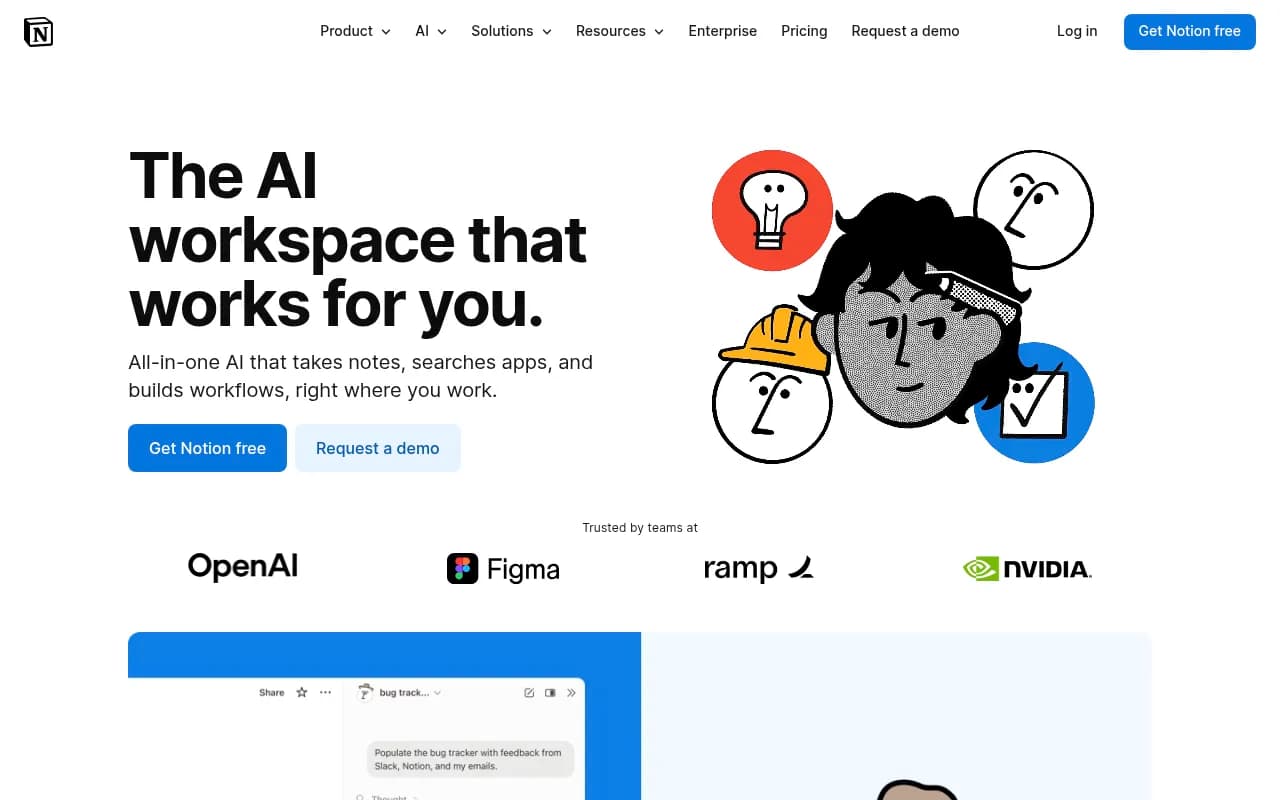
Notion started as a docs and project management platform in 2016, but by 2023 it had become clear that AI would fundamentally change how people interact with their workspace. Instead of bolting on a basic chatbot, Notion built AI capabilities that actually understand the structure of your workspace -- your databases, your docs, your team's permissions. The result is an AI assistant that doesn't just answer questions, it can build a product roadmap from meeting notes, autofill 200 database rows with summaries, or turn a brainstorm into a formatted landing page.
The target audience is knowledge workers and teams who already live in Notion or are considering consolidating their tool stack. This means product managers juggling roadmaps, marketing teams running campaigns, engineering teams documenting systems, and operations teams building internal wikis. Company size ranges from 10-person startups to enterprise teams at OpenAI and Nvidia. If you're drowning in subscriptions for separate AI writing tools, meeting bots, and search apps, Notion AI is designed to replace that entire stack.
Core AI Capabilities
Notion AI isn't one feature -- it's a suite of AI tools woven into every part of the platform. Here's what it actually does:
AI Agent Builder: This is the headline feature that separates Notion from basic AI assistants. You can create custom agents that automate specific workflows. Tell the agent "turn this meeting transcript into a product roadmap with tasks assigned to owners" and it will build the database, populate the fields, and format the page. It respects your workspace permissions, so it won't surface confidential docs to users who shouldn't see them. The agent can connect to external tools via Model Context Protocol (MCP), meaning it can pull data from GitHub, Slack, or your CRM without leaving Notion. Custom agents for repeatable workflows are coming soon as a separate feature.
Enterprise Search: This is AI-powered search that actually works across your entire workspace and connected apps. Ask "what did Sarah say about the Q2 budget in last week's meeting?" and it will surface the exact meeting note, even if it's buried in a nested page. It searches PDFs, Notion docs, and connected tools like Google Drive, Slack, and GitHub. The key differentiator here is permission awareness -- if you don't have access to a page, the AI won't show it in results. Most AI search tools ignore permissions and create security nightmares.
AI Meeting Notes: Automatically transcribes and summarizes meetings from Zoom, Google Meet, and Microsoft Teams. The AI generates action items, key decisions, and formatted notes that sync directly into your Notion workspace. It's not as feature-rich as dedicated tools like Otter.ai or Fireflies (no speaker identification, limited editing of transcripts), but the integration is seamless -- meeting notes appear as Notion pages you can immediately link to projects, databases, or wikis.
Content Generation and Editing: The AI can write, rewrite, summarize, translate, and format content inside any Notion page. Highlight text and ask it to make it more concise, translate to Spanish, or turn bullet points into a polished paragraph. It can generate entire docs from scratch using research mode, which pulls information from the web and your workspace to create detailed reports with inline citations. You can switch between GPT-4.1, Claude 4, and other models depending on the task. The writing quality is solid for business docs, briefs, and internal content, but it's not as specialized as tools like Jasper for marketing copy or Copy.ai for ads.
Database Autofill: This is where Notion AI gets genuinely useful for operations teams. If you have a database of 200 customer feedback entries, the AI can autofill a "sentiment" column, a "priority" column, and a "summary" column in seconds. It analyzes each row and populates fields based on the content. This works for any database -- project trackers, CRMs, content calendars, bug reports. It's a massive time-saver for anyone managing structured data in Notion.
Flowchart and Diagram Generation: Ask the AI to create a flowchart for a process and it will generate a visual diagram using Notion's built-in diagramming tools. Useful for documenting workflows, onboarding processes, or system architectures. Not as powerful as dedicated tools like Lucidchart or Miro, but good enough for internal documentation.
Translation: Translate any Notion page into 10+ languages with one click. The AI maintains formatting and structure, so tables, bullet lists, and headings stay intact. Helpful for global teams or multilingual documentation.
Who Should Use Notion AI
Notion AI is built for teams already using Notion or considering it as their central workspace. Specific personas:
Product teams (10-100 people): Product managers who need to turn user research into roadmaps, write PRDs, and keep engineering teams aligned. The AI can summarize customer feedback from a database, generate feature specs from meeting notes, and autofill priority scores across hundreds of tasks. If you're juggling Notion, Linear, Slack, and Google Docs, Notion AI consolidates the workflow.
Marketing teams (5-50 people): Content marketers, campaign managers, and social media teams who need to organize campaigns, write briefs, and repurpose content. The AI can turn a blog post into social media posts, generate campaign briefs from brainstorm notes, and autofill content calendars with summaries. It's not a replacement for specialized SEO tools or design software, but it handles the organizational and writing grunt work.
Operations and HR teams (3-30 people): Teams building internal wikis, onboarding docs, and process documentation. The AI can generate SOPs from meeting notes, translate docs for global teams, and autofill employee databases with summaries. The search feature is particularly valuable here -- new hires can ask questions and get instant answers from the company wiki instead of pinging coworkers.
Engineering teams (10-200 people): Developers who document systems, write technical specs, and manage sprint planning. The AI can generate architecture diagrams, summarize pull requests from GitHub, and autofill sprint databases with task descriptions. The GitHub integration means you can search code repos and issues directly from Notion.
Who should NOT use Notion AI: If you need best-in-class AI for a specific task, standalone tools are better. Otter.ai has superior meeting transcription with speaker identification and live editing. Jasper and Copy.ai are stronger for marketing copywriting. Perplexity and ChatGPT are better for deep research with citations. If you're not already using Notion as your workspace, the learning curve to adopt the platform just for AI features isn't worth it.
Integrations and Ecosystem
Notion AI connects to your existing tools via integrations and MCP (Model Context Protocol):
Native integrations: Slack (search messages, sync updates), Google Drive (search docs and sheets), GitHub (search repos, issues, pull requests), Zoom/Google Meet/Microsoft Teams (meeting transcription), Figma (embed designs), Jira (sync tasks), Asana (sync projects). These integrations allow the AI to search across all connected apps when you ask a question.
MCP support: Notion AI can connect to any tool that supports Model Context Protocol, which is an open standard for AI agents to interact with external systems. This means you can build custom integrations with your CRM, internal databases, or proprietary tools without writing complex code.
API: Notion has a public API that lets you build custom workflows, sync data with other tools, or automate tasks. The AI features are accessible via API, so you can trigger content generation or database autofill from external scripts.
Browser extension and mobile apps: Notion has browser extensions for Chrome, Firefox, and Safari that let you clip web pages and save them to your workspace. The mobile apps (iOS and Android) support AI features, so you can generate content or search your workspace on the go. The mobile experience is functional but not as smooth as desktop -- complex database operations and multi-step agent workflows are clunky on small screens.
Pricing and Value
Notion AI is included in Business and Enterprise plans, not sold separately:
Free plan: Limited trial usage of AI features. You get a few AI responses to test the features, but it's not viable for regular use. The Free plan is best for personal use or very small teams (1-3 people) who don't need AI.
Plus plan: $12/user/month (monthly billing) or $10/user/month (annual billing). This tier does NOT include unlimited Notion AI. You get limited trial usage, same as the Free plan. If you want AI, you need Business or Enterprise.
Business plan: $20/user/month (monthly billing) or $18/user/month (annual billing). Notion AI is included with unlimited usage (subject to fair use limits to prevent abuse). This is the tier most teams should choose if they want AI features. You also get advanced permissions, version history, bulk exports, and priority support.
Enterprise plan: Custom pricing (typically $25-40/user/month depending on team size and contract length). Includes everything in Business plus SAML SSO, advanced security controls, dedicated success manager, custom contract terms, and audit logs. Required for companies with strict compliance requirements (SOC 2, ISO 27001, GDPR).
Value comparison: Notion's pitch is that you can replace 8-12 separate AI tools with one workspace. Their calculator suggests teams save $4,000+ annually by consolidating AI search ($35/user), AI chatbot ($20/user), meeting notes ($18/user), writing assistant ($20/user), and other tools. This math checks out if you're currently paying for Otter.ai ($16.99/user), Jasper ($49/user), Perplexity Pro ($20/user), and a separate project management tool ($20/user). But if you only need one or two of those capabilities, standalone tools are cheaper and more powerful.
Strengths and Limitations
What Notion AI does exceptionally well:
Workspace integration: The AI understands the structure of your Notion workspace -- your databases, your docs, your team's permissions. This means it can take action (build pages, edit databases, autofill fields) instead of just generating text you have to copy-paste elsewhere. No other AI tool has this level of workspace awareness.
Permission-aware search: Enterprise search respects your custom permissions, so confidential docs don't leak to unauthorized users. This is critical for companies with sensitive data and makes Notion AI viable for regulated industries.
Consolidation value: If you're paying for multiple AI tools, Notion AI genuinely replaces most of them. The cost savings are real for teams that adopt it fully.
Model flexibility: You can switch between GPT-4.1, Claude 4, and other models depending on the task. Most AI tools lock you into one model.
Honest limitations:
Not best-in-class for specialized tasks: Meeting transcription is decent but lacks speaker identification and live editing that Otter.ai offers. Writing features are solid for business docs but trail Jasper for marketing copy. Research mode can't match Perplexity for citation-heavy work. You're trading depth for breadth.
Learning curve: Notion itself has a steep learning curve. If your team isn't already using Notion, adopting the platform just for AI features is a heavy lift. The database system, nested pages, and permissions model take time to master.
Fair use limits: Notion doesn't publish specific rate limits, but heavy usage can trigger temporary throttling. If you're autofilling 1,000-row databases daily or generating dozens of long-form docs, you might hit limits. Enterprise customers can negotiate higher limits.
Mobile experience: AI features work on mobile, but complex workflows (multi-step agent tasks, database operations) are clunky on small screens. This is a Notion platform limitation, not specific to AI.
Bottom Line
Notion AI is the right choice for teams already using Notion who want to consolidate their AI tool stack and automate workflows inside their workspace. It's particularly strong for product teams, marketing teams, and operations teams managing structured data in databases. The ability to build pages, autofill databases, and search across connected apps makes it more than a chatbot -- it's an AI assistant that actually gets work done.
But if you need best-in-class AI for a specific task (transcription, copywriting, research), standalone tools are better. And if you're not already using Notion, the platform learning curve is steep. Best use case in one sentence: teams of 10-200 people who live in Notion and want to replace 5+ separate AI tools with one integrated workspace.
Tags:
Similar and alternative tools to Notion AI