HubSpot Review 2026
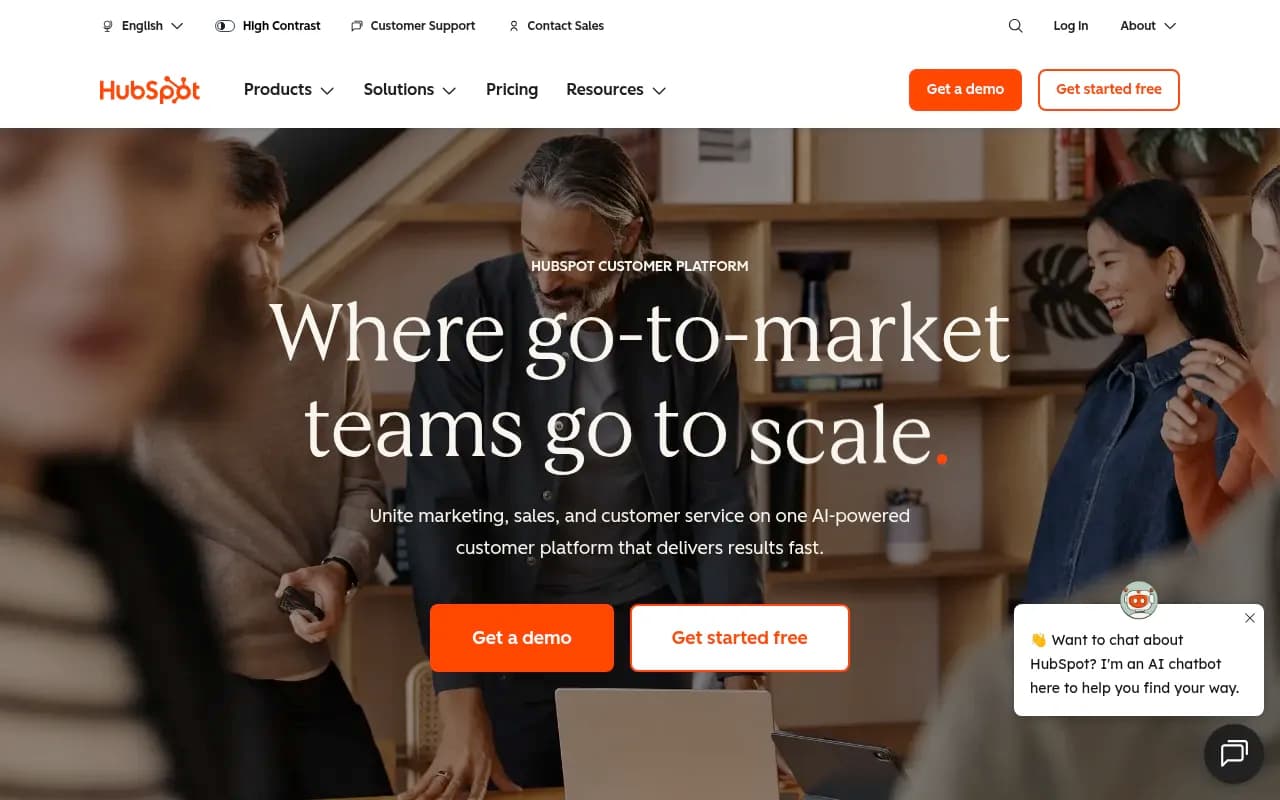
Comprehensive CRM, marketing, and sales platform ideal for SMBs and mid-market companies wanting integrated GTM tools in a single system.
Key Takeaways
- Comprehensive platform: HubSpot combines CRM, marketing, sales, service, content, data, and commerce tools in one system -- no stitching together separate vendors
- Built-in AI agents: Breeze Agents (Customer, Prospecting, Data) automate support tickets, sales outreach, and data analysis -- not just AI assistants but autonomous workers
- Strong for SMBs and mid-market: Generous free tier, clear upgrade path, and pricing that scales with your business (Starter at $20/seat/month, Professional at $1,600/month for 5 seats)
- Steep learning curve at scale: Enterprise teams often need dedicated admins; the platform's breadth can overwhelm smaller teams without training
- Integration ecosystem: 2,000+ native integrations including Shopify, Gmail, Slack, Zapier -- but custom integrations require developer resources or paid tiers
HubSpot is the 800-pound gorilla of the CRM and marketing automation space. Founded in 2006 by Brian Halligan and Dharmesh Shah, it pioneered the concept of "inbound marketing" and has since grown into a full customer platform used by 288,000+ businesses in 135+ countries. The company went public in 2014 (NYSE: HUBS) and now serves everyone from solo founders to enterprises like eBay, DoorDash, and Reddit. What started as a marketing automation tool has evolved into a unified system that connects marketing, sales, customer service, content management, data operations, and commerce -- all built on a Smart CRM that acts as the single source of truth for customer data.
The core pitch: instead of duct-taping together separate tools for email marketing, CRM, support tickets, landing pages, and analytics, you get everything in one platform with shared data and unified reporting. For SMBs and mid-market companies tired of integration headaches, that's a compelling value proposition. But HubSpot's breadth is both its strength and its challenge -- the platform can do almost anything, but mastering it takes time and often requires dedicated resources.
The Product Suite: Eight Hubs and a Smart CRM
HubSpot's platform is organized into specialized "Hubs" that share a common CRM foundation:
Marketing Hub handles lead generation, email campaigns, landing pages, forms, social media scheduling, SEO recommendations, and marketing automation workflows. You can build multi-step nurture sequences, score leads based on behavior, run A/B tests on emails and pages, and track attribution across channels. The content assistant uses AI to generate blog posts, social captions, and email copy. Marketing Hub also includes ad management for Google, Facebook, and LinkedIn -- you can sync audiences, track ROI, and report on ad spend alongside organic channels. For agencies and larger teams, there's campaign reporting that rolls up performance across all channels, plus custom dashboards and attribution modeling.
Sales Hub is built around pipeline management, deal tracking, and sales automation. Reps get email tracking (see when prospects open emails), meeting scheduling (embed a calendar link that syncs with Google/Outlook), email templates and sequences (automated follow-ups), and call logging. The Prospecting Agent -- one of HubSpot's new AI agents -- can research leads, personalize outreach at scale, and execute multi-touch sequences automatically. Sales Hub also includes quote generation, e-signature collection, and forecasting tools. The mobile app lets reps log calls, update deals, and check pipeline on the go. For teams, there's territory management, playbooks (guided selling scripts), and conversation intelligence that transcribes calls and surfaces coaching opportunities.
Service Hub covers customer support with ticketing, live chat, knowledge base, customer feedback surveys, and help desk automation. The Customer Agent -- HubSpot's AI support agent -- can resolve up to 65% of inquiries automatically by pulling from your knowledge base, past tickets, and CRM data. When it can't answer, it routes to a human with full context. Service Hub also includes customer health scoring (track usage, engagement, and satisfaction), SLA management, and customer portals where clients can view tickets and access resources. The feedback tools (NPS, CSAT, CES surveys) integrate with the CRM so you can see satisfaction scores alongside deal history and support interactions.
Content Hub is HubSpot's answer to headless CMSs and content operations platforms. It includes a drag-and-drop website builder, blog editor, landing page creator, and SEO tools (keyword recommendations, content optimization, internal linking suggestions). The AI content assistant can generate full blog posts, rewrite sections, and adapt tone. Content Hub also handles video hosting, podcasts, and file management. For developers, there's a flexible CMS with custom modules, themes, and API access. The standout feature: content is connected to the CRM, so you can personalize pages based on visitor data (industry, lifecycle stage, past behavior) and track which content drives conversions.
Data Hub (launched in 2024) is HubSpot's data operations layer. It handles data sync across systems (bi-directional syncs with Salesforce, Snowflake, etc.), data quality (deduplication, validation, enrichment), and unified customer profiles. The Data Agent can answer custom questions about your data ("Which customers in the healthcare vertical have the highest LTV?") and generate smart properties (calculated fields) on the fly. Data Hub is aimed at companies with complex data needs -- multiple systems, custom objects, or data warehouses -- who want to centralize everything in HubSpot without manual exports and imports.
Commerce Hub handles payments, quotes, and subscriptions. You can send quotes with line items, collect payments via Stripe integration, manage recurring billing, and track revenue in the CRM. It's not a full e-commerce platform (you'd still use Shopify or WooCommerce for a storefront), but it closes the loop for B2B sales teams that need to collect payments and manage contracts.
Smart CRM is the foundation everything sits on. It stores contacts, companies, deals, tickets, and custom objects. The CRM is free forever with unlimited users, which is how HubSpot hooks new customers. You get contact management, email tracking, meeting scheduling, and basic reporting at no cost. The CRM also includes activity feeds (see every interaction with a contact), task management, and mobile apps. Data is automatically enriched with company info (pulled from public sources) and deduplicated. The CRM integrates with Gmail and Outlook, so emails and calendar events sync automatically.
Breeze is HubSpot's AI layer, launched in late 2024. It includes Breeze Agents (autonomous AI workers) and Breeze Copilot (an AI assistant embedded throughout the platform). The three agents are Customer Agent (handles support tickets), Prospecting Agent (researches leads and sends outreach), and Data Agent (answers data questions and generates reports). Copilot can summarize records, draft emails, generate content, and surface insights. Breeze is trained on HubSpot's data (880M+ customer interactions) plus your own CRM data, so it understands your business context.
Who Is HubSpot For?
HubSpot's sweet spot is SMBs and mid-market companies (10-500 employees) that want an integrated system without the complexity of enterprise tools like Salesforce or Marketo. Typical users:
- B2B SaaS companies (50-200 employees) running inbound marketing, managing a sales pipeline, and tracking customer health. They use Marketing Hub for lead gen, Sales Hub for pipeline management, and Service Hub for onboarding and support.
- Agencies (10-50 people) managing multiple client accounts. HubSpot's partner program offers discounts, and the platform supports multiple portals (separate instances for each client).
- E-commerce brands (Shopify or WooCommerce) that want to layer on email marketing, abandoned cart sequences, and customer segmentation. The Shopify integration syncs orders, products, and customer data.
- Professional services firms (consulting, legal, accounting) that need CRM, proposal management, and client communication tools. They use Sales Hub for pipeline tracking and Service Hub for client portals.
- Nonprofits and education get 40% off, making HubSpot affordable for fundraising, donor management, and event marketing.
HubSpot is less common at the enterprise level (1,000+ employees) because it lacks some advanced features that large orgs need: complex territory management, multi-currency support, advanced forecasting, and deep customization. Companies like Salesforce, Microsoft Dynamics, or Adobe Marketo are stronger for enterprises with dedicated ops teams. HubSpot also struggles with high-volume transactional use cases (e.g. e-commerce sites sending millions of emails per month) -- the pricing gets expensive fast, and the platform isn't optimized for that scale.
Who should NOT use HubSpot: solo freelancers or very early-stage startups (under 5 people) who don't need the full suite. The free CRM is great, but the paid Hubs are overkill if you're just tracking a handful of leads. You'd be better off with simpler tools like Notion, Airtable, or a basic email tool like Mailchimp. Also avoid HubSpot if you need deep customization or industry-specific workflows (e.g. real estate, insurance) -- vertical CRMs like Propertybase or Applied Epic are purpose-built for those use cases.
Integrations and Ecosystem
HubSpot's App Marketplace has 2,000+ integrations, including:
- Email and calendar: Gmail, Outlook, Office 365 (bi-directional sync of emails, meetings, contacts)
- E-commerce: Shopify, WooCommerce, BigCommerce, Magento (sync orders, products, customers)
- Ads: Google Ads, Facebook Ads, LinkedIn Ads (sync audiences, track ROI)
- Automation: Zapier, Make, Workato (connect to 5,000+ apps)
- Communication: Slack, Microsoft Teams, Zoom (notifications, meeting sync)
- Accounting: QuickBooks, Xero, Stripe (sync invoices, payments)
- Data warehouses: Snowflake, BigQuery, Redshift (via Data Hub)
The quality of integrations varies. Native integrations (built by HubSpot) are rock-solid. Third-party integrations (built by partners) can be hit-or-miss -- some are well-maintained, others break with platform updates. For custom integrations, HubSpot offers a REST API, webhooks, and SDKs (Node.js, Python, PHP). The API is well-documented and supports most CRUD operations, but rate limits can be restrictive on lower tiers (100 requests per 10 seconds on Free, 200 on Starter).
HubSpot also has a developer ecosystem with custom modules, themes, and apps. You can build private apps (for your own account) or public apps (listed in the marketplace). The platform uses HubL (HubSpot's templating language) for custom pages and emails, which has a learning curve if you're used to standard HTML/CSS.
Pricing and Value
HubSpot's pricing is complex because each Hub is sold separately, and pricing scales with contacts and features. Here's the breakdown:
Free tier: Smart CRM, basic Marketing Hub (forms, email, landing pages -- limited to 2,000 emails/month), Sales Hub (email tracking, meeting scheduling), and Service Hub (ticketing, live chat -- limited to 1 user). This is genuinely usable for small teams (under 10 people) just getting started. The catch: you're limited to HubSpot branding on forms and emails, and you can't remove it without upgrading.
Starter tier ($20/month per seat, or $15/month with annual billing): Removes HubSpot branding, increases email limits (1,000 marketing contacts), adds automation workflows, and unlocks basic reporting. The Small Business Bundle ($30/month for 2 seats) includes Starter editions of Marketing, Sales, Service, Content, and Commerce Hubs -- a good deal if you need multiple tools.
Professional tier (starts at $1,600/month for 5 seats, includes 2,000 marketing contacts): This is where HubSpot gets serious. You get advanced automation, A/B testing, custom reporting, attribution, SEO tools, social media scheduling, video hosting, and the Prospecting Agent. Most mid-market companies land here.
Enterprise tier (starts at $5,000/month for 10 seats, includes 10,000 marketing contacts): Adds advanced permissions, custom objects, predictive lead scoring, revenue attribution, sandboxes (test environments), and dedicated support. This tier is for companies with complex workflows and dedicated HubSpot admins.
Additional costs: Marketing contacts are billed separately (contacts you're actively marketing to). The first 1,000 are included in Professional, but each additional 5,000 costs $225/month. If you have 50,000 marketing contacts, you're paying $2,200/month just for contact storage. Onboarding packages (training, setup, strategy) range from $3,000 to $15,000 depending on complexity.
How does this compare to competitors? HubSpot is mid-priced. Salesforce is more expensive (Sales Cloud starts at $25/user/month but realistically costs $100-150/user/month with add-ons). ActiveCampaign and Mailchimp are cheaper for email marketing but lack CRM depth. Pipedrive and Zoho CRM are cheaper for sales teams but lack marketing automation. HubSpot's value proposition is the all-in-one nature -- you're paying for integration and unified data, not just individual tools.
Strengths
- Unified data model: Every Hub shares the same CRM, so marketing, sales, and service teams see the same customer data. No syncing or duplicate records.
- Generous free tier: The free CRM is legitimately useful, and the free Marketing/Sales/Service tools are enough for small teams to get started.
- Ease of use: HubSpot is designed for marketers and salespeople, not developers. The UI is intuitive, and most features are point-and-click.
- AI agents that actually work: The Customer Agent and Prospecting Agent are not just chatbots -- they're autonomous workers that handle tasks end-to-end. Early users report 60-70% ticket deflection rates.
- Strong support and community: HubSpot Academy (free training), active community forums, and responsive support (even on lower tiers). The partner ecosystem (agencies, consultants) is massive.
Limitations
- Pricing scales aggressively: Once you hit 10,000+ marketing contacts or need multiple Hubs at Professional tier, costs add up fast. A mid-market company (200 employees, 50,000 contacts) can easily spend $50,000-100,000/year.
- Customization is limited: HubSpot is opinionated about workflows and data models. If you need deep customization (complex approval chains, industry-specific fields), you'll hit walls. Salesforce is more flexible.
- Reporting is clunky at lower tiers: The free and Starter tiers have basic reporting. Custom dashboards and attribution require Professional or Enterprise.
- Email deliverability: HubSpot's shared IP pools mean your emails are affected by other users' sending behavior. Dedicated IPs are only available on Enterprise.
- No multi-currency support: If you sell in multiple currencies, you'll need workarounds (custom properties, third-party apps). This is a glaring gap for global companies.
Bottom Line
HubSpot is the best all-in-one CRM and marketing platform for SMBs and mid-market companies that want to unify their go-to-market teams without the complexity of enterprise tools. The free tier is a no-brainer for startups, and the upgrade path is clear as you grow. The new AI agents (Customer, Prospecting, Data) are genuinely useful -- not just marketing hype -- and the integration ecosystem is unmatched. But the pricing can get expensive at scale, and the platform's breadth means there's a learning curve. If you're a 50-200 person company running inbound marketing, managing a sales pipeline, and supporting customers, HubSpot is the default choice. If you're a solo founder or a 5,000-person enterprise, look elsewhere.
Tags:
Frequently asked questions
What is HubSpot used for?
Is HubSpot free?
Who is HubSpot best for?
How much does HubSpot cost?
What are HubSpot's Breeze Agents?
Does HubSpot integrate with other tools?
How is HubSpot different from Salesforce?
Is HubSpot difficult to learn?
Who founded HubSpot and when?
How many businesses use HubSpot?
What is included in HubSpot's Smart CRM?
Similar and alternative tools to HubSpot