Keywords Everywhere Review 2026
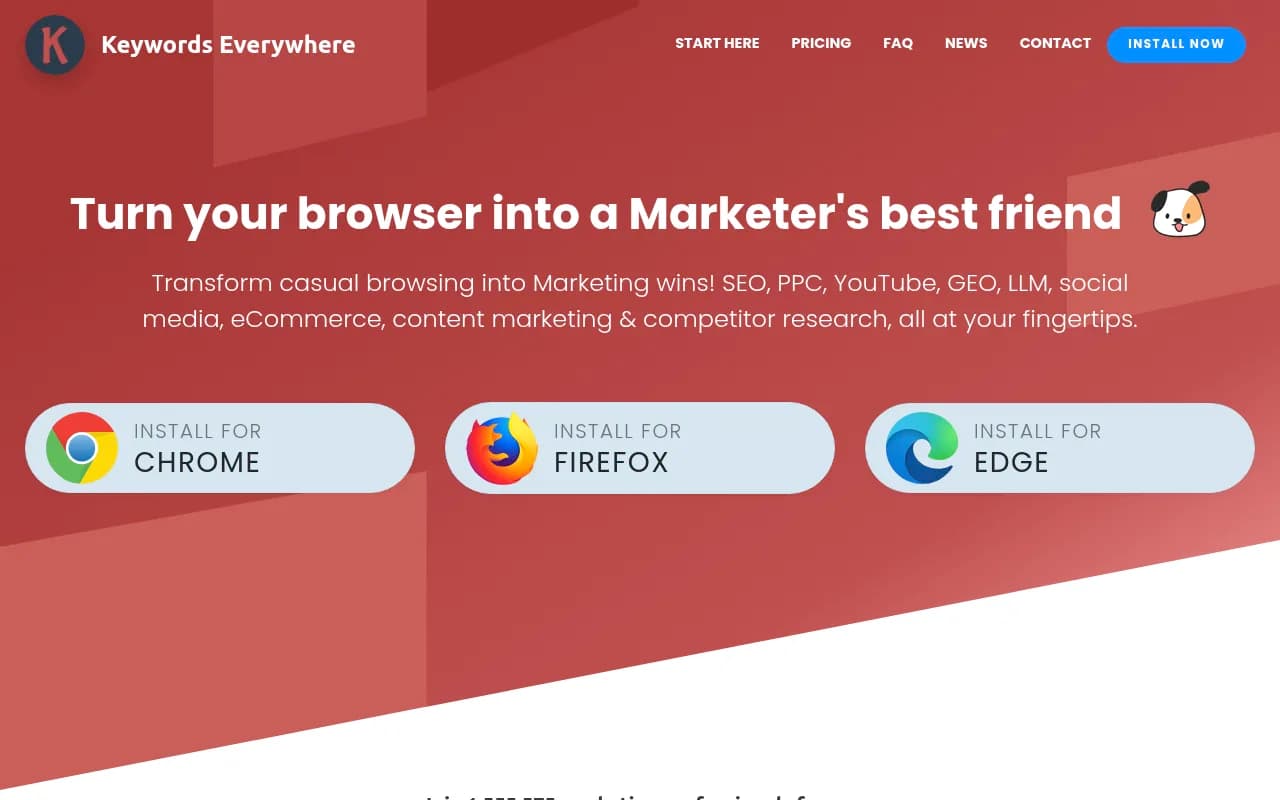
Keywords Everywhere is a browser extension for Chrome, Firefox, and Edge that overlays keyword metrics, search volumes, CPC, and competitor data onto Google, YouTube, Amazon, Etsy, and 15+ other platforms as you browse. Ideal for freelance SEOs, ecommerce sellers, and content marketers.
Key takeaways
- Keywords Everywhere is a browser extension that injects keyword data, search volumes, and competitor metrics directly into Google, YouTube, Amazon, Etsy, and 15+ other platforms as you browse -- no separate dashboard required.
- Priced on a credit-based annual subscription starting at $84/year (Bronze), making it one of the most affordable SEO research tools available.
- Covers a surprisingly wide range of use cases: traditional SEO, ecommerce research, YouTube/social media analytics, PPC, and now GEO/LLM visibility tracking.
- Lacks the depth of standalone SEO platforms like Ahrefs or Semrush for large-scale keyword research, site audits, or backlink analysis.
- Over 1.5 million marketing professionals use it, including teams at Adobe, Netflix, Salesforce, and Cisco -- which says something about its utility as a supplementary research tool.
Keywords Everywhere has been around long enough that most SEO practitioners have at least tried it. It started as a simple Chrome extension that showed monthly search volume next to Google search results -- the kind of thing that sounds trivial until you realize how much time it saves when you're doing research across dozens of queries. Over the years it has grown into something considerably more ambitious: a multi-platform research tool that covers everything from Amazon product research to YouTube channel analytics to, more recently, GEO and LLM visibility data.
The tool is built around a single core idea: you shouldn't have to leave the page you're already on to get marketing data about it. Whether you're on a Google search results page, a YouTube video, an Etsy listing, or a competitor's website, Keywords Everywhere surfaces relevant metrics right there in the browser. This passive, contextual approach to data delivery is what distinguishes it from tools like Ahrefs or Semrush, which require you to actively query a separate interface.
The target audience is broad by design. Freelance SEOs use it for quick keyword research without paying $100+/month for a full platform. Ecommerce sellers use it to evaluate Amazon and Etsy niches. Content marketers use it to find related topics and questions. Social media managers use it for YouTube and Pinterest metrics. The $84/year entry price means it's accessible to individual creators and small business owners who would never consider a Semrush subscription.
Key features
Keyword metrics on Google Search The core feature. When you search on Google, Keywords Everywhere shows search volume, CPC, and competition data for the main query, plus a sidebar panel with related keywords, "people also search for" data, and long-tail variations. The data appears inline -- you don't need to copy keywords into another tool. You can bulk-export keyword lists as CSV, PDF, or Excel files. The extension also shows historical search volume trends using a combination of Google Trends and Google Keyword Planner data, which is useful for spotting seasonal patterns without opening a separate tab.
Multi-platform search volume coverage This is where Keywords Everywhere earns its keep for ecommerce and content researchers. It shows search volume data on:
- Google Search, Google Keyword Planner, Google Trends
- Bing
- YouTube (search and video-level metrics)
- Amazon, eBay, Etsy (using their respective APIs)
- Pinterest, Instagram, X/Twitter
The Amazon integration is particularly useful for product sellers -- you get search volume estimates for product keywords directly on Amazon search results pages, which helps prioritize which products to launch or optimize listings for.
Competitor research tools On any website, Keywords Everywhere can surface the domain's top-ranking keywords, estimated organic traffic, and backlink metrics (using Moz DA data). This isn't as deep as a full Ahrefs site audit, but for quick competitive intelligence while browsing a competitor's site, it's genuinely useful. You can see which pages drive the most traffic and what keywords they rank for without leaving the page.
YouTube metrics and analytics The YouTube integration goes beyond just showing search volume for YouTube queries. When you're on a YouTube channel or video page, Keywords Everywhere overlays channel-level metrics: subscriber counts, estimated views, engagement rates, and tag analysis. For YouTube SEO and competitor research, this is a meaningful time-saver compared to manually pulling data from YouTube Studio or third-party tools.
Google Search Console integration Keywords Everywhere connects to your Google Search Console account and enriches the GSC interface with additional keyword data -- search volume, CPC, and competition metrics alongside your existing impressions and click data. This is a genuinely useful pairing: GSC tells you what you already rank for, and Keywords Everywhere adds market context to those keywords.
Content marketing AI prompts The extension includes a library of 200+ AI prompts tailored for content creation tasks -- blog posts, social media copy, product descriptions, and more. This feels like a feature added to keep pace with the AI content wave rather than a core differentiator, but for solo marketers who want quick content starting points, having them accessible in the browser is convenient.
GEO and LLM visibility features Keywords Everywhere has started adding GEO (Generative Engine Optimization) features, which is a notable expansion. The extension now surfaces some LLM-related data as you browse, though this is a newer addition and less mature than the core SEO features. It's worth noting that this is a browser-extension approach to GEO visibility -- useful for quick checks, but not a replacement for a dedicated AI visibility platform if you need systematic tracking across multiple AI models.
Pinterest and Instagram metrics For social media marketers, the extension adds engagement metrics and trend data directly on Pinterest and Instagram. Pinterest in particular benefits from this -- you can see which pins and boards are performing well and get keyword ideas for Pinterest SEO without leaving the platform.
Credit-based usage model Keywords Everywhere uses a credit system where different actions consume different numbers of credits. Viewing search volume for a keyword costs credits; some features (like basic SERP overlays) may be free or lower cost. This model means you only pay for what you use, which is fair for light users but can add up if you're doing heavy bulk research.
Who is it for
The most natural fit is the solo SEO practitioner or freelancer who does keyword research daily but can't justify $100-200/month for a full-featured platform. Keywords Everywhere at $84-168/year gives them search volume data, competitor insights, and ecommerce metrics at a fraction of the cost. A freelancer managing 5-10 client sites doing regular content research will find the credit-based model very manageable.
Ecommerce sellers -- particularly those selling on Amazon, Etsy, or eBay -- get real value from the platform-native search volume data. Instead of guessing which products to launch or which keywords to target in listings, they can see actual search demand data directly on the marketplace pages they're already browsing. A small Etsy shop owner researching new product niches, or an Amazon FBA seller evaluating keyword competition, will find this more practical than exporting data from a separate tool.
Content marketers and bloggers who want passive keyword intelligence while browsing also fit well here. The ability to see related keywords and questions while reading competitor content or doing research is a genuine workflow improvement. That said, teams doing systematic keyword research at scale -- say, an SEO agency managing 50+ client sites and needing to run bulk keyword analyses, track rankings, or do technical audits -- will quickly hit the limits of what a browser extension can do. For those use cases, Keywords Everywhere works best as a complement to Ahrefs, Semrush, or similar platforms, not a replacement.
Integrations and ecosystem
The integration list is one of Keywords Everywhere's genuine strengths. It works directly within:
- Google properties: Google Search, Google Search Console, Google Analytics, Google Trends, Google Keyword Planner
- Search engines: Bing
- Video: YouTube
- Ecommerce: Amazon, eBay, Etsy
- Social: Pinterest, Instagram, X/Twitter
- SEO tools: Moz (for DA/backlink data)
The extension is available for Chrome, Firefox, and Edge. There's no mobile app, which makes sense given the browser-extension model.
On the developer side, Keywords Everywhere has published MCP (Model Context Protocol) servers on GitHub, which is an interesting move -- it suggests they're building toward AI agent integrations where their keyword data can be consumed programmatically by LLM-based workflows. The API is available for programmatic access to keyword data, though the primary use case remains the browser extension.
Export options include CSV, PDF, and Excel for keyword lists, which covers most research workflows.
Pricing and value
Keywords Everywhere uses annual subscription tiers based on credit allocations:
- Bronze: $84/year -- 100,000 credits
- Silver: $168/year -- 400,000 credits
- Gold and Platinum: Higher tiers with more credits (exact numbers not publicly listed on the homepage but available on the pricing page)
Note that SEO Minion (an additional feature set) is only available on Silver, Gold, and Platinum plans.
The credit model means the effective cost per keyword lookup varies by usage. For a content marketer doing moderate research, 100,000 credits/year is likely sufficient. For an agency running bulk keyword analyses regularly, you'd want Silver or higher.
Compared to the main alternatives: Ahrefs starts at $129/month ($1,548/year), Semrush at $139.95/month. Keywords Everywhere at $84-168/year is an order of magnitude cheaper. The trade-off is obvious -- you're getting a browser overlay tool, not a full SEO platform with rank tracking, site audits, and link building tools. But for the specific use case of contextual keyword research while browsing, the value is hard to argue with.
There's no free tier in the traditional sense -- you need to purchase credits to access most data -- but the entry price is low enough that it's effectively accessible to anyone.
Strengths and limitations
What it does well:
- The browser-native experience is genuinely superior for passive research. Getting keyword data without switching tabs or copying queries into another tool saves real time across a workday.
- Platform breadth is impressive. Few tools cover Google, YouTube, Amazon, Etsy, eBay, Pinterest, and Instagram in a single interface.
- The price-to-value ratio at the entry level is hard to beat. $84/year for keyword research across 15+ platforms is a legitimate deal.
- The Google Search Console integration that adds market data to your existing GSC workflow is a smart, practical feature.
- The MCP server availability shows the team is thinking about where AI-native workflows are heading.
Honest limitations:
- It's a browser extension, which means it can't do anything that requires persistent data storage, historical rank tracking, or site-wide crawling. You won't get technical SEO audits, backlink databases, or rank tracking here.
- The GEO/LLM features are nascent. The extension surfaces some AI visibility data, but for teams that need systematic tracking of brand mentions across ChatGPT, Perplexity, Claude, and other AI models -- with content gap analysis, AI crawler logs, and traffic attribution -- a dedicated platform is necessary. Promptwatch covers that ground with considerably more depth, including 10+ AI model monitoring, Answer Gap Analysis, and an AI writing agent built around citation data.
- Data accuracy for search volumes is a known limitation across all third-party keyword tools, but the credit-based model means you're spending credits on estimates that may not perfectly match Google's own data.
- No rank tracking. If you want to know where your pages actually rank for target keywords over time, you need a different tool.
Bottom line
Keywords Everywhere is the right tool for marketers who want keyword data woven into their daily browsing rather than locked behind a separate dashboard -- and who don't want to pay Ahrefs prices for that convenience. It's best suited as a primary research tool for freelancers, solo ecommerce sellers, and content creators, or as a complementary layer for SEO professionals who already have a full platform but want faster contextual lookups.
Best use case in one sentence: a freelance SEO or Etsy seller who wants search volume, competitor data, and ecommerce keyword insights surfaced automatically while browsing, without paying $100+/month for a full platform.
Frequently asked questions
What is Keywords Everywhere?
How much does Keywords Everywhere cost?
Is Keywords Everywhere good for ecommerce sellers?
How does Keywords Everywhere compare to Ahrefs or Semrush?
Does Keywords Everywhere support AI or GEO features?
Which browsers does Keywords Everywhere support?
Similar and alternative tools to Keywords Everywhere