Key takeaways
- A 7-day GEO briefing answers four questions: what changed in AI answers, who gained or lost share, which pages got cited or crawled, and what to do this week.
- Agent Chat in Promptwatch is a conversational analyst over your live data. It has a ready-made 7-day GEO briefing skill, so you can get the briefing in one message and schedule it to land in-app or in Slack.
- Good briefings come from specific prompts. Ask for comparisons against the previous period, named competitors, and a ranked list of actions, not "how are we doing?"
- Other tools offer similar chat agents, such as Jasper's GEO Agent, but the answer is only as good as the data underneath it. Check what the agent can actually see.
- Always spot-check one or two numbers against the source before you forward a briefing to your boss.
Why chat beats the weekly dashboard crawl
Most GEO reporting rituals go the same way. Someone opens a dashboard on Monday, clicks through visibility, citations, competitors and traffic, copies numbers into a doc, and writes three paragraphs of interpretation. It takes an hour, sometimes two. Half of that hour is navigation.
The interpretation is the part you want. The clicking is overhead.
A chat agent flips the order. You ask the question, the agent pulls the data, and you spend your time deciding what to do about it. If you have ever tried the "ask an assistant to prepare my Monday report" pattern in a general tool, you know the catch: the assistant has no access to your actual AI visibility data, so it invents plausible-sounding filler. That is why a briefing agent has to sit on top of real tracking data rather than the open web.
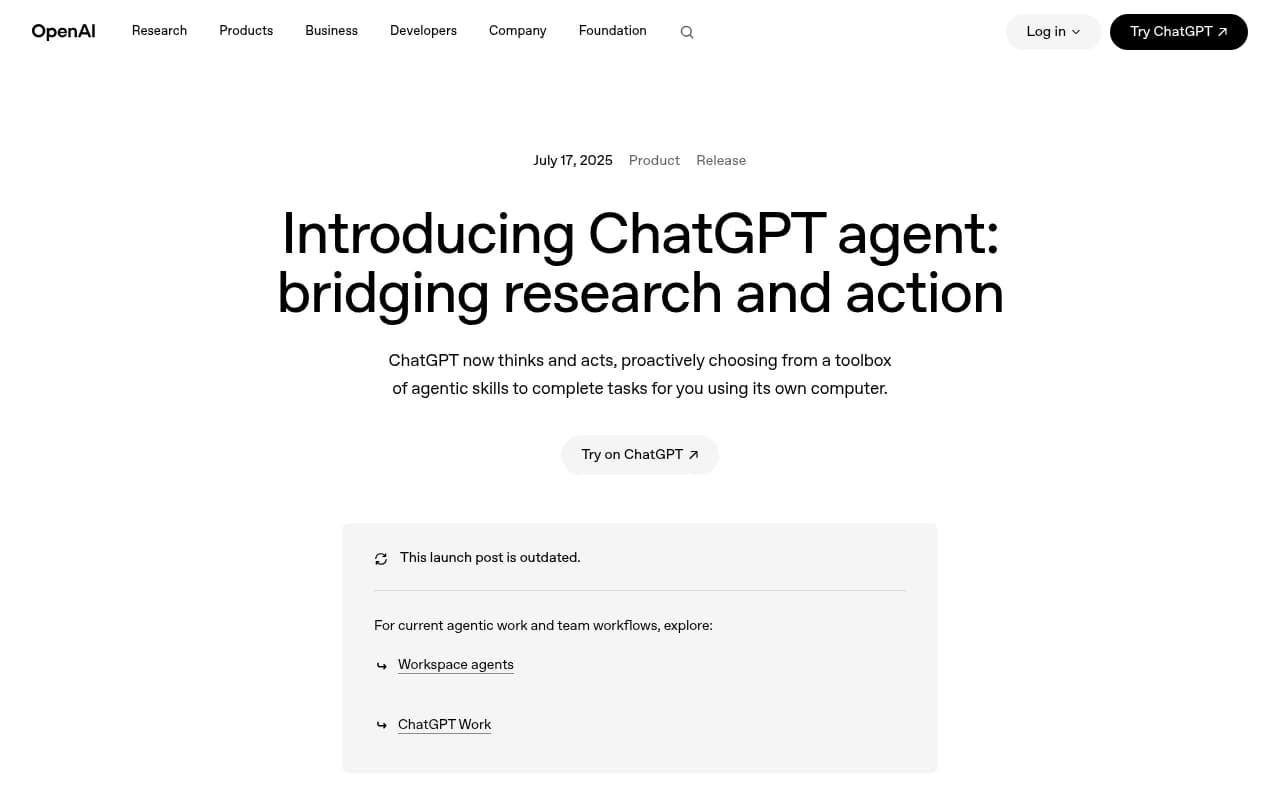
OpenAI's ChatGPT agent shows the general pattern. Its launch post describes schedulable tasks, such as a weekly metrics report every Monday morning, and permission prompts before consequential actions. The post is now marked outdated by OpenAI, but the idea of a recurring, chat-defined task carried forward. The missing piece for GEO is data. A general agent can browse a few AI answers by hand. It cannot tell you how your Visibility Score moved across 300 prompts and six models.
What a 7-day GEO briefing should contain
Before you write any prompts, decide what the briefing is for. I like a fixed skeleton, because a briefing that changes shape every week is impossible to compare.
- Headline movement: Visibility Score, Share of Voice and average position versus the previous 7 days.
- Competitor movement: who gained, who lost, and on which topics.
- Citation changes: which of your pages entered or left the source lists, and which third-party domains are being cited instead of you.
- Crawl and traffic signals: did AI crawlers hit errors, and did AI-referred visits move.
- Actions: three to five things to do this week, ranked.
That is it. Resist the urge to add a sixth section. A briefing people actually read is short.
Reading the metrics together
The metrics only make sense as a set. Low Share of Voice usually points to a coverage problem, meaning you are not appearing for enough prompts. A late position in the answer is a prominence problem. Mentions without self-citations suggest a content or crawlability problem, and weak sentiment is a reputation issue. A good briefing prompt asks the agent to diagnose which of these it is, not just to report the numbers.
Setting up Agent Chat for the briefing
Promptwatch includes Agent Chat on every paid plan, with 500 to 6,500 Agent Credits per month depending on the tier. It is a conversational AI Search analyst that digs through your prompts, citations, competitors, crawler logs, traffic and search data, runs multi-step workflows, and can render charts or build PDF reports on request.

For this workflow, the setup is short.
Step 1: Get your monitors in order first
The agent can only brief you on what you track. Before the first briefing, check three things:
- Your monitors cover the prompts that matter, across the models and countries you sell in.
- Your brand aliases and competitors are set, so the agent counts mentions the way you would.
- Visitor analytics and crawler logs are connected if you want the traffic and crawl sections. Without them the agent will tell you it has nothing to report there, which is the right behavior.
This takes an afternoon once and then stays stable.
Step 2: Open Agent Chat and use the ready-made skill
Promptwatch ships Agent Skills, including a 7-day GEO briefing, a competitor gap analysis, citation research and newsjacking. For a first run, start with the 7-day briefing skill rather than writing your own prompt. See what it produces, then tweak.
You can open Agent Chat as a side panel with Cmd+J next to any page, including the content editor. That is handy mid-week when you read one number and want an explanation without leaving the page.
Step 3: Tighten the prompt
The default skill is a good baseline. Your version should be more specific. Here is a prompt I would use:
Run a 7-day GEO briefing for the last 7 days versus the 7 days before.
1. Report Visibility Score, Share of Voice and average position for our brand and our top 3 competitors.
2. Tell me which of the four is the main problem: coverage, prominence, content/crawlability, or sentiment. Explain in two sentences.
3. List pages that gained or lost citations, and any AI crawler errors on our site.
4. Compare AI-referred visits and conversions to the previous week.
5. Finish with the 5 highest-impact actions, ranked, with the evidence for each.
Keep it under 400 words. Add one chart for Share of Voice.
Notice what this does. It fixes the comparison window, names the metrics, forces a diagnosis, caps the length and asks for evidence. Vague prompts get vague briefings.
Step 4: Schedule it
Once a version works, schedule the chat. Scheduled chats can be delivered in-app or in Slack, so Monday's briefing is waiting in a channel before the stand-up. Scheduling is the step that turns this from a clever demo into a habit. A BetterClaw write-up on scheduled agents makes the same point from a different angle: an agent you have to trigger by hand every time is a chatbot with extra steps, and the value shows up when it runs without you. One of the mistakes it lists is forgetting to set an output destination, so a briefing generated at 7 AM goes nowhere. Pick Slack or in-app on day one.
A day-by-day rhythm
The name "7-day briefing" describes the lookback window, not seven separate tasks. But a light weekly rhythm helps.
| Day | What you do in chat | Time |
|---|---|---|
| Monday | Read the scheduled 7-day briefing and ask 2 or 3 follow-ups | 15 min |
| Tuesday | Ask for a competitor gap analysis on the weakest topic | 10 min |
| Wednesday | Ask which cited pages are decaying and which need a refresh | 10 min |
| Thursday | Check crawler errors and AI-referred traffic | 10 min |
| Friday | Ask for a short wrap-up: what changed since Monday, what shipped | 5 min |
Total: under an hour, and none of it involves hunting for a widget.
Useful follow-up questions
After the briefing lands, the follow-ups are where the value is. A few that tend to pay off:
- "Which prompts did we lose a citation on this week, and which domain replaced us?"
- "Which pages rank in Google or Bing but never get cited by AI?"
- "Where does our page land in the source list for our top five commercial prompts?"
- "What changed in sentiment, and which responses drove it?"
- "Turn the top action into a content brief."
The second question works because Promptwatch joins crawls, citations, clicks and Search Console data per page. That is a question that is painful to answer by hand and trivial to ask in chat.
Turning the briefing into action
A briefing that ends in a list nobody works through is just a nicer report. Agent Chat can also work the Action Board, Promptwatch's AI-generated GEO to-do list. It can assign actions, comment on them, and reply when you @-mention it. A Discovery agent also investigates your data weekly and suggests up to five evidence-backed actions per run, and a digest email goes out every Monday.
So the loop looks like this: the briefing flags a content gap, you ask the agent to draft a brief, the work lands on the Action Board with an owner, and next week's briefing checks whether the page got crawled and cited. On Business and Enterprise plans, the Content Agent can plan, write and publish against those gaps to Webflow, Framer or WordPress, with a review inbox if you want a human to approve each piece.
What the data says you should be watching
A briefing is only useful if it highlights metrics that matter. A few patterns from Promptwatch's research are worth keeping in mind when you read yours.
- Content type matters. In Promptwatch's ChatGPT citation data by content type (Sep 28 to Oct 4, 2026), product pages earned 22.4% of classified citations and landing pages 16.8%. If your briefing shows weak commercial visibility, check whether you have pages that describe what you sell, not only blog posts.
- Freshness varies by format. In Promptwatch's content half-life study, landing pages and docs stayed cited longest, while news lost half its pages within 36 days. A weekly check on decaying pages is worth the five minutes.
- Sources shift suddenly. Promptwatch Data on Reddit shows reddit.com's share of ChatGPT citations falling from about 4% to 0.5% on August 14, 2026. If a briefing shows a big overnight move, ask the agent whether it is you or the platform. A single-day cliff across many brands usually points to the platform.
- Platforms differ. In the social media citations report, ChatGPT got 0.46% of its citations from social platforms while Google AI Overviews got 12.2%. Do not apply a Reddit or LinkedIn strategy uniformly across models.
- Fanout behavior moves. Promptwatch's ChatGPT query fanout data measured about 2.15 searches per response in early December 2025, around 1.84 by early March 2026, and 1.0 when fanouts returned in April. Those averages are far below the 3 to 8+ searches a single prompt can trigger, so treat the higher number as a ceiling. And if you see a sudden swing in how ChatGPT searches, such as the site: operator change on August 8, 2026, expect your visibility numbers to wobble for reasons you did not cause.
Other chat agents you could use
Promptwatch is not the only product with a chat layer. Here is how the main options compare for a briefing workflow.
| Option | Data it sees | Scheduling | Takes action | Caveat |
|---|---|---|---|---|
| Promptwatch Agent Chat | Live prompts, citations, crawler logs, visitor analytics, Search Console and Bing | Scheduled chats in-app or Slack | Works the Action Board, drafts briefs, builds dashboards and PDFs | Credits are capped per plan |
| Jasper GEO Agent | Your GEO Hub analysis | Daily or weekly recurring runs | Drafts content and mocks up schema | Requires a GEO Hub analysis first |
| ChatGPT agent | Whatever you connect or browse | Recurring tasks, such as a weekly Monday report | Browses, builds slides and spreadsheets | No native GEO dataset, so numbers come from what it can find |
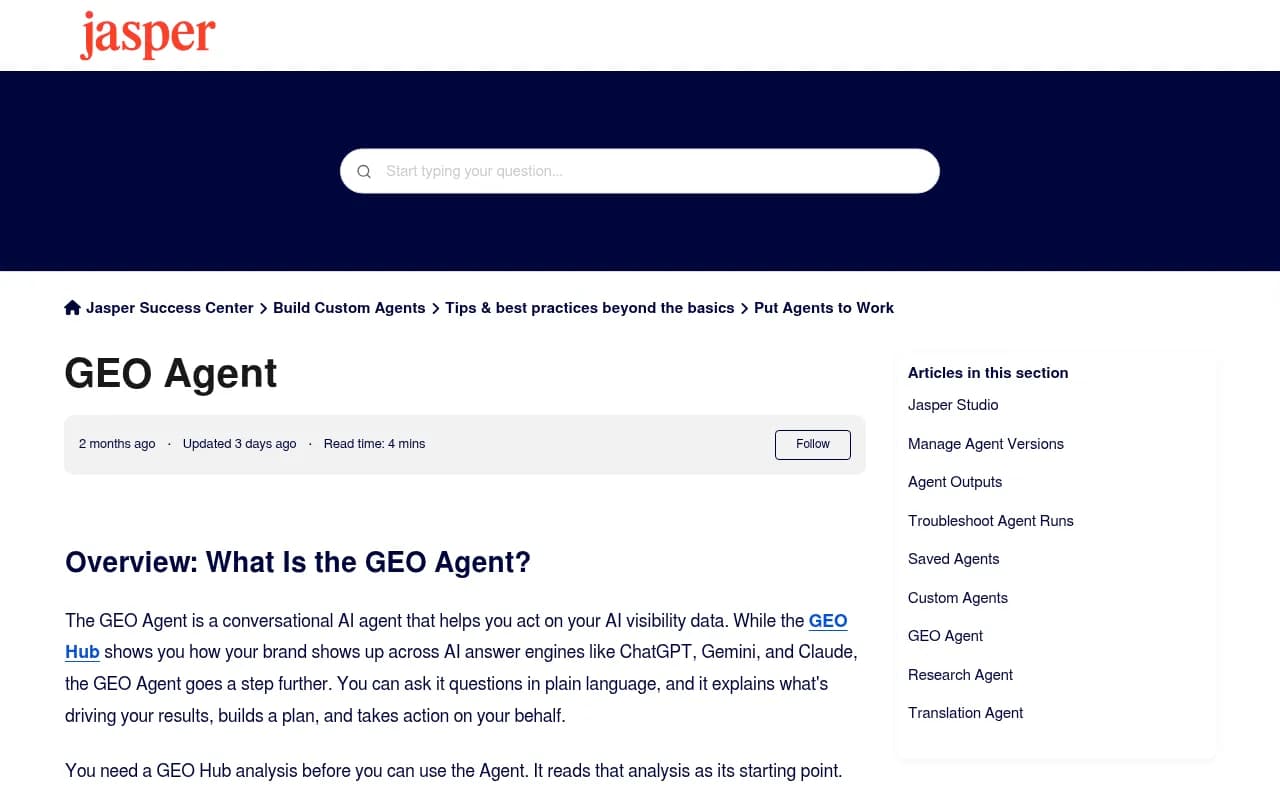
Jasper's help documentation says its GEO Agent proposes a plan you can adjust before it starts, shows its steps in real time, and publishes nothing without approval. It can also offer a Grid output when a request covers more than about five items. That plan-then-approve flow is sensible. The limitation is that it reads from a GEO Hub analysis, so it is only as current as that analysis.
A general-purpose agent like ChatGPT is fine for a rough competitor scan, but I would not trust it as your system of record for AI visibility numbers.
If you want to compare more platforms before committing, the directory at bestgeosoftware.com lists GEO tools by category.
Checking the agent's work
I am enthusiastic about chat briefings, and I still do not forward one blindly. Three habits keep you honest.
Spot-check one number
Each week, pick one figure, such as Share of Voice for your top competitor, and confirm it against the matching dashboard widget or export. If the numbers match three weeks in a row, ease off. If they ever do not, find out why before the next briefing.
Ask for evidence
Every recommendation in the briefing should come with the prompt, page or crawl log behind it. If the agent says "improve your pricing page," the follow-up is "which prompts is that based on, and who is being cited instead?" A recommendation without evidence is an opinion.
Watch the window
Weekly data is noisy. A 2-point Visibility Score drop on a small prompt set may be nothing. Ask the agent for a 28-day trend next to the 7-day number before you reorganize the content calendar.
Common mistakes
- Asking "how are we doing?" and getting a pleasant, empty summary. Fix: name the metrics and the comparison.
- Running the briefing on too few prompts. A 10-prompt monitor cannot support conclusions about a category.
- No delivery channel. Schedule it to Slack or in-app on day one.
- Treating the briefing as the work. It is the trigger for the work. Put actions on the Action Board with owners.
- Skipping crawler logs. If AI bots hit errors on your site, no amount of content optimization will show up in citations.
Pricing note
Agent Chat is included on every paid Promptwatch plan. Essential is $95 per month with 500 Agent Credits, Professional is $245 with 1,500, and Business is $579 with 2,500. Agency plans run from $199 to $799 per month with 1,000 to 6,500 credits. A weekly briefing plus follow-ups fits comfortably in the smaller tiers, but heavy multi-step research eats credits faster. Confirm current numbers at promptwatch.com/pricing.
Who this is for
This workflow suits marketing leads who need a Monday read without owning the tooling, SEO teams who are tired of assembling reports by hand, and agencies producing weekly client updates. If you would rather hand the whole program to specialists, an agency such as 1001 SEO Media runs GEO work on Promptwatch for clients, which skips the setup entirely.
If you want a quick baseline before paying for anything, Promptwatch's free AI Visibility Report scans how ChatGPT, Gemini and Perplexity talk about your brand without a login. Run it, note the starting point, and compare it against your first scheduled briefing a month later.