ChatGPT Review 2026
Widely used for brainstorming, refining copy, and generating marketing content across multiple channels with GPT-3 and GPT-4 technology.
Summary: What you need to know about ChatGPT
- Best for: Anyone who needs an AI assistant for writing, coding, research, or creative work -- from students to Fortune 500 companies. The free tier is genuinely useful; paid plans unlock significantly more capability.
- Standout strength: Context retention across conversations and the ability to handle complex, multi-step tasks that require reasoning. GPT-4o (in Plus/Pro) is noticeably smarter than the free GPT-3.5 model.
- Key limitation: Can confidently state incorrect information (hallucinations), especially on niche topics or recent events. Always verify facts from authoritative sources.
- vs Promptwatch competitors: ChatGPT is the AI model that Promptwatch helps you rank in -- not a competitor. If you want your brand visible when people ask ChatGPT questions, Promptwatch shows you what content gaps to fill and generates optimized articles that get cited by ChatGPT and other AI models.
- Bottom line: The most widely adopted AI chatbot for good reason. Free tier works for casual use; Plus ($20/mo) is worth it for professionals who use it daily.
ChatGPT launched in November 2022 and became the fastest-growing consumer application in history, hitting 100 million users in two months. Built by OpenAI (the company behind GPT-3, DALL-E, and Codex), it's essentially a conversational interface wrapped around large language models that have been trained on vast amounts of text data. The core value: you can ask it questions, give it tasks, or have it generate content in natural language instead of learning specialized software or syntax.
The target audience is essentially everyone with internet access. Students use it for research summaries and essay outlines. Developers use it to debug code and generate boilerplate. Marketers use it for ad copy, email sequences, and content briefs. Executives use it to draft memos and analyze documents. The breadth is both a strength (universal utility) and a challenge (no single persona to optimize for). OpenAI has leaned into this with tiered pricing: free for casual users, Plus for power users, Pro for professionals who need the absolute best reasoning, Team for small businesses, and Enterprise for large organizations with security and admin requirements.
Since launch, OpenAI has shipped major updates roughly every 3-6 months. GPT-4 (March 2023) was a massive leap in reasoning capability. GPT-4 Turbo added a 128k token context window (roughly 300 pages of text). GPT-4o (May 2024) brought multimodal capabilities -- it can see images, hear audio, and respond in real-time voice conversations. The December 2024 o1 model introduced deep reasoning for complex problems in math, science, and coding. Each iteration has made the tool more capable but also more expensive to run, which is why OpenAI keeps the free tier on older models.
Core capabilities and how they actually work
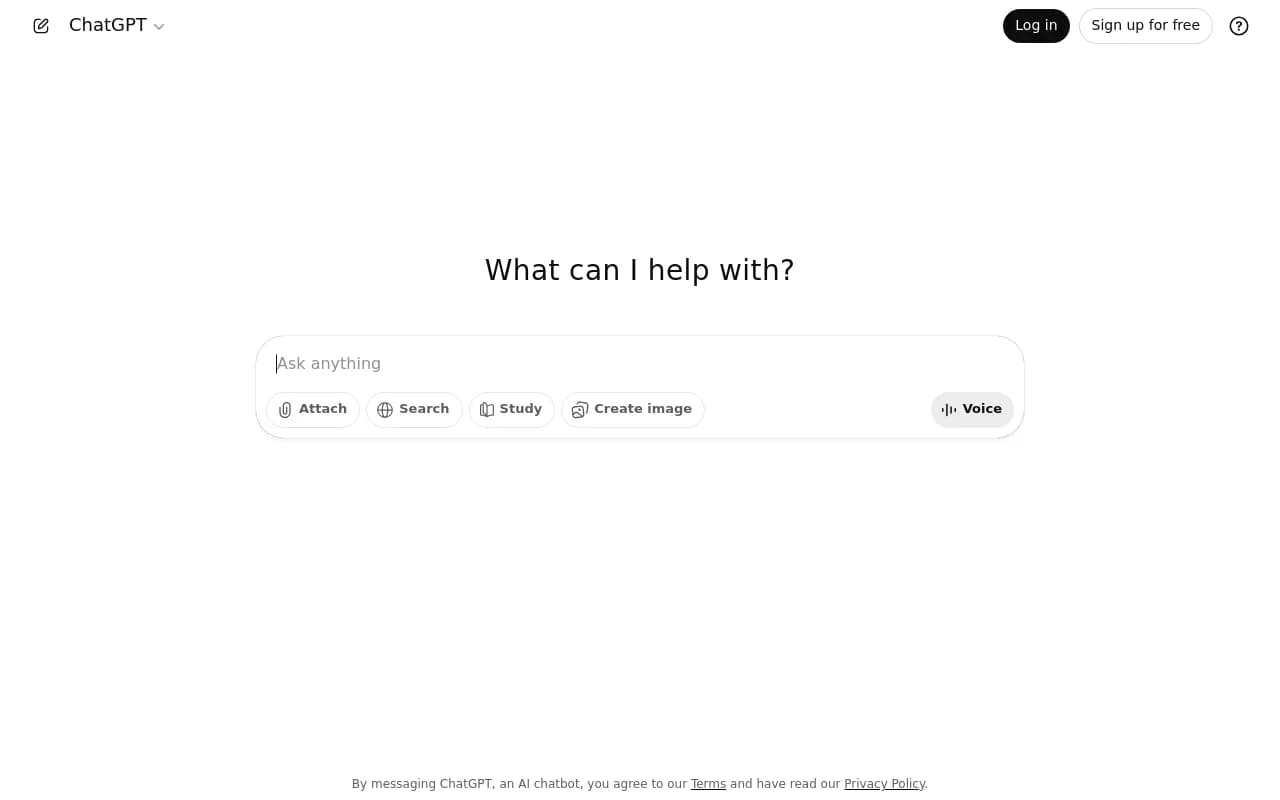
Conversational interface: You type a message (called a "prompt"), ChatGPT generates a response, and you can follow up with clarifications or new directions. It remembers the conversation history within a single chat session, so you can say "make it shorter" or "now do the same thing for B2B SaaS" without re-explaining context. This context window is the key differentiator from traditional search -- you're having a dialogue, not firing off isolated queries. The free tier (GPT-3.5) has a smaller context window and forgets earlier parts of long conversations. Plus and above (GPT-4o) handle much longer threads.
Writing and content generation: This is the most common use case. You can ask it to write blog posts, social media captions, product descriptions, email templates, press releases, video scripts, or any other text format. The quality varies wildly based on how specific your prompt is. "Write a blog post about SEO" gets you generic filler. "Write a 1200-word blog post for B2B SaaS founders explaining how to optimize product pages for AI search engines like ChatGPT and Perplexity, with examples from Slack and Notion" gets you something much closer to usable. The model has no taste or brand voice by default -- you need to provide examples or style guidelines. Custom GPTs (Plus and above) let you bake instructions and examples into a reusable assistant so you don't re-prompt every time.
Code generation and debugging: Developers use ChatGPT to write functions, debug errors, explain unfamiliar code, convert between languages, and generate boilerplate. It handles common languages (Python, JavaScript, SQL, etc.) well and can walk through logic step-by-step. The o1 reasoning model (Pro tier) is particularly strong at complex algorithmic problems. Limitations: it sometimes generates code that looks right but has subtle bugs, and it can't run code to verify correctness (though it can analyze error messages you paste back). GitHub Copilot (also OpenAI-powered) is better integrated into the IDE, but ChatGPT is useful for higher-level architecture questions.
Research and summarization: You can paste long documents (articles, reports, transcripts) and ask ChatGPT to summarize, extract key points, or answer specific questions about the content. The free tier has a smaller input limit; Plus and above handle much larger documents. Web browsing (Plus and above) lets it search the internet and cite sources, though the citations are sometimes incomplete or incorrect. It's faster than reading a 50-page PDF yourself, but you should still skim the original for anything critical. It struggles with very recent events (training data has a cutoff date, though web browsing helps) and niche technical topics where training data is sparse.
Image generation (DALL-E integration): Plus, Pro, Team, and Enterprise users can generate images directly in ChatGPT by describing what they want. It uses DALL-E 3 under the hood. Quality is high for illustrations, concept art, and marketing visuals, though it's not a replacement for a professional designer. You can iterate on images ("make the background darker", "add a laptop on the desk") within the same conversation. Free users don't get image generation.
Vision (image analysis): Upload an image and ask ChatGPT to describe it, extract text, answer questions about it, or generate code from a screenshot of a UI mockup. Useful for analyzing charts, reading handwritten notes, identifying objects, or debugging visual layouts. Works on Plus and above. The model can see but not perfectly -- it sometimes misreads small text or misinterprets complex diagrams.
Voice mode: Speak to ChatGPT instead of typing, and it responds with synthesized voice. The Advanced Voice Mode (Plus and above) is impressively natural -- it picks up on tone, interrupts gracefully, and feels like talking to a person. Useful for hands-free use (driving, cooking) or practicing language skills. The free tier has basic voice input/output but not the advanced conversational flow.
Custom GPTs: Plus, Team, and Enterprise users can create specialized versions of ChatGPT with custom instructions, uploaded files, and integrated actions (API calls to external services). Examples: a "Brand Voice GPT" trained on your company's style guide and past content, a "SQL Query Assistant" that knows your database schema, or a "Meeting Prep GPT" that pulls data from your CRM. You can share these with your team or publish them to the GPT Store. This is where ChatGPT becomes a platform, not just a chatbot. Free users can use public GPTs but can't create their own.
File uploads and data analysis: Upload spreadsheets, PDFs, images, or code files and ask ChatGPT to analyze them. It can generate charts from CSV data, extract tables from PDFs, or refactor code. The Code Interpreter (now called Advanced Data Analysis) runs Python in a sandboxed environment to process files. Plus and above only. This is surprisingly powerful for quick data tasks without opening Excel or writing scripts.
Web browsing: Plus and above can search the web in real-time to answer questions about current events, find sources, or pull in information beyond the training cutoff. It shows which sites it visited and quotes snippets. The browsing is slower than a regular search engine and sometimes fails to find relevant pages, but it's useful when you need synthesis across multiple sources. Free tier can't browse.
Memory: ChatGPT can remember details across separate conversations if you enable memory (Plus and above). Tell it once that you're a B2B SaaS marketer focused on AI tools, and it will tailor future responses without you repeating context. You can view and delete stored memories. This makes it feel more like a persistent assistant than a stateless chatbot. Free tier doesn't have memory.
Who should use ChatGPT (and who shouldn't)
ChatGPT is useful for almost anyone who works with text, code, or ideas. The free tier is enough for students writing essays, hobbyists learning to code, or casual users who need occasional help. If you're using it a few times a week, free is fine.
Plus ($20/mo) makes sense for professionals who use it daily -- writers, marketers, developers, consultants, researchers. The jump from GPT-3.5 to GPT-4o is significant: better reasoning, fewer mistakes, longer context, image generation, web browsing, and custom GPTs. If ChatGPT saves you even an hour a month, Plus pays for itself.
Pro ($200/mo) is for people who need the absolute best reasoning and are willing to pay 10x for it. The o1 model (Pro-exclusive) is noticeably better at complex math, science, coding, and multi-step logic problems. It's slower (it "thinks" before responding) but more accurate. This tier makes sense for researchers, quants, senior engineers, or anyone solving hard problems where correctness matters more than speed. For most users, Plus is enough.
Team ($25-30/user/mo depending on size) adds admin controls, shared workspaces, and higher usage limits. Good for small companies (5-50 people) that want everyone on the same platform with centralized billing. You get a team workspace where you can share custom GPTs and conversation templates.
Enterprise (custom pricing) is for large organizations that need SSO, data residency guarantees, admin analytics, and the ability to fine-tune models on proprietary data. Companies like Moderna, PwC, and Coca-Cola use Enterprise. If you're a Fortune 500 or handling sensitive data (legal, healthcare, finance), this is the tier. Smaller companies don't need it.
Who should NOT use ChatGPT: If you need 100% factual accuracy with no room for error (medical diagnoses, legal advice, financial calculations), don't rely on ChatGPT alone. It's a language model, not a knowledge base -- it predicts plausible text, not truth. Always verify critical information. If you need real-time data or live integrations (pulling from your CRM, updating spreadsheets automatically), ChatGPT's capabilities are limited compared to purpose-built automation tools like Zapier or Make. If you're in a regulated industry with strict data policies, check with your compliance team before pasting sensitive information into ChatGPT (even Enterprise has limitations).
Integrations and ecosystem
ChatGPT itself is a walled garden -- it doesn't natively integrate with other tools the way Zapier or Notion does. However, OpenAI offers an API that developers use to build ChatGPT into other products. Thousands of apps (Notion, Slack, Shopify, Canva, etc.) have embedded GPT-4 or GPT-3.5 via the API. If you're a developer, you can use the API to build custom workflows, chatbots, or automations. Pricing is separate from the ChatGPT subscription (pay per token used).
Custom GPTs (Plus and above) can call external APIs through "Actions", which lets you connect ChatGPT to your own services. For example, you could build a GPT that pulls data from your company's internal database or posts to your CMS. This requires some technical setup but opens up powerful use cases.
Browser extensions (unofficial, third-party) let you use ChatGPT alongside Google search results or summarize web pages. OpenAI doesn't officially support these, but they're popular. The official ChatGPT mobile apps (iOS and Android) are well-designed and include voice mode, image uploads, and conversation sync.
OpenAI also offers plugins (deprecated in favor of custom GPTs) and a GPT Store where users share custom GPTs. The quality is mixed -- some are genuinely useful ("Consensus" for academic research, "Canva" for design templates), others are low-effort wrappers.
Pricing breakdown and value
Free tier: GPT-3.5 model, limited messages during peak times, no image generation, no web browsing, no custom GPTs, no memory. Good for light use but frustrating if you hit rate limits. The model is noticeably less capable than GPT-4o.
Plus ($20/mo): GPT-4o, GPT-4, and o1-mini models, higher message limits, image generation (DALL-E 3), web browsing, Advanced Voice Mode, custom GPTs, memory, file uploads, and priority access during peak times. This is the sweet spot for most professionals. Comparable to Perplexity Pro ($20/mo) or Claude Pro ($20/mo), though each has different strengths.
Pro ($200/mo): Everything in Plus, plus unlimited access to the o1 reasoning model and o1 pro mode (extended thinking for hardest problems). Also higher limits on GPT-4o and DALL-E. Only worth it if you're solving complex problems where reasoning quality matters more than cost. Most users should stick with Plus.
Team ($25/user/mo for 2+ users, $30/user/mo for annual): Everything in Plus, plus team workspace, admin console, shared custom GPTs, and higher usage caps. Billed per user. Makes sense for small teams that want centralized management.
Enterprise (custom pricing, typically $60+/user/mo): Everything in Team, plus SSO, data residency, admin analytics, extended context windows, and the ability to fine-tune models. Requires a sales conversation. Only for large organizations with specific compliance or customization needs.
API pricing (separate from subscriptions): Pay per token (roughly per word). GPT-4o is $2.50 per 1M input tokens, $10 per 1M output tokens. GPT-3.5 Turbo is much cheaper ($0.50/$1.50 per 1M tokens). If you're building a product on top of OpenAI models, API pricing matters more than ChatGPT subscriptions.
Compared to competitors: Claude Pro (Anthropic) is also $20/mo and has a longer context window (200k tokens vs 128k) plus better handling of long documents. Perplexity Pro is $20/mo and better for research (cites sources more reliably). Google Gemini Advanced is $20/mo and integrates with Google Workspace. ChatGPT has the largest user base, the most polished interface, and the best voice mode, but it's not objectively better at every task. Many power users subscribe to multiple.
Strengths: What ChatGPT does exceptionally well
- Conversational flow: The back-and-forth dialogue feels natural. You can refine outputs iteratively ("make it shorter", "use simpler language", "add examples") without starting over. This is much faster than traditional software where you'd need to re-enter parameters.
- Breadth of capability: It's genuinely useful for writing, coding, research, brainstorming, learning, and creative work. Most tools are narrow (Grammarly for grammar, Copilot for code); ChatGPT is a generalist.
- Voice mode: Advanced Voice Mode (Plus and above) is the best conversational AI voice interface available. It picks up on tone, handles interruptions, and feels like talking to a person. Useful for hands-free use or language practice.
- Custom GPTs: The ability to create specialized assistants with custom instructions and uploaded files turns ChatGPT into a platform. A "Brand Voice GPT" or "SQL Assistant GPT" is much more useful than re-prompting every time.
- Ecosystem and momentum: With 300M+ weekly users, ChatGPT has the largest community, the most tutorials, and the most third-party integrations. If you learn to use ChatGPT well, that skill transfers across many contexts.
Limitations: Where it falls short
- Hallucinations: ChatGPT will confidently state incorrect information, especially on niche topics, recent events, or anything requiring precise facts. It's a language model, not a knowledge base -- it predicts plausible text, not truth. Always verify critical information from authoritative sources. This is the biggest limitation and the reason you can't blindly trust outputs.
- No real-time data (free tier): The free tier can't browse the web, so it's limited to training data (cutoff in late 2023 for GPT-3.5). Plus and above can browse, but it's slower and less reliable than a search engine.
- Rate limits: Free users hit message caps during peak times. Plus users have higher limits but can still hit them with heavy use (especially image generation or o1 reasoning). Pro has the highest limits but even those aren't truly unlimited.
- No native integrations: Unlike tools like Notion or Slack, ChatGPT doesn't plug into your existing workflows. You have to copy-paste between ChatGPT and other apps unless you build custom integrations via API or Actions.
- Inconsistent quality: Output quality depends heavily on prompt quality. Vague prompts get vague outputs. You need to learn prompt engineering (providing context, examples, constraints) to get consistently good results. This is a skill, not a limitation per se, but it's a barrier for casual users.
Bottom line: Who should buy ChatGPT and why
If you work with text, code, or ideas, ChatGPT is worth trying. The free tier is genuinely useful for casual use -- students, hobbyists, or anyone who needs occasional help. If you find yourself using it multiple times a week, upgrade to Plus ($20/mo). The jump from GPT-3.5 to GPT-4o is significant, and the added features (image generation, web browsing, custom GPTs, voice mode) make it feel like a different product.
Pro ($200/mo) is only worth it if you're solving complex problems where reasoning quality matters more than cost -- research, advanced coding, math, science. Most users should stick with Plus.
Team and Enterprise make sense for organizations that want centralized management, higher usage limits, and compliance features. If you're a solo user or small team without specific admin needs, Plus is enough.
Best use case in one sentence: ChatGPT is the most versatile AI assistant for anyone who needs help writing, coding, researching, or brainstorming -- just don't trust it blindly on facts.
Tags:
Similar and alternative tools to ChatGPT