Key takeaways
- llms.txt, MCP server cards and A2A agent cards solve different problems. llms.txt points agents at documentation, MCP cards advertise tools an agent can call, and A2A cards describe an agent that other agents can talk to.
- Each standard has a predictable location. You can check all three in about five minutes with curl and a JSON validator.
- Maturity varies a lot. A2A has a formal schema, MCP server cards are still a Working Group draft (SEP-2127), and llms.txt is a convention rather than a spec with a governing body.
- You probably don't need all three. Publish an MCP card if you expose tools, an A2A card only if your software is itself an agent, and llms.txt if you have documentation worth reading.
- None of these files is a proven lever for AI search citations. Treat them as agent plumbing, not a ranking tactic.
Why check at all
A year or two ago, the question was whether ChatGPT mentioned your brand. Now there is a second question: can an agent that visits your site do anything useful with it? Coding agents read your docs. Assistants call your API through MCP. Orchestrators look for agent cards before delegating a task.
Most sites support none of this, and that is fine for a lot of businesses. But if you run a developer tool, an API, a SaaS product with public docs, or anything an agent might plausibly act on, it is worth knowing where you stand. A scan of 10 popular developer tools for agent-readiness, posted in r/mcp, reported that only one was fully agent-ready. So the bar is low, and a clean audit puts you ahead of most.
This guide walks through the three standards, how to check each, and how to decide what to publish.
The three standards in plain terms
It helps to be clear about what each one is for before you start poking at URLs.
| Standard | Job | Typical location | Maturity |
|---|---|---|---|
| llms.txt | Helps agents find relevant documentation | /llms.txt | Community convention |
| MCP server card | Advertises an MCP server and its tools | /.well-known/mcp.json | Working Group draft (SEP-2127) |
| A2A agent card | Describes an agent: skills, interfaces, modalities | /.well-known/agent-card.json | Formal schema (a2a.proto v1.0.0) |
The Hugging Face guide to agent documentation draws a useful line: llms.txt helps an agent find information, while MCP lets it complete a task and verify the result. Those are different jobs, and they use different discovery channels. One finding from the r/mcp scan is worth remembering: an agent using MCP to find tools won't read your llms.txt. Having one does not substitute for the other.
A2A and MCP are also not rivals. Auth0's MCP vs A2A explainer describes them as complementary: MCP is how an agent uses tools and data, A2A is how agents collaborate with each other.
A short way to remember it: MCP gives an agent depth (tools), A2A gives a system reach (other agents).
Before you start: what you need
You need a terminal with curl, access to your site's deployment (so you can fix things you find), and a JSON viewer or jq. That's it. A browser works for a first look, but curl shows you the status code and content type, and those are where most failures hide.
One caveat up front. The well-known paths below come from a third-party validator vendor's documentation (agent-ready.dev), and the MCP card spec is a draft that may change. Before you build anything permanent, check the official MCP and A2A specs for the current path and required fields.
Step 1: check llms.txt
llms.txt is the simplest of the three. It's a plain Markdown file at the root of your domain that lists the pages an agent should read first, usually with short descriptions.
curl -sI https://example.com/llms.txt
What you want to see:
- HTTP 200, not a 301 chain to a login page or a 404 dressed up as a soft 200.
- A text content type such as text/plain or text/markdown.
- A body that is actual Markdown, not your homepage HTML served by a catch-all route.
Then read the file:
curl -s https://example.com/llms.txt | head -40
A healthy file has a title, a one-line summary, and sections of links with short descriptions. Check that every linked URL resolves. Broken links in llms.txt are surprisingly common because the file gets written once and never touched again.
Also check whether the linked pages are readable by an agent. Pages that need JavaScript to render their content defeat the purpose.
A note on expectations
Don't expect llms.txt to move your AI search citations. Promptwatch Data's Markdown in AI Search report (published Feb 2026, covering seven days of citations across ChatGPT, Claude, Perplexity and Google AI Overviews) found HTML made up 99.94% of citations and markdown files just 0.05%. That is roughly 2,000 to 1. The report's conclusion is that markdown serves coding agents, not AI search. Its crawler logs do show a large uptick in docs requests from Claude's bot and OpenAI's bot, with logged paths like /docs/.../*.md, so developer documentation is where llms.txt and .md endpoints earn their keep.
If your site is a marketing site or a blog, fix rendering and crawlability first. Build .md mirrors only for developer docs.
Step 2: check for an MCP server card
An MCP server card is a JSON file that tells clients such as Claude Desktop, Cursor and Cline what your MCP server is and how to reach it. The proposed location is a well-known path, following the RFC 8615 convention.
curl -si https://example.com/.well-known/mcp.json
Check these things:
- Status is 200.
- Content-Type is application/json.
- The body parses as JSON.
- The required fields are present. According to agent-ready.dev's summary of the draft, that is three: name, description and version. Transports are optional.
Quick parse test:
curl -s https://example.com/.well-known/mcp.json | jq .
If jq complains, your server is probably returning HTML (a 404 page or a SPA fallback) with a 200 status. That is the single most common false positive.
The draft problem
The spec behind this is SEP-2127, a Working Group draft that superseded the earlier SEP-1649 proposal. It is not final. You can read the discussion in the MCP repository. In practice, that means a card you publish today could need edits later. Keep it small, keep it in version control, and re-check the spec every few months.
If you don't run an MCP server, you don't need a card. There is nothing to advertise.
Step 3: check for an A2A agent card
A2A agent cards describe an agent: its name, version, capabilities, supported interfaces, modalities and skills. The expected path is:
curl -si https://example.com/.well-known/agent-card.json
The preferred content type is application/a2a+json, though plain application/json is commonly served. A2A is the most formal of the three. The schema is a normative protobuf definition (a2a.proto v1.0.0, documented at a2a-protocol.org), and the card has eight required top-level fields. Interfaces can be JSON-RPC, gRPC or HTTP+JSON.
What to verify:
- Status 200 and a JSON body.
- All required top-level fields are present.
- The interface URLs inside the card actually respond. A card that points at a dead endpoint is worse than no card.
- Skills describe real tasks your agent can do, not marketing copy.
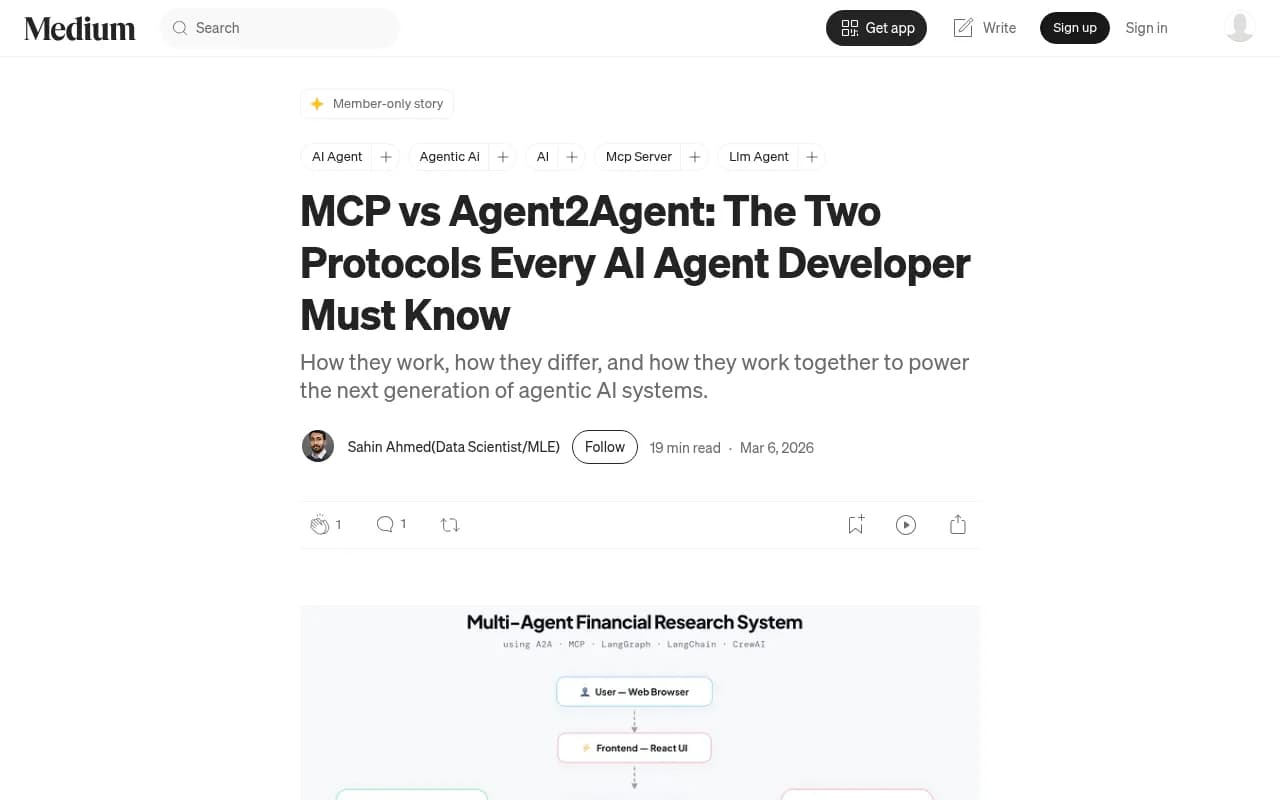
A description of what a card holds is in this Medium comparison of MCP and Agent2Agent: the agent's name and description, the tasks it accepts, its skills and the data modalities it supports.
Do you need an A2A card?
Probably not. If your product is a website, an API or a set of tools, MCP is the relevant standard. A2A only matters if your software is itself an agent that other agents might delegate work to. Publishing a card for something that isn't an agent just creates a file nobody should trust.
Step 4: check agents.json while you're there
There is a fourth file you will see mentioned: agents.json from Wildcard. It lives at /agents.json or /.well-known/agents.json, is version 0.1.0, and is explicitly pre-standard. It has four required fields (agentsJson, info, sources, flows), sits as a flow layer over OpenAPI, and has no auth field. Check for it if you want a complete picture, but I wouldn't prioritize publishing one yet.
Putting it in one script
Here is a quick shell loop that checks every path and prints the status and content type:
DOMAIN=https://example.com
for path in /llms.txt /.well-known/mcp.json /.well-known/agent-card.json /agents.json /.well-known/agents.json; do
  echo "== $path"
  curl -s -o /dev/null -w "status=%{http_code} type=%{content_type}\n" -L "$DOMAIN$path"
done
Read the output with suspicion. A 200 with text/html on a JSON path means your framework is serving a fallback page. A 403 might mean your WAF or CDN is blocking non-browser requests, which brings up the next point.
Step 5: validate, don't just fetch
A file that exists is not a file that's valid. Fetching confirms presence; validation confirms structure. The agent-ready.dev site offers free validators for each format:
These are from a vendor that sells in this space, so treat them as a convenience, not an authority. Cross-check anything surprising against the official specs.
For a broader readiness check, Promptwatch has a free Agentic Readiness Check that reports which AI crawlers can read your site and which agent standards you support, including llms.txt, MCP server cards, A2A agent cards, OAuth discovery and Content Signals.

There are other free checkers in the directory too, such as [tool:geotoolbox] for AI reachability checks and [tool:aeo-express] for a quick answer-engine snapshot. Browse the GEO software directory at bestgeosoftware.com if you want to compare more options.
Step 6: confirm crawlers can actually reach the files
Publishing a file is pointless if the agent never gets to fetch it. Three things commonly block access:
- robots.txt rules that disallow AI user agents.
- CDN or WAF bot protection that challenges anything that isn't a browser.
- Geographic or rate-limit rules that treat agents as abuse.
Promptwatch Data's AI Crawler Traffic report tracked IP-verified requests from OpenAI, Anthropic, Google, Perplexity and Mistral from June 8 to September 6, 2026. OpenAI accounted for 79.8% of verified requests in the week of Aug 31 to Sep 6, down from 94.8% in Jun 8-14. The report's practical advice applies here: compare your own logs against that mix, and if a provider is large in the chart but near zero in your logs, you are probably blocked or unreachable for it.
So check your server logs or CDN analytics for requests to /llms.txt and the well-known paths. If nobody has ever fetched them, either nobody cares yet or something is blocking the visit. Log-level tools like Promptwatch's crawler analytics can show which agents hit which URLs; it works with Cloudflare, Vercel, Fastly and raw server logs. [tool:screaming-frog-seo-spider] is useful for checking that the pages linked from your llms.txt return clean responses.
What to publish: a decision table
| Your situation | llms.txt | MCP server card | A2A agent card |
|---|---|---|---|
| Marketing site or blog only | Optional, low value | No | No |
| Developer docs or API reference | Yes | Only if you run an MCP server | No |
| SaaS with an MCP server | Yes | Yes | No |
| You ship an agent others can call | Yes, for docs | If it exposes tools | Yes |
The rule of thumb from the research: publish MCP if you expose tools, add A2A only if your software is itself an agent, and keep llms.txt for documentation worth reading.
Common failures to look for
- Soft 404s. The path returns 200 with an HTML page. Check the content type and parse the body.
- Wrong content type. JSON served as text/html, which some clients reject.
- Redirect chains. A redirect from the apex domain to www, then to a locale path, can break strict clients. Serve well-known files directly.
- Stale files. A card that lists tools you removed last quarter.
- Auth walls. Discovery files must be public. Protect the actual endpoints, not the card that describes them.
- Dead interface URLs. The card validates, but the endpoint inside it returns 500.
A repeatable audit routine
Treat this like any other technical SEO check:
- Run the curl loop on a schedule (monthly is enough for most teams).
- Validate each JSON file against the current spec.
- Spot-check the endpoints named inside the cards.
- Review crawler logs for fetches of these paths.
- Re-read the spec status, particularly for MCP cards while SEP-2127 is a draft.
If you'd rather hand the technical side to specialists, an agency like 1001 SEO Media covers technical SEO and AI search work, but the audit above is something a developer can do in an afternoon.
What I'd actually do
For most sites, I'd check all three paths once, write down the results, and fix only what applies. If you have docs, ship a clean llms.txt and make sure the pages it links to render without JavaScript. If you run an MCP server, publish a minimal card and expect to revise it. Skip the A2A card unless you are building an agent.
And keep your expectations honest. These files help agents find and use your product. They are not a shortcut to being cited in ChatGPT answers; the data says HTML pages still get almost all of those citations. Work on both fronts, but don't confuse them.
For wider context on how AI search treats your content, Promptwatch's research hub is a good place to keep an eye on as these standards settle.