Clay Review 2026
Enables GTM teams to enrich prospect data from multiple sources, automate research, and build personalized outbound campaigns at scale.
Key Takeaways:
- Clay is a comprehensive GTM data platform that consolidates 150+ data providers, AI agents, and workflow automation in one place -- eliminating the need for multiple point solutions and vendor contracts
- The platform's standout feature is its AI research agent Claygent, which can navigate gated forms, search public databases, and find unique datapoints that traditional enrichment tools miss -- helping companies like OpenAI more than double their enrichment coverage from 40% to 80%
- Clay is best for B2B sales and marketing teams (SDRs, BDRs, RevOps, demand gen) at companies ranging from startups to enterprises who want to automate manual research, build intent-based outbound campaigns, and maintain clean CRM data
- Pricing starts at $149/month for the Starter plan, with higher tiers at $349/mo (Explorer), $549/mo (Pro), and $749/mo (Team), plus custom Enterprise pricing -- all plans use a credit-based system for data enrichment
- The platform lacks native email sending capabilities (you'll need to connect your own sequencer or CRM), and the credit-based pricing model can be confusing for teams used to flat-rate SaaS subscriptions
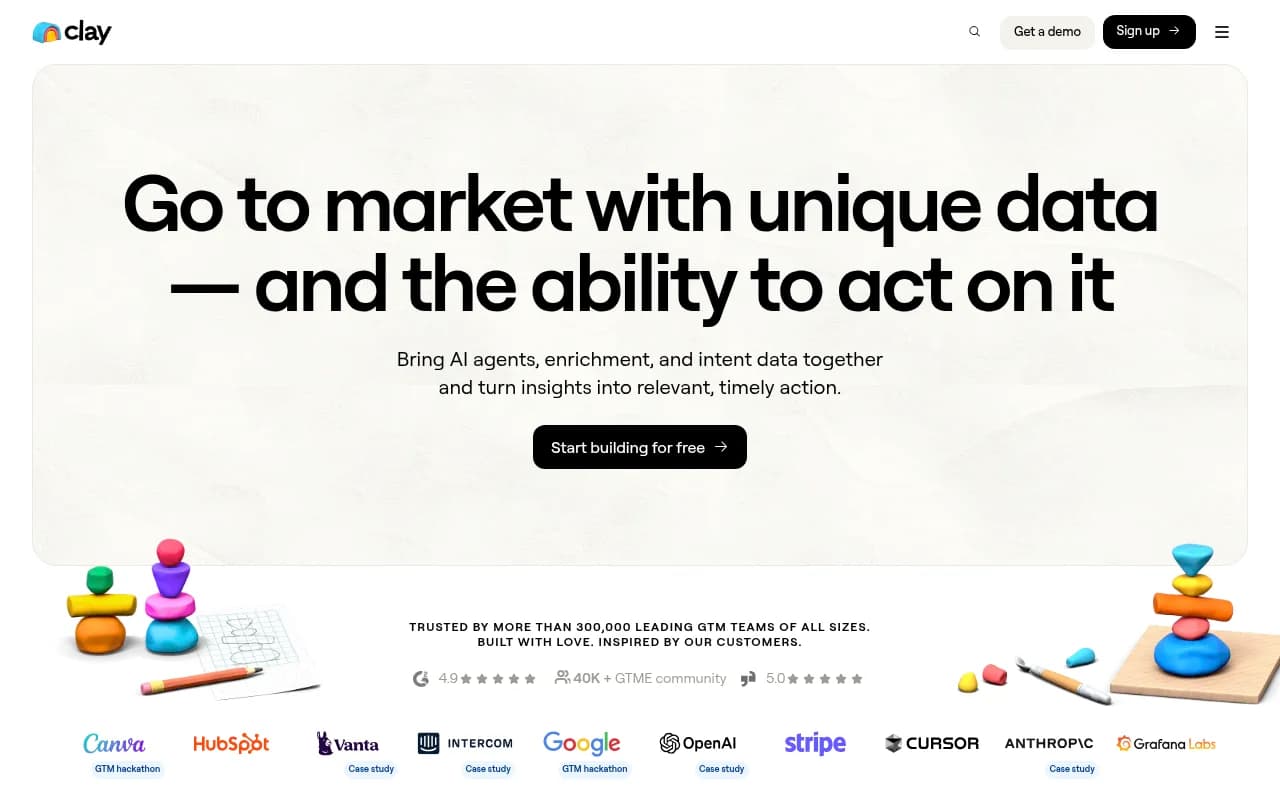
Clay is a go-to-market data platform that brings together data enrichment, AI-powered research, and workflow automation in a single interface. Founded to solve the problem of fragmented GTM data tools, Clay has grown to serve over 300,000 users across companies like OpenAI, Anthropic, Intercom, Rippling, Notion, and Verkada. The platform's core value proposition is simple: instead of juggling multiple data vendors, enrichment tools, and manual research processes, GTM teams can access everything they need in one place and automate the workflows that turn data into revenue.
The target audience is broad but specific: B2B sales development reps, account executives, demand generation marketers, revenue operations teams, and growth hackers at companies selling to other businesses. Clay works equally well for a 5-person startup doing founder-led sales and a 500-person enterprise sales org running multi-touch ABM campaigns. The common thread is that these teams need high-quality prospect data, want to automate repetitive research tasks, and need the flexibility to experiment with different outbound motions without waiting months for IT to implement new tools.
Data Enrichment: 150+ Providers in One Platform
Clay's foundational feature is its data enrichment marketplace. Instead of signing separate contracts with Apollo, ZoomInfo, Clearbit, Hunter, and a dozen other data vendors, you access all of them through Clay's unified interface. The platform includes 150+ data providers covering contact information (emails, phone numbers, social profiles), firmographics (company size, revenue, industry, tech stack), intent signals (job changes, funding rounds, web visits), and more.
What makes this powerful is Clay's waterfall enrichment approach. You can set up a sequence where Clay tries Provider A first, and if that fails, automatically falls back to Provider B, then C, then D -- all in a single workflow. This dramatically improves data coverage. Anthropic reported 3x-ing their enrichment rate using Clay's multi-provider approach compared to relying on a single vendor. OpenAI saw enrichment coverage jump from the low 40% range to the high 80% range.
The credit-based pricing model means you only pay for the data you actually use. Each enrichment action (finding an email, pulling company data, etc.) costs a certain number of credits depending on the provider and data type. This is more cost-effective than paying for seat licenses at multiple vendors, but it does require some planning to estimate monthly credit usage.
Claygent: AI Research That Actually Works
Claygent is Clay's AI research agent, and it's the feature that separates Clay from traditional enrichment tools. While standard data providers can only return information that's already in their databases, Claygent can actively search the web, navigate websites, fill out forms, and extract specific information you define.
Here's how it works in practice: You give Claygent a prompt like "Find this company's main product categories" or "Check if this person has published any articles in the last 6 months" or "Identify the tech stack this company uses based on their job postings." Claygent then searches public sources (company websites, LinkedIn, news articles, job boards, etc.), synthesizes the information, and returns a structured answer.
The real power comes from building custom Claygents for specific use cases. You can create a versioned agent that consistently researches a particular data point across thousands of prospects, then reuse that agent in multiple workflows. For example, a SaaS company might build a Claygent that identifies whether a prospect company uses a competitor's product by checking their tech stack, job postings, and case studies -- then use that agent to prioritize outreach to companies already using similar tools.
Claygent also supports Model Context Protocol (MCP) servers, meaning you can connect it to internal data sources like Salesforce, Gong call transcripts, or Google Docs to enrich prospects with your own business context. This is a major differentiator -- most enrichment tools only work with public data.
Sculptor: AI-Powered Workflow Builder
Sculptor is Clay's conversational AI assistant for building workflows. Instead of manually configuring each step of a data enrichment or outbound campaign, you can describe what you want to accomplish in plain English, and Sculptor will generate the workflow for you.
For example, you might tell Sculptor: "I want to find all Series A SaaS companies in the US that raised funding in the last 3 months, enrich them with founder contact info, check if they're hiring for sales roles, and send personalized emails to founders at companies that are hiring." Sculptor will then build out the table structure, add the appropriate data providers, set up conditional logic, and configure the email step -- all automatically.
This dramatically lowers the barrier to entry for non-technical users. Sales reps and marketers who wouldn't know how to chain together API calls and conditional logic can now build sophisticated workflows by describing what they want. It also speeds up iteration -- you can test a new campaign idea in minutes instead of hours.
Intent Signals and Dynamic Audiences
Clay monitors intent signals across multiple channels and can trigger workflows automatically when specific events occur. Supported signals include job changes (prospects moving to new companies), funding announcements, website visits (via integration with tools like Koala or Common Room), social media mentions, hiring activity, tech stack changes, and more.
The dynamic audience feature lets you combine these signals with enrichment data and CRM information to create highly targeted segments. For example, you might build an audience of "companies with 50-200 employees, using Salesforce, that visited our pricing page in the last 7 days, where the VP of Sales changed jobs in the last 90 days." Clay continuously monitors for companies matching these criteria and can automatically add them to an outbound sequence, alert a sales rep, or update your CRM.
This is where Clay moves beyond static list building into real-time GTM orchestration. Instead of manually pulling lists every week, you set up the criteria once and Clay keeps your audiences fresh automatically.
Workflow Automation and Integrations
Clay's workflow builder uses a spreadsheet-like interface where each row is a prospect or account, and each column is a data enrichment step, AI prompt, or action. You can add conditional logic ("only enrich if company size > 50"), run steps in parallel for speed, and chain together dozens of providers and actions in a single workflow.
The platform integrates with 100+ tools including Salesforce, HubSpot, Outreach, Salesloft, Apollo, Instantly, Smartlead, Slack, and more. You can push enriched data to your CRM on a recurring schedule, trigger email sequences based on intent signals, or send Slack alerts when high-priority prospects match your criteria. The HTTP API integration lets you connect to any tool that has an API, even if Clay doesn't have a native integration.
One particularly useful feature is the ability to sync millions of CRM records with Clay for enrichment and monitoring. Companies like Coverflex use this to monitor buying signals from 3M+ companies and automatically prioritize outreach based on intent. The sync is bidirectional -- Clay can both pull data from your CRM and push updates back.
AI Formatting and Data Cleaning
Clay includes AI-powered data formatting tools that clean and standardize messy data. You can use AI to concatenate fields, remove emojis and special characters, ensure consistent formatting (e.g. all phone numbers in the same format), and extract specific information from unstructured text.
This is especially useful when working with scraped data or combining information from multiple sources. For example, if you're pulling job titles from LinkedIn and company websites, the formatting will be inconsistent ("VP of Sales" vs "Vice President, Sales" vs "Sales VP"). Clay's AI formatting can standardize these into a single format automatically.
Native Email Sequencer
Clay recently added a native email sequencer, allowing you to send multi-touch outbound campaigns directly from the platform without connecting an external tool. You can personalize emails using any data in your Clay table (enrichment data, AI research, intent signals, etc.), set up follow-up sequences, and track opens, clicks, and replies.
The sequencer is still relatively new compared to dedicated tools like Outreach or Salesloft, so it lacks some advanced features like A/B testing, call tasks, and deep CRM integration. But for teams that want to keep everything in one platform, it's a solid option.
Who Is Clay For?
Clay is built for B2B go-to-market teams that need high-quality prospect data and want to automate manual research. The primary personas are:
Sales Development Reps and BDRs: SDRs use Clay to build targeted prospect lists, enrich contacts with accurate emails and phone numbers, research personalization details (recent funding, tech stack, hiring activity), and launch outbound sequences. Clay saves hours per week that would otherwise be spent manually researching prospects on LinkedIn and company websites.
Account Executives and Sales Leaders: AEs use Clay to research accounts before calls, identify warm intro paths, and monitor buying signals (job changes, funding, website visits) for their book of business. Sales leaders use Clay to build territory plans, identify total addressable market, and ensure reps are working the highest-intent accounts.
Demand Generation and Growth Marketers: Marketers use Clay to build ABM campaigns, enrich inbound leads, personalize website content based on firmographics, and identify lookalike audiences. The AI research capabilities are particularly valuable for creating hyper-personalized campaigns at scale.
Revenue Operations Teams: RevOps uses Clay to enrich and clean CRM data, automate lead routing, build scoring models, and maintain data hygiene. The ability to sync millions of CRM records and enrich them on a recurring schedule is a major time-saver.
Agencies and Consultancies: Agencies use Clay to run outbound campaigns for multiple clients, build custom data products, and deliver research services. The flexible workflow builder and multi-workspace support make it easy to manage multiple client accounts.
In terms of company size and stage, Clay works for everyone from solo founders doing founder-led sales to enterprise sales orgs with hundreds of reps. Early-stage startups (pre-seed to Series A) use Clay to punch above their weight with data and automation they couldn't afford from traditional vendors. Growth-stage companies (Series B-D) use Clay to scale outbound motions and maintain data quality as they grow. Enterprises use Clay to consolidate vendor spend and give teams flexibility to experiment without IT bottlenecks.
Clay is particularly strong in the tech and SaaS verticals, where companies are comfortable with modern tools and need to move fast. It's less common in traditional industries like manufacturing or retail, though there's no technical reason it wouldn't work there.
Who Should NOT Use Clay:
Clay is not a good fit for teams that need a simple, out-of-the-box solution with minimal configuration. The platform's power comes from its flexibility, but that flexibility requires some learning curve. If you just want to upload a CSV and send emails, a simpler tool like Instantly or Lemlist might be better.
Clay is also not ideal for teams doing high-volume, low-touch outbound with minimal personalization. The credit-based pricing model and focus on research and enrichment make more sense for quality-over-quantity approaches. If you're sending 10,000 generic emails per day, you don't need Clay's capabilities.
Finally, Clay requires someone on the team who's comfortable building workflows and experimenting with different data sources. It's not a "set it and forget it" tool -- you need to actively manage and optimize your workflows. If your team doesn't have the bandwidth for that, you might be better off with a more managed solution.
Integrations and Ecosystem
Clay integrates with 100+ tools across categories including CRMs (Salesforce, HubSpot, Pipedrive), email sequencers (Outreach, Salesloft, Apollo, Instantly, Smartlead, Lemlist), data providers (ZoomInfo, Apollo, Clearbit, Hunter, RocketReach, Lusha, etc.), intent tools (Koala, Common Room, 6sense), communication tools (Slack, Gmail, Outlook), and more.
The platform offers a robust API for custom integrations and supports webhooks for real-time data syncing. The HTTP API integration is particularly powerful -- you can connect to any tool that has an API, even if Clay doesn't have a native integration. This makes Clay a true data hub that can orchestrate workflows across your entire GTM stack.
Clay also supports browser extensions for scraping data from LinkedIn, company websites, and other sources. The Chrome extension lets you add prospects to Clay tables directly from LinkedIn or any webpage.
For developers and technical teams, Clay offers a Python SDK and detailed API documentation. The platform also supports Model Context Protocol (MCP) servers, allowing you to connect Claygent to internal data sources and tools.
Pricing and Value
Clay uses a credit-based pricing model across five plans:
Free Plan: 100 credits per month, 1 workspace, access to all data providers and AI features. Good for testing the platform or running very small campaigns.
Starter Plan ($149/month): 12,000 credits per month, 3 workspaces, priority support. Suitable for solo founders or small teams running modest outbound campaigns.
Explorer Plan ($349/month): 36,000 credits per month, 5 workspaces, advanced features like conditional logic and custom integrations. Good for growing teams or agencies managing multiple clients.
Pro Plan ($549/month): 120,000 credits per month, 10 workspaces, dedicated customer success manager. Designed for established sales teams running high-volume campaigns.
Team Plan ($749/month): 180,000 credits per month, 15 workspaces, advanced collaboration features. For larger teams with multiple users.
Enterprise Plan (custom pricing): Unlimited credits, unlimited workspaces, custom integrations, dedicated support, and enterprise-grade security features (SSO, SCIM, custom SLAs). Pricing varies based on usage and requirements.
All plans include access to all 150+ data providers, AI features (Claygent and Sculptor), workflow automation, and integrations. The main differences are credit limits, number of workspaces, and support level.
The credit-based model means you only pay for the data you actually use, which can be more cost-effective than paying for seat licenses at multiple vendors. However, it does require some planning to estimate monthly credit usage. Different enrichment actions cost different amounts of credits -- finding an email might cost 1-3 credits, while pulling detailed firmographic data might cost 5-10 credits.
Compared to competitors, Clay's pricing is competitive for the value delivered. A typical sales team might spend $500-1000/month on separate subscriptions to ZoomInfo, Clearbit, Hunter, and an email sequencer. With Clay, you get all of that plus AI research and workflow automation for a similar or lower price. The ROI comes from time saved on manual research (often 10-20 hours per week per rep) and improved data quality leading to higher response rates.
Strengths:
Consolidation of data vendors: Access 150+ data providers through a single subscription instead of managing multiple contracts and logins. This alone can save thousands of dollars per month for teams that were previously paying for multiple tools.
Waterfall enrichment: Dramatically improves data coverage by automatically trying multiple providers in sequence. Companies consistently report 2-3x improvements in enrichment rates compared to single-vendor approaches.
Claygent AI research: Goes beyond traditional enrichment to find unique datapoints that aren't in any database. This is a genuine differentiator -- no other platform offers comparable AI research capabilities.
Workflow flexibility: The spreadsheet-like interface and conditional logic make it possible to build complex, multi-step workflows without writing code. This empowers non-technical users to automate sophisticated GTM motions.
Active community and templates: Clay has a 40,000+ member Slack community and extensive template library. You can find pre-built workflows for almost any use case and get help from other users and Clay's team.
Limitations:
Credit-based pricing complexity: The credit model can be confusing for teams used to flat-rate SaaS subscriptions. It requires monitoring usage and estimating costs, which adds administrative overhead.
Learning curve: Clay's flexibility comes with complexity. New users often need 1-2 weeks to become proficient, and building advanced workflows requires understanding how different providers and features work together.
Native sequencer is basic: While Clay recently added email sending, the sequencer lacks advanced features like A/B testing, call tasks, and deep CRM integration that dedicated tools like Outreach or Salesloft offer. Teams running complex sales motions may still need a separate sequencer.
Data provider quality varies: While Clay gives you access to 150+ providers, not all providers are equally good for all use cases. You need to experiment to find which providers work best for your specific needs, which takes time.
Bottom Line:
Clay is the best choice for B2B GTM teams that want to consolidate their data stack, automate manual research, and build flexible outbound workflows. It's particularly strong for companies that value data quality over quantity, need to personalize outreach at scale, and want the flexibility to experiment with different GTM motions without waiting for IT.
The platform shines when you need to combine data from multiple sources, enrich prospects with unique research that isn't in standard databases, and orchestrate complex workflows across your GTM stack. If you're currently juggling multiple data vendors, spending hours per week on manual research, or struggling to maintain clean CRM data, Clay will likely deliver immediate ROI.
Best use case in one sentence: B2B sales and marketing teams at tech companies who want to build high-quality, personalized outbound campaigns using the best data from multiple sources, automated research, and flexible workflows -- all in one platform.
Tags:
Similar and alternative tools to Clay