SEOBoost Review 2026
Draft outlines and receive instant SEO suggestions as you write. Helps optimize content structure and keyword usage for better search rankings.
Key Takeaways:
- Best for content teams and agencies who need an end-to-end workflow from research to optimization in one platform
- Real-time SEO scoring gives instant feedback as you write, with automated suggestions for improving on-page factors
- Strong content brief builder uses AI to analyze top 30 competitors and generate structured outlines with keyword clusters
- Missing AI search visibility features -- no tracking for ChatGPT, Perplexity, or other AI model citations that Promptwatch offers
- Affordable pricing starting at $30/mo makes it accessible for small teams, though lacks advanced features like AI traffic attribution or content gap analysis found in platforms like Promptwatch
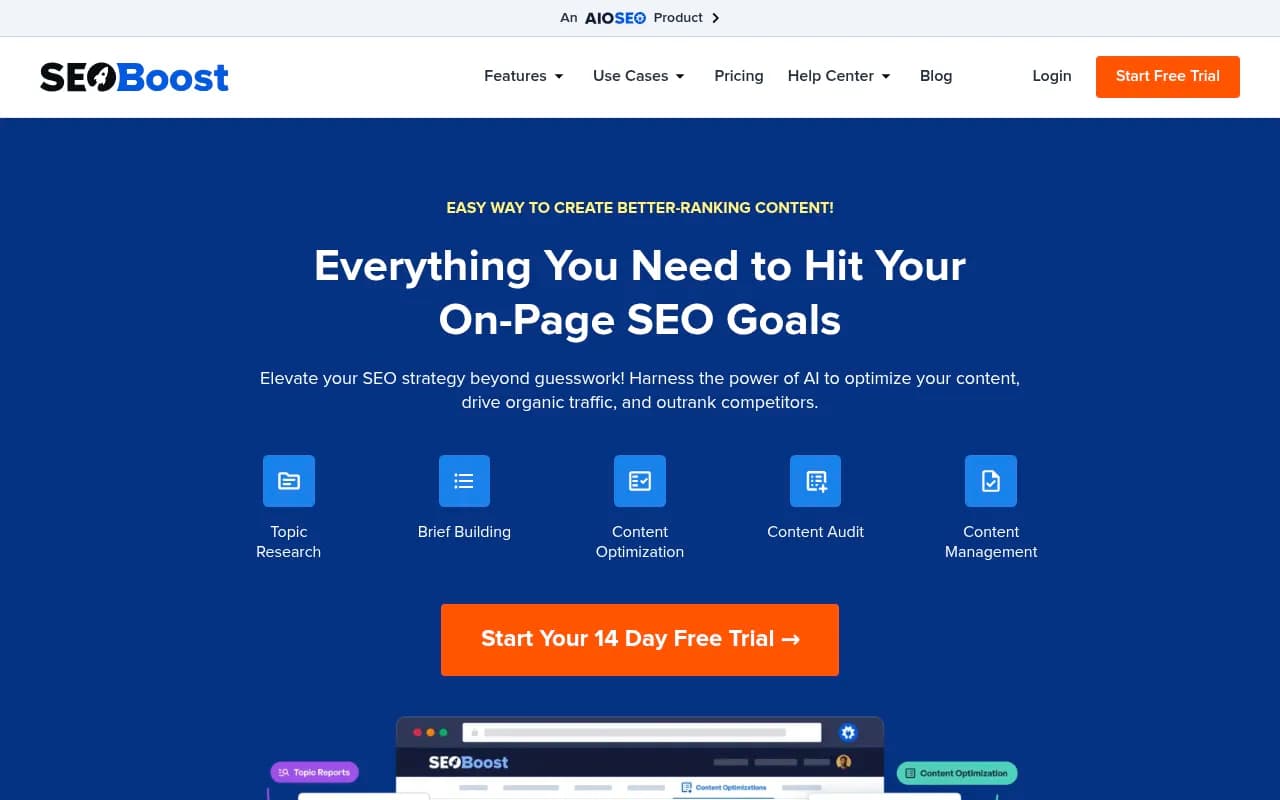
SEOBoost positions itself as an all-in-one SEO content platform that takes you from keyword research through content creation to optimization and auditing. The tool is built around a workflow that mirrors how content teams actually work: research topics, build briefs, write content, optimize it, audit performance, and manage everything in one dashboard. It's not trying to be a rank tracker or backlink analyzer -- it's laser-focused on the content creation and optimization piece of SEO.
The platform is aimed squarely at content-driven teams: in-house content teams at SaaS companies, digital marketing agencies managing multiple clients, freelance writers who need to deliver SEO-optimized work, and SEO consultants who want to streamline their content workflows. If you're a solo blogger or a Fortune 500 enterprise, you might find it either too robust or not enterprise-grade enough. The sweet spot seems to be teams of 3-15 people producing 20-100 pieces of content per month.
SEOBoost was built to solve a specific pain point: the chaos of using five different tools (Ahrefs for research, Google Docs for briefs, Grammarly for writing, SurferSEO for optimization, Trello for project management) and constantly context-switching between them. The pitch is simple -- do all of that in one place.
Topic Research & Competitor Analysis
The Topic Reports feature analyzes the top 30 ranking pages for any keyword and extracts patterns. You get a breakdown of common phrases, keyword frequency across competitors, content structure (how many H2s and H3s top pages use), word count ranges, and "People Also Ask" questions pulled from Google. This isn't just a list of keywords -- it's showing you what Google rewards for that specific query.
What makes this useful: you can see that the top 10 results for "content marketing strategy" all include sections on "setting goals" and "measuring ROI", but only 3 mention "content distribution". That's a gap you can exploit. The phrase analysis breaks down 2-word, 3-word, and 4-word phrases by frequency, so you know which semantic clusters matter.
Compared to tools like Clearscope or MarketMuse, SEOBoost's topic research is more manual -- you're looking at data tables and drawing your own conclusions rather than getting an AI summary. Some users will prefer this (more control), others will find it tedious.
Content Brief Builder
Once you've done your research, the brief builder lets you create structured outlines for writers. You can add recommended keywords (with search volume and difficulty scores), suggest headings based on competitor analysis, include PAA questions, set target word counts, and add reference links. The AI can auto-generate a brief based on your target keyword, pulling in all the research data automatically.
Briefs are shareable with your team via link, and writers can leave comments or questions directly in the brief. For agencies, this is a time-saver -- instead of spending 30 minutes per brief in Google Docs, you can generate a solid first draft in 2-3 minutes and refine from there.
The brief builder also supports "topic clusters" -- if you're targeting "email marketing", it will suggest related subtopics like "email automation", "email deliverability", and "email design" that you should cover to establish topical authority. This is similar to how Frase or SurferSEO approach content planning.
Real-Time Content Optimization
This is SEOBoost's core feature. As you write (or paste in existing content), you get a live SEO score out of 100 based on factors like keyword usage, content length, heading structure, readability, internal/external links, and image optimization. The score updates in real-time as you type.
The optimization panel shows specific suggestions: "Add 2 more H3 headings", "Use the keyword 'content strategy' 3 more times", "Add 1 external link to a high-authority site", "Increase content length by 400 words". Each suggestion is tied to what top-ranking competitors are doing, so you're not optimizing in a vacuum.
The NLP (Natural Language Processing) analysis identifies semantically related terms you should include. For a post about "SEO tools", it might suggest adding terms like "keyword research", "backlink analysis", "rank tracking", and "technical SEO" because those appear frequently in top-ranking content. This is similar to how Clearscope and SurferSEO work, though SEOBoost's NLP suggestions feel less sophisticated -- you get a list of terms but not much context on how to use them naturally.
One nice touch: the editor highlights where you've used target keywords, so you can see at a glance if you're keyword-stuffing or under-optimizing specific sections. You can also toggle between "focus keyword" and "secondary keywords" to optimize for multiple terms in one piece.
Content Audit
The audit feature lets you analyze existing published content to find optimization opportunities. Paste in a URL, and SEOBoost crawls the page and scores it against current top-ranking competitors for your target keyword. You'll see what's changed since you published (maybe competitors added more content, or Google started favoring longer articles), and get a prioritized list of fixes.
This is useful for quarterly content refreshes -- you can bulk-audit 50 posts, sort by "biggest opportunity" (posts that are ranking 6-15 and could jump to page 1 with updates), and systematically improve them. The audit report includes before/after comparisons, so you can track whether your updates actually moved the needle.
What's missing: SEOBoost doesn't integrate with Google Search Console or Google Analytics, so you can't see actual traffic or ranking data inside the tool. You're auditing based on SEO best practices and competitor analysis, but not your own performance metrics. Tools like Ahrefs or Semrush have this integration, making their audits more actionable.
Content Management & Collaboration
The project management layer lets you organize content in a calendar view, assign tasks to team members, set deadlines, and track status (research, drafting, optimization, published). You can tag projects by client (for agencies), content type (blog post, landing page, guide), or campaign.
Team collaboration features include comments, @mentions, and role-based permissions (admin, editor, writer). Writers can't see pricing or billing, but they can access briefs and the optimization editor. For agencies managing 5-10 clients, this keeps everything organized without needing a separate project management tool.
One standout feature: unlimited access to stock images from Unsplash and Pexels directly in the editor. You can search, insert, and optimize images (alt text, file names) without leaving the platform. Small detail, but it removes friction.
Multi-Language Support
SEOBoost supports 14 languages including English, Spanish, French, German, Italian, Portuguese, Dutch, Polish, Russian, Japanese, Chinese, Korean, Arabic, and Hindi. You can research keywords, build briefs, and optimize content in any of these languages. The competitor analysis pulls from the appropriate Google domain (google.es for Spanish, google.de for German, etc.).
This is a big deal for international teams or agencies with multilingual clients. Most SEO content tools are English-only or have weak support for other languages. SEOBoost's NLP analysis works across all supported languages, though the quality varies -- English and Spanish are strong, less common languages like Arabic or Korean are more basic.
Who Should Use SEOBoost
SEOBoost is built for content-first teams who publish regularly and want to streamline their workflow. Specific personas:
- In-house content teams at SaaS companies (3-10 people) producing 20-50 blog posts per month. You need consistent quality without hiring an SEO consultant for every post.
- Digital marketing agencies managing 5-20 clients. The multi-project setup and team collaboration features are designed for this use case. You can create client-specific workspaces and give clients read-only access to see progress.
- Freelance content writers who want to deliver SEO-optimized work without spending hours on research. The brief builder and real-time optimization let you produce better work faster.
- SEO consultants who audit and optimize content for clients. The audit feature and optimization suggestions give you a repeatable process.
- Small business owners who manage their own content marketing. If you're publishing 5-10 posts per month and want to rank better, SEOBoost is more affordable and easier to learn than enterprise tools like MarketMuse.
Who should NOT use SEOBoost: Enterprise teams (100+ people) who need advanced permissioning, SSO, and custom integrations. Solo bloggers who publish once a month and don't need project management. E-commerce sites focused on product pages rather than content marketing. Anyone who needs rank tracking, backlink analysis, or technical SEO audits -- SEOBoost doesn't do those things.
Integrations & Ecosystem
SEOBoost is notably light on integrations. There's no WordPress plugin, no Google Docs add-on, no Zapier integration, no API. You work inside the SEOBoost web app, and that's it. For some teams, this is fine -- it's one less tool to manage. For others, it's a dealbreaker. If your workflow is built around Google Docs or Notion, you'll be copy-pasting content back and forth.
The lack of Google Search Console or Google Analytics integration means you can't pull in actual ranking or traffic data. You're optimizing based on competitor analysis and SEO best practices, but you can't see how your content is actually performing. This is a significant gap compared to tools like Ahrefs, Semrush, or even SurferSEO, which all connect to GSC.
No browser extension, no mobile app. It's desktop web-only.
Pricing & Value
SEOBoost offers a 14-day free trial (no credit card required), which is generous. Paid plans start at $30/month based on available information, though the website doesn't show detailed pricing tiers publicly -- you have to contact sales or start the trial to see options.
For comparison: SurferSEO starts at $89/mo, Clearscope starts at $170/mo, MarketMuse starts at $149/mo, Frase starts at $45/mo. SEOBoost at $30/mo is on the affordable end, making it accessible for small teams and freelancers.
What you're getting for that price: unlimited topic research, unlimited content briefs, real-time optimization for unlimited content, content audits, project management, and team collaboration. The value is strong if you use all the features. If you only need the optimization editor, you might be better off with a cheaper tool like Frase or even a free tool like Yoast SEO.
No public information on higher-tier pricing or enterprise plans. For agencies, you'd likely need a custom plan to manage multiple client workspaces.
Strengths
- All-in-one workflow from research to optimization in one platform reduces tool sprawl
- Real-time SEO scoring with specific, actionable suggestions makes optimization fast
- Strong content brief builder with AI-powered topic clusters and competitor analysis
- Multi-language support for 14 languages is rare in this category
- Affordable pricing starting at $30/mo makes it accessible for small teams
- Team collaboration features (comments, assignments, calendar view) are well-designed for agencies
- Unlimited stock images from Unsplash/Pexels is a nice bonus
Limitations
- No integrations -- no WordPress plugin, no Google Docs add-on, no API, no Zapier. You're locked into the SEOBoost web app.
- No Google Search Console or Analytics integration means you can't see actual ranking or traffic data. You're optimizing in the dark compared to tools like Ahrefs or Semrush.
- No AI search visibility tracking -- SEOBoost doesn't monitor how your content appears in ChatGPT, Perplexity, Claude, or other AI models. As AI search grows, this is a significant blind spot. Promptwatch offers AI crawler logs, citation tracking, and content gap analysis for AI search that SEOBoost lacks entirely.
- No rank tracking or backlink analysis -- if you need those, you'll still need Ahrefs or Semrush
- NLP suggestions feel basic compared to Clearscope or MarketMuse -- you get a list of terms but not much guidance on how to use them
- No content generation -- SEOBoost helps you optimize content, but it doesn't write it for you. Tools like Jasper or Copy.ai (or Promptwatch's AI writing agent) can generate full drafts.
Bottom Line
SEOBoost is a solid choice for content teams and agencies who want an affordable, all-in-one platform for SEO content creation. The real-time optimization editor is fast and helpful, the brief builder saves time, and the project management features keep teams organized. At $30/mo, it's one of the most affordable options in this category.
However, it's a traditional SEO tool focused entirely on Google search rankings. It doesn't address the growing importance of AI search visibility -- how your content appears in ChatGPT, Perplexity, or Claude. If you want to optimize for both traditional search and AI search, you'll need a platform like Promptwatch that offers AI citation tracking, content gap analysis for AI models, and AI traffic attribution. SEOBoost is monitoring-only for Google; Promptwatch helps you optimize for the next generation of search.
Best use case in one sentence: Small to mid-sized content teams (3-15 people) who publish 20-100 posts per month and want to streamline their SEO workflow without paying enterprise prices.
Tags:
Similar and alternative tools to SEOBoost