Promeo Review 2026
Create eye-catching social media graphics, videos, and visual content using AI templates optimized for different platforms.
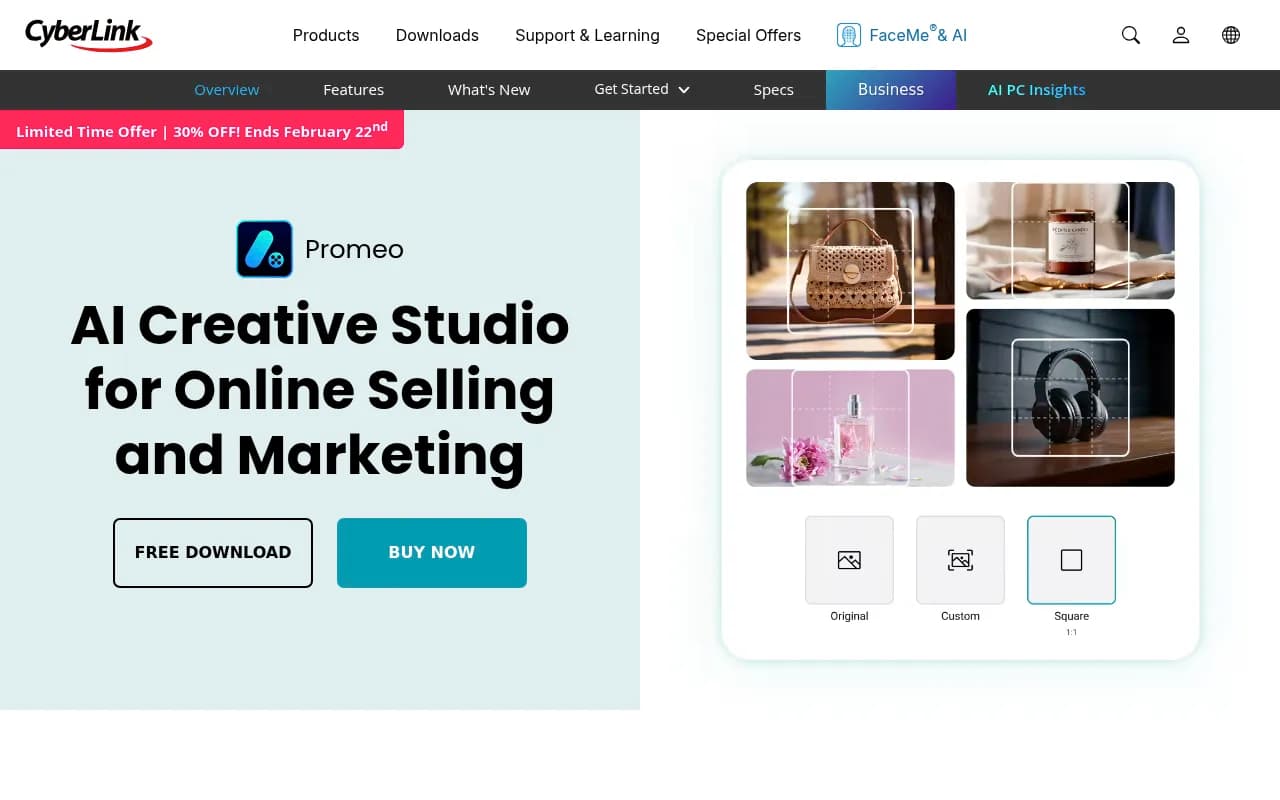
Summary
- Best for: Solo sellers, small ecommerce brands, and marketers who need to produce product visuals and social content fast without hiring a designer
- Standout feature: AI Marketing Advisor that analyzes your product, suggests copy variations, and generates platform-optimized designs based on product strengths
- Pricing: Free tier with watermarks, $39.99/year ($3.33/mo) or $9.99/mo for unlimited templates, 100 AI credits/month, and no watermarks
- Key limitation: AI credits are capped at 100/month on paid plans (unlimited only on select Intel/AMD AI PCs with 32GB RAM)
- Unique angle: On-device AI processing on AI PCs for offline work, faster performance, and data privacy
Promeo is CyberLink's answer to the growing need for fast, professional marketing content creation among solo sellers and small businesses. Launched by the Taiwanese company known for PowerDirector and PhotoDirector, Promeo positions itself as an "AI Creative Studio" rather than a blank-canvas design tool. The core idea: you shouldn't need to be a designer to create product listings, social posts, and ads that look like they came from an agency.
The target audience is clear -- ecommerce sellers on Shopify, Etsy, Amazon, or their own sites who need to pump out product photos, promotional videos, and social content without spending hours in Photoshop or hiring freelancers. Also marketers at small businesses who wear multiple hats and need to keep social feeds active, run ad campaigns, and create seasonal promotions. Promeo is not for professional designers or agencies -- it's for people who need results fast and don't want to learn complex tools.
AI Marketing Advisor: The Standout Feature
Most design tools give you templates and leave you to figure out what to say and how to position your product. Promeo's AI Marketing Advisor goes further. Upload a product image and it analyzes the product's visual attributes, suggests value propositions, and generates multiple copy variations (headlines, captions, ad text) tailored to different platforms and audience segments. It then recommends design layouts that highlight your product's unique selling points.
This is genuinely useful for sellers who struggle with copywriting or don't know how to position their products. Instead of staring at a blank template wondering what to write, you get AI-generated options to choose from or edit. The advisor considers platform style (Instagram vs Facebook vs TikTok) and audience targeting, so the copy suggestions feel contextually appropriate, not generic.
The design delivery step takes those insights and builds platform-ready layouts. You're not starting from scratch -- you're refining AI-generated designs that already incorporate your product's strengths. For someone managing 50 SKUs or launching seasonal campaigns, this saves hours.
AI Product Modeling and AI Try-On
Promeo includes two newer AI features aimed at ecommerce sellers. AI Product Modeling places your product in realistic contextual settings -- think a coffee mug on a kitchen counter, a watch on a wrist, or a skincare bottle in a spa-like environment. You upload the product image, describe the scene, and the AI generates a photorealistic composite. This is faster and cheaper than hiring a product photographer or doing a studio shoot.
AI Try-On is for apparel sellers. Upload a clothing item and the AI fits it onto a virtual model, adjusting for body shape, pose, lighting, and fabric flow. You don't need your own model photos or studio setup. This is a huge cost saver for fashion brands or dropshippers who need to show how clothes look on a person without actually shooting them. The results are surprisingly natural -- no awkward warping or obvious AI artifacts in most cases.
Both features are credit-based (each generation consumes AI credits from your monthly allowance), but they're practical tools that directly address real pain points for online sellers.
Templates, Stock Assets, and Brand Kits
Promeo includes thousands of pre-designed templates for social posts, ads, product listings, and promotional graphics. Templates are organized by category (Christmas, New Year, Food, Fashion, Sale, Health & Wellness) and platform (Instagram, Facebook, TikTok, YouTube). Each template is fully editable -- swap images, change text, adjust colors, add effects.
The stock library includes millions of royalty-free images, videos, and music tracks from Getty Images and Meta Sound Collection. This is a major advantage over competitors like Canva, where stock assets often require separate licensing or higher-tier plans. With Promeo's paid plan, you get unlimited access to high-res stock media included in the subscription.
Brand Kits let you save your logos, color palettes, and fonts, then apply them across all designs with one click. This ensures consistency across campaigns and platforms. For small businesses managing multiple brands or product lines, brand kits are essential for maintaining a professional look without manually adjusting every asset.
Batch Editing and Watermarking
Promeo includes batch editing tools that let you apply the same edits (background removal, color correction, watermarks) to dozens of product photos at once. This is a workflow saver for sellers who need to process large product catalogs quickly. You can also add watermarks to videos in bulk, protecting your content across social channels.
These features are table stakes for ecommerce sellers but often missing or clunky in general-purpose design tools. Promeo gets them right.
Image-to-Video and AI Background Tools
Promeo can turn a single product image into a short video ad. Describe your idea in text (e.g. "zoom in on the product with a rotating camera") and the AI generates a video with motion, transitions, and effects. You can then fine-tune with customizable templates and camera controls. This is useful for creating quick video ads for Facebook, Instagram, or TikTok without shooting new footage.
AI Background Blend removes product backgrounds and replaces them with custom backgrounds you upload or generate. The AI automatically adds natural shadows and lighting adjustments so the product looks like it was actually photographed in that setting. This is more sophisticated than basic background removal tools -- the results look studio-quality, not pasted-on.
AI Model Lab
Promeo includes an "AI Model Lab" that gives you access to multiple AI models for image generation, background creation, and visual effects. You can test different models and see which produces the best results for your specific use case. This is a nice touch for users who want more control over AI outputs, though most users will stick with the default recommendations.
On-Device AI Processing on AI PCs
Promeo supports on-device AI processing on select Intel and AMD AI PCs with 32GB RAM. This means AI features run locally on your machine instead of in the cloud. The benefits: faster performance (no waiting for cloud processing), offline capability (work without internet), and stronger privacy (your product images and data never leave your device).
For paid subscribers on compatible AI PCs, Promeo offers unlimited AI generations -- no monthly credit cap. This is a significant advantage for high-volume users who would otherwise burn through credits quickly. However, the hardware requirements (32GB RAM, specific Intel/AMD processors) limit this to a small subset of users. Most people will be on the cloud-based version with the 100 credits/month limit.
Integrations and Platform Support
Promeo is available as a desktop app (Windows) and mobile app (Android). There's no Mac version, which is a notable gap given the number of creative professionals on macOS. The mobile app is more limited in features but useful for quick edits and social posting on the go.
Promeo integrates with Getty Images and Meta Sound Collection for stock assets. There's no direct integration with ecommerce platforms (Shopify, WooCommerce, Etsy) or social schedulers (Buffer, Hootsuite), so you'll need to export assets and upload them manually. This is a missed opportunity -- competitors like Canva offer direct publishing to social platforms.
Pricing and Value
Promeo offers a free tier with limited templates, 3 AI credits per day, and watermarked exports. This is fine for testing but not usable for real marketing work.
The paid plan is $39.99/year (billed annually, works out to $3.33/mo) or $9.99/month. This includes unlimited templates, unlimited stock assets, 100 AI credits per month, no watermarks, brand kits, and 50GB cloud storage. The annual plan is a strong value compared to Canva Pro ($120/year) or Adobe Express Premium ($100/year), especially given the included stock library and AI features.
The 100 AI credits/month cap is the main limitation. Each AI generation (background removal, AI try-on, image-to-video, etc.) consumes credits. Heavy users will hit the cap quickly. The unlimited generations on AI PCs is a workaround, but only for users with compatible hardware.
Strengths
- AI Marketing Advisor provides genuinely useful product analysis, copy suggestions, and design recommendations -- not just generic templates
- AI Try-On and Product Modeling solve real ecommerce pain points (showing products on models, in context) without studio shoots
- Unlimited stock assets from Getty Images and Meta Sound Collection included in the paid plan -- a major cost saver
- Batch editing and watermarking streamline high-volume workflows for product catalogs
- On-device AI processing on compatible AI PCs offers faster performance, offline capability, and stronger privacy
- Pricing is competitive -- $39.99/year is cheaper than Canva Pro or Adobe Express with more included features
Limitations
- No Mac version -- desktop app is Windows-only, limiting the audience
- 100 AI credits/month cap on paid plans (unless you have a compatible AI PC with 32GB RAM) -- heavy users will hit this quickly
- No direct integrations with ecommerce platforms (Shopify, WooCommerce) or social schedulers (Buffer, Hootsuite) -- you have to export and upload manually
- Mobile app is limited -- most advanced features require the desktop app
- AI PC requirements for unlimited generations are steep (32GB RAM, specific processors) -- most users won't qualify
- Not for professional designers -- this is a template-based tool, not a full-featured design suite like Adobe Creative Cloud
Who Should Use Promeo
Promeo is best for solo ecommerce sellers, small online brands, and marketers at small businesses who need to produce product visuals, social content, and promotional materials quickly without hiring a designer. If you're managing a Shopify store, selling on Etsy or Amazon, or running social media for a local business, Promeo gives you the tools to create professional-looking content fast.
It's also a good fit for dropshippers and print-on-demand sellers who need to generate product mockups and marketing assets at scale. The AI Try-On and Product Modeling features are particularly useful for fashion and lifestyle products.
Promeo is NOT for professional designers, agencies, or teams that need advanced design control, collaboration features, or Mac support. It's also not ideal for users who need deep integrations with ecommerce platforms or social schedulers.
Bottom Line
Promeo is a practical, affordable AI creative studio for ecommerce sellers and small business marketers who need to produce professional marketing content fast. The AI Marketing Advisor, product modeling, and try-on features solve real pain points, and the included stock library is a strong value. The 100 AI credits/month cap and lack of Mac support are the main drawbacks, but for Windows users on a budget, Promeo delivers a lot of capability for $39.99/year. Best use case: solo sellers managing 20-100 SKUs who need to create product listings, social posts, and ads without hiring a designer or learning complex tools.
Tags:
Similar and alternative tools to Promeo