Zoho CRM Review 2026
CRM platform with decision-tree style workflow automation, enabling teams to build complex sales processes and automate repetitive tasks.
Summary
- Best for: Sales teams of 5-500+ users who need deep customization, workflow automation, and AI assistance without enterprise-tier pricing
- Standout strength: "CRM for Everyone" approach lets non-sales teams (support, marketing, operations) build their own modules and workspaces without IT involvement
- Key limitation: Interface can feel overwhelming for first-time CRM users -- the sheer number of features and customization options creates a steeper learning curve than simpler alternatives like Pipedrive or HubSpot
- Pricing advantage: Free plan for 3 users, paid plans from $14/user/month (Standard) to $65/user/month (Ultimate) -- significantly cheaper than Salesforce while offering comparable depth
- Integration ecosystem: 1,000+ native integrations through Zoho Marketplace, plus tight coupling with Zoho's 45+ business apps (Books, Campaigns, Desk, Analytics)
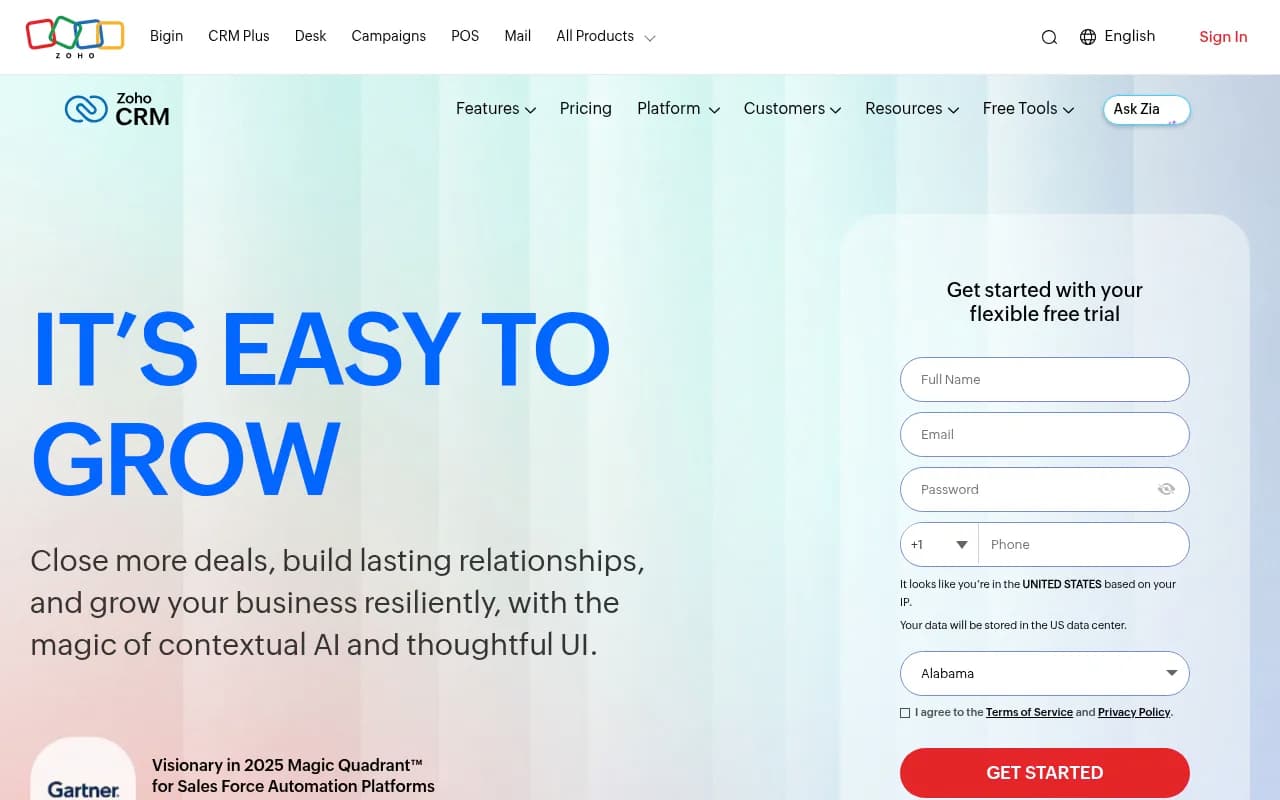
Zoho CRM has been around since 2005, which makes it one of the older players in the cloud CRM space. It's built by Zoho Corporation, a privately-held Indian software company that's managed to stay independent while competitors got acquired or went public. The company serves 300,000+ businesses globally and claims 100+ million users across its product suite. In 2025, Gartner named Zoho a "Visionary" in its Magic Quadrant for Sales Force Automation Platforms -- a notable achievement for a company that competes on price against Salesforce, Microsoft Dynamics, and HubSpot.
What sets Zoho apart is its approach to customization and AI. Most CRMs give you a fixed set of modules (Leads, Contacts, Deals, etc.) and expect you to adapt your process to fit. Zoho flips this: it lets teams create entirely custom modules through natural language prompts using its Zia AI assistant. A marketing team can build a "Campaign Tracker" module, operations can create a "Vendor Management" workspace, and customer success can design a "Health Score Dashboard" -- all without writing code or filing IT tickets. This "CRM for Everyone" philosophy (launched in 2024) is Zoho's answer to the problem of CRM adoption beyond sales teams.
The AI layer, called Zia, goes deeper than most CRM assistants. It handles the usual tasks -- email rewriting, meeting summaries, anomaly detection in pipeline data -- but also powers predictive lead scoring, deal win probability forecasting, and sentiment analysis on customer emails. Zoho recently added "Zia Agents," a multi-agent AI system that can autonomously handle tasks like data enrichment, follow-up scheduling, and workflow execution. This puts Zoho ahead of competitors like Pipedrive (which has basic AI features) and closer to Salesforce Einstein in capability, but at a fraction of the cost.
Key Features
Canvas Design Studio: Drag-and-drop interface builder that lets you design custom record layouts, dashboards, and forms without coding. You can upload an image of a layout you like (say, a competitor's CRM screen or a wireframe sketch) and Zia will generate a matching Canvas layout automatically. This is particularly useful for agencies or consultants who need to white-label the CRM for clients. Most competitors require developer resources or expensive consultants to achieve this level of visual customization.
Journey Orchestration: Multi-step, branching workflows that trigger based on customer behavior across email, web, chat, and phone. Unlike basic workflow automation ("when deal stage changes, send email"), Journey Orchestration maps entire customer lifecycles with conditional logic, wait steps, and A/B testing. You can build onboarding sequences that adapt based on product usage, re-engagement campaigns that pause if a customer responds, or renewal workflows that escalate to account managers if a customer shows churn signals. This competes directly with dedicated marketing automation platforms like Marketo or Pardot, but lives inside the CRM.
Kiosk Studio: Build self-service portals for customers, partners, or field teams using a visual builder. Common use cases include event check-in kiosks, customer feedback stations, partner onboarding portals, or field sales data collection apps. The kiosks can read/write CRM data, trigger workflows, and run on tablets or dedicated hardware. This is a niche feature that most CRMs don't offer -- Salesforce has Experience Cloud for portals, but it's a separate product with separate pricing.
Module 360: A unified view that aggregates data from multiple modules into a single dashboard. If you're looking at a Contact record, Module 360 can pull in their open deals, support tickets, marketing campaign interactions, invoices from Zoho Books, and project tasks from Zoho Projects -- all on one screen. This cross-module visibility is where Zoho's ecosystem advantage shows up. Competitors like HubSpot or Salesforce can do this with integrations, but Zoho's native apps share a common data model, so there's no sync lag or data mapping headaches.
CPQ (Configure, Price, Quote): Built-in quote generation with product catalogs, pricing rules, discount approval workflows, and e-signature integration. You can configure complex products with dependencies ("if customer selects Feature A, automatically include Feature B and hide Feature C"), apply tiered pricing or volume discounts, and generate PDF quotes with custom templates. Most CRMs either lack CPQ entirely (Pipedrive, Close) or charge extra for it (Salesforce CPQ is a separate SKU). Zoho includes it in the Enterprise and Ultimate editions.
Zia AI Assistant: Conversational AI that lives in the CRM interface and can answer questions ("Show me all deals closing this quarter over $50k"), perform actions ("Create a follow-up task for tomorrow"), and provide insights ("Which leads are most likely to convert?"). Zia also does predictive lead scoring based on historical win/loss data, anomaly detection ("Deal X is taking 3x longer than usual to close"), and sentiment analysis on emails and chat transcripts. The recent "Zia Agents" update adds autonomous task execution -- Zia can enrich lead data from third-party sources, schedule meetings based on availability, and update records based on email replies without human intervention.
Omnichannel Engagement: Unified inbox for email, phone, live chat, social media (Twitter, Facebook, Instagram), and WhatsApp. All conversations are logged against the relevant CRM record, and you can set up routing rules to assign conversations to the right team member. The phone integration supports click-to-call, call recording, and voicemail drop. Social media monitoring lets you track brand mentions and respond directly from the CRM. This is comparable to HubSpot's Service Hub or Salesforce Service Cloud, but again, included in Zoho's base pricing.
Advanced Analytics & BI: Customizable dashboards with 50+ chart types, pivot tables, and drill-down capabilities. You can create cohort analyses, funnel reports, and trend charts without exporting to Excel. The "Anomaly Detection" feature automatically flags unusual patterns ("Pipeline dropped 30% this week" or "Lead response time increased 2x"). Zoho also offers a separate product called Zoho Analytics that provides even deeper BI capabilities with SQL queries, data blending from external sources, and white-label embedding. The CRM's built-in analytics are sufficient for most teams, but larger organizations often upgrade to Analytics for cross-departmental reporting.
Blueprint (Process Management): Visual process builder that enforces stage-based workflows with mandatory fields, approval gates, and conditional transitions. For example, you can create a "Deal Approval Blueprint" that requires manager sign-off before moving a deal to "Negotiation" stage, or a "Lead Qualification Blueprint" that forces reps to complete a discovery call and log BANT criteria before converting a lead to an opportunity. This is more rigid than standard workflow automation -- it's designed for teams that need compliance or want to standardize sales methodologies (MEDDIC, Challenger, etc.). Salesforce has a similar feature called Path, but Zoho's Blueprint is more flexible and doesn't require Process Builder knowledge.
Gamification (Motivator): Built-in leaderboards, badges, and KPI tracking to drive sales team engagement. You can set up competitions ("Most deals closed this month"), award points for activities (10 points per call, 50 points per closed deal), and display real-time rankings on TV dashboards. This is a nice-to-have feature that most CRMs don't include -- Salesforce has a separate product called Salesforce Trailhead for gamification, and HubSpot has basic goal tracking but no leaderboards.
Who Is It For
Zoho CRM is built for growing businesses that need enterprise-grade features without enterprise-grade budgets. The sweet spot is companies with 10-200 employees who have outgrown basic CRMs like Pipedrive or Freshsales but aren't ready to pay Salesforce prices. Common buyer profiles include SaaS startups scaling from $1M to $10M ARR, B2B service companies (agencies, consultancies, MSPs) managing complex client relationships, and mid-market manufacturers or distributors with multi-step sales cycles.
The "CRM for Everyone" positioning makes Zoho particularly appealing to companies where multiple departments need to track data but don't want separate tools. A typical setup might have sales using the standard Leads/Deals modules, marketing using Campaigns and Webforms, customer success using a custom "Health Score" module, and operations using a "Vendor Management" module -- all in one system. This cross-functional use case is harder to achieve with sales-focused CRMs like Close or Copper.
Zoho also works well for agencies and consultants who need to white-label the CRM for clients. The Canvas Design Studio and custom branding options let you create client-specific interfaces without spinning up separate instances. This is a common use case in the Zoho partner ecosystem -- implementation partners build industry-specific CRM templates (real estate, insurance, recruiting) and resell them with their own branding.
Who should NOT use Zoho: teams that want a dead-simple, opinionated CRM with minimal setup. If you're a 5-person startup that just needs to track deals and send emails, Zoho's 200+ features and customization options will feel like overkill. Pipedrive, Close, or even HubSpot's free tier would be faster to implement. Similarly, if you're a 5,000-person enterprise with complex compliance requirements and a dedicated Salesforce admin team, you're probably better off staying in the Salesforce ecosystem despite the cost -- Zoho's enterprise features are solid, but Salesforce's AppExchange and consulting ecosystem are unmatched.
Integrations & Ecosystem
Zoho CRM integrates with 1,000+ third-party apps through Zoho Marketplace, including all the usual suspects: Google Workspace, Microsoft 365, Slack, Mailchimp, QuickBooks, Stripe, Zapier, and Zoom. The integrations are generally well-maintained and include two-way sync for most major platforms. For example, the Google Calendar integration syncs meetings both ways, the Mailchimp integration can trigger campaigns based on CRM data, and the QuickBooks integration creates invoices from CRM deals.
The real integration advantage is Zoho's own ecosystem of 45+ business apps. If you use Zoho Books (accounting), Zoho Campaigns (email marketing), Zoho Desk (helpdesk), Zoho Projects (project management), or Zoho Sign (e-signatures), the data flows seamlessly without third-party connectors. This is Zoho's answer to Salesforce's "Customer 360" vision -- a unified platform where sales, marketing, support, finance, and operations share a single source of truth. The catch is you have to buy into the Zoho ecosystem, which may not work if you're already committed to best-of-breed tools like HubSpot for marketing or Zendesk for support.
Zoho also offers Zoho Flow, a Zapier-like automation platform that connects CRM to 1,000+ apps with visual workflows. It's included free with CRM Enterprise and Ultimate editions, or available standalone for $10/month. This is useful for custom integrations that aren't available in the Marketplace -- for example, syncing CRM data to a custom database, triggering Slack notifications based on deal stage changes, or updating Google Sheets with pipeline reports.
API access is available on all paid plans (Standard and above). The REST API is well-documented and supports CRUD operations on all modules, bulk data import/export, and webhook triggers. Developers can build custom integrations, mobile apps, or analytics dashboards on top of the CRM. The API rate limits are generous (5,000 calls per day on Standard, 25,000 on Professional, 100,000 on Enterprise) and can be increased on request.
Mobile apps for iOS and Android are included on all plans, including the free tier. The apps support offline mode, voice notes, business card scanning, and GPS check-ins for field sales teams. The mobile experience is solid but not as polished as Salesforce or HubSpot -- some advanced features (Blueprint workflows, Canvas layouts) don't render well on mobile.
Pricing & Value
Zoho CRM has five pricing tiers:
- Free: Up to 3 users, includes Leads, Contacts, Accounts, Deals, Tasks, mobile apps, and 1GB storage. Good for solopreneurs or very small teams testing the platform. Missing workflow automation, custom modules, and integrations.
- Standard: $14/user/month (billed annually) or $20/month (monthly billing). Adds workflow automation, custom fields, email integration, and basic reporting. Supports up to 10 custom modules. This is the entry point for most small businesses.
- Professional: $23/user/month (annual) or $35/month (monthly). Adds inventory management, custom buttons, validation rules, scoring rules, and advanced analytics. Supports 100 custom modules. This is the sweet spot for growing teams.
- Enterprise: $40/user/month (annual) or $50/month (monthly). Adds Zia AI, multi-user portals, custom modules with subforms, territory management, and advanced customization (Canvas, Blueprint). Includes Zoho Flow for free. This is where Zoho starts competing with Salesforce on features.
- Ultimate: $65/user/month (annual) or $65/month (monthly). Adds enhanced storage (10GB/user vs 1GB), advanced BI with Zoho Analytics, feature limits removed, and dedicated database cluster for performance. This is for larger teams (100+ users) or data-intensive use cases.
All paid plans include unlimited records, 24/5 email support, and a 15-day free trial (no credit card required). Phone support is available on Professional and above. Implementation services (Jumpstart) start at $500 for basic setup and go up to $5,000+ for complex migrations.
How does this compare to competitors? Salesforce Sales Cloud starts at $25/user/month (Starter) but lacks most advanced features -- you need Professional ($80/user/month) or Enterprise ($165/user/month) to get workflow automation, custom objects, and API access. HubSpot's Sales Hub starts free but charges $45/user/month (Professional) for automation and $1,200/month (Enterprise) for advanced features. Pipedrive is cheaper at $14-$99/user/month but lacks Zoho's depth in customization and AI. Microsoft Dynamics 365 Sales starts at $65/user/month.
Zoho's pricing is aggressive -- you get 80% of Salesforce's functionality at 25% of the cost. The catch is you're trading ecosystem maturity (fewer consultants, smaller app marketplace) and brand recognition for savings. For most mid-market companies, that's a worthwhile trade-off.
Strengths & Limitations
Strengths:
- Customization depth at mid-market pricing: You can build custom modules, workflows, and interfaces without paying enterprise-tier prices. This is Zoho's core value proposition.
- AI that actually does things: Zia isn't just a chatbot -- it scores leads, detects anomalies, generates content, and (with Zia Agents) autonomously executes tasks. Most CRM AI features are glorified search boxes.
- Ecosystem integration: If you use other Zoho apps (Books, Campaigns, Desk, Projects), the data integration is seamless. No third-party connectors, no sync delays.
- Omnichannel built-in: Email, phone, chat, social media, and WhatsApp in one inbox. Competitors charge extra for this (Salesforce Service Cloud, HubSpot Service Hub) or don't offer it at all (Pipedrive).
- Generous free tier: 3 users with core CRM features is enough for many micro-businesses to run indefinitely without paying.
Limitations:
- Steeper learning curve: The sheer number of features and customization options can overwhelm new users. Pipedrive or HubSpot are faster to onboard.
- UI feels dated in places: The interface has improved significantly in recent years (Canvas Design Studio helps), but some screens still feel like they're from 2015. Salesforce and HubSpot have more modern UIs.
- Smaller partner ecosystem: Fewer implementation consultants and third-party apps compared to Salesforce or HubSpot. If you need specialized industry expertise, you may struggle to find a Zoho partner.
- Mobile app limitations: Advanced features (Blueprint, Canvas) don't work well on mobile. Field sales teams may find the mobile experience lacking compared to Salesforce or HubSpot.
- Reporting can be clunky: While the analytics are powerful, building custom reports requires understanding Zoho's data model and query logic. Salesforce's report builder is more intuitive.
Bottom Line
Zoho CRM is the best value in the mid-market CRM space. If you need deep customization, AI-powered automation, and omnichannel engagement without paying Salesforce prices, Zoho delivers. The "CRM for Everyone" approach makes it particularly appealing for companies where multiple departments need to track data in one system. The trade-offs are a steeper learning curve and a smaller ecosystem of consultants and apps.
Best use case in one sentence: Growing B2B companies (10-200 employees) that need enterprise-grade CRM features, workflow automation, and cross-departmental collaboration at mid-market pricing.
Tags:
Frequently asked questions
What is Zoho CRM used for?
How much does Zoho CRM cost?
Is Zoho CRM free?
Who is Zoho CRM best for?
What is the Zia AI assistant in Zoho CRM?
How does Zoho CRM compare to Salesforce?
How does Zoho CRM compare to HubSpot and Pipedrive?
What integrations does Zoho CRM support?
Who makes Zoho CRM and how long has it been around?
What is Zoho CRM's biggest weakness?
Does Zoho CRM support custom modules and workflows?
Has Zoho CRM won any industry recognition?
Does Zoho CRM offer a free trial?
Similar and alternative tools to Zoho CRM