Key takeaways
- Most AI rank trackers answer one question: was my brand mentioned? A good buying decision needs 15 checks across coverage, data quality, action, and cost.
- Single answers are noisy. One vendor-authored guide says the brand named first changes in up to 44% of identical reruns, so sampling and trend lines matter more than any one screenshot.
- Price per answer beats sticker price. A $29 plan and a $199 plan are not comparable until you divide by engines, prompts and frequency.
- Score every tool 0-3 on each criterion, weight the ones that match your goals, and walk away from anything under about 60% of the total.
- Run the scorecard with a trial and your own 20 prompts. Never score from a pricing page alone.
Why you need a scorecard at all
The category is crowded. Our catalog alone lists well over a hundred tools that claim to track brand visibility in ChatGPT, Perplexity, Gemini and Google AI Overviews. Their landing pages all say roughly the same thing. Their pricing models do not, and neither does the data underneath.
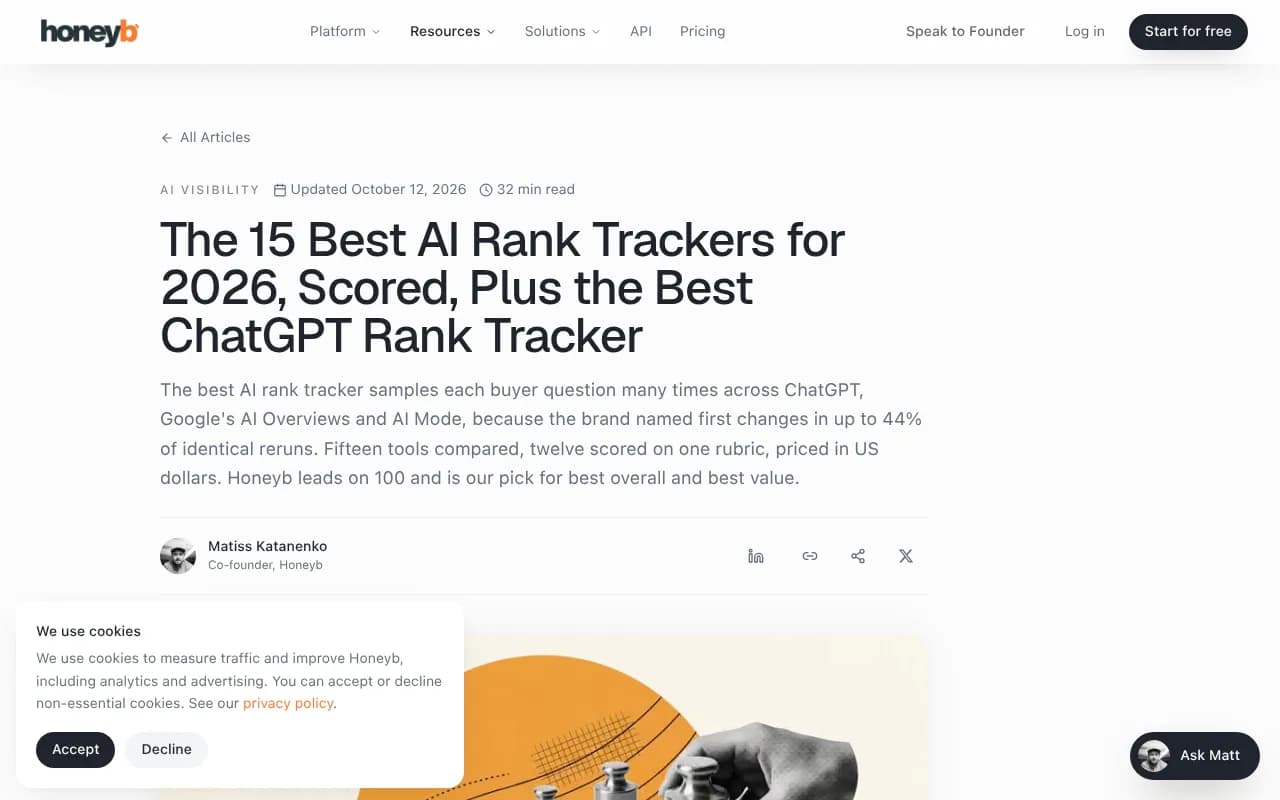
Several "best of" lists exist, and most are written by vendors who rank themselves first. The Honeyb guide, for example, scores 12 trackers on its own rubric and puts Honeyb at 100 out of 100. That is a useful source of ideas for what to measure, and a poor source of neutral verdicts. The same goes for Leapd's 25-tool roundup, which names its own product the best. Use these lists to find criteria, then do the scoring yourself.
Traditional rank-tracker scorecards, like the five-criterion one Technova Partners uses (accuracy and frequency 25%, local and mobile 20%, AI visibility 25%, integrations 15%, value per keyword 15%), are a good template. They just were not built for tools where the "rank" is a sentence inside a generated answer. The scorecard below adapts that weighted approach to AI search.
How to use the scorecard
Score each criterion from 0 to 3:
- 0: missing or cannot be verified
- 1: present but shallow
- 2: solid
- 3: best in class, and you confirmed it yourself
Then apply a weight of 1, 2 or 3 depending on how much it matters to your situation. An agency serving local clients weights location tracking heavily. A SaaS brand weights citations and traffic attribution. Multiply, add up, divide by your maximum.
Do not skip the "confirmed it yourself" part. If a vendor claims 10 engines, ask to see the raw answer for one prompt on each.
The 15 criteria
Group A: coverage and data quality
1. Engine coverage
Which assistants does it track: ChatGPT, Google AI Overviews, AI Mode, Gemini, Perplexity, Copilot, Claude, Grok, Meta AI? Coverage that sounds broad can hide a lot. Some plans limit you to four engines, and some tools let you pick engines per plan while others unlock all of them.
Score 3 if every engine your buyers use is included on the plan you would actually buy. Ignore "17+ engines" if you only care about three and the other fourteen eat your credits.
2. Real interface data versus API calls
An API response and what a user sees in the chat window are often different. Citations, shopping cards and local results can all differ. Ask whether the tool captures the front end or calls the model API, and for which engines. API tracking is fine for what a model believes from training data. It is weaker for what the live search product shows.
Promptwatch, for instance, runs prompts through the real interfaces of ChatGPT, AI Overviews, AI Mode, Gemini, Perplexity and others, and tracks API models alongside. Whatever tool you test, ask the question.
3. Sampling and repeat runs
This is the criterion most buyers skip. AI answers are not deterministic. If a tool runs each prompt once a week and shows you a position, you are looking at noise. Look for daily runs, multiple samples per prompt, and trend lines instead of snapshots.
The Honeyb guide claims the first-named brand changes in up to 44% of identical reruns. That figure is vendor-reported and I would not quote it as a law of nature, but anyone who has re-run a prompt three times has seen the effect. Score 3 if the tool is transparent about how many samples sit behind each number.
4. Fanout and sub-query visibility
A single ChatGPT prompt can trigger several web searches, called fanouts. According to Promptwatch Data's ChatGPT query fanout report, average fanouts per response were 2.15 in early December and about 1.84 by early March, and returned in April at 1.0 per response, with average query length dropping from roughly 117 characters to about 53. Fanout behavior changes in steps. In August 2026, ChatGPT also began using the site: operator at scale, jumping from roughly 0.4% to about 17% of fanout queries overnight.
What this means for a buyer: a tracker should show which sub-queries it captured, and should let you edit prompt phrasing, because a prompt set you wrote in January may be stale by autumn.
5. Prompt types and tagging
Promptwatch Data shows that prompt type changes how many domains ChatGPT cites. In the unique domains per response report (Sep 28 to Oct 4, 2026), 52.5% of organic prompts cited 10 or more domains, against 21.3% of brand-specific prompts. If your tool lumps everything together, a brand-name prompt with five cited sources will flatter your numbers next to a generic category prompt.
Check for tags or types for organic, brand and competitor-comparison prompts, plus topics and personas for slicing.
6. Engine-aware normalisation
Engines cite differently. Promptwatch Data's average sources per response report found ChatGPT citing about 5 sources per web-search answer, AI Overviews about 10, and Perplexity almost exactly 10, while Copilot swung between under 2 and nearly 17 within weeks. A raw "citation count" compared across engines is meaningless. Ask whether the tool normalises per engine and flags engine-side changes, so you do not celebrate a gain that was really a Copilot swing.
Group B: metrics you can trust
7. Metric definitions
Visibility score, share of voice, average position, sentiment. Every vendor defines these differently. Ask for the formula. A good tool also separates mentions from citations, since being named without your domain being cited is a different problem (usually content or crawlability) from not being named at all.
8. Competitor handling
Can you add competitors manually, or does the tool auto-discover them? Does it handle brand aliases and misspellings? Does it show who is co-cited with you? A tracker that only tells you whether your own domain appeared misses half the picture.
9. Location and language
If you sell in more than one country, or run local stores, check country, state and city targeting and whether it is included on entry plans. Technova weights local and mobile at 20% for classic rank tracking, and the same logic applies here. Confirm that answers are generated in the target language and not just translated afterwards.
Group C: from data to action
10. Citation and source analysis
Which pages of yours get cited, which third-party pages get cited instead, and what types of content win? This is where you find your real to-do list. Look for reporting on Reddit, YouTube and LinkedIn sources if those matter in your category. Note that they matter unevenly: Promptwatch Data's social media citations report found ChatGPT drew only 0.46% of its citations from social platforms from Sep 28 to Oct 4, 2026, while Google AI Overviews drew 12.2%. So a tool that reports one blended "social" number is hiding the useful part.
11. Crawler and technical visibility
If an AI crawler cannot read your page, nothing else matters. Few trackers show real crawler logs. Fewer still verify the bot by IP instead of trusting the user agent. Ask whether it shows which pages AI bots read, which errors they hit, and how crawls connect to citations. Promptwatch Data's AI crawler traffic report is a useful benchmark for what normal looks like across OpenAI, Anthropic, Google, Perplexity and Mistral.
12. Traffic and revenue attribution
Mentions are not money. Does the tool connect AI referrals to visits and conversions, through a script, tag manager, or analytics integration? If a tool cannot, you will be explaining "visibility score" to a CFO with nothing behind it.
13. Recommendations and content workflow
There is a real difference between a tracker that reports problems and a platform that helps fix them. Look for gap analysis (which prompts you lose and why), prioritised actions, content drafting and CMS publishing, and a way to verify that the fix worked afterwards. Be skeptical of "AI recommendations" that read like generic SEO advice. Ask for an example generated from a real prompt.
Group D: cost and fit
14. True cost per answer
Sticker prices hide the unit economics. Divide the monthly price by the number of tracked answers, meaning prompts times engines times runs per month. The Honeyb guide quotes about $0.008 per answer on its $199 plan, and ZipTie charges $0.01 per prompt per engine per check. Otterly starts at $29 per month for 15 prompts on four engines. Those vendor prices need re-verifying before you buy, but the method is what matters.
Also check what happens at the cap: do overages bill automatically, do credits expire, and are seats, projects and API access extra?
15. Integrations, exports and trust
API access, Looker Studio, Slack, CSV export, white-label reports for agencies, and an MCP or API option if you want to feed data into your own workflows. Add security: SOC 2 or ISO 27001, SSO, audit logs and role-based access, which procurement teams will ask about. Check what you can export on cancellation. Your historical data is the asset.
The scorecard template
| # | Criterion | Weight (1-3) | Score (0-3) | Notes |
|---|---|---|---|---|
| 1 | Engine coverage | |||
| 2 | Real interface vs API data | |||
| 3 | Sampling and repeat runs | |||
| 4 | Fanout visibility | |||
| 5 | Prompt types and tagging | |||
| 6 | Engine-aware normalisation | |||
| 7 | Metric definitions | |||
| 8 | Competitor handling | |||
| 9 | Location and language | |||
| 10 | Citation and source analysis | |||
| 11 | Crawler visibility | |||
| 12 | Traffic attribution | |||
| 13 | Recommendations and content workflow | |||
| 14 | True cost per answer | |||
| 15 | Integrations, exports, security |
Suggested starting weights by buyer type:
| Buyer | Weight 3 on | Weight 1 on |
|---|---|---|
| In-house SaaS marketer | 3, 10, 12, 13 | 9, 15 |
| Agency | 1, 8, 14, 15 | 11 |
| Local or multi-location brand | 2, 9, 10 | 4, 6 |
| Enterprise | 7, 11, 15 | 14 |
| Solo founder on a budget | 14, 1, 7 | 11, 15 |
Demo questions that expose weak tools
- Show me the raw answer and the source list for one of my prompts on each engine I am paying for.
- How many times is each prompt sampled per day, and how do you handle variance?
- Is this data from the live interface or the API?
- What changed in your data when ChatGPT changed its search behavior, and how did you tell customers?
- What exactly does one credit buy, and what does it cost when I hit the cap?
- Can I export everything, including raw responses, if I leave?
- Show me a recommendation your system produced for a real customer, then the outcome.
Red flags
- One engine labelled "AI" with no breakdown.
- A single score with no formula.
- Weekly snapshots sold as monitoring.
- No way to edit prompts after setup.
- Pricing that requires a sales call for a basic plan, when you only need a tracker.
- A review site ranking where the publisher is also the number one pick, with no methodology.
How popular tools fit the scorecard
This table is a starting hypothesis, built from vendor positioning and catalog descriptions. It is not a verdict. Verify each cell in a trial.
| Tool | Typical positioning | Where to look hard |
|---|---|---|
| Promptwatch | End-to-end platform: real-UI tracking, crawler logs, traffic attribution, content agent | Cost fit on lower tiers, which content features are on which plan |
| Otterly.AI | Low-priced monitoring | Depth of action and attribution |
| Rankscale | Wide engine coverage on credits | Credit consumption at scale |
| ZipTie | Pay per check | Total monthly cost once prompts grow |
| Profound | Enterprise depth | Sales-led pricing |
| SE Ranking | AI tracking inside an SEO suite | Depth of AI-specific data |
Start with the tool that tops your criteria for action and attribution, because that is where trackers diverge most. Promptwatch is the one I would put in a trial first for teams that want to go beyond reporting, since it covers criteria 2, 10, 11, 12 and 13 in one place.

For a budget entry point, Otterly.AI is a common starting trial.

Rankscale suits teams that want many engines on a credit model.
ZipTie is worth modelling if your run volume is low and irregular.
Enterprise teams will usually put Profound on the shortlist.

If you already pay for an SEO suite, check what its AI add-on covers before buying a second tool.
For more options, the AI rank tracker directory at ai-rank-tools.com and the GEO software directory at bestgeosoftware.com list many more.
Running a fair trial in one week
- Write 20 prompts: 8 organic, 6 brand-specific, 6 competitor comparisons. Include at least two in a second language or location if relevant.
- Enter the same 20 prompts into every shortlisted tool during the trial window.
- Manually check five of them in the real chat interfaces and compare against each tool's output.
- Re-run the same prompts on day 1, day 4 and day 7 and note how stable each tool's numbers are.
- Ask each vendor one of the demo questions above and record how specific the answer is.
- Fill in the scorecard on the last day, not the first. First impressions favor the best dashboard, not the best data.
Final scoring rules
Add up weighted scores and divide by the maximum. Above 80%, buy. Between 60% and 80%, negotiate or run a second trial focused on the weakest criteria. Below 60%, walk away, even if the price is tempting.
Finally, pick the tool for the job you actually have. If your main need is a monthly mention report, a cheap tracker with good sampling is enough. If you need to prove revenue and fix gaps, weight the action and attribution criteria heavily and expect to pay more. Either way, re-score every six months. Engines change their search behavior in steps, as the fanout data above shows, and your tool needs to keep up.
Before you pay, check each vendor's own pricing page. Every price in this guide came from vendor-authored or third-party sources and may have changed.