Key takeaways
- Real UI scraping captures what a person actually sees in ChatGPT, Perplexity or Google AI Overviews, including citation widgets, shopping cards and the model's own search behavior. API tracking captures what the model returns to a developer.
- The two methods can produce different answers, different citations and different brand mentions for the same prompt. Neither is wrong, but they measure different things.
- For decisions about marketing, content and reporting, UI-based data is the closer proxy for real user exposure. API data is useful as a second view of what a model believes from training.
- Rank tracking has its own trust problem: in autumn 2026, some Google rank APIs returned degraded pages while reporting success. Any method needs sanity checks.
- Ask every vendor how data is collected, how often, from which country, and how bad pages are detected before you trust a trend line.
The question behind the question
You open a dashboard. Your brand has a visibility score of 38 in ChatGPT. You open ChatGPT yourself, type the same prompt, and your brand is nowhere. Or the opposite: the dashboard says you vanished, but you see yourself in the answer.
This happens constantly, and it usually comes down to how the data was collected. There are three main collection methods in AI visibility tools: live UI scraping, official APIs, and third-party datasets. One roundup of AI visibility tools put it plainly: each captures a slightly different picture, and UI scraping reflects what real users see, including answer layout and citation widgets.
That is the heart of this guide. I want to lay out what each method really measures, where they diverge, and what to do when your tools disagree.
How each method works
Real UI scraping
A UI-based tracker loads the actual consumer product (the ChatGPT web app, Google AI Overviews, Perplexity, Gemini and so on) in a controlled browser session, submits a prompt from a chosen country, and records what comes back. That includes the answer text, the cited sources, the order of those sources, product carousels, and sometimes ads.
It is harder to build. Interfaces change, bot protection pushes back, and sessions are expensive to run. That is why UI-based collection costs more per response and why some cheap tools avoid it.
API-based tracking
An API tracker sends your prompt to a model endpoint such as the OpenAI, Anthropic or Perplexity API and records the response. It is cheap, fast and stable. You get clean JSON, no layout surprises and predictable rate limits.
The catch is that the API is a developer product. It is not the consumer product, and the two do not always behave the same way.
Third-party datasets
Some tools license panels or clickstream data and model visibility from there. That can show broad trends, but it is the furthest from a specific prompt asked by a specific user in a specific place.
Why UI and API answers diverge
There are several reasons the same prompt returns different results.
- Web search behavior. In the consumer ChatGPT app, the model decides when to search and how to break your prompt into sub-queries. A raw API call with a fixed prompt may not trigger the same retrieval at all.
- Query fan-out changes over time. Promptwatch's ChatGPT query fanout data shows average fanouts per response fell from about 2.15 in early December to about 1.84 by early March, and average fanout query length dropped from roughly 117 characters to the high 80s. After April it was about 53 characters. If the retrieval behavior moves that much inside the UI, a static API call cannot track it.
- Operators and search tricks. On August 8, 2026, ChatGPT started using the site: operator at scale, jumping from roughly 0.4% to about 17% of fanout queries overnight, according to Promptwatch Data. That is a change in the product's behavior, visible in the interface, with no API changelog to tell you.
- Citation presentation. UI answers have source lists, inline links and carousels. APIs may return annotations, or nothing.
- System prompts and personalization. The consumer app wraps your prompt in instructions you cannot see. The API usually does not.
- Model versions. The app may route to a different model than the one you call by name.
Citation counts also vary a lot by engine. In Promptwatch's average sources per response report, ChatGPT cites about 5 sources per web-search answer, Google AI Overviews about 10, and Perplexity almost exactly 10 every day. Copilot swung from under 2 to nearly 17 within a few weeks before settling low. If your tracker does not reproduce the real behavior of each engine, its source counts will be off.
What each method is good for
| Question | Real UI data | API data |
|---|---|---|
| Does my brand appear when a real user asks this? | Best fit | Rough proxy |
| Which pages get cited, and in what order? | Best fit | Partial, depends on endpoint |
| Do shopping cards or ads show up? | Yes | Usually no |
| What does the model believe from training? | Not designed for it | Best fit |
| Local and country-specific answers | Strong when location is controlled | Limited |
| Cost per response | Higher | Lower |
| Stability of collection | Needs maintenance | Stable |
The honest summary: UI data answers "what did users see", API data answers "what does the model say when asked directly". If you are reporting on exposure, UI data is the one to trust. If you are checking model knowledge, for instance whether a model has the right facts about your product in its training data, API outputs are a legitimate second lens.
The best setups run both and label them. Promptwatch is one platform that tracks real interfaces of ChatGPT, Google AI Overviews, AI Mode, Gemini, Perplexity and Copilot by country and language, and then tracks API models like Claude, DeepSeek and Mistral alongside them to show what models know from training.

The other trust problem: classic rank tracking in 2026
This is not only an AI search problem. Google rank tracking itself got shakier this year, and the lesson carries over.
Google removed the num=100 parameter on September 11, 2025, which meant a check to position 100 now takes ten requests on most APIs. Then in September 2026, according to a cloro comparison of rank tracking APIs, Google began answering some automated searches with a complete page of wrong results, as documented by Nozzle's research. The API reports success, so your tracker logs a ranking drop that never happened.
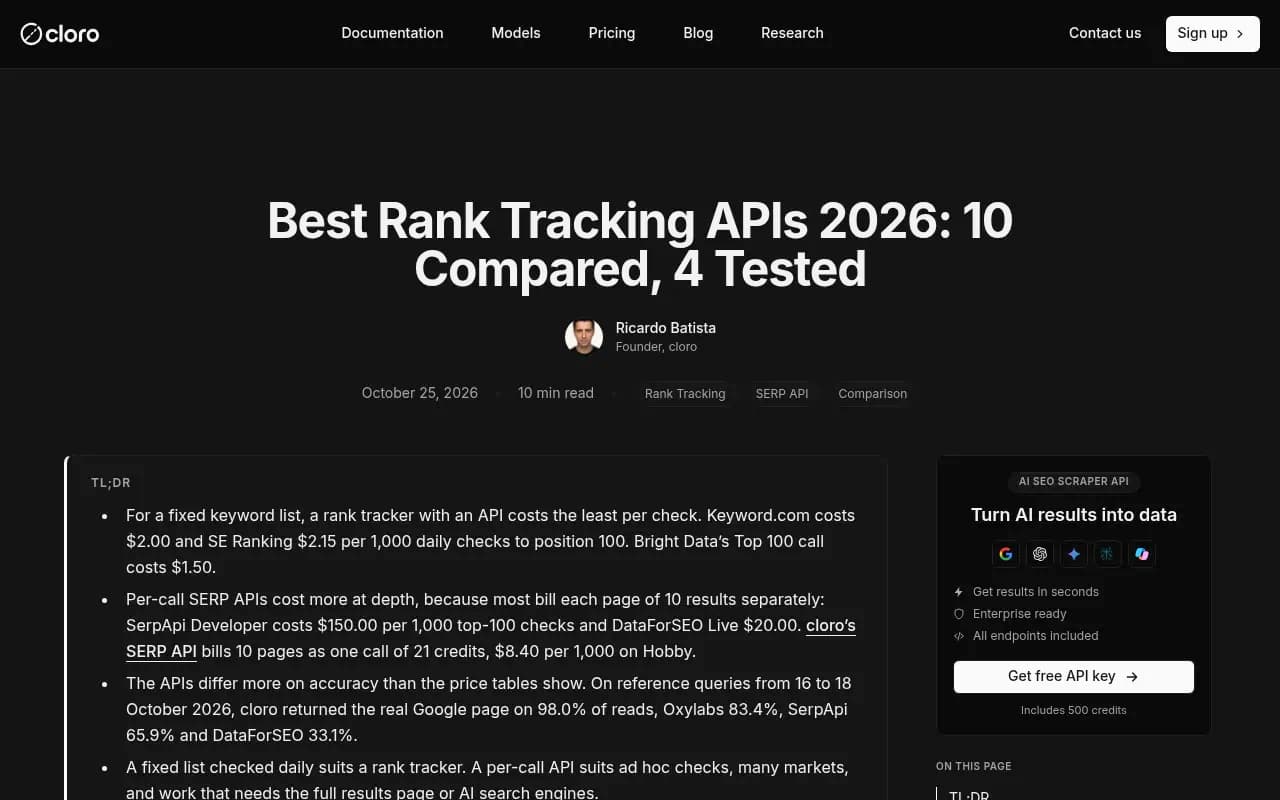
The numbers from cloro's own test window of 16 to 18 October 2026 are worth reading carefully, with the caveat that cloro is a vendor in this space and sells one of the tested APIs. They found SerpApi returned a degraded page on about a third of reads and DataForSEO on most of them, while both reported success. Their measured real-page rate was 98.0% for cloro, and 65.9% for SerpApi. DataForSEO's own account gives a lower figure after retries and a check against history, so treat any single vendor's benchmark as one data point.
The practical takeaway is simple. A successful API response is not the same as a correct response. If your tracker shows a sudden drop, verify before you panic. Google Search Console remains the ground truth for your own site's impressions and clicks, which is exactly the advice that came out of the SEO community's discussion of poisoned results this autumn.
A decision framework
If you are reporting AI visibility to a CMO or client
Use UI-based data as the headline number. It is what people see, and it is the defensible answer when someone opens ChatGPT in a meeting and checks. Keep the country and language settings visible in the report.
If you are a developer building an internal monitor
APIs are fine for a cheap daily pulse, as long as you label the output as "model answer via API" and do not equate it with user exposure. Add a UI spot check on your top 20 prompts every week.
If you track Google rankings through an API
Ask the vendor how they detect degraded pages. Compare against Search Console. Flag any keyword that drops more than a set threshold across many terms at once, because mass simultaneous drops usually point at a data problem, not a penalty.
If you run local or multi-location campaigns
Only tools that let you set the actual location of the query are useful. Answers to "near me" prompts change by place, and generic API calls do not model that.
Questions to ask any vendor
- Do you collect from the consumer interface, the API, or both? Which engines use which?
- Which country, language and city do prompts run from?
- How often do you run each prompt, and are responses sampled or complete?
- How do you detect failed, blocked or degraded responses?
- Can I see the raw response and the cited URLs for any data point?
- When a product changes (new model, new fan-out behavior), how fast do you notice?
If a vendor cannot answer the first and fifth questions plainly, that is your answer.
Where the major tool types land
I did not find a vendor-by-vendor study of UI versus API collection, so I will not pretend to rank tools by data fidelity. What I can do is describe the typical positioning, and you should confirm collection methods on each vendor's own documentation.
| Tool type | Typical collection | Examples from our catalog |
|---|---|---|
| Dedicated AI visibility platforms | Mix of UI capture and API models | Promptwatch, Profound, Scrunch |
| Lightweight prompt trackers | Often API-first for low cost | Otterly.AI, Peec AI |
| SEO suites adding AI modules | Varies; fixed prompt sets are common | Semrush, SE Ranking, AccuRanker |
| SERP and search APIs | Per-call raw results for developers | cloro, SerpApi, DataForSEO, Bright Data |


If you want to compare more options, the GEO software directory at bestgeosoftware.com and the AI rank tracker directory at ai-rank-tools.com list many of these side by side.
Cost is a real tradeoff, not a footnote
API tracking is cheaper, and that matters. A tool that runs each prompt once a day across ten models through APIs will be far cheaper than one driving real browser sessions. Cheaper is not worse when the question is narrow. It becomes a problem when you treat the cheap number as a stand-in for user exposure.
One way to handle this: keep a small set of high-value prompts on UI-based tracking, and use API-based checks for the long tail where an approximate signal is good enough. Check pricing on each vendor's own site before committing, since plans and limits change.
Checking your tool against reality
You do not need a lab to test whether a tracker is honest. Do this once a quarter.
- Pick 10 prompts that matter to your business.
- Run each one by hand in the real interface, from the same country as your tracker setting, logged out or in a clean profile.
- Record whether your brand appears, and which URLs are cited.
- Compare to the tool's last 7 days for those prompts.
- Note the match rate. Because AI answers vary run to run, expect some mismatch, but a persistent gap on brand mentions or citations means the collection method is measuring something else.
Watch for the structural tells: if your tool never shows shopping cards, never shows ads, and always returns citations in a different count than the interface, it is probably reading an API.
What I would do
I would trust UI-collected data for anything that goes into a board deck, a client report or a content roadmap. I would use API-collected data as a supplementary view and label it as such. And I would never treat a single day's drop, in either classic rankings or AI visibility, as real until it is confirmed by a second source: Search Console for Google, a manual UI check for AI engines.
The mistake to avoid is not picking the wrong method. It is picking a method without knowing which one you picked.
FAQ
Is API tracking inaccurate?
Not inaccurate, just different. It accurately reports what the API returned. The risk is assuming that equals what users see in the app.
Why do ChatGPT answers change between runs?
AI answers are probabilistic, and the retrieval step, including how many searches the model runs, changes over time. Averages across many runs are more useful than any single response.
Do I need both methods?
For most marketing teams, UI-based tracking is enough, with an occasional manual check. If you care about what models know from training, such as developer tools or API products, add API model tracking.
Which Google rank tracking data can I trust right now?
Trust Search Console for your own site, and treat third-party rank tracker drops as unconfirmed until they persist and are backed by impressions data.