Key takeaways
- Coding agents like Claude Code, Codex and OpenCode now recommend SDKs, libraries and developer tools, so developer-tool and API companies have a new surface to monitor.
- Very few AI visibility tools track these agents. In our research, only Promptwatch and ByDefault list Claude Code, Codex and OpenCode as tracked surfaces.
- Observability tools like Dash0, Datadog and SigNoz monitor your own team's agent usage. They do not tell you whether agents recommend your brand.
- Check plan limits and methodology before buying. Some vendors gate engines by tier, and how each vendor collects coding agent answers is not always documented.
Why coding agents are a brand mention channel
A developer asks Claude Code to add payments to a Node app. The agent picks a library, reads its docs, and writes the integration. Nobody opened Google. Nobody read a comparison post. Your brand either was in that answer or it wasn't.
That is the shift. Codex CLI, Claude Code and OpenCode are terminal agents that read repos, run commands and make choices about which tools to use. Tembo's Codex roundup describes Codex CLI as open source (Apache-2.0), tied to OpenAI models, and OpenCode as MIT-licensed with 75+ model providers. Claude Code is Claude-only and paid. Because the underlying models differ, the same prompt can produce different recommendations in each agent.
If you sell an SDK, API, database, hosting service or any developer tool, this matters more than it does for a consumer brand. And it is hard to see without dedicated tracking.
Two different things people mean by tracking
Before picking a tool, separate two problems that get mixed up.
- Brand visibility inside coding agents. Does Claude Code recommend your SDK when someone asks for a solution in your category? Which docs does it read? Which competitors does it pick instead? This is a GEO problem.
- Monitoring your own agent usage. How many tokens is your team burning in Claude Code? Which sessions led to which pull requests? This is an observability problem.
Dynatrace, for example, extended its AI observability to Claude Code, Gemini CLI, OpenAI Codex CLI, OpenCode and GitHub Copilot SDK. That is useful for engineering leaders. It tells you nothing about whether those agents mention you to anyone else.
This guide focuses on the first problem, then covers the second briefly so you pick the right category.
What the data says about AI answers more broadly
There is no public dataset yet that isolates coding agent recommendations. What exists is broader AI search data that hints at how these systems pick sources.
For software prompts, Promptwatch Data found that GitHub, Microsoft's docs and G2 lead ChatGPT citations, and documentation and help centers earn the largest share (Sep 28 to Oct 4, 2026). You can read the software citation report for the breakdown. The practical read: if your docs are thin or blocked, you are probably losing recommendations before any agent even runs.
The crawler side matters too. Promptwatch's AI crawler traffic report shows OpenAI at 79.8% of IP-verified AI crawler requests from Aug 31 to Sep 6, 2026, down from 94.8% in the week of Jun 8 to 14. Anthropic, Google, Perplexity and Mistral make up the rest. One caveat: that chart tracks provider crawlers, not Claude Code, Codex or OpenCode agent traffic specifically. The report's advice still applies, though. If a provider is large in the chart and near zero in your logs, check robots.txt, CDN and WAF rules.
Tools that track brand mentions in coding agents
Here is the short list. It is short because most AI visibility tools stop at ChatGPT, Perplexity, Gemini and Google AI Overviews.
Promptwatch
Promptwatch is the one I would start with. It tracks Claude Code, Codex and OpenCode alongside ChatGPT, Google AI Overviews, AI Mode, Gemini, Perplexity, Copilot, Meta AI and Alexa. For developer-tool companies that matters: you see how the coding agents recommend your SDK or docs next to how consumer-facing AI search treats you.
The bigger difference is what happens after you see a gap. Promptwatch is built to close the loop. IP-verified crawler logs show which AI bots hit your docs and where they hit errors. Content gap analysis maps your pages against the prompts AI answers. The Content Agent writes and publishes to WordPress, Webflow or Framer, and published pages are tracked for crawls, citations and AI traffic. Visitor analytics attribute real traffic and conversions from AI platforms, and there is an MCP server plus API for pulling the data into your own workflow.
Plans start at $95/month (Essential, 50 prompts, 6,000 responses) and go to $245 (Professional) and $579 (Business). There is a 7-day trial on Essential and Professional. The free Explore plan only tracks ChatGPT, so you need a paid plan for the coding agents. Confirm current limits at promptwatch.com/pricing.

A note on conflicting information: some third-party roundups say Promptwatch limits you to four models per plan and lacks Codex. The vendor's current pricing page says all models are tracked and lists Codex with OpenCode and Claude Code. Verify on the pricing page before you buy.
ByDefault
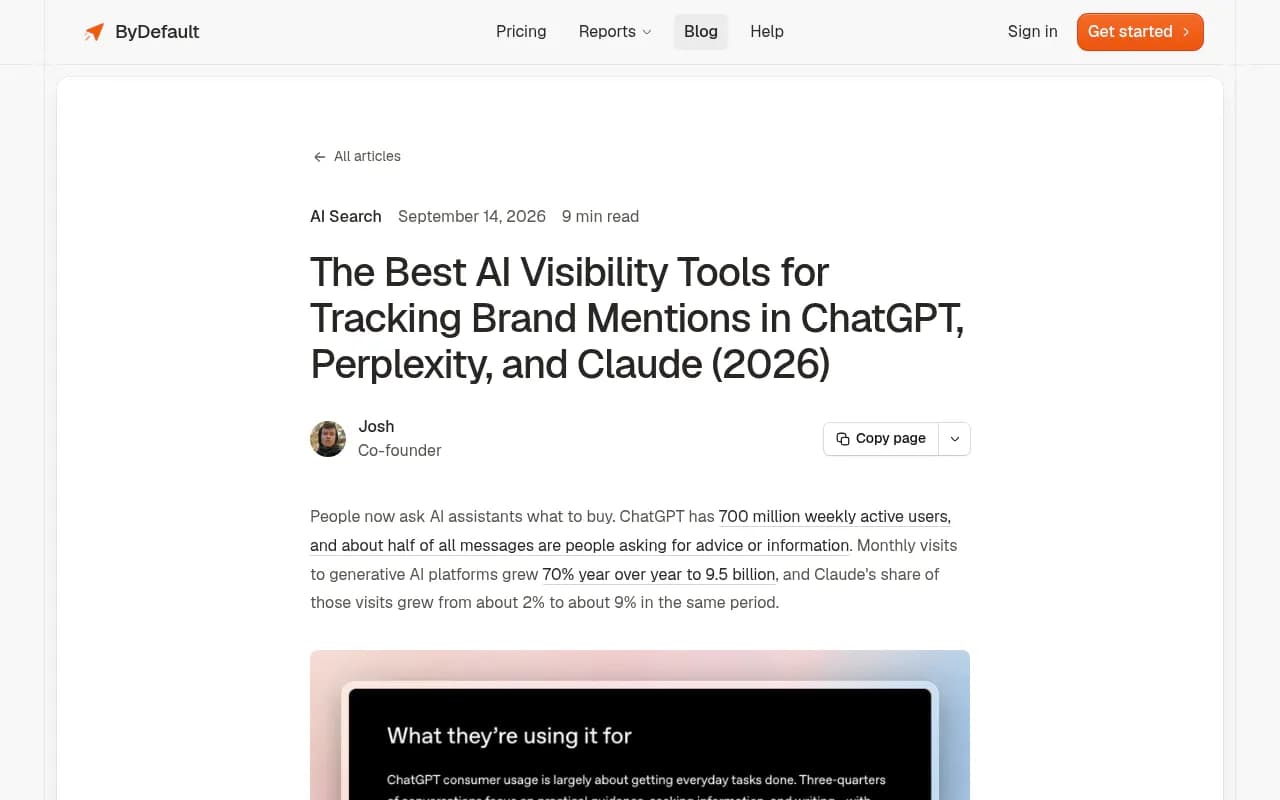
ByDefault is the other tool in our research that lists coding agents. Its eight assistants are ChatGPT, Claude, Gemini, Google AI Overviews, Cursor, Codex, Claude Code and OpenCode, and you pick any four per plan. Plans run $99 (Starter, 50 prompts), $249 (Growth) and $599 (Scale). All plans include mentions and sentiment, cited sources, AI search queries, competitor intelligence, crawler analytics and unlimited seats.
The trade-off is that you choose four of eight. If you want Claude Code, Codex and OpenCode plus ChatGPT, that is your whole allocation, and Gemini or AI Overviews are out. It is also the only tool here that lists Cursor. One more flag: the widely shared comparison table that ranks ByDefault first is published on ByDefault's own blog, so treat it as vendor-authored.
Everyone else, mostly no
The rest of the AI visibility market did not show coding agent support in the sources I reviewed. Per the same comparison, Claude itself (the chat model, not Claude Code) is a paid upgrade at Peec, an add-on at Otterly, and Enterprise-only at Profound and Scrunch. Ahrefs covers Claude through Custom Prompts, from $50/month. I did not verify any of these tools' coding agent coverage, so ask the vendor directly if you are considering them.



Comparison table
| Tool | Claude Code | Codex | OpenCode | Other engines | Entry price | Notes |
|---|---|---|---|---|---|---|
| Promptwatch | Yes | Yes | Yes | ChatGPT, AI Overviews, AI Mode, Gemini, Perplexity, Copilot, Meta AI, Alexa | $95/mo | Crawler logs, content agent, AI traffic attribution |
| ByDefault | Yes | Yes | Yes | ChatGPT, Claude, Gemini, AI Overviews, Cursor | $99/mo | Any 4 of 8 engines per plan |
| Peec | Not verified | Not verified | Not verified | Claude as paid upgrade | $95/mo | Daily competitor tracking |
| Otterly | Not verified | Not verified | Not verified | Claude as add-on | $29/mo | Budget option |
| Profound | Not verified | Not verified | Not verified | Claude on Enterprise | $99/mo yearly | Starter is ChatGPT only |
| Scrunch | Not verified | Not verified | Not verified | Claude on Enterprise | $250/mo | Enterprise and agency focus |
| Ahrefs Brand Radar | Not verified | Not verified | Not verified | Claude via Custom Prompts | $50/mo | Good if you already use Ahrefs |
What about monitoring your own agent usage?
If your real question is how your engineers use these agents, you want observability, not GEO. The options from Dash0's comparison of Claude Code monitoring tools:
- Dash0 AI Coding Insights. Described as one of the most mature products for Claude Code, connecting sessions to GitHub pull requests. Its main limitation is agent coverage.
- Prometheus and Grafana. The open-source baseline. Prometheus ingests Claude Code's OpenTelemetry metrics and Grafana displays them.
- Datadog. Monitors Claude Code through Agent Console and supports Anthropic's Usage and Costs integration.
- SigNoz. Has documented integrations for Codex, OpenCode and the Claude Agent SDK, so it covers more of the agents in this guide.
- Dynatrace. Extended its AI observability to Claude Code, Gemini CLI, Codex CLI, OpenCode and the GitHub Copilot SDK.
None of these answer whether an agent recommends your product to outside developers. Keep the budgets separate.
How to set up tracking, step by step
1. Write prompts the way developers ask agents
Developers don't type "best email API." They say "add transactional email to this Express app" or "which library should I use for rate limiting in Go." Build a prompt list from real tasks in your category: setup, migration, comparison and debugging. Include a few branded prompts and a few competitor comparisons.
2. Pick the agents your audience uses
Tembo's roundup frames the split well. Codex users tend to be ChatGPT subscribers. Claude Code users want high-autonomy refactors. OpenCode attracts developers who want provider choice and privacy. If you are limited to four engines on a plan, choose based on your audience, not on novelty.
3. Check that agents can read your docs
Agents fetch docs live. If your docs sit behind a JavaScript wall, a WAF rule or a stale robots.txt, they get nothing. Look at your server or CDN logs for AI user agents, or use a tool with IP-verified crawler logs. Promptwatch's free Agentic Readiness Check scans which AI crawlers can read your site and which agent standards, such as llms.txt, you support.
4. Track mentions, citations and position
A mention without a citation usually means the model knows your brand from training data but isn't reading your pages. A citation with a late position means you are in the answer but not the first choice. Those are different fixes. For more on AI visibility tools beyond coding agents, the GEO software directory at bestgeosoftware.com lists dozens of options.
5. Fix gaps, then re-measure
Publish or update the pages that agents should be reading: quickstarts, migration guides, comparison pages and API references. Product pages and documentation tend to do well in citation data. Promptwatch's content half-life report shows landing pages and docs stay cited longest, while news loses half its pages within 36 days. Evergreen docs beat announcements.
What to ask vendors before buying
- How do you collect coding agent answers? Prompt simulation, real agent runs and log-based detection are different methods. None of the sources I reviewed documented this for either vendor, so ask.
- Which agents are included at my plan tier, and is there a cap?
- Do you show citations and fetched sources, not just mentions?
- Can I see my own crawler logs, so I know whether agents reach my docs?
- Is there an API or MCP server so I can pipe the data into my own dashboards?
Which one should you pick?
If you are a developer-tool or API company and want coding agent tracking plus the work to improve it, Promptwatch is the better fit. It covers all three agents, adds crawler logs and AI traffic attribution, and has agents that help produce the content. If you only need monitoring across a chosen set of engines and like the any-four-of-eight model, ByDefault is a fair second option. For everyone else, general AI visibility trackers still make sense for ChatGPT and Gemini, but expect to wait for coding agent support.
If you are comparing options in this category more widely, the AI rank tracking directory at ai-rank-tools.com is a good place to browse. And if you want a team to run the whole program for you, 1001 SEO Media handles GEO work for brands using Promptwatch.
Start with 20 to 30 real developer prompts, run them for two weeks, and see which agents name you. That baseline will tell you more than any comparison table.