Bardeen Review 2026
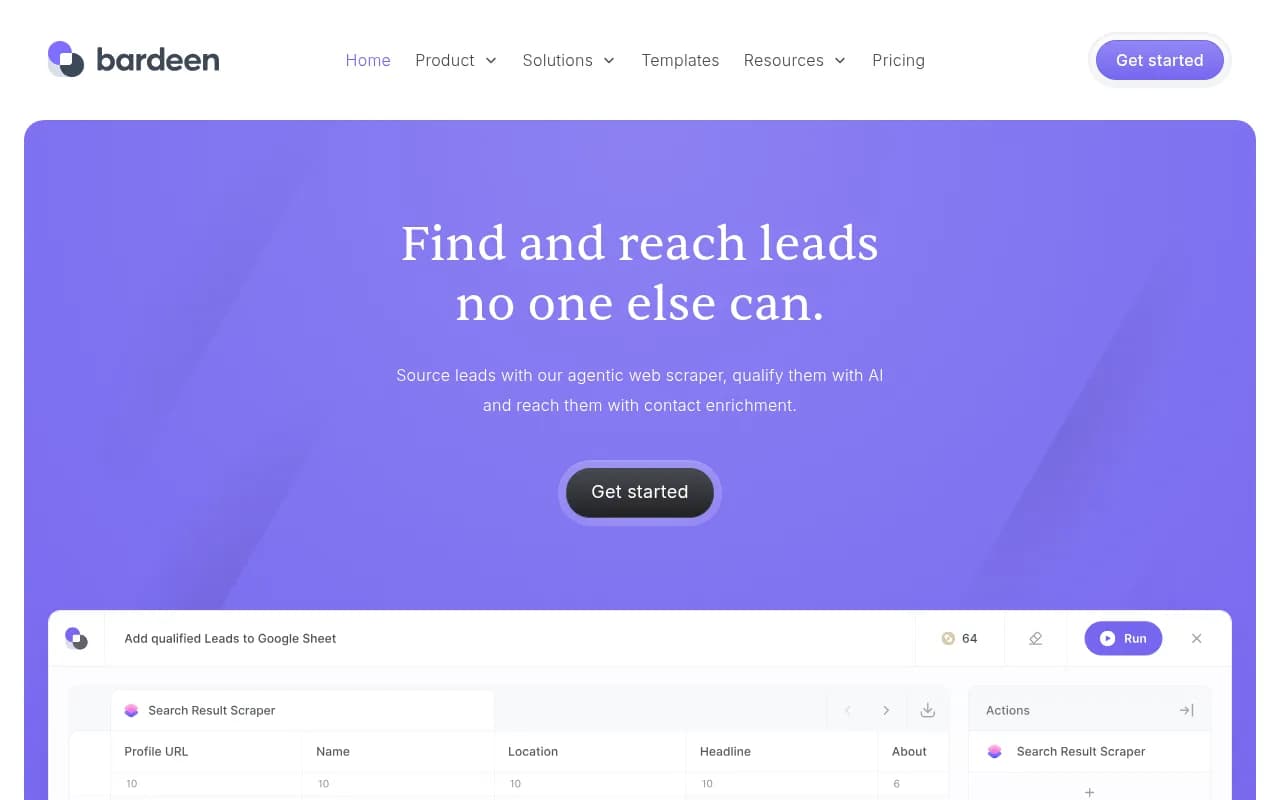
Bardeen is an AI-driven automation platform that helps sales teams and solopreneurs find, qualify, and reach leads through intelligent web scraping, contact enrichment, and AI-powered research. Built for professionals who need to extract data from any website, validate contact information, and autom
Key Takeaways
- Bardeen is a no-code automation platform focused on lead generation, web scraping, and contact enrichment -- built for sales teams, recruiters, and solopreneurs who need to build targeted prospect lists
- Core capabilities include an agentic web scraper that extracts data from any website, AI-powered lead qualification, contact enrichment with verified emails/phones, and AI web search for research at scale
- Integrates with Google Sheets, Airtable, Notion, HubSpot, and 100+ other tools -- exports to CSV or directly into your CRM
- Pricing starts free with limited credits, paid plans from $10-30/month for individuals, with team and enterprise options available
- Strong for custom scraping and workflow automation, but lacks the depth of specialized tools for specific use cases like recruiting or real estate
Bardeen is a browser-based automation platform that turns repetitive sales and research tasks into automated workflows. Founded by a team that previously built products at Google and Palantir, it launched in 2020 and has since been used by companies like Deel, Jotform, and Kearney to automate lead generation, data entry, and prospecting. The platform raised funding from investors including Insight Partners and has been featured as Product Hunt's Product of the Month.
The core idea: most lead generation tools force you into their predefined data sources (LinkedIn Sales Navigator, ZoomInfo, Apollo). Bardeen flips this -- it lets you scrape leads from anywhere on the web, then enrich and qualify them with AI. If your ideal customers hang out on niche forums, industry directories, or competitor websites, Bardeen can extract that data and turn it into a structured lead list.
The platform targets three main user groups. First, solopreneurs and small business owners who can't afford enterprise sales tools but need to automate prospecting. Second, sales teams at mid-market companies (20-200 employees) who want custom lead sources beyond LinkedIn. Third, researchers and analysts who need to extract structured data from websites for market research, competitive analysis, or due diligence.
Core Features: What Bardeen Actually Does
Agentic Web Scraper: This is Bardeen's flagship feature. You can build custom scrapers for any website without writing code -- point at the data you want, and Bardeen's AI figures out how to extract it. The platform offers two approaches: a visual scraper builder where you click elements on a page to define what to extract, and pre-built "premium scrapers" for popular sites like LinkedIn, Twitter, Google Maps, Crunchbase, and Product Hunt. The scraper handles pagination automatically, can extract data from multiple tabs, and works with dynamic JavaScript-heavy sites. You can scrape profile pages, search results, lists, tables -- basically any structured data visible in your browser. Unlike traditional scraping tools that break when websites change their HTML, Bardeen's AI adapts to layout changes. The scraper runs in your browser as a Chrome extension, so it bypasses many anti-bot protections that server-side scrapers hit.
AI Web Search & Research: Bardeen integrates with AI models (GPT-4, Claude) and web search APIs (Google, Perplexity) to automate research tasks. You can ask it to find answers to specific questions about a company, person, or topic, and it will search the web and return structured results. For example: "Find the tech stack this company uses" or "What's the latest funding round for this startup?" The AI can visit websites, extract relevant information, and return it in a format you specify. This is useful for qualifying leads ("Does this company have 50+ employees?"), enriching data ("Find the company's industry and revenue"), or building lists ("Find 50 SaaS companies in healthcare that raised Series A in the last 6 months"). The AI search runs in the background and can process dozens of queries in parallel.
Contact Enrichment: Bardeen finds verified email addresses and phone numbers for your leads using multiple data providers (the platform doesn't disclose which ones, but likely includes Clearbit, Hunter, RocketReach, and similar services). You provide a name and company, and Bardeen returns work email, personal email, direct phone, and mobile number when available. The enrichment claims high accuracy -- the platform validates emails before returning them and offers a credit-back guarantee for invalid contacts. This is critical for outbound sales: scraping a list of names from a website is easy, but reaching them requires contact info. Bardeen handles both in one workflow.
AI Lead Qualification: You describe your ideal customer profile in plain English ("B2B SaaS companies with 20-100 employees in the US"), and Bardeen's AI scores and filters leads based on that criteria. The AI can visit company websites, check LinkedIn profiles, and use web search to determine if a lead matches your ICP. It returns a qualification score and reasoning for each lead. This saves hours of manual research -- instead of reviewing 500 scraped leads yourself, the AI pre-filters them down to the 50 that actually fit your target market.
Workflow Automation (Playbooks): Bardeen calls its automations "playbooks" -- multi-step workflows that chain together scraping, enrichment, qualification, and export actions. For example: scrape a list of companies from a directory, enrich each with contact info, qualify them with AI, then add the top matches to a Google Sheet and send a Slack notification. Playbooks can be triggered manually (click a button), on a schedule (daily at 9am), or by events (when a new row is added to a spreadsheet). The workflow builder is visual -- drag and drop actions, connect them with logic (if/then conditions, loops), and test each step before running at scale. You can share playbooks with your team or use templates from Bardeen's library (500+ pre-built workflows for common use cases).
Browser Extension & Desktop App: Bardeen runs as a Chrome extension and a desktop app (Mac/Windows). The extension lets you trigger automations from any webpage -- highlight text, right-click, and run a playbook. The desktop app provides a command palette (keyboard shortcut) to search and run automations without opening your browser. Both interfaces give you access to the same features, but the extension is more convenient for scraping and the desktop app is better for scheduled workflows.
Integrations: Bardeen connects to 100+ apps including Google Sheets, Airtable, Notion, HubSpot, Salesforce, Slack, Gmail, LinkedIn, Twitter, and Zapier. You can pull data from these tools into your workflows (e.g. "Get all contacts from HubSpot where deal stage is 'Qualified'") or push data to them (e.g. "Add scraped leads to Salesforce as new accounts"). The integrations are native -- no need to set up API keys or webhooks for most apps. For tools Bardeen doesn't support directly, you can use the Zapier integration or make HTTP requests to any API.
Who Should Use Bardeen
Bardeen is built for people who need custom lead sources and can't rely on standard databases. If your prospects are on LinkedIn and you're happy with Sales Navigator, you probably don't need Bardeen. But if you're targeting:
- Real estate agents listed on niche broker websites
- Music artists on Spotify, SoundCloud, or Bandcamp
- Founders of companies listed on Product Hunt or Indie Hackers
- Attendees of specific conferences or events
- Contributors to open source projects on GitHub
- Businesses listed on Google Maps in specific locations
- Professionals mentioned in industry blogs or news sites
...then Bardeen is one of the few tools that can extract that data at scale.
The platform is particularly strong for solopreneurs and small teams (1-10 people) who need enterprise-level automation on a bootstrapped budget. A solo consultant can use Bardeen to build a list of 500 qualified leads, enrich them with contact info, and export to a spreadsheet -- all for $30/month. Doing the same with ZoomInfo or Apollo would cost $1000+/month.
Sales teams at mid-market companies (50-200 employees) use Bardeen to supplement their existing tools. They might use LinkedIn Sales Navigator for broad prospecting, then use Bardeen to scrape competitor customer lists, enrich them, and add them to their CRM. Or they use Bardeen to monitor job boards and automatically add companies hiring for specific roles (a signal of buying intent) to their outbound list.
Recruiters and talent teams use Bardeen to scrape candidate profiles from GitHub, AngelList, or niche job boards, then enrich with contact info and add to their ATS. Market researchers use it to extract data from industry directories, competitor websites, or review sites for competitive analysis.
Bardeen is NOT ideal for enterprise teams (500+ employees) who need centralized data governance, role-based permissions, and audit logs. The platform is designed for individual contributors and small teams who want to move fast and automate their own workflows. If you need IT approval for every new tool, Bardeen's self-serve model won't fit your procurement process.
Integrations & Ecosystem
Bardeen integrates with Google Sheets, Airtable, Notion, HubSpot, Salesforce, Pipedrive, Slack, Gmail, Outlook, LinkedIn, Twitter, GitHub, Product Hunt, Crunchbase, Google Maps, and 100+ other apps. The integrations are native -- you authenticate once and Bardeen handles the API calls. For tools without native integrations, you can use Zapier or make HTTP requests to any REST API.
The platform offers a JavaScript SDK for developers who want to build custom actions or integrations. There's also a public API (in beta) that lets you trigger playbooks programmatically from other tools.
Bardeen's template library includes 500+ pre-built workflows for common use cases: "Scrape LinkedIn search results and add to Google Sheets", "Find email addresses for a list of companies", "Qualify leads with AI and send top matches to Slack". You can use templates as-is or customize them.
The platform is SOC 2 Type II, GDPR, and CASA Tier 2/3 certified, which matters for teams handling customer data. Bardeen doesn't store scraped data on its servers -- everything runs in your browser and exports directly to your tools.
Pricing & Value
Bardeen offers a free plan with limited credits (enough to test the platform and run small workflows). Paid plans start at $10-30/month for individuals, with team plans at $50-100/user/month and custom enterprise pricing.
The free plan includes:
- Unlimited playbook runs (manual triggers only)
- 2 credits for premium actions (scraping, enrichment, AI)
- Access to all integrations and templates
Paid plans add:
- More credits for premium actions (scraping, enrichment, AI search)
- Scheduled playbooks (run automations on a timer)
- Priority support
- Team collaboration features (shared playbooks, usage analytics)
Credits are consumed by premium actions: scraping a page costs 1 credit, enriching a contact costs 1-2 credits, AI search costs 1-5 credits depending on complexity. A typical workflow (scrape 10 leads, enrich with emails, qualify with AI) costs 20-30 credits. The $30/month plan includes 500 credits, enough for 15-25 full workflows per month.
Compared to alternatives: ZoomInfo and Apollo charge $1000-3000/user/year for contact data. Bardeen's enrichment is cheaper (roughly $0.10-0.20 per contact vs $0.50-1.00 for ZoomInfo). Scraping tools like Apify or Octoparse charge $50-200/month for similar scraping capabilities but don't include enrichment or AI. Clay (a popular lead generation tool) charges $150-500/month and includes similar features, but Bardeen is more affordable for solopreneurs.
The value proposition: if you're building custom lead lists and need scraping + enrichment + AI in one tool, Bardeen is 50-80% cheaper than buying separate tools for each capability.
Strengths & Limitations
Strengths:
- Flexible scraping: Works on any website, handles dynamic content, adapts to layout changes. Most scraping tools are limited to specific sites or require coding.
- All-in-one workflow: Scrape, enrich, qualify, and export in one platform. No need to chain together multiple tools.
- Affordable for solopreneurs: $30/month gets you capabilities that would cost $500+/month with enterprise tools.
- No-code automation: Visual workflow builder is accessible to non-technical users. You don't need to learn Python or hire a developer.
- Browser-based: Runs in your browser, so it bypasses many anti-bot protections and doesn't require server infrastructure.
Limitations:
- Credit-based pricing can get expensive at scale: If you're scraping and enriching thousands of leads per month, the credit costs add up. Enterprise teams might hit $500-1000/month.
- Limited data coverage for enrichment: Bardeen uses third-party data providers, so email/phone accuracy depends on those sources. For niche industries or international contacts, coverage can be spotty.
- No built-in CRM or outreach: Bardeen is a data tool, not a sales engagement platform. You still need a separate tool (HubSpot, Salesforce, Outreach) to actually contact your leads.
- Learning curve for complex workflows: The visual builder is intuitive for simple automations, but building multi-step workflows with conditionals and loops takes time to master.
- Browser dependency: Since Bardeen runs in your browser, you need to keep your computer on and browser open for scheduled workflows. There's no cloud-based execution (though the team is working on this).
Bottom Line
Bardeen is the best option for solopreneurs, small sales teams, and researchers who need to scrape custom lead sources and automate prospecting workflows on a budget. If your ideal customers aren't in standard databases (LinkedIn, ZoomInfo) and you need to extract data from niche websites, Bardeen is one of the few tools that can handle it without coding.
Best use case in one sentence: Building targeted lead lists from non-standard sources (industry directories, competitor sites, niche communities) and enriching them with contact info for outbound sales.
Tags:
Similar and alternative tools to Bardeen