Wrike Review 2026
Streamlines marketing project management with AI-driven automation, workflow optimization, and team collaboration features for faster execution.
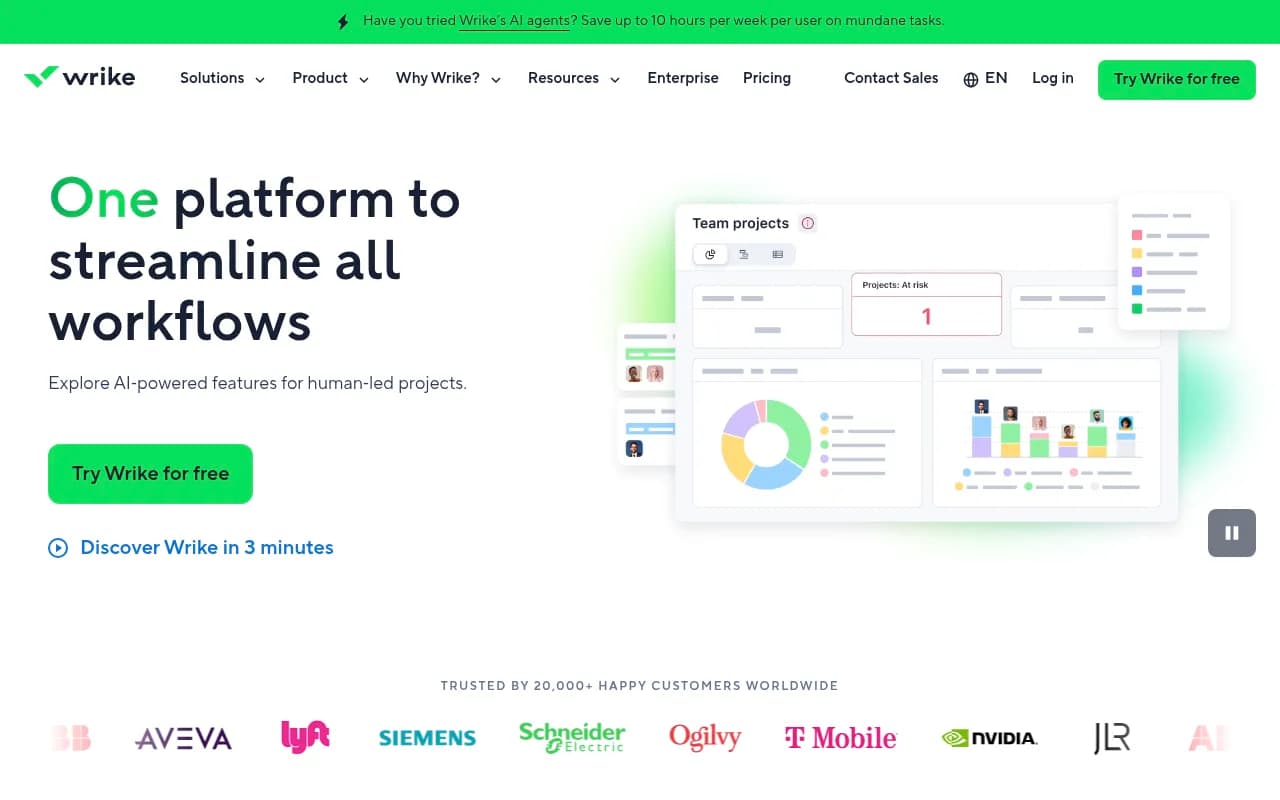
Summary
- Enterprise-grade work management platform trusted by 20,000+ organizations including NVIDIA, Siemens, Lyft, and Ogilvy
- Covers the full project lifecycle from ideation to execution with Gantt charts, resource management, proofing/approvals, and AI-driven analytics
- New AI agents feature saves up to 10 hours per week per user by automating risk monitoring, resource assignment, and status updates
- Pricing starts at $9.80/user/month (billed annually) with free trial available -- scales from small teams to 20,000+ user enterprises
- Strong for marketing/creative teams and professional services, but learning curve can be steep for new users and mobile app lags behind desktop
Wrike is an enterprise work management platform that's been around since 2006, serving everyone from 5-person marketing teams to 20,000+ user organizations like NVIDIA and Siemens. It's built to handle the full project lifecycle -- from capturing initial requests and planning timelines to executing work, tracking progress, and analyzing results. The platform positions itself as an end-to-end solution that replaces the need to juggle multiple tools for project management, collaboration, and reporting.
The core pitch is "where work flows" -- meaning Wrike aims to remove the friction that comes from context-switching between apps, hunting for updates in email threads, and manually tracking project status. It's particularly strong in industries where cross-functional collaboration is messy: marketing agencies managing client campaigns, professional services firms juggling multiple projects, IT teams handling service requests, and product teams coordinating releases.
Request Forms and Intake Management
Wrike's custom request forms let you standardize how work enters your system. Instead of requests arriving via email, Slack DMs, or hallway conversations, stakeholders fill out a structured form that captures all the details you need upfront -- project scope, deadlines, budget, required assets, approval chain. Forms can include conditional logic (show field X only if user selects option Y), file uploads, and dropdown menus populated from custom fields. Submitted requests automatically create tasks or projects in Wrike with all the metadata already attached. This is huge for marketing teams drowning in ad-hoc requests or IT teams managing service tickets. You can route requests to specific folders or workflows based on form responses, and set up approval gates before work officially starts. Compared to Monday.com or Asana, Wrike's forms are more flexible and better integrated with downstream workflows.
Visual Collaboration with Klaxoon Integration
Wrike recently integrated Klaxoon's visual collaboration platform, giving you an infinite whiteboard for brainstorming, planning, and workshops. You can run dot-voting sessions to prioritize features, create Kanban boards for sprint planning, or map out customer journeys -- all within Wrike's interface. The whiteboard syncs with your project data, so ideas generated in a brainstorming session can be converted into tasks with a few clicks. This bridges the gap between ideation and execution better than most competitors. Miro and FigJam offer more advanced diagramming features, but they don't connect to your actual project data the way Wrike's whiteboard does. The integration also includes facilitation tools like timers, anonymous voting, and live reactions that make remote workshops less painful.
Gantt Charts and Timeline Views
Wrike's Gantt charts are among the most powerful in the category. You get dependency mapping (finish-to-start, start-to-start, finish-to-finish), critical path highlighting, baseline comparison to see how your plan drifted from the original, and drag-and-drop rescheduling. The timeline view shows all projects across your workspace in a single view, color-coded by status or team. You can filter by custom fields, assignee, or project type to focus on what matters. Resource workload is overlaid on the timeline so you can spot overallocation before it becomes a problem. The Gantt view also supports milestones, task grouping, and progress tracking via percent complete or time logged. This is overkill for simple task lists but essential for complex projects with interdependencies. Microsoft Project has more advanced scheduling features, but Wrike's Gantt is more user-friendly and better integrated with collaboration tools.
Resource Management and Workload Balancing
Wrike's resource management shows you who's working on what, how many hours they're allocated, and where capacity gaps exist. The workload view displays each team member's assignments across a timeline, with color coding to indicate overallocation (red), optimal load (green), or underutilization (gray). You can reassign tasks by dragging them between people, and Wrike recalculates availability in real time. The Job Roles feature lets you assign work to a role (e.g. "Senior Designer") before you know which specific person will do it, then swap in the actual assignee later. This is useful for agencies or professional services firms that need to plan projects before staff are confirmed. Wrike also tracks billable vs non-billable hours, budget burn rate, and project profitability -- features that competitors like Asana and ClickUp lack. The resource management is more robust than Monday.com but less sophisticated than dedicated tools like Resource Guru or Float.
Proofing and Approval Workflows
Wrike's proofing tool lets reviewers mark up files (images, videos, PDFs, documents) with comments pinned to specific locations. You can draw arrows, highlight text, or leave timestamped feedback on video frames. The approval workflow routes files through a multi-stage review process with configurable approval chains -- e.g. designer submits to creative director, who approves and sends to client, who requests changes, which loop back to the designer. Version history tracks every iteration, and you can compare versions side-by-side to see what changed. Approvers can approve, reject, or request changes with a single click, and the system automatically notifies the next person in the chain. This is critical for marketing and creative teams that produce lots of visual assets. The proofing experience is smoother than Asana's (which requires third-party integrations) but not as feature-rich as dedicated tools like Ziflow or Filestage. Wrike's advantage is that proofing is built into the same platform where you manage the rest of the project.
AI Agents for Workflow Automation
Wrike's new AI agents feature (launched in 2025) lets you create custom AI assistants that monitor projects and take actions based on rules you define -- without writing code. Example use cases: an agent that scans all active projects for at-risk tasks (based on missed deadlines, budget overruns, or lack of recent activity) and automatically escalates them to project managers; an agent that reads incoming request forms and assigns them to the right team based on keywords and workload; an agent that generates weekly status summaries by analyzing task completion rates, time logged, and comments. You configure agents through a visual builder where you define triggers (e.g. "when a task is 3 days overdue"), conditions (e.g. "and the assignee hasn't logged time in 48 hours"), and actions (e.g. "send a Slack message to the project manager and mark the task as at-risk"). Wrike claims this saves up to 10 hours per week per user by eliminating repetitive monitoring and status update tasks. This is more advanced than the basic automation in Asana or Monday.com, which mostly handles simple if-this-then-that rules. The AI agents can also generate content -- e.g. drafting project briefs based on request form data or summarizing comment threads into action items.
Dashboards and Advanced Analytics
Wrike's dashboards let you build custom reports using widgets for charts, tables, pivot tables, and metrics. You can track KPIs like project completion rate, budget vs actual spend, time to completion, or custom metrics based on your own fields. Dashboards update in real time as project data changes, and you can share them with stakeholders who don't have full Wrike access. The Advanced Analytics add-on (available on higher-tier plans) includes predictive analytics that use historical data to forecast project completion dates, identify bottlenecks, and recommend resource reallocation. You can also export data to Tableau or Power BI for deeper analysis. The reporting is more powerful than Asana or Trello but less flexible than dedicated BI tools. Wrike's advantage is that the data is already in the system -- you don't need to export and transform it.
Integrations and Ecosystem
Wrike integrates with 400+ tools including Slack, Microsoft Teams, Salesforce, HubSpot, Adobe Creative Cloud, GitHub, Jira, Zoom, Google Workspace, OneDrive, Dropbox, Tableau, and Okta. The Slack and Teams integrations let you create tasks, get notifications, and update status without leaving your chat app. The Salesforce integration syncs opportunities and accounts with Wrike projects so sales and delivery teams stay aligned. The Adobe integration lets designers open Wrike tasks directly in Photoshop or Illustrator and upload finished files back to Wrike. The GitHub and Jira integrations are useful for software teams that want to connect code commits and bug tracking to project timelines. Wrike also offers Wrike Integrate, a low-code integration builder that lets you connect to any tool with an API -- including custom internal systems. The API is well-documented and supports webhooks for real-time data sync. Mobile apps are available for iOS and Android, though the mobile experience is more limited than the desktop version (no Gantt charts, limited reporting).
Custom Workflows and Item Types
Wrike lets you define custom item types beyond the default "task" and "project" -- e.g. "Campaign", "Bug", "Client Request", "Asset". Each item type can have its own set of custom fields (text, number, dropdown, date, user, etc.) and workflow statuses. For example, a "Campaign" item type might have fields for budget, target audience, launch date, and campaign type, with workflow stages like "Planning", "In Progress", "Review", "Approved", "Live". You can create templates for each item type so new campaigns start with the right structure and checklist. This level of customization is essential for teams with complex processes that don't fit into generic task management. It's more flexible than Asana's custom fields but requires more setup. ClickUp offers similar customization but with a steeper learning curve.
Time Tracking and Budget Management
Wrike includes built-in time tracking with manual entry, timers, and timesheet views. You can log time against specific tasks or projects, categorize it as billable or non-billable, and track it by user or team. The budget management feature lets you set project budgets (fixed fee or hourly), track actual costs based on time logged and hourly rates, and compare budget vs actual in real time. You can also set up budget alerts to notify you when a project is approaching its limit. This is useful for agencies and professional services firms that need to track profitability by project. The time tracking is more robust than Asana or Monday.com but less feature-rich than dedicated tools like Harvest or Toggl. Wrike's advantage is that time data feeds directly into project reports and resource planning.
Security and Compliance
Wrike offers role-based access control, two-factor authentication, single sign-on (SSO) via Okta or OneLogin, and 99.9% uptime SLA. Data is encrypted in transit (TLS 1.2+) and at rest (AES-256). Wrike is SOC 2 Type II certified, GDPR compliant, and HIPAA compliant (with Wrike Lock add-on). The Wrike Lock add-on provides additional security features like custom data retention policies, audit logs, and the ability to host data in specific geographic regions. Enterprise customers can also request on-premise deployment, though this is rare. Wrike's security posture is stronger than most competitors in the project management space -- comparable to Smartsheet or Microsoft Project but more robust than Asana or Trello.
Who is Wrike for?
Wrike is built for mid-size to enterprise teams (50-5000+ users) that need a centralized platform for managing complex, cross-functional work. It's particularly strong for marketing and creative teams (agencies, in-house marketing departments) that need request intake, proofing, approvals, and campaign tracking. Professional services firms (consultancies, agencies, system integrators) use it for client project management, resource allocation, and time/budget tracking. IT and engineering teams use it for service request management, sprint planning, and integration with dev tools like GitHub and Jira. Product teams use it to coordinate roadmaps, feature releases, and cross-functional dependencies. Operations teams use it to standardize processes and automate workflows.
Wrike is overkill for small teams (under 10 people) or simple use cases like personal task lists. If you just need a shared to-do list, Todoist or Trello will be easier. If you're a software team that lives in Jira, you probably don't need Wrike. If you're a solo freelancer, the pricing and complexity don't make sense.
The ideal Wrike user is a project manager, operations lead, or team lead at a company with 50-500 employees, managing 10-50 concurrent projects with 5-20 people per project. You have multiple teams (marketing, design, dev, sales) that need to collaborate, and you're tired of work getting lost in email threads and Slack channels. You need visibility into who's working on what, where bottlenecks are, and whether projects are on track. You want to automate repetitive tasks and standardize processes so work flows smoothly.
Pricing and value
Wrike offers four main pricing tiers (all prices are per user per month, billed annually):
- Free: Up to 5 users, basic task management, 2GB storage. Good for trying out Wrike but too limited for real work.
- Team ($9.80/user/month): Unlimited users, Gantt charts, custom fields, integrations, 5GB storage per user. This is the entry point for small teams.
- Business ($24.80/user/month): Everything in Team plus custom workflows, advanced integrations, time tracking, 50GB storage per user, advanced reporting. This is the sweet spot for most teams.
- Enterprise (custom pricing): Everything in Business plus AI agents, advanced analytics, Wrike Lock security, dedicated account manager, custom data retention, SSO, and premium support. Starts around $35-50/user/month depending on volume.
There's also a Pinnacle tier (custom pricing) for the largest enterprises that need white-glove support, custom integrations, and advanced security features.
Add-ons include Wrike Integrate (custom integrations), Wrike Lock (enhanced security), and Premium Support (faster response times, dedicated support engineer).
Compared to competitors: Wrike is more expensive than Asana ($10.99-24.99/user/month) and Monday.com ($9-19/user/month) but cheaper than Smartsheet ($9-32/user/month) and Microsoft Project ($10-55/user/month). The value proposition is that Wrike replaces multiple tools -- you don't need separate tools for time tracking, proofing, resource management, and reporting. For a 50-person team, you're looking at $12,400/year (Team plan) or $31,000/year (Business plan). That's a significant investment, but if it saves each person even 2 hours per week, the ROI is there.
Wrike offers a 14-day free trial (no credit card required) and often runs promotions for annual plans.
Strengths
- End-to-end platform: Covers the full project lifecycle from intake to reporting, reducing the need for multiple tools. The integration between request forms, task management, proofing, time tracking, and analytics is seamless.
- Powerful resource management: Workload views, job roles, and capacity planning are more robust than most competitors. Essential for agencies and professional services firms.
- AI agents: The new AI automation feature is genuinely useful and more advanced than the basic automation in Asana or Monday.com. Saves real time on repetitive tasks.
- Proofing and approvals: Built-in markup and approval workflows are critical for creative teams and better integrated than third-party tools.
- Enterprise-grade security: SOC 2, GDPR, HIPAA compliance, SSO, and advanced security features (with Wrike Lock) make it suitable for regulated industries.
- Customization: Custom item types, workflows, and fields let you tailor Wrike to your processes instead of forcing your processes to fit the tool.
Limitations
- Learning curve: Wrike is complex. New users often feel overwhelmed by the number of features and configuration options. Onboarding takes time, and you'll likely need training or a dedicated admin to set it up properly. Asana and Monday.com are easier to learn.
- Mobile app is limited: The iOS and Android apps are functional but lack key features like Gantt charts, advanced reporting, and full customization. If your team works primarily on mobile, Wrike isn't ideal.
- Pricing can add up: For large teams, the per-user pricing gets expensive quickly. A 200-person team on the Business plan costs $59,520/year. Enterprise pricing is opaque and requires a sales call.
- Overkill for simple use cases: If you just need a shared task list or basic Kanban board, Wrike is too much. Trello, Todoist, or even a shared spreadsheet will be faster and cheaper.
- Reporting requires setup: While Wrike's reporting is powerful, building useful dashboards takes time and requires understanding the data model. Out-of-the-box reports are limited.
Bottom line
Wrike is the right choice for mid-size to enterprise teams (50-5000+ users) that need a centralized platform for managing complex, cross-functional work. It's particularly strong for marketing/creative teams, professional services firms, and operations teams that need request intake, resource management, proofing, and advanced reporting. The AI agents feature is a genuine differentiator that saves real time on repetitive tasks. The learning curve is steep and pricing can add up, but if you're currently juggling multiple tools and drowning in email threads, Wrike will pay for itself. Best use case in one sentence: Marketing agencies and professional services firms managing 10-50 concurrent client projects with 50-200 people who need visibility, resource allocation, and automated workflows.
Tags:
Similar and alternative tools to Wrike