SocialBee Review 2026
Automate posting with AI content creation, category-based scheduling, collaboration features, and unified inbox for team workflows.
Key Takeaways:
- Standout feature: Category-based scheduling system that rotates evergreen content automatically -- most competitors (Buffer, Hootsuite, Later) require manual re-queuing
- AI content generation: 1000+ built-in prompts for captions, images, and hashtags with customizable tone and length -- more extensive than Hootsuite's AI but less advanced than dedicated tools like Jasper
- Unified inbox: Manage comments, mentions, and DMs from 10+ platforms in one place -- similar to Agorapulse but missing sentiment analysis
- Pricing: Starts at $29/mo (Bootstrap plan) with 5 social profiles and 1 workspace -- competitive with Buffer ($6/channel) but pricier than Later's free tier
- Best for: Small businesses, agencies, and solopreneurs who need consistent posting without daily manual work -- not ideal for enterprise teams needing advanced approval workflows or white-label reporting
SocialBee is a social media management platform built around a simple premise: most businesses struggle with consistency, not creativity. Instead of forcing you to manually schedule every post, it uses a category-based system that rotates content automatically. You create posts once, assign them to categories (promotions, tips, user-generated content, etc.), and SocialBee cycles through them on your chosen schedule. It's a fundamentally different approach than the calendar-first tools like Buffer or Hootsuite, and it works particularly well for businesses with evergreen content libraries.
The platform was launched in 2016 by Ovi Negrean as a bootstrapped alternative to enterprise tools like Sprout Social. It's grown to serve freelancers, agencies, coaches, nonprofits, and small businesses across 100+ countries. In 2024, SocialBee was acquired by WebPros (the company behind cPanel and Plesk), which brought additional resources for development but maintained the product's focus on simplicity and affordability.
Who SocialBee is built for: The target user is a solopreneur, small business owner, or agency managing 5-20 social profiles who wants to "set it and forget it" rather than babysit a posting calendar. Think: a fitness coach posting workout tips three times a week, a real estate agent sharing listings and market updates, or a marketing agency managing clients across multiple industries. It's not built for enterprise teams with complex approval chains or brands posting 50+ times per day.
Category-Based Scheduling (The Core Differentiator)
This is what makes SocialBee different. Instead of scheduling individual posts to specific dates, you create content categories -- "Blog Posts", "Product Promotions", "Customer Testimonials", "Industry News" -- and assign posts to them. Then you set a posting schedule: "Post from Blog Posts every Monday at 10am, from Promotions every Wednesday at 2pm, from Testimonials every Friday at 4pm." SocialBee automatically pulls posts from each category and cycles through them.
The benefit: you build a content library once and it keeps working. Add 20 evergreen tips to your "Tips" category, and SocialBee will rotate through them indefinitely. When it reaches the end, it starts over. You're not manually re-scheduling the same post every month like you would in Buffer or Hootsuite. For businesses with stable messaging (coaches, consultants, local businesses), this saves hours per week.
You can set expiration dates on time-sensitive posts (sales, events), customize posting frequency per category, and even randomize the order so your feed doesn't look robotic. Each category can have its own posting schedule across different platforms -- post blog content twice a week on LinkedIn but daily on Twitter.
Limitations: This system assumes you have evergreen content. If you're a news site or trend-driven brand posting real-time updates, the category model feels restrictive. You'll end up using the calendar view anyway, which defeats the purpose.
AI Content Generation (1000+ Prompts)
SocialBee includes an AI assistant called Copilot that generates captions, images, and hashtags. You can choose from 1000+ pre-written prompts organized by industry and goal ("Write a motivational Monday post for fitness coaches", "Create a product launch announcement for SaaS companies"), or write your own custom prompt. You set the tone (professional, casual, humorous), length (short, medium, long), and whether to include emojis or hashtags.
The AI also summarizes blog posts into social captions -- paste a URL, and it extracts key points and writes a post. For images, it generates AI visuals via DALL-E integration, though the quality is hit-or-miss (generic stock photo vibes). You can also pull images from Canva, Unsplash, and GIPHY directly in the editor.
How it compares: Hootsuite's OwlyWriter AI offers similar caption generation but with fewer prompts (around 100). Buffer's AI assistant is more conversational but lacks the prompt library. Dedicated AI writing tools like Jasper or Copy.ai produce higher-quality output but don't integrate scheduling. SocialBee's AI is good enough for everyday posts but not sophisticated enough for high-stakes campaigns.
Copilot Recommendations: The AI also analyzes your past performance and suggests optimal posting times, frequency, and content types. It's basic -- "Post on Instagram 3x per week at 10am, 2pm, 6pm" -- but helpful for beginners. More advanced users will want to dig into the analytics themselves.
Multi-Platform Posting & Customization
SocialBee supports direct posting to Facebook (pages, groups, stories), Instagram (feed, stories, reels, carousels), LinkedIn (profiles, pages, carousels), Twitter/X, Pinterest, TikTok, YouTube (shorts), Google Business Profile, Threads, and Bluesky. That's 10+ platforms from one dashboard -- more than Buffer (9 platforms) and on par with Hootsuite.
You create one post and customize it per platform: different captions for LinkedIn vs Instagram, different image crops for Twitter vs Pinterest, different hashtags for TikTok vs Facebook. The editor shows live previews for each platform so you can see exactly how it'll look. You can also set platform-specific posting schedules -- publish to LinkedIn on weekdays only, Instagram daily, Twitter 3x per day.
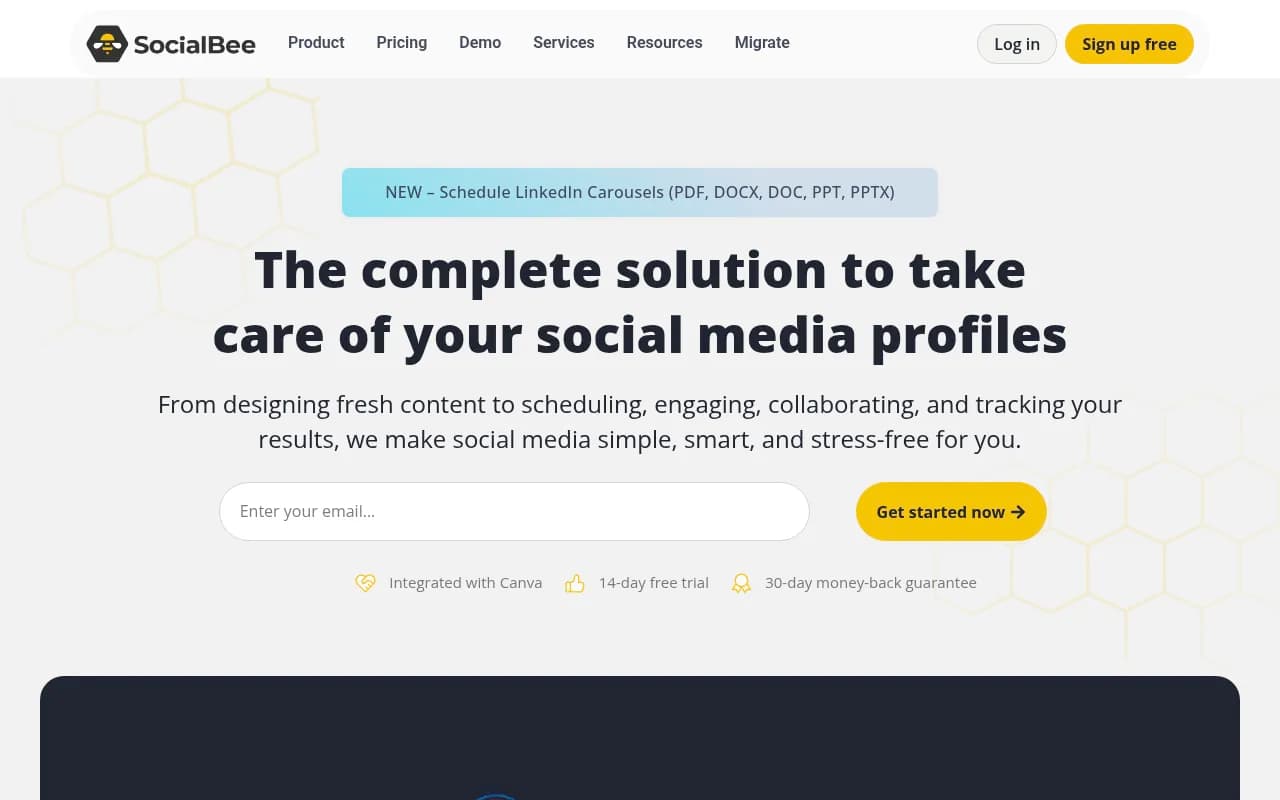
LinkedIn carousels: SocialBee recently added support for LinkedIn PDF/PPTX carousels, which is a standout feature. You upload a PDF or PowerPoint, and it converts it into a swipeable carousel post. Most competitors (Buffer, Later, Sprout Social) don't support this natively -- you'd need a separate tool like Taplio or a manual workaround.
Missing platforms: No direct posting to Reddit, Snapchat, or Telegram. No WhatsApp Business integration. If those are critical channels, you'll need a second tool.
Unified Inbox (Engage Module)
The Engage module consolidates comments, mentions, and direct messages from all connected platforms into one inbox. You can filter by platform, conversation status (unread, replied, archived), or keyword. Reply directly from SocialBee without switching tabs. You can also assign conversations to team members, add internal notes, and mark threads as resolved.
What's missing: No sentiment analysis (Agorapulse and Sprout Social flag negative comments automatically). No saved replies or canned responses (you have to type the same answer repeatedly). No Instagram DM automation or chatbot triggers. It's a solid inbox for small teams but lacks the advanced features agencies need.
Analytics & Reporting
SocialBee tracks follower growth, engagement rate, reach, impressions, clicks, and top-performing posts across all platforms. You can filter by date range, platform, or individual profile. The dashboard shows high-level metrics (total posts, engagement rate, follower growth) and lets you drill down into specific posts to see what worked.
You can generate PDF reports with custom branding (logo, colors) and export data to CSV. The reports are clean and client-friendly but basic -- no custom metrics, no competitor benchmarking, no ROI tracking. For agencies presenting to clients, you'll likely supplement with Google Analytics or a dedicated reporting tool like Databox.
Platform-specific analytics: SocialBee pulls native analytics from Facebook, Instagram, LinkedIn, Twitter, Pinterest, and Google Business. For TikTok and YouTube, you get basic post-level stats but not account-level insights (those require manual export from the native apps). No Bluesky or Threads analytics yet.
Best-time-to-post recommendations: Based on your historical engagement data, SocialBee suggests optimal posting times. It's accurate for accounts with consistent posting history but less useful for new profiles with limited data.
Team Collaboration & Workspaces
You can create multiple workspaces (one per client or brand) and invite team members with role-based permissions: Manager (full access), Contributor (create and edit posts but can't publish), or Viewer (read-only). Each workspace has its own social profiles, content library, and posting schedule.
Approval workflow: Contributors submit posts for review, Managers approve or request changes, then posts go live. It's a simple two-step process -- no multi-level approvals or conditional logic like Planable or Loomly offer. For small teams, it's sufficient. For agencies with complex client workflows, it's limiting.
Content library: Store approved posts, images, and videos in a shared library that all team members can access. You can organize by category, tag posts for easy search, and duplicate posts across workspaces. No version history or rollback feature, though.
Integrations & Ecosystem
SocialBee integrates with:
- Canva: Design graphics directly in SocialBee without leaving the platform. Your Canva designs sync automatically.
- Unsplash & GIPHY: Search and insert stock photos and GIFs in the post editor.
- Zapier: Connect to 5000+ apps for custom workflows (e.g. auto-post new blog articles, save Instagram mentions to Google Sheets).
- Google Analytics: Track UTM parameters and measure traffic from social posts.
- RSS feeds: Auto-import blog posts and schedule them as social updates.
- Pocket, Quuu, ContentStudio: Curate third-party content to share.
No native integrations with CRMs (HubSpot, Salesforce), email marketing tools (Mailchimp, ConvertKit), or project management platforms (Asana, Trello). You'll need Zapier for those connections.
API: SocialBee offers a REST API for custom integrations, but it's not well-documented and requires developer resources. Most users rely on Zapier instead.
Browser extension: Chrome extension for sharing web pages directly to SocialBee. No mobile app for iOS or Android -- you manage everything via web browser.
Pricing & Value
SocialBee offers three paid plans (billed monthly or annually with 17% discount):
- Bootstrap: $29/mo -- 5 social profiles, 1 workspace, 10 posts per profile, AI content generation (10 posts/mo), basic analytics, Canva integration. Good for solopreneurs managing one brand.
- Accelerate: $49/mo -- 10 social profiles, 5 workspaces, unlimited posts, AI content generation (25 posts/mo), team collaboration (3 users), content approval, advanced analytics, RSS feeds. Best for small businesses and freelancers with multiple clients.
- Pro: $99/mo -- 25 social profiles, 10 workspaces, unlimited posts, AI content generation (50 posts/mo), team collaboration (10 users), white-label reports, priority support. Built for agencies.
Add-ons: Extra workspaces ($10/mo each), extra social profiles ($6/mo each), extra AI posts ($10/mo for 25 posts).
Free trial: 14 days, no credit card required. Full access to all features on the Accelerate plan.
How it compares:
- Buffer: $6/channel/mo (so 5 channels = $30/mo) -- cheaper per channel but no category scheduling, weaker AI, no unified inbox.
- Hootsuite: $99/mo for 10 profiles -- similar price to SocialBee Pro but clunkier interface, slower updates.
- Later: Free tier for 1 profile + paid from $25/mo -- better for Instagram-focused users, weaker for multi-platform management.
- Agorapulse: $69/mo for 10 profiles -- stronger inbox and reporting, but no category scheduling.
- Sprout Social: $249/mo for 5 profiles -- enterprise-grade features but 5x the price.
SocialBee sits in the middle: more affordable than enterprise tools, more feature-rich than basic schedulers. The category scheduling system justifies the price if you use it -- otherwise, Buffer or Later might be cheaper.
Strengths:
- Category-based scheduling is genuinely unique and saves time for businesses with evergreen content. You build a content library once and it runs indefinitely.
- 1000+ AI prompts organized by industry and goal make content creation faster than competitors' generic AI assistants.
- LinkedIn carousel support (PDF/PPTX uploads) is a rare feature that most competitors lack.
- Unified inbox consolidates comments and DMs from 10+ platforms -- fewer tools to juggle.
- Affordable for agencies: $99/mo for 25 profiles and 10 workspaces is cheaper than Hootsuite or Sprout Social.
- 14-day free trial with no credit card required -- low barrier to test it out.
Limitations:
- Category scheduling feels restrictive for real-time or trend-driven content. News sites, meme accounts, and brands posting timely updates will fight the system.
- AI content quality is decent but not exceptional. The captions are generic and need editing. Jasper or Copy.ai produce better output.
- No sentiment analysis in the inbox -- you manually scan for negative comments instead of getting alerts.
- Basic approval workflow (one-step approval) lacks the multi-level, conditional logic that agencies with complex client processes need. Planable and Loomly are stronger here.
- No mobile app -- you're stuck using the web browser on your phone, which is clunky for quick replies or on-the-go posting.
- Limited integrations beyond Canva and Zapier. No native HubSpot, Mailchimp, or Slack connections.
- Reporting is basic -- no competitor benchmarking, no custom metrics, no ROI tracking. Agencies will need to supplement with Databox or Google Analytics.
Bottom Line:
SocialBee is the best choice for small businesses, freelancers, and agencies who want to automate consistent posting without daily manual work. The category-based scheduling system is a genuine time-saver if you have evergreen content (tips, testimonials, product features, blog posts) that you want to rotate indefinitely. The AI content generation and unified inbox are solid bonuses that reduce tool sprawl.
It's not built for enterprise teams with complex approval workflows, brands posting 50+ times per day, or real-time content strategies (news, memes, trending topics). If you need advanced reporting, sentiment analysis, or mobile app access, look at Agorapulse or Sprout Social instead. If you're Instagram-focused and want a free tier, Later is a better fit. If you just need basic scheduling without the category system, Buffer is cheaper.
Best use case in one sentence: A marketing consultant managing 5 clients who wants to load a month of evergreen content into SocialBee on Sunday afternoon and not think about social media again until next month.
Tags:
Similar and alternative tools to SocialBee