Lark Review 2026
Comprehensive platform combining CRM automation with team collaboration, offering unified workflows and communication tools.
Key Takeaways
- Lark consolidates 10+ tools (Slack, Zoom, Google Workspace, Airtable, Trello) into one platform, cutting software costs by up to 70%
- Built-in AI handles meeting transcription, content generation, workflow automation, and real-time translation across 100+ languages
- Strong mobile-first design makes it ideal for frontline teams in retail, F&B, and manufacturing
- Generous free tier (up to 20 users, 100GB storage) with paid plans starting at $12/user/month
- Used by 2,000+ organizations including Xiaomi, 7-Eleven, Haidilao, and GoTo across 125+ countries
Lark is a productivity superapp built by ByteDance (the company behind TikTok) that combines team chat, video meetings, document collaboration, project management, and workflow automation into a single integrated platform. Launched globally in 2019, it's designed to replace the fragmented stack of tools most companies juggle—Slack for chat, Zoom for meetings, Google Docs for collaboration, Airtable for databases, Trello for project tracking—with one unified workspace. The pitch is simple: fewer tools, lower costs, less context-switching, and AI baked into every layer.
Lark targets fast-moving teams that need to work across time zones, languages, and devices. That includes tech startups scaling internationally, retail chains coordinating thousands of frontline workers, manufacturers managing complex supply chains, and agencies running client projects. The platform has gained serious traction in Asia-Pacific (especially Singapore, Indonesia, Thailand, Vietnam) and is expanding into North America and Europe. Over 2,000 organizations use it, from household names like Xiaomi and 7-Eleven to high-growth startups and mid-market companies.
What sets Lark apart is its focus on integration and intelligence. Most competitors are point solutions that require third-party connectors to talk to each other. Lark's features are natively integrated—you can mention a colleague in a doc, they get a chat notification, you jump into a video call from that thread, and the meeting notes auto-populate in a shared wiki. AI is embedded throughout: real-time meeting transcription and summaries, automatic translation in chats and docs, smart workflow triggers, and content generation. This isn't bolted-on AI—it's part of the product DNA.
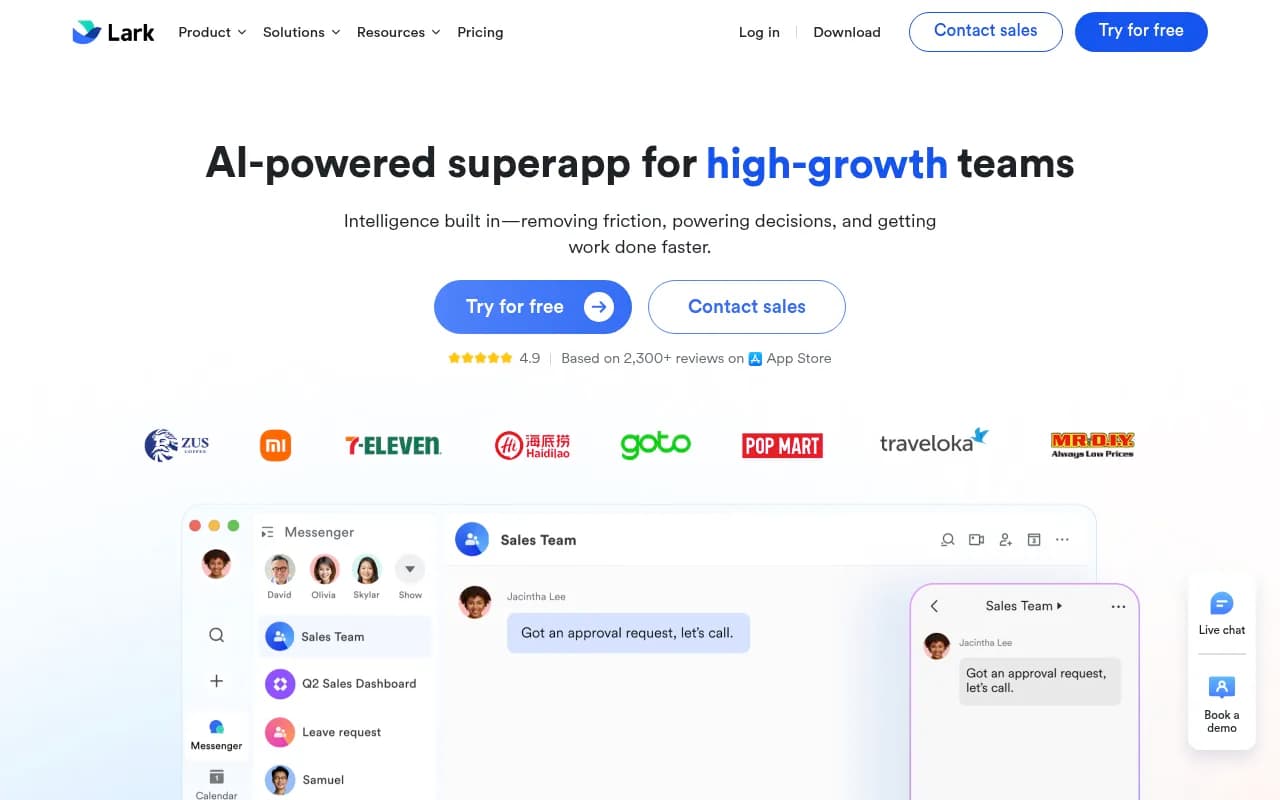
Messenger: Chat that connects everything Lark Messenger is the communication hub. It supports 1-on-1 and group chats, voice/video calls, screen sharing, and file sharing. You can create supergroups with up to 50,000 members (Enterprise plan), useful for company-wide announcements or large community channels. Threads keep conversations organized. The standout feature is contextual integration: you can @mention docs, tasks, calendar events, or Base records directly in chat, and they render as rich previews. This eliminates the "where did we discuss that?" problem. Real-time translation works across 100+ languages, so global teams can communicate without language barriers. The mobile app is fast and feature-complete, which matters for frontline teams who live on their phones.
Docs, Sheets, Slides: Collaborative content creation Lark Docs is a Google Docs competitor with real-time co-editing, comments, version history, and rich formatting. You can embed tables, images, videos, code blocks, and interactive elements like polls or task lists. Docs integrate with Messenger—tag someone in a doc comment and they get a chat ping. The AI writing assistant can draft content, summarize long documents, translate text, or rewrite for tone. Lark Sheets handles spreadsheets with formulas, pivot tables, and conditional formatting. Lark Slides is the presentation tool, with templates and collaborative editing. All three are solid but not groundbreaking—they match Google Workspace and Microsoft 365 in core functionality, with tighter integration into the Lark ecosystem.
Meetings and AI Minutes: Smarter video calls Lark Meetings supports HD video calls for up to 500 participants (Pro and Enterprise plans), with screen sharing, breakout rooms, recording, and live captions. The killer feature is Lark Minutes (AI Meeting Notes), which automatically transcribes meetings in real-time, generates summaries, extracts action items, and creates a shareable document. You can search transcripts, jump to specific moments in the recording, and assign tasks directly from the notes. This is comparable to Otter.ai or Fireflies.ai but built into the platform. Meetings integrate with Calendar, so scheduling and joining are seamless. The mobile experience is strong—you can join calls, view transcripts, and follow up on action items from your phone.
Base: No-code databases and workflows Lark Base is the most powerful feature and the biggest differentiator. It's a no-code platform for building custom databases, dashboards, and automated workflows—think Airtable meets Zapier. You create tables with custom fields (text, numbers, dates, attachments, links to other tables), then build views (grid, kanban, gallery, calendar, gantt) to visualize data. The workflow automation engine lets you set triggers (e.g. "when a new row is added") and actions (e.g. "send a notification, update a field, call an API"). You can connect Base to external tools via webhooks or Lark's Open Platform API. Use cases include CRM pipelines, project trackers, inventory management, employee onboarding, and custom approval flows. The free tier includes 1,000 workflow executions per month; Pro gets 50,000, Enterprise gets 500,000. This is where Lark replaces multiple tools—you can build a lightweight CRM, project tracker, and helpdesk in Base instead of paying for Salesforce, Asana, and Zendesk.
Approval: Structured decision-making Lark Approval is a workflow tool for handling requests like leave, expenses, procurement, or custom approvals. You create templates with form fields, set approval chains (sequential or parallel), and route requests to the right people. Approvers get notifications in Messenger and can approve/reject with comments. The system tracks status and logs history. This is common in Asian markets (DingTalk and WeCom have similar features) but less common in Western tools. It's useful for companies that need formal approval processes without buying a dedicated BPM system.
Wiki: Centralized knowledge base Lark Wiki is a structured documentation tool for building internal knowledge bases. You organize content into spaces, pages, and subpages, with rich formatting, embedded media, and cross-linking. It's similar to Confluence or Notion. The difference is tight integration—you can link wiki pages in chat, embed Base tables in wiki pages, and set permissions at the space or page level. The free tier includes 10 wiki spaces; Pro and Enterprise get unlimited. This is where you store SOPs, onboarding guides, product specs, and meeting notes.
Calendar, Email, OKR, Forms Lark Calendar syncs with Google Calendar and Outlook, supports meeting scheduling, and integrates with Messenger and Meetings. Lark Email is a full email client that works with Gmail, Outlook, and custom domains—you can manage team inboxes, set up shared mailboxes, and use AI to draft replies. Lark OKR is a goal-tracking tool for setting objectives and key results, with progress tracking and alignment views. Lark Forms lets you create surveys, feedback forms, or data collection forms, with responses feeding into Base tables. These are solid but not best-in-class—they're good enough to avoid needing separate tools.
AI everywhere Lark's AI capabilities are woven into the product. In Messenger, you get real-time translation and smart replies. In Docs, the AI assistant drafts, summarizes, and rewrites content. In Meetings, Lark Minutes transcribes and summarizes. In Base, AI can extract data from documents, generate content, and trigger workflows based on conditions. The AI is powered by ByteDance's internal models (same tech behind TikTok's recommendation engine) and integrates with external LLMs where needed. This is a major advantage over competitors who are still bolting on AI features.
Who is Lark for? Lark is built for teams that need to move fast, work globally, and operate with limited IT resources. Primary personas: (1) Tech startups and scale-ups (10-500 employees) expanding internationally, who need a single platform that works across time zones and languages. (2) Retail, F&B, and hospitality chains with large frontline workforces (store managers, servers, warehouse staff) who need mobile-first tools for SOPs, shift scheduling, and real-time communication. (3) Manufacturing and logistics companies coordinating complex operations across facilities, suppliers, and distributors. (4) Digital agencies and professional services firms managing client projects, approvals, and deliverables. (5) SMBs and mid-market companies (50-2,000 employees) looking to consolidate tools and cut software spend.
Lark fits best for companies with 20-5,000 employees. Below 20, the free tier is generous but you might not need the full feature set. Above 5,000, you're likely locked into Microsoft or Google ecosystems and migration is harder. The sweet spot is companies that are growing fast, have distributed or global teams, and are tired of managing 10+ SaaS subscriptions.
Who should NOT use Lark: (1) Companies deeply embedded in Microsoft 365 or Google Workspace with heavy reliance on Excel macros, SharePoint, or Google Apps Script. (2) Enterprises with strict data residency requirements in regions where Lark doesn't have local hosting (though they're expanding). (3) Teams that need best-in-class specialized tools—Lark's project management is good but not as powerful as Asana or Monday.com; its CRM capabilities are basic compared to Salesforce or HubSpot. (4) Organizations that require extensive third-party integrations—Lark's app ecosystem is smaller than Slack or Microsoft Teams.
Integrations and ecosystem Lark integrates with Google Workspace (Calendar, Drive), Microsoft 365 (Outlook, OneDrive), Zoom, Salesforce, Jira, GitHub, Trello, and 100+ other tools via Zapier or native connectors. The Lark Open Platform provides APIs and SDKs for building custom apps, bots, and integrations. You can create mini-programs that run inside Lark (similar to WeChat mini-programs). The developer experience is solid—good documentation, active community, and responsive support. Lark also offers browser extensions for Chrome and Edge, plus mobile apps for iOS and Android. The mobile apps are feature-complete and fast, which is rare for productivity suites.
Pricing and value Lark offers four plans. Starter (Free): Up to 20 users, 100GB storage, 18 months message history, 1,000 Base workflow executions/month, 10 wiki spaces, unlimited AI translation, and enterprise search. This is one of the most generous free tiers in the market—most competitors cap at 10 users or 1 month of history. Pro ($12/user/month, billed annually): Up to 500 users, 15TB storage, unlimited message history, 50,000 Base workflow executions/month, video calls up to 500 attendees and 24 hours duration, unlimited meeting transcription, unlimited wiki spaces, 10 trusted parties for external collaboration, and advanced security controls. Enterprise (custom pricing): Unlimited users, 15TB + 30GB per user storage, 500,000 Base workflow executions/month, supergroups up to 50,000 members, SSO, restricted mode group chat, and advanced compliance controls. Starter for Startups: Free for eligible startups (under 2 years old, less than $1M revenue)—includes Pro features for up to 50 users for 1 year.
Compared to competitors: Slack Standard is $8.75/user/month but doesn't include docs, meetings, or project management. Microsoft 365 Business Standard is $12.50/user/month but lacks no-code workflows and real-time translation. Google Workspace Business Standard is $12/user/month but has weaker mobile experience and no built-in project management. Notion Plus is $10/user/month but is docs-only. Airtable Plus is $20/user/month but is database-only. Lark's Pro plan at $12/user/month replaces 5-10 tools, making it a strong value proposition for cost-conscious teams.
Strengths
- All-in-one integration: Natively integrated features eliminate context-switching and reduce tool sprawl. You can go from chat to doc to meeting to workflow without leaving the platform.
- AI-powered workflows: Built-in AI for transcription, translation, content generation, and automation—not an add-on but core functionality.
- Mobile-first design: Best-in-class mobile apps make it ideal for frontline teams who work on phones, not desktops.
- Global collaboration: Real-time translation across 100+ languages and multi-region support make it a strong choice for international teams.
- No-code power: Lark Base is a legitimate Airtable competitor with workflow automation, custom views, and API integrations.
- Generous free tier: 20 users, 100GB storage, and 18 months of history beat most competitors' free plans.
- Cost savings: Replacing 5-10 tools with one subscription can cut software spend by 50-70%.
Limitations
- Smaller ecosystem: Fewer third-party integrations and apps compared to Slack, Microsoft Teams, or Google Workspace. If you rely on niche tools, you may need workarounds.
- Learning curve: The breadth of features can be overwhelming for new users. Onboarding takes time, especially for teams used to simpler tools.
- Weaker brand recognition: In Western markets, Lark is less known than Slack or Microsoft, which can be a hurdle for enterprise sales.
- Limited data residency options: While Lark hosts on AWS and complies with GDPR, SOC 2, and ISO 27001, some enterprises need data stored in specific regions (e.g. EU-only, Australia-only). Lark is expanding but not yet everywhere.
- Specialized tools are better: Lark's project management is good but not as robust as Asana or Monday.com. Its CRM is basic compared to Salesforce or HubSpot. Its video quality is solid but not as polished as Zoom. If you need best-in-class in one category, you'll still need a dedicated tool.
- ByteDance association: Some organizations are wary of ByteDance due to data privacy concerns (same company as TikTok). Lark operates independently with separate infrastructure, but perception matters.
Bottom line Lark is the best all-in-one productivity platform for fast-growing, globally distributed teams that want to consolidate tools, cut costs, and move faster. It's particularly strong for companies with large frontline workforces (retail, F&B, manufacturing) who need mobile-first communication and no-code workflows. The AI features, real-time translation, and Base automation are standout capabilities that competitors don't match. The free tier is generous enough for small teams to try it risk-free, and the Pro plan at $12/user/month is a compelling value if it replaces 5+ tools. If you're tired of juggling Slack, Zoom, Google Docs, Airtable, Trello, and Zapier, Lark is worth a serious look. Best use case in one sentence: A 200-person tech company expanding from Singapore to Indonesia, Thailand, and Vietnam, needing one platform for HQ and frontline teams to communicate, collaborate, and automate workflows across languages and time zones.
Tags:
Similar and alternative tools to Lark
