Grammarly Review 2026
Check grammar, spelling, punctuation, and style in real-time. Helps content writers improve clarity, engagement, and professionalism across all writing.
Key Takeaways
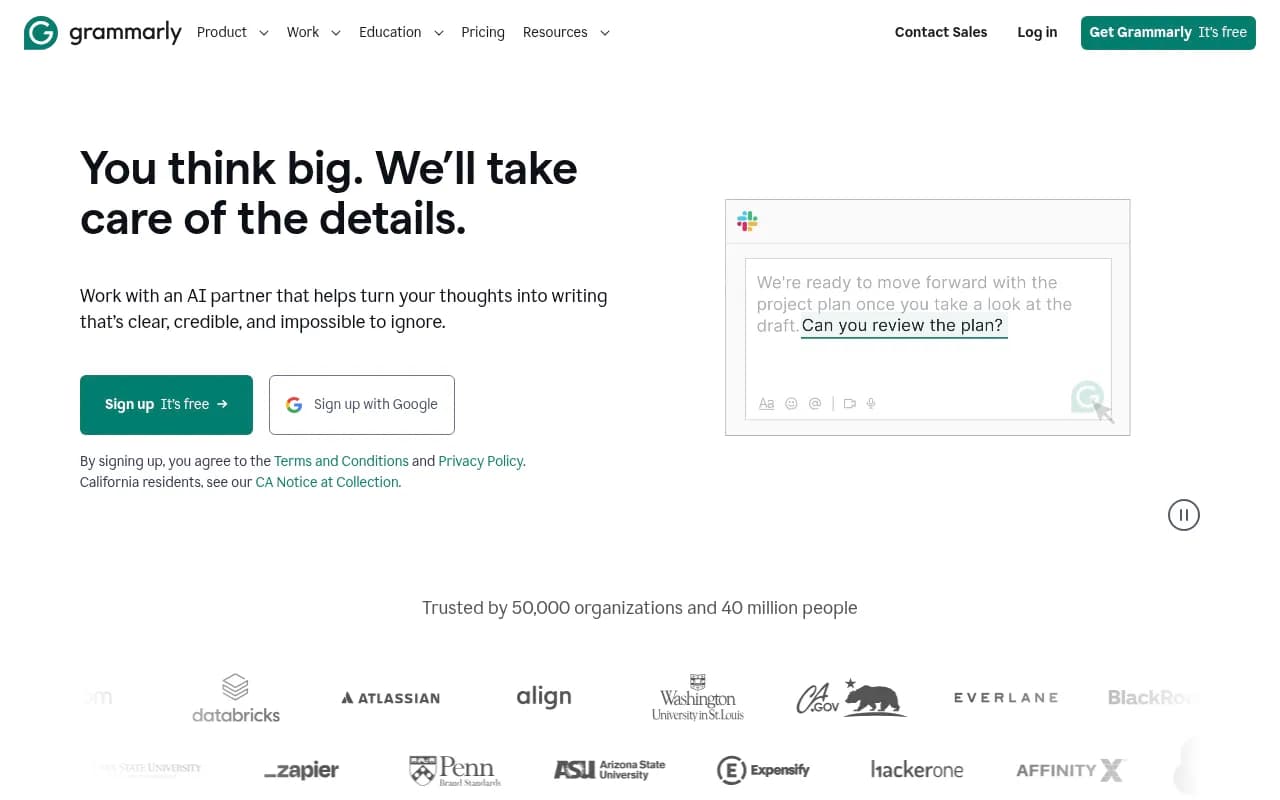
- Grammarly is the most widely adopted AI writing assistant (40M+ users, 50K+ organizations including Zoom, Databricks, and Salesforce), offering real-time grammar, spelling, clarity, and tone suggestions across 500,000+ apps and websites
- Works everywhere you write -- browser extension, desktop app, mobile keyboard, and native integrations with Google Docs, Slack, Gmail, Microsoft Office, Notion, and hundreds more
- Free tier is genuinely useful (basic grammar/spelling checks, 100 AI prompts/month), but Pro ($12/mo annual) unlocks the real value: full-sentence rewrites, tone adjustment, brand voice consistency, and 2,000 AI prompts/month
- Enterprise plan adds unlimited AI prompts, custom style guides, data loss prevention, and granular permissions -- organizations report saving $5,000 per employee annually and cutting editing time by 50%
- Limitations: AI suggestions can feel generic at times, no content gap analysis or SEO optimization features, and the free tier's 100 AI prompts run out quickly if you rely on generative features
Grammarly is the AI writing assistant that's been around longer than most people realize. Founded in 2009 (before "AI writing tool" was even a category), it started as a straightforward grammar checker for students and has evolved into a full-featured writing platform used by everyone from freelance writers to Fortune 500 companies. The core promise hasn't changed: catch mistakes before you hit send, and make your writing clearer without spending hours editing. What has changed is how deeply it integrates into your workflow and how much it can actually do.
The company is based in San Francisco and Kyiv, with over 700 employees. In early 2026, Grammarly was acquired by Superhuman (the email client known for its speed-focused interface), signaling a shift toward building "apps and agents" that extend beyond writing assistance. For now, Grammarly operates as its own product, but the acquisition suggests future integrations with Superhuman's productivity tools.
Where Grammarly Actually Works
The biggest selling point is ubiquity. Grammarly works in more places than any competitor -- over 500,000 apps and websites according to their marketing, which in practice means: anywhere you type in a browser (Chrome, Safari, Firefox, Edge extensions), native desktop apps for Windows and Mac, mobile keyboards for iOS and Android, and direct integrations with Google Docs, Gmail, Slack, Microsoft Word, Outlook, Notion, LinkedIn, Twitter, and dozens more.
This matters because you don't have to copy-paste into a separate editor. You write an email in Gmail, Grammarly underlines issues in real-time. You draft a Slack message, it suggests a clearer phrasing. You compose a LinkedIn post, it warns you the tone is too casual for a professional audience. The suggestions appear inline as you type, with a small Grammarly icon in the bottom-right corner of most text fields. Click it, and you get a sidebar with detailed feedback.
The browser extension is the most common entry point -- install it once, and it follows you across every website. The desktop app is useful if you want a dedicated writing environment (it's basically a distraction-free editor with Grammarly built in). The mobile keyboard is hit-or-miss -- it works, but typing on a phone with constant suggestions popping up can feel intrusive.
What Grammarly Actually Checks
Grammarly's core engine checks for:
-
Grammar and spelling errors: Subject-verb agreement, incorrect verb tenses, commonly confused words (your/you're, its/it's), typos. This is table stakes and it does it well. The free tier catches most of these.
-
Punctuation: Missing commas, incorrect apostrophes, overuse of exclamation points. It's more opinionated than Word's spellcheck -- it will flag a grammatically correct sentence if the punctuation makes it harder to read.
-
Clarity and conciseness: Wordy sentences, passive voice, vague language. This is where Grammarly starts to feel like an editor, not just a spellchecker. It will suggest cutting "in order to" down to "to", or rewriting "The report was completed by the team" as "The team completed the report."
-
Tone detection: Grammarly analyzes your writing and tells you how it sounds -- formal, casual, confident, worried, etc. The free tier shows you the detected tone. Pro lets you adjust it. If you're writing a cold email and Grammarly says it sounds "uncertain," you can click "Make it more confident" and it rewrites the sentence.
-
Engagement and delivery: Flags for readability issues, monotonous sentence structure, or overuse of adverbs. This is less about correctness and more about making your writing easier to read.
-
Plagiarism detection (Pro and Enterprise only): Checks your text against billions of web pages to flag unoriginal content. Useful for students, content writers, and anyone who needs to verify originality.
Generative AI Features
In 2023-2024, Grammarly added generative AI capabilities powered by a mix of proprietary models and third-party LLMs. These include:
-
Full-sentence rewrites: Highlight a sentence, click "Rewrite," and Grammarly generates 3-5 alternative phrasings. You can specify the goal (make it shorter, more formal, friendlier, etc.). This is the feature that makes Pro worth it for most people.
-
Text generation from prompts: Type a prompt like "Write a follow-up email to a client who hasn't responded in two weeks" and Grammarly drafts it for you. The free tier gives you 100 AI prompts per month. Pro gives you 2,000. Enterprise gives you unlimited.
-
Summarization: Paste a long document or email thread, and Grammarly condenses it into key points. Useful for meeting notes or research.
-
Brainstorming and ideation: Ask Grammarly to generate ideas for blog topics, email subject lines, or social media posts. The output is hit-or-miss -- sometimes it's genuinely helpful, sometimes it's generic.
The AI features are not as advanced as dedicated tools like ChatGPT or Claude for long-form content creation, but they're fast and contextual. You don't have to leave your email or doc to get a rewrite suggestion.
Brand Voice and Style Guides (Pro and Enterprise)
One of Grammarly's standout features for teams is the ability to create custom style guides. You define your brand's tone (e.g. "friendly but professional"), preferred terminology (e.g. always say "customer" not "client"), and words to avoid. Grammarly then flags deviations in real-time.
For example, if your company's style guide says to avoid passive voice and always capitalize "Product Name," Grammarly will underline violations as team members write. This is huge for marketing teams, agencies, and any organization that needs consistent messaging across dozens of writers.
The style guide feature is only available on Pro and Enterprise plans. On Enterprise, you can create multiple style guides for different teams or brands, and assign them based on user roles.
Who Actually Uses Grammarly
Grammarly's user base is unusually broad:
-
Students and academics: The original audience. Grammarly catches grammar mistakes in essays and research papers, and the plagiarism checker is a must-have for anyone submitting academic work.
-
Content writers and bloggers: Freelancers and in-house writers use Grammarly to polish drafts before publishing. The clarity and engagement suggestions help make content more readable.
-
Marketing and communications teams: Agencies and corporate marketing teams use Grammarly Business or Enterprise to maintain brand voice consistency across emails, social posts, ad copy, and website content. The style guide feature is the main draw here.
-
Sales and customer support teams: Sales reps use Grammarly to write clearer, more professional emails to prospects. Support teams use it to ensure help desk responses are polite and easy to understand.
-
Non-native English speakers: Grammarly is popular among people who speak English as a second language. It catches mistakes that native speakers might miss and suggests more natural phrasings.
-
Enterprise organizations: Companies like Zoom, Databricks, Salesforce, and BlackRock deploy Grammarly across their entire workforce. The ROI pitch is simple: better writing = less time spent editing = fewer miscommunications = measurable productivity gains. Grammarly claims organizations save an average of $5,000 per employee per year.
Who should NOT use Grammarly: Writers who want full creative control and find real-time suggestions distracting. Grammarly's inline corrections can interrupt flow, especially if you're drafting quickly and plan to edit later. You can disable it temporarily, but if you're someone who prefers to write first and edit later, Grammarly's constant feedback might feel like backseat driving.
Integrations and Ecosystem
Grammarly integrates directly with:
- Google Workspace (Docs, Gmail, Slides)
- Microsoft Office (Word, Outlook, PowerPoint)
- Slack
- Notion
- Twitter/X
- Zendesk
- Salesforce
- HubSpot
- Intercom
- Asana
- Trello
- And hundreds more via browser extension
There's also a Grammarly API for Enterprise customers who want to embed Grammarly's suggestions into their own apps or internal tools. The API is not publicly documented -- you have to contact sales.
Grammarly does not have a Zapier integration, which is surprising given how popular Zapier is for workflow automation. You also can't export your writing history or analytics in bulk, which is a limitation for teams that want to track writing quality over time.
Pricing Breakdown
-
Free: $0. Includes basic grammar and spelling checks, tone detection (view only), and 100 AI prompts per month. This is enough for casual users who just want to catch typos.
-
Pro: $12/month billed annually ($144/year), or $30/month billed monthly. Includes everything in Free plus full-sentence rewrites, tone adjustment, plagiarism detection, style suggestions, and 2,000 AI prompts per month. This is the tier most individuals and small teams should get.
-
Business: Starts around $15/member/month (pricing not listed publicly -- you have to contact sales). Includes everything in Pro plus team management, centralized billing, and basic style guides. For teams of 3-149 members.
-
Enterprise: Custom pricing. Includes everything in Business plus unlimited AI prompts, advanced style guides, data loss prevention, SSO, dedicated support, and granular permissions. For teams of 150+ members or organizations with strict security requirements.
Grammarly offers a 7-day free trial of Pro (no credit card required for the first 2 days, then it asks for payment info). There's also a 30-day money-back guarantee if you're not satisfied.
Compared to competitors: Grammarly Pro at $12/month (annual) is cheaper than ProWritingAid ($10/month annual but $20/month monthly) and significantly cheaper than enterprise-focused tools like Acrolinx (custom pricing, typically $30-50/user/month). The free tier is more generous than most competitors -- tools like ProWritingAid and WhiteSmoke have very limited free versions.
What Grammarly Does Exceptionally Well
-
Ubiquity: It works everywhere. Once you install the browser extension, you never have to think about it again. This is Grammarly's moat -- no competitor has integrations this deep or this wide.
-
Real-time feedback: Suggestions appear as you type, not after you finish. This makes editing feel effortless.
-
Tone detection and adjustment: Grammarly's tone analysis is surprisingly accurate. It can tell the difference between "confident" and "arrogant," or "friendly" and "overly casual." The ability to adjust tone with one click is a huge time-saver.
-
Style guides for teams: The ability to enforce brand voice and terminology across an entire organization is a killer feature for marketing and communications teams. Most competitors don't offer this at all.
-
Ease of use: Grammarly's interface is clean and intuitive. You don't need training to use it. Install, start typing, click suggestions. That's it.
Honest Limitations
-
AI suggestions can feel generic: The generative AI features (text generation, rewrites) are useful but not groundbreaking. The output often lacks personality and can sound like it was written by a committee. For creative writing or highly specific use cases, you'll get better results from ChatGPT or Claude.
-
No SEO or content optimization: Grammarly checks grammar and clarity, but it doesn't help with keyword optimization, readability scores for search engines, or content structure. Tools like Surfer SEO, Clearscope, or Frase are better for content marketers who need to rank in Google.
-
Free tier's AI prompts run out fast: 100 AI prompts per month sounds like a lot, but if you use the generative features regularly (rewrites, summaries, brainstorming), you'll hit the limit in a week or two. The jump to Pro is necessary if you want to use AI features seriously.
-
Can be overly prescriptive: Grammarly sometimes flags stylistic choices as "errors" when they're intentional. For example, it will suggest removing sentence fragments even if you're using them for emphasis. You can ignore suggestions, but the constant underlining can be annoying.
-
No offline mode: Grammarly requires an internet connection to work. If you're writing on a plane or in a location with no Wi-Fi, you're out of luck.
-
Privacy concerns for sensitive content: Grammarly's terms state that they don't sell user data or use it for advertising, but your text is sent to their servers for analysis. Enterprise customers can enable "Confidential Mode" to prevent data from being stored, but this feature isn't available on Free or Pro plans. If you're writing highly sensitive content (legal documents, medical records, proprietary research), you should be cautious.
Bottom Line
Grammarly is the best all-around AI writing assistant for people who write across multiple apps and need real-time feedback without switching tools. It's not the most advanced AI writer (ChatGPT and Claude are better for long-form content), and it's not the best SEO tool (Surfer and Clearscope win there), but it's the most convenient and the most widely integrated. If you write emails, Slack messages, docs, and social posts every day, Grammarly will save you time and make your writing clearer.
The free tier is worth trying -- it's genuinely useful for catching typos and basic grammar mistakes. If you find yourself wanting more (tone adjustment, rewrites, plagiarism detection), Pro at $12/month annual is a no-brainer. For teams, the style guide feature alone justifies the Business or Enterprise plan.
Best use case in one sentence: Anyone who writes professionally across multiple apps and wants to catch mistakes, improve clarity, and maintain consistent tone without thinking about it.
Tags:
Similar and alternative tools to Grammarly