SocialPilot Review 2026
Schedule posts, curate content, and analyze performance across platforms with bulk scheduling and client management features.
Key Takeaways
- Best for agencies and brands managing 10-100+ social accounts who need bulk scheduling, client collaboration, and white-label reporting without enterprise pricing
- Standout value proposition: Costs 50-70% less than Hootsuite or Sprout Social while covering the same core features—scheduling, analytics, team workflows, and review management
- Bulk scheduling up to 500 posts at once makes it a workhorse for agencies managing high-volume content calendars across dozens of clients
- Limitations: AI content generation (AI Pilot) is basic compared to dedicated AI writing tools; advanced social listening and sentiment analysis are missing; some users report occasional platform API sync delays
- White-label option available for agencies who want to rebrand the platform and resell it as their own SaaS product
SocialPilot is a social media management platform that's been around since 2014, built specifically for agencies and brands that need to manage multiple accounts without the sticker shock of enterprise tools. The company serves over 15,000 customers worldwide—including marketing agencies managing 50-100+ client accounts, in-house teams at mid-sized companies, and freelancers juggling a handful of brands. The pitch is simple: you get the scheduling, analytics, collaboration, and reporting features of Hootsuite or Sprout Social, but at a price point that doesn't require a CFO approval.
What makes SocialPilot different is its focus on high-volume workflows. Agencies managing 20, 50, or 100+ client accounts need tools that scale without ballooning costs. SocialPilot's pricing is based on the number of accounts you connect, not per-user seats—so you can add unlimited team members and clients without paying extra. The bulk scheduling feature lets you upload a CSV with 500 posts and schedule them all at once, which is a lifesaver for agencies running content calendars across dozens of brands. Competitors like Buffer and Later cap bulk uploads at 50-100 posts, and Hootsuite charges significantly more for similar volume.
Publishing and Scheduling
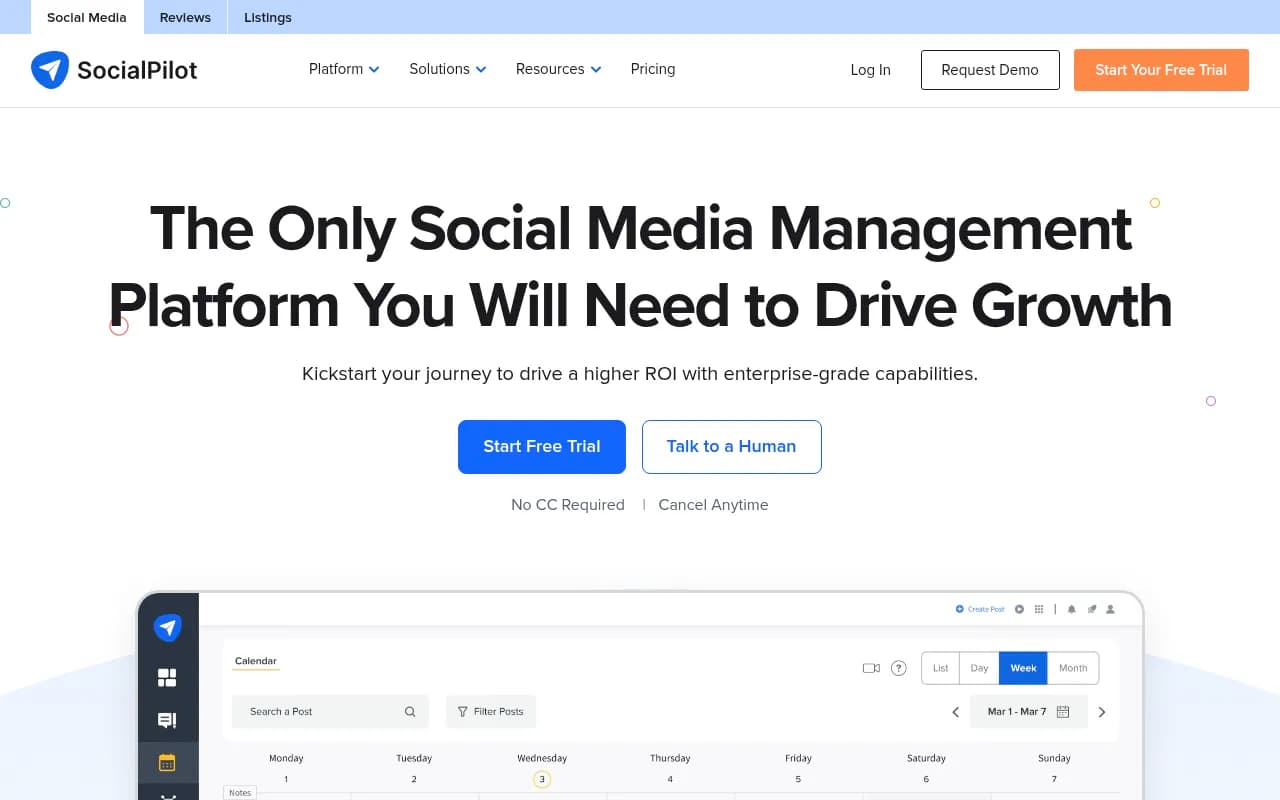
The core of SocialPilot is its content calendar and scheduling engine. You can schedule posts to Facebook, Instagram, TikTok, Twitter/X, LinkedIn, Pinterest, YouTube, Google Business Profile, Threads, and Bluesky. The calendar view shows all scheduled posts across all accounts in one place, color-coded by client or platform. You can drag and drop posts to reschedule them, duplicate posts across accounts, and set up recurring post schedules (daily, weekly, monthly). The platform suggests optimal posting times based on when your audience is most active, though you can override these with custom time slots.
Bulk Scheduling is where SocialPilot shines for agencies. Upload a CSV file with up to 500 posts—each row includes the post text, image URLs, target accounts, and scheduled time—and the platform queues everything automatically. This is a massive time-saver for agencies running monthly content calendars for 20+ clients. You can also connect to Canva, Dropbox, Google Drive, or Box to pull images directly into posts without downloading and re-uploading.
AI Pilot is SocialPilot's AI content generator. You give it a topic or URL, and it generates post captions, hashtags, and image suggestions. It's functional but basic—think of it as a quick caption generator, not a full AI writing assistant. It doesn't analyze competitor content, suggest trending topics, or optimize for engagement the way dedicated AI tools do. For agencies that already have a content creation process, AI Pilot is a nice-to-have, not a game-changer.
Content Library lets you save pre-approved posts, images, and templates that team members can pull from when scheduling. This is useful for agencies managing brand guidelines across multiple clients—you can lock down approved messaging and visuals so junior team members don't go off-script.
Collaboration and Approvals
SocialPilot's collaboration features are built for agency workflows. You can create separate workspaces for each client, invite team members with role-based permissions (admin, manager, contributor, viewer), and set up approval workflows so posts get reviewed before they go live. Clients can log in to review and approve posts without needing full access to the platform—they see only their own content, not other clients' accounts.
Approvals On-The-Go lets you review and approve posts from the mobile app, which is critical for agency owners who aren't glued to their desks. You get push notifications when a post is ready for review, and you can approve, reject, or request edits with a single tap. The approval history is logged so you can see who approved what and when.
Team collaboration is smooth but not as robust as Sprout Social or Agorapulse. There's no internal commenting or task assignment within posts—if you need to discuss edits, you're doing it in Slack or email. For most agencies, this isn't a dealbreaker, but larger teams with complex workflows might miss the built-in collaboration features of pricier tools.
Analytics and Reporting
SocialPilot tracks standard social media metrics: post reach, engagement (likes, comments, shares), follower growth, and click-through rates. You can view analytics at the account level, post level, or across all accounts in aggregate. The platform pulls data directly from each social network's API, so you're seeing the same numbers you'd get from Facebook Insights or Twitter Analytics—just consolidated in one dashboard.
Advanced Reports let you customize which metrics to include, filter by date range or client, and export as PDF or CSV. You can also schedule automated reports to be emailed to clients weekly or monthly. The reports are clean and professional, with charts and graphs that clients can actually understand. White-label branding is available on higher-tier plans, so you can replace the SocialPilot logo with your agency's branding.
One limitation: SocialPilot doesn't offer deep competitive analysis or social listening. You can't track competitor accounts, monitor brand mentions across the web, or analyze sentiment. If you need those features, you're looking at Sprout Social, Brandwatch, or a dedicated listening tool like Mention.
Social Media Inbox
The Social Media Inbox consolidates comments and messages from Facebook, Instagram, Twitter, LinkedIn, and Google Business Profile into a single feed. You can reply to comments, assign conversations to team members, and mark threads as resolved. It's a basic unified inbox—functional for agencies managing a few dozen accounts, but not as powerful as Agorapulse or Sprout Social's inbox features (which include sentiment tagging, saved replies, and advanced filtering).
One nice touch: the Inbox Organizer automatically sorts incoming messages by priority (urgent, normal, low) based on keywords and engagement history. This helps you triage client crises without manually scanning every comment.
Review Management
SocialPilot recently added review management for Facebook and Google Business Profile. You can monitor all client reviews in one dashboard, respond directly from the platform, and set up automated review requests via email or SMS. The Review Generation feature integrates with Zapier, so you can trigger review requests after a customer completes a purchase, books an appointment, or submits a form.
Review Marketing lets you share positive reviews on social media or embed them on your website. You can filter reviews by star rating, pull quotes, and generate social posts automatically. This is a solid feature for local businesses and agencies managing Google Business Profiles for restaurants, salons, or service providers.
One gap: SocialPilot doesn't support Yelp, Trustpilot, or other third-party review platforms. If your clients need multi-platform review management, you're looking at Birdeye, Podium, or ReviewTrackers.
Integrations and Ecosystem
SocialPilot integrates with Canva, Feedly, Google Drive, Dropbox, Box, Unsplash, Bitly, WordPress, Shopify, Slack, and Zapier. The Canva integration is particularly useful—you can design graphics in Canva and push them directly to SocialPilot without downloading and re-uploading. The WordPress and Shopify integrations let you auto-share new blog posts or products to social media as soon as they're published.
There's no API for custom integrations, which limits flexibility for agencies with custom workflows. Competitors like Buffer and Hootsuite offer APIs that let you build custom dashboards or automate workflows outside the platform.
SocialPilot offers browser extensions for Chrome and Firefox, plus mobile apps for iOS and Android. The mobile apps are solid—you can schedule posts, approve content, reply to comments, and view analytics from your phone. The interface is clean and responsive, though some users report occasional lag when loading large content calendars.
Who Is It For
SocialPilot is built for three main audiences:
-
Marketing agencies managing 10-100+ client accounts. If you're running social media for 20 clients and each client has 3-5 social accounts, you're managing 60-100 accounts total. SocialPilot's pricing scales with the number of accounts, not users, so you can add unlimited team members without paying extra. The bulk scheduling, client workspaces, and white-label reporting are all designed for agency workflows. Agencies like Elevation Brands, Limelight Marketing Systems, and Milli Media Group have publicly shared case studies about switching from Hootsuite or Sprout Social to SocialPilot and cutting costs by 50-70%.
-
In-house marketing teams at mid-sized companies (50-500 employees). If you're managing 5-10 social accounts for a single brand and need team collaboration, approval workflows, and analytics, SocialPilot covers the basics without the enterprise price tag. It's a good fit for companies that don't need advanced social listening or competitive analysis but want a reliable scheduling and reporting tool.
-
Freelancers and consultants managing 5-20 client accounts. If you're a solo marketer or small team managing a handful of clients, SocialPilot's entry-level plans are affordable and cover the essentials. The bulk scheduling and content library features help you work efficiently without hiring extra help.
Who should NOT use SocialPilot: Enterprise brands with complex workflows, advanced social listening needs, or custom API requirements. If you need sentiment analysis, influencer tracking, or deep competitive intelligence, you're looking at Sprout Social, Brandwatch, or Hootsuite Enterprise. SocialPilot is a workhorse for scheduling and reporting, not a full-featured social intelligence platform.
Pricing and Value
SocialPilot offers four pricing tiers, billed monthly or annually (annual billing saves 15%):
- Professional: $30/month (5 social accounts, 1 user, 30 posts scheduled, basic analytics)
- Small Team: $50/month (10 accounts, 3 users, 100 posts scheduled, client management, bulk scheduling)
- Agency: $100/month (25 accounts, 6 users, 500 posts scheduled, white-label reports, advanced analytics)
- Agency+: $200/month (50 accounts, unlimited users, unlimited posts, white-label, priority support)
There's also a custom Enterprise plan for agencies managing 100+ accounts, which includes dedicated account management, custom onboarding, and SSO.
For comparison: Hootsuite's Professional plan starts at $99/month for 10 accounts and 1 user. Sprout Social starts at $249/month per user for 5 accounts. Buffer's Team plan is $120/month for 25 accounts and 6 users. SocialPilot undercuts all of them by 40-70%, which is why agencies managing high volumes of accounts gravitate toward it.
The free trial is 14 days with no credit card required. You get full access to all features during the trial, so you can test bulk scheduling, client workspaces, and reporting before committing.
Strengths
- Pricing is 50-70% cheaper than Hootsuite, Sprout Social, or Agorapulse for the same number of accounts and users. This is the main reason agencies switch.
- Bulk scheduling up to 500 posts at once is a massive time-saver for agencies managing high-volume content calendars.
- Unlimited users on higher-tier plans means you can add team members and clients without paying per-seat fees.
- White-label reporting and branding let agencies rebrand the platform and present it as their own tool.
- Customer support is consistently praised in reviews—live chat, email, and phone support are responsive and helpful, even on lower-tier plans.
Limitations
- AI content generation (AI Pilot) is basic compared to dedicated AI writing tools like Jasper or Copy.ai. It's a quick caption generator, not a strategic content assistant.
- No advanced social listening or competitive analysis. You can't track competitor accounts, monitor brand mentions across the web, or analyze sentiment. If you need those features, you're looking at Sprout Social or Brandwatch.
- No API for custom integrations. Agencies with custom workflows or proprietary tools can't build on top of SocialPilot the way they can with Buffer or Hootsuite.
- Occasional API sync delays reported by users—sometimes posts don't publish on time due to platform API issues (this is common across all scheduling tools, but worth noting).
- Review management only supports Facebook and Google Business Profile—no Yelp, Trustpilot, or other platforms.
Bottom Line
SocialPilot is the best value in social media management for agencies and brands managing 10-100+ accounts. It covers the essentials—scheduling, analytics, collaboration, and reporting—at a price point that's 50-70% cheaper than Hootsuite or Sprout Social. The bulk scheduling, client workspaces, and white-label reporting are built specifically for agency workflows, and the customer support is consistently strong.
If you need advanced social listening, competitive analysis, or custom API integrations, SocialPilot isn't the right fit—you're looking at Sprout Social or Hootsuite Enterprise. But if you're an agency managing high volumes of client accounts and want a reliable, affordable scheduling and reporting tool, SocialPilot is the obvious choice. Best use case in one sentence: agencies managing 20+ client accounts who need bulk scheduling, team collaboration, and white-label reporting without enterprise pricing.
Tags:
Similar and alternative tools to SocialPilot