Key takeaways
- AI crawlers do three different jobs: training, search indexing and user-triggered fetching. Block them as one bucket and you can delete yourself from AI answers.
- The defensible 2026 default: disallow training bots (GPTBot, ClaudeBot, CCBot, Google-Extended, Applebot-Extended), allow search bots (OAI-SearchBot, Claude-SearchBot, PerplexityBot).
- User-triggered fetchers (ChatGPT-User, Perplexity-User) often ignore robots.txt by design, so robots.txt is not your enforcement tool for them.
- A CDN or WAF rule can override your robots.txt. Check both layers, then check your server logs to see who actually visits.
- Robots.txt is voluntary. It stops future crawling by polite bots, not data already collected, and not bots that ignore it.
Why this got complicated
A few years ago the robots.txt question was simple: let Googlebot in, keep a few scrapers out. Now a dozen AI user-agents request your pages daily. Some train models. Some build the indexes that ChatGPT or Perplexity search when answering. Some fetch one URL because a person just asked about it.
The old advice, "block all the AI bots," is now actively harmful for most brands. The major vendors have split their crawlers in two, so the rule that blocks training no longer blocks search, and vice versa. One caveat before the details: you will see "440+ AI crawlers" cited in directories (Promptwatch maintains an AI bots and web crawlers directory of that size). Nobody needs 440 rules. A dozen decisions cover nearly all the traffic that matters, and the rest is handled with a catch-all rule and edge enforcement.
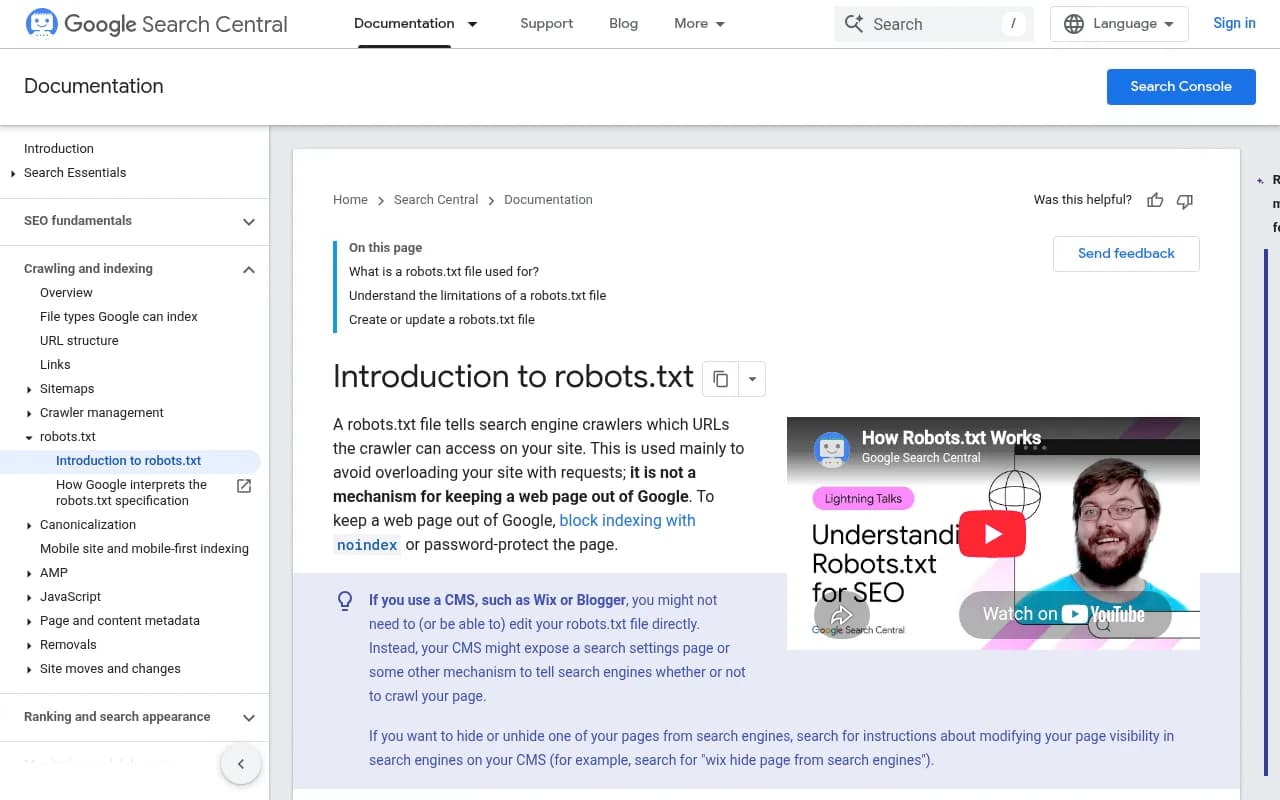
Google's own robots.txt introduction is worth a read for the basics: the file manages crawler traffic, and it is not a way to keep a page out of search results.
The three jobs AI crawlers do
Everything below hangs on this split.
| Type | What it does | What blocking costs you |
|---|---|---|
| Training crawler | Collects pages for model training datasets | Mostly a rights decision. Visibility cost is indirect and uncertain |
| Search crawler | Builds the index an assistant queries when it answers with links | Eligibility to be shown or cited in that assistant's search answers |
| User-triggered fetcher | Loads a page because a user asked about it or pasted the URL | The assistant may be unable to read your page for that user |
Blocking training is a content decision. Blocking search or user-triggered bots is a visibility decision. Keep those two conversations separate and most of the confusion goes away.
The crawlers, one by one
OpenAI
OpenAI documents separate agents, and each setting is independent of the others.
- GPTBot is training. Disallowing it signals your content should not be used to train foundation models. It has no effect on ChatGPT search visibility.
- OAI-SearchBot powers ChatGPT search. Opted-out sites will not be shown in ChatGPT search answers, though they can still appear as navigational links. Allow it.
- ChatGPT-User is user-triggered. OpenAI says robots.txt rules may not apply to actions a user initiates. It is not used to decide whether content appears in search.
- OAI-AdsBot checks ad landing pages. Relevant only if you advertise there.
Anthropic
- ClaudeBot is training. Anthropic says it honors Disallow and Crawl-delay. The older anthropic-ai and Claude-Web agents are deprecated, though keeping them in your file does no harm.
- Claude-SearchBot builds the search index. Blocking it may reduce your visibility and accuracy in Claude's search results.
- Claude-User fetches pages in response to user queries. Blocking it reduces visibility for user-directed web search.
Perplexity
- PerplexityBot builds the search index. Perplexity recommends allowing it so your site appears in results, and says it is not used to crawl content for foundation models.
- Perplexity-User fetches in real time. Perplexity's documentation says that since a user requested the fetch, this fetcher generally ignores robots.txt. So "allow" is the right posture, but a Disallow line will not reliably stop it.
This is where sources disagree on the surface. One says allow it, another says it ignores robots.txt. Both are true. Allow it in the file, and if you truly want it gone, do that at the WAF.
Google, Apple, Amazon, Common Crawl
- Google-Extended is a robots.txt control token for Gemini training, not an HTTP user-agent. Google states it does not affect Search inclusion or ranking. Google's AI features run on Googlebot itself, so you manage them through snippet controls and Search Console, not through a separate AI bot.
- Applebot-Extended controls Apple foundation-model training. It is distinct from standard Applebot, which feeds Siri and Spotlight. Blocking the Extended token does not affect Apple Search.
- Amazonbot may train AI models. Amzn-SearchBot improves Alexa and Rufus search and explicitly does not crawl for generative AI training.
- CCBot is Common Crawl, an open corpus that has fed a large share of LLM training sets. Robots.txt is the main opt-out.
- Meta-WebIndexer and Meta-ExternalAgent are Meta's crawlers. Promptwatch Data found Meta-WebIndexer grew from about 2% to nearly 38% of tracked AI crawler requests between mid-July and August 9, 2026, so it is worth a deliberate decision rather than a default.
- Bytespider (ByteDance) is widely reported as non-compliant. Enforce at the WAF, because a robots.txt line will likely be ignored.
The decision matrix
| Crawler | Operator | Purpose | Suggested default |
|---|---|---|---|
| GPTBot | OpenAI | Training | Block (if you opt out of training) |
| OAI-SearchBot | OpenAI | Search | Allow |
| ChatGPT-User | OpenAI | User-triggered | Allow |
| ClaudeBot | Anthropic | Training | Block (if you opt out) |
| Claude-SearchBot | Anthropic | Search | Allow |
| Claude-User | Anthropic | User-triggered | Allow |
| PerplexityBot | Perplexity | Search | Allow |
| Perplexity-User | Perplexity | User-triggered | Allow (ignores robots.txt anyway) |
| Google-Extended | Gemini training token | Block if opting out | |
| Applebot-Extended | Apple | Training | Block if opting out |
| Amazonbot | Amazon | Training and more | Block if opting out |
| Amzn-SearchBot | Amazon | Search | Allow |
| CCBot | Common Crawl | Open corpus | Block |
| Bytespider | ByteDance | Training | Block at WAF |
The training column is a values call. If you are a publisher with premium content or a licensing strategy, block it. If you are a SaaS company whose goal is to be recommended by AI, the cost of blocking is smaller than people fear but the benefit is also small. Qwairy makes the same point: the link between training inclusion and being cited is fuzzy, and models increasingly answer by retrieving live sources.
Which crawlers actually visit you
Before writing rules, look at reality. Promptwatch's AI crawler traffic report covers IP-verified requests from June 8 to September 6, 2026. OpenAI made up 79.8% of verified AI crawler requests in the week of August 31 to September 6, down from 94.8% in the week of June 8 to 14. The report counts only requests whose source IP matches the operator's published ranges, so spoofed user agents are excluded.
The report's own advice is practical: compare your logs against that mix. A provider that is large in the report but near zero in your logs suggests you are blocked or unreachable for it. A big provider share can also be training traffic, answer-time fetches or both, so look at per-crawler numbers.
To see this on your own site, you need logs. Tools like Promptwatch include IP-verified AI crawler logs that show which pages each bot reads and what errors it hits. Screaming Frog's log file analyser or your CDN's raw logs also work if you want to do it by hand.

Copy-ready robots.txt configurations
Strategy 1: block training, keep AI search
This is the default most sites should start from.
# Traditional search
User-agent: Googlebot
Allow: /

User-agent: Bingbot
Allow: /

# AI search and retrieval: allow
User-agent: OAI-SearchBot
Allow: /

User-agent: ChatGPT-User
Allow: /

User-agent: Claude-SearchBot
Allow: /

User-agent: Claude-User
Allow: /

User-agent: PerplexityBot
Allow: /

User-agent: Perplexity-User
Allow: /

User-agent: Amzn-SearchBot
Allow: /

# AI training: block
User-agent: GPTBot
Disallow: /

User-agent: ClaudeBot
Disallow: /

User-agent: anthropic-ai
Disallow: /

User-agent: Google-Extended
Disallow: /

User-agent: Applebot-Extended
Disallow: /

User-agent: CCBot
Disallow: /

User-agent: Amazonbot
Disallow: /

User-agent: Bytespider
Disallow: /

User-agent: *
Disallow: /admin/
Disallow: /api/

Sitemap: https://yoursite.com/sitemap.xml
Strategy 2: open to everything
If your only goal is maximum AI exposure, such as a developer-tool company that wants to appear in answers and coding agents, you can simply not mention AI bots at all and let the wildcard rule apply. Keep your Disallow lines for private paths.
Strategy 3: limit paths, not bots
An enterprise variant, adapted from a WitsCode template, lets retrieval bots into public content and keeps them out of internal areas:
User-agent: OAI-SearchBot
Allow: /blog/
Allow: /docs/
Allow: /pricing/
Disallow: /admin/
Disallow: /api/
Disallow: /internal/
One warning: Crawl-delay is a non-standard directive. Anthropic says it honors it, but Googlebot does not. Do not rely on it as a universal throttle.
Where robots.txt stops working
The WAF wins
This is the mistake I see most. You set Allow for OAI-SearchBot in robots.txt, but a managed WAF rule blocking "all AI crawlers" sits in front of it. The WAF wins, and you are still excluded from ChatGPT search. Digital Applied notes that Cloudflare's one-click AI bot blocking, available on all plans since July 2024, is a reasonable floor, but you should verify it is not silently blocking the search crawlers you want to keep. I could not independently verify every vendor default, so test it: fetch a page with the bot's user-agent from a verified IP, or check your logs.
Voluntary means voluntary
Robots.txt is a courtesy protocol (standardized as RFC 9309), not a security control. It only affects future requests. If a model was trained on a snapshot of your site last year, or you are already inside Common Crawl, a Disallow today removes nothing. Non-compliant bots and user-triggered fetchers need enforcement at the CDN or WAF, ideally verified against the operator's published IP ranges, since user-agent strings are trivially spoofed.
Llms.txt is not an opt-out
Llms.txt is a navigation aid for inference-time systems. It is not a training opt-out and does not replace robots.txt. Treat them as separate files with separate jobs.
Markdown is not where citations come from
Some people publish markdown mirrors hoping to win AI citations. Promptwatch Data shows markdown files are just 0.05% of AI search citations. Markdown serves AI agents, not AI search, so do not trade crawl budget or sleep for it.
What blocking costs you in practice
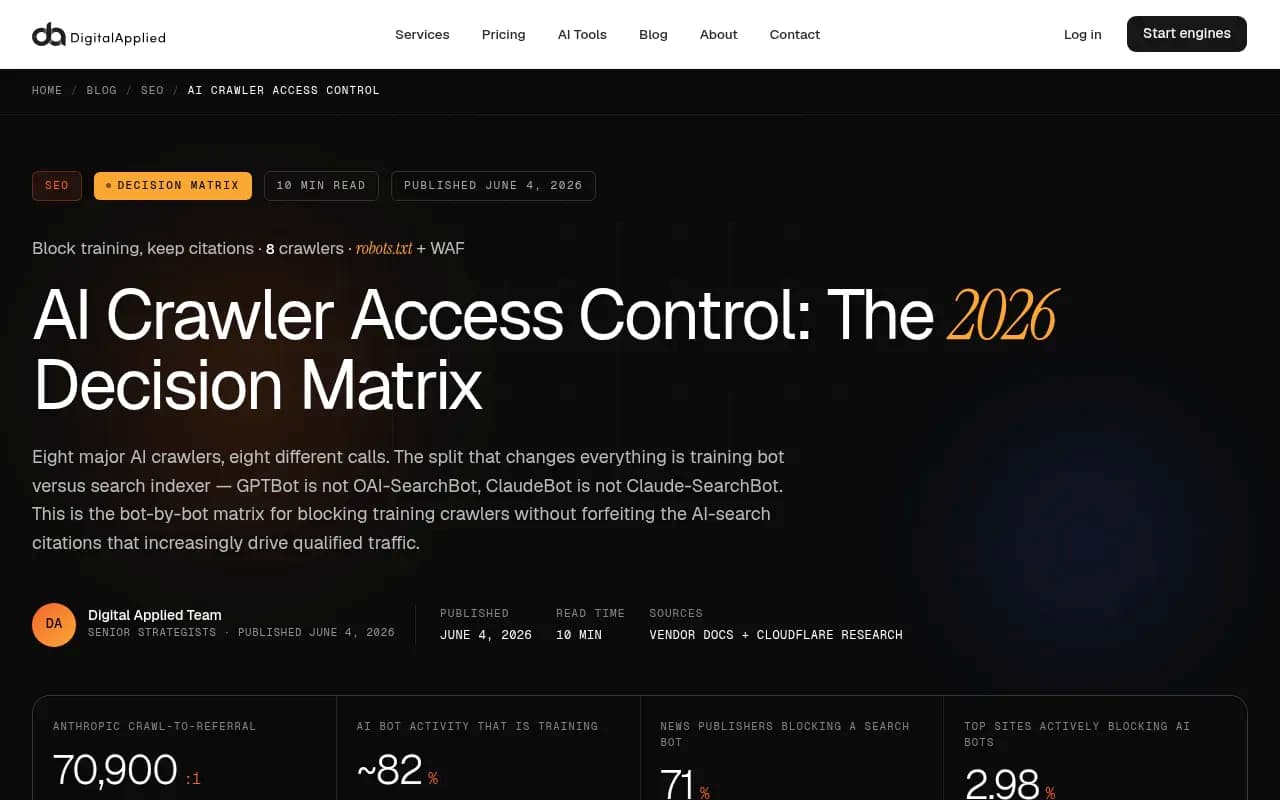
Cloudflare's research, as summarized by Digital Applied, found roughly 71% of news publishers that block a search bot do so by accident, and lose citations as a result. That fits with what Promptwatch's data says about how much AI answers lean on retrieval. Almost half of ChatGPT responses cite 10 or more unique domains, so there are a lot of seats at the table, and an accidental block hands yours to someone else. And since ChatGPT started using the site: operator at scale on August 8, 2026, domain-specific lookups matter more than they did. If your crawler access is broken, that shows up quickly.
What gets cited also varies by content type. Promptwatch Data puts product pages at 22.4% of ChatGPT citations for September 28 to October 4, 2026. Make sure the pages you most want cited, usually product, landing and docs pages, are not behind a Disallow.
A policy register beats a reflex
Qwairy suggests treating this like a policy, not a one-off edit. A simple register has four columns: bot, business intent, action (allow, rate-limit, challenge or block), and a named owner with a rationale. Every rule maps to a documented decision. "Block AI" is not specific enough to be a rule.
Use this to decide your default:
| Situation | Training bots | Search bots | User-triggered |
|---|---|---|---|
| Brand that wants AI visibility, no premium content | Block or allow, low stakes | Allow | Allow |
| Proprietary or premium content | Block | Allow | Allow |
| Publisher pursuing licensing | Block, enforce at the edge | Negotiate deliberately | Rate-limit |
| Developer tool or API company | Allow | Allow | Allow |
A testing checklist
- Fetch yoursite.com/robots.txt and confirm it returns 200 with no stray rules from a plugin or CMS.
- Check CDN and WAF dashboards for managed AI-bot rules.
- Pull 30 days of logs and filter by verified IP ranges for each operator.
- Look for 403s and 429s on search bots. Those are accidental blocks.
- Run a free check like Promptwatch's Agentic Readiness Check or Robots.txt Generator for AI to catch obvious gaps.
- Re-check after any CDN, hosting or plugin change. Defaults move.
If you would rather hand the audit to people, an SEO agency such as 1001 SEO Media covers technical SEO and AI search access as part of its work. For more tooling options, the GEO software directory lists platforms that monitor AI crawler activity.
The short version
Block the training crawlers if you do not want your content in model datasets. Leave the search and user-triggered bots alone. Enforce what robots.txt cannot at the WAF, and verify with logs rather than assumptions. The blanket block is the expensive mistake, and it is also the most common one.