Key takeaways
- GEO Inspector is a free Chrome extension from Promptwatch that overlays a panel on ChatGPT and shows the sub-queries (fan-outs), cited sources, fetched-only sources and reasoning trail behind each answer.
- It runs locally, needs no account and no ChatGPT subscription, and keeps captures in tab memory only. Export before you close the tab.
- A one-item fan-out list is normal now. Promptwatch measured about 1.0 searches per response in spring 2026, rising to about 1.83 after ChatGPT started using
site:queries on August 8, 2026. - The most useful signal is the gap between sources ChatGPT fetched and sources it actually cited. That gap is where content opportunities hide.
- A one-off check shows a single run. For ongoing tracking you need continuous monitoring, not just an extension.
What a query fan-out is, and why you should look at one
When you type a question into ChatGPT, the model rarely searches for your exact words. It rewrites your prompt into one or more web searches, runs them, reads some of the results, and writes an answer from what it found. Those rewritten searches are the query fan-out.
This matters because the content you want cited has to match the searches ChatGPT runs, not the prompt a user typed. If the prompt is "best CRM for small agencies" and ChatGPT searches for "CRM pricing small agency 2026", a page built around the first phrase may never get retrieved.
The problem is that ChatGPT doesn't show you these searches in the normal interface. You can dig them out of Chrome DevTools (Network tab, filter for the conversation endpoint, look for search_query or search_model_queries), but that is fiddly and breaks whenever the response format changes. A browser extension does the digging for you.
What GEO Inspector is
Promptwatch built GEO Inspector for AI Answers as a free Chrome extension. It supports ChatGPT only (chatgpt.com and chat.openai.com). Perplexity, Claude and Gemini are not supported yet.

The basics, from the official page:
- Completely free, with no usage limits, paywalls or account requirements.
- Works with free ChatGPT accounts, and when you are signed out.
- Built for Chrome on Manifest V3. Edge, Brave and Arc usually work if they can install from the Chrome Web Store, but Chrome is the officially supported browser.
- Version 1.0.0 shipped on August 4, 2026, and version 1.1.0 on August 10, 2026 (it opens a changelog page on install and update).
Privacy and permissions
This is the part people ask about first. The extension runs 100% locally. It makes no network requests of its own and only reads the responses ChatGPT already sends to your tab. There is no telemetry or analytics. It requests no browser permissions beyond access to the two ChatGPT domains, so it cannot read other tabs or your browsing history.
Captures live in memory only. Close the tab and they are gone.
How to install and run it
Promptwatch's page doesn't include a step-by-step walkthrough, and I could not confirm a Chrome Web Store link from the scraped text, so check the listing yourself. The flow looks like this:
- Open the GEO Inspector page at promptwatch.com/features/chrome-extension and follow the install link to the Chrome Web Store.
- Click Add to Chrome and accept the prompt. Because it asks for no permissions beyond ChatGPT access, this should be quick.
- Open chatgpt.com in a fresh tab. If you installed while ChatGPT was already open, reload the tab.
- Ask a question that needs fresh web information, like a product comparison or a "best tools for" query. Prompts ChatGPT answers from memory won't trigger a search, so there is nothing to capture.
- Wait for the answer to finish. The GEO Inspector panel overlays the page and fills in as data arrives.
- Open each tab of the panel, and export before closing the conversation.
One practical tip: test with a prompt you already track or care about commercially. Generic trivia tells you little.
Reading the panel, tab by tab
The extension splits what it captured into five views.
Fanout
This lists every sub-query ChatGPT generated, deduplicated. Queries using the site: operator get a badge, and so do ones flagged as "official". The extension also shows which model produced the answer, which is worth noting because behavior differs between model versions.
Expect short queries. Promptwatch Data shows fan-out queries averaging about 117 characters in early December 2025, falling to the high 80s through February and March 2026, and then to about 53 characters from April. That is roughly six to eight words per query. See Promptwatch's ChatGPT query fan-out report for the trend.
Citations
This shows the sources the answer actually cited, plus how many were fetched but not used. You will see something like "6 of 12 sources cited".
Sources
Every page ChatGPT fetched, grouped by host and marked as cited or fetched-only. Scan this for two things: which domains keep showing up, and which of your pages (or your competitors' pages) were read and then dropped.
Trail
The full reasoning trail, from prompt to thinking, search, fetch and answer. It is the easiest way to understand why a particular page ended up in the answer.
Export
You can export a CSV of fetched and cited sources, copy a Markdown summary, or save the full capture as JSON. Because nothing is stored after the tab closes, make exporting a habit.
Why a short fan-out list is normal now
Older guides talk about ChatGPT running three to eight or more searches per prompt. That is out of date. Here is what Promptwatch Data recorded:
| Period | Avg. searches per response | Avg. query length |
|---|---|---|
| Early December 2025 | about 2.15 | about 117 characters |
| Early March 2026 | about 1.84 | high 80s |
| April 2026 onward | about 1.0 | about 53 characters |
| After August 8, 2026 | about 1.83 | n/a |
So if GEO Inspector shows a single query, the extension isn't broken. It is just reflecting how ChatGPT behaves on that prompt.
The site: operator change
On August 8, 2026, ChatGPT started using site: queries at scale. Their share of fan-out queries jumped from 0.37% to 16.8% overnight, roughly one in six fan-outs instead of one in 280. Average fan-outs per response rose from about 1.08 to about 1.83 on the same day and stayed there. The site: searches are added on top of generic ones, not swapped in. The details are in Promptwatch's site: operator report.
This is exactly what the site: badge in GEO Inspector helps you spot. If you see site:yourdomain.com queries, ChatGPT is treating your domain as a retrieval surface for that prompt.
Turning what you see into decisions
Looking is fun. Acting is the point. Here is what I would do with a capture.
Compare fetched against cited
Promptwatch's own framing is that the gap between fetched and cited sources "is where most GEO opportunities hide". A page that was fetched but not cited was found and judged not good enough. Open it, compare it with the pages that were cited, and look at format, directness of the answer, and freshness.
Format matters. In Promptwatch's data, product pages were the most cited content type in ChatGPT at 22.4% of citations from Sep 28 to Oct 4, 2026, followed by landing pages and listicles. See the content type breakdown.
Mirror the fan-out in your headings
Promptwatch's fan-out report gives straightforward advice:
- Write headings that read like search queries, such as "Best CRM for small agencies 2026".
- Put the entity and category at the front of titles and H2s.
- Build focused pages for sub-questions: comparisons, pricing, alternatives, how-tos.
- Re-audit keyword-to-heading mappings after major ChatGPT updates.
Check your own domain
If site: queries appear, confirm the pages ChatGPT would want are crawlable and indexed. Re-run your fan-out analysis for tracked prompts, because mappings built before August 8, 2026 are stale.
Feed monitoring
The fan-out queries you capture make good candidates for monitoring prompts, since they come from the model's own retrieval step. Paste them into whichever tracker you use.
Limits you should know about
- It is ChatGPT only. If your audience also uses Perplexity, Gemini or Claude, you need another approach.
- It is a single run. Platform search behavior can change overnight (the August 8 shift is proof), and one capture tells you nothing about trend.
- Results vary between runs and models. Run the same prompt a few times before drawing conclusions.
- Nothing persists. Export first.
- I could not find independent third-party reviews of it, so judge it by trying it. It is free, so the risk is low.
Other fan-out extensions compared
GEO Inspector isn't the only option. Here is how the alternatives stack up based on their own listings.
| Extension | Platforms | Extra data | Cost | Notes |
|---|---|---|---|---|
| GEO Inspector (Promptwatch) | ChatGPT | Citations, fetched vs cited, reasoning trail, CSV/Markdown/JSON export | Free | No permissions beyond ChatGPT, local only |
| AI Query Fan-out (GEO Metrics) | ChatGPT | Bing Webmaster AI Performance grounding queries, Google Search Console queries and pages (.xls export) | Free | Updated May 25, 2026, Chrome only |
| AI Search Query Fan-Out Tracker | ChatGPT and Gemini | Queries ChatGPT sends to Bing | Free | About 1,000 users, 4.7 from 3 ratings |
| DevTools Network tab | ChatGPT | Raw search_query fields | Free | Manual, breaks when formats change |

The GEO Metrics extension is worth a look if you also want Search Console and Bing data in the same place. Its Bing module pulls the grounding queries Microsoft publishes in the AI Performance section of Bing Webmaster Tools, and the Search Console export includes queries, pages, impressions, clicks, CTR and average position.
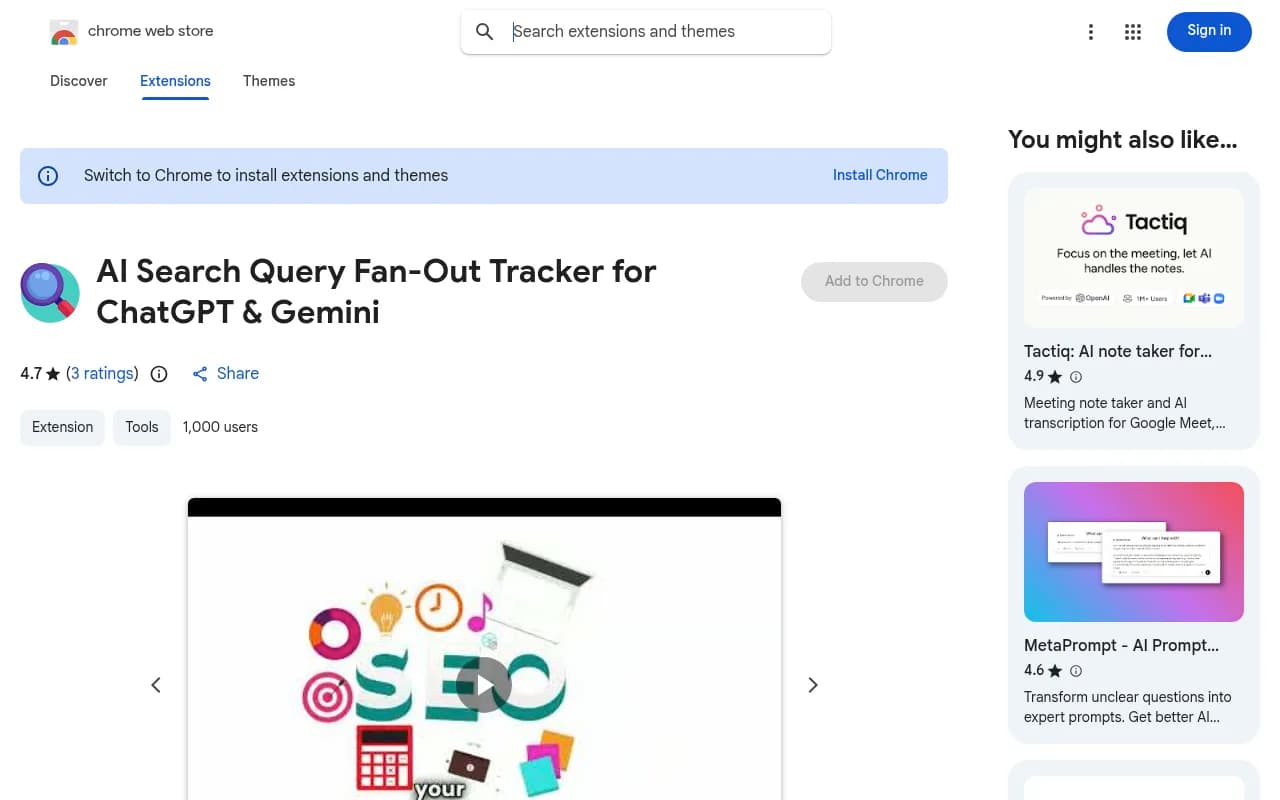
The Chrome Web Store listing above is for the tracker that also covers Gemini, which GEO Inspector doesn't yet.
My take: GEO Inspector is the stronger pick if you care about the fetched-versus-cited gap and the reasoning trail. GEO Metrics' extension is stronger if you want Bing and Search Console data next to the fan-out. Installing both is fine. They don't conflict, and both are free.
From one-off checks to continuous tracking
An extension answers "what did ChatGPT do on this prompt, just now?" It can't tell you how that changes over weeks, how your visibility compares with competitors, or whether a content update worked.
For that you need a monitoring platform. Promptwatch is the one built by the same team as GEO Inspector, and it tracks fan-outs alongside prompt volumes, citations, AI crawler logs and traffic. Other options are listed in the GEO software directory at bestgeosoftware.com. Whichever you choose, use the extension to explore and the platform to measure.
To see the broader picture of how AI engines cite content, Promptwatch Data has free research reports built on tens of billions of analysed data points.
A quick workflow you can repeat
- Pick five commercial prompts that matter to your business.
- Run each in ChatGPT with GEO Inspector open, and note the model used.
- Export the CSV and Markdown summary for each.
- List the fan-out queries and check whether you have a page whose heading matches each one.
- Look at fetched-only sources. Find any that are yours and work out why they lost.
- Update or create pages, then re-run the same prompts in a couple of weeks.
- Move the prompts worth keeping into a monitoring tool.
It takes about an hour for five prompts, and it is the cheapest GEO research you can do.
Frequently asked questions
Do I need a Promptwatch account?
No. GEO Inspector works without one, and it works without a ChatGPT subscription.
Does it send my conversations anywhere?
No. It makes no network requests of its own and has no telemetry. It only reads what ChatGPT already sends to your tab.
Why is my fan-out list empty?
ChatGPT may have answered from memory without searching. Try a prompt that needs current information, such as a comparison or recent pricing.
Does it work on Perplexity or Gemini?
Not currently. It supports ChatGPT only.
Can I use it in Edge or Brave?
Usually, if they can install from the Chrome Web Store, but Chrome is the officially supported browser.