Key takeaways
- Google Ads reports ads in AI Overviews as "Top Ads" and, per Google's help page, does not offer segmented reporting for them. Confirm the current wording on the live page, but plan as if native numbers are missing.
- Not every client qualifies. Ads in AI Overviews are limited to English and a short country list, and sensitive verticals like finance, healthcare, alcohol, gambling and politics are excluded.
- A workable workflow has five steps: scope, baseline, capture, interpret, report. Keep a human on the final read.
- Report ad presence and competitor creative as observations, not as performance. Observed frequency is not impressions.
- Promptwatch Data shows ChatGPT ads are already common, so build one reporting structure that can cover both Google and ChatGPT.
Why this report exists
A client asks a simple question: "Are our ads showing up in AI Overviews, and is it working?" In Google Ads, you can't answer it cleanly. Ads in AI Overviews roll up into Top Ads. You can't target the AI Overview as a placement, and Google's help documentation says segmented reporting for ads shown within Search AI Overviews isn't currently offered. The help page I checked was truncated before the FAQ, so verify that wording on the live page before quoting it to a client.
That gap is the opportunity. Most agencies will shrug and say "it's inside Top Ads." The agencies that build a monitoring layer will have something to show, even if it's imperfect. I think imperfect-but-honest beats silent here.
This guide walks through how to set that layer up and fold it into your existing monthly reporting.
What Google actually says about ads in AI Overviews
Before you design a report, get the rules straight. Everything below comes from Google Ads Help.
- Ads can show above, below or within AI Overviews. Above and below placements are eligible in all 200+ markets where AI Overviews are available.
- Ads within AI Overviews are currently available in English, on mobile and desktop, in Australia, Canada, India, Indonesia, Kenya, Malaysia, New Zealand, Nigeria, Pakistan, Philippines, Singapore and the US.
- Only Text and Shopping ads from existing Search, Shopping and Performance Max campaigns are eligible within AI Overviews. For above and below placements, App campaigns and local ads are also eligible.
- Google doesn't show ads in AI Overviews for sensitive verticals including adult, alcohol, gambling, finance, healthcare and politics.
- Matching considers both the user query and the AI Overview content. Ads trigger on a subset of queries, when commercial intent is detected and relevant quality ads exist.
Google also notes that AI Overview queries are often complex, "no one right answer" questions that advertisers are less likely to target with keywords. Its recommendation is broad match, AI Max for Search or keywordless targeting, Performance Max, Shopping, Dynamic Search Ads and Smart Bidding. Shopping advertisers should keep feeds current: descriptions, pricing, promotions, shipping and returns, images and video.
Two practical consequences. First, your monitoring is partly a way to check whether campaign structure is letting clients show up at all. Second, there's no keyword to blame. Eligibility is campaign-level and query-level, so the report has to be too.
Step 1: Scope which clients get this report
Don't roll this out to everyone. Run a quick eligibility screen first.
| Question | If yes | If no |
|---|---|---|
| Client in an eligible vertical? | Continue | Skip, note why in the report |
| Target market and language eligible for ads within AI Overviews? | Full report | Above/below placements only |
| Running Search, Shopping or Performance Max? | Continue | Recommend a test campaign first |
| Commercial-intent queries likely in AI Overviews? | Build prompt set | Low priority |
A finance or healthcare client will get a one-line answer: Google doesn't serve ads in AI Overviews for that vertical, so there's nothing to monitor there. That's still useful to tell them. It saves budget conversations later. Those clients may still care about organic visibility inside AI answers, which is a separate workstream.
Step 2: Build a baseline before you change anything
Pull the native data you do have, because it's your proxy layer.
- Export search term and query-level data for the last 90 days from Search, Shopping and Performance Max campaigns.
- Flag long, question-style, conversational queries. These are the ones most likely to trigger AI Overviews.
- Note which campaigns use broad match, AI Max, DSA or Performance Max, since those are the structures Google says suit AI Overview matching.
- Record Top Ads impression share and conversion rate on those campaigns.
The baseline matters because you'll later look for shifts in Top Ads behavior on conversational queries. It won't prove AI Overview causation. It gives you a before and after you can defend.
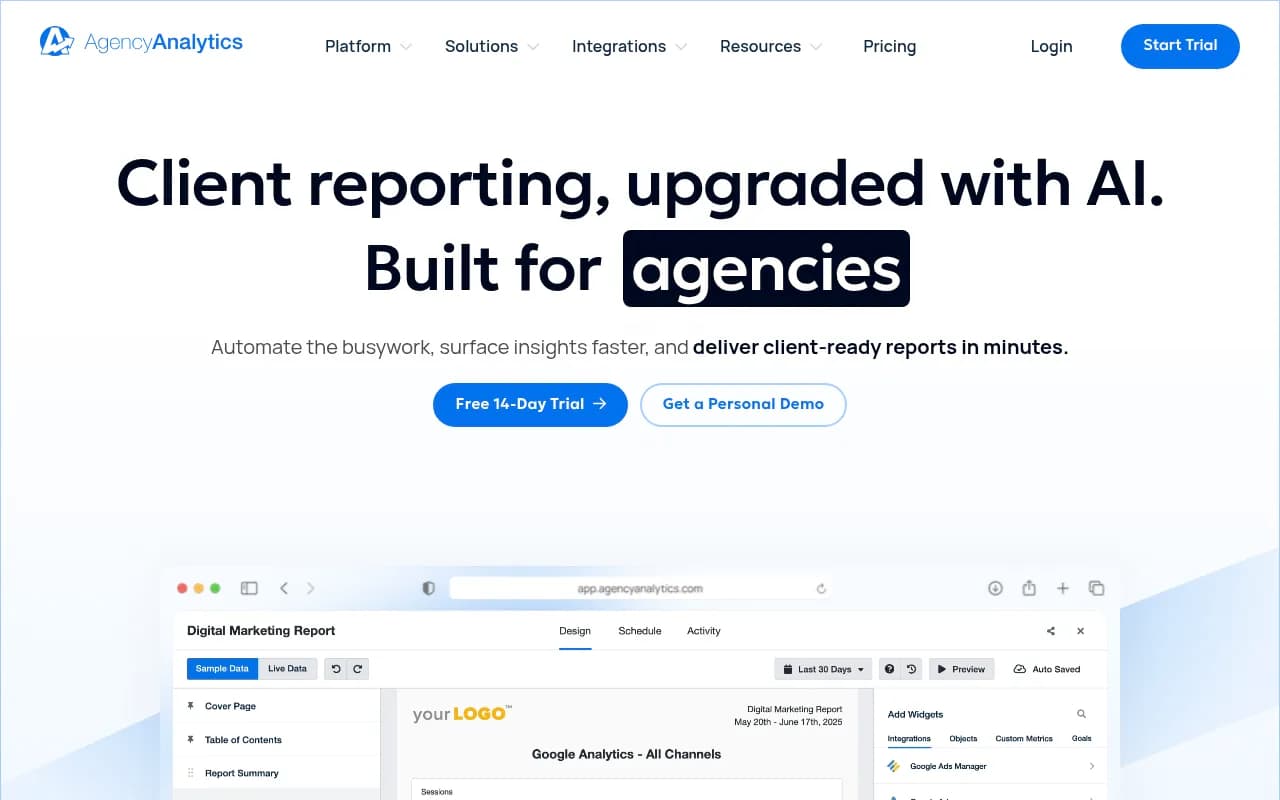
If you already use a reporting platform, this is the easy part. Tools like AgencyAnalytics are built for pulling Google Ads data into white-label reports across many clients.
Supermetrics makes a similar case for AI-assisted reporting in its 2026 guide, and its advice is sensible: dashboards for recurring reporting, AI for bespoke questions, and a human on the final read.
Step 3: Capture what actually appears
This is the missing piece native reporting can't fill. You need an external record of what shows up on the queries that matter to each client.
Build a prompt or query set of 20 to 50 items per client, grouped by intent:
- Non-brand commercial queries ("best X for Y")
- Brand queries
- Competitor comparison queries
- Long conversational queries from your search term export
For each, log the date, location, device, whether an AI Overview appeared, whether an ad appeared above, within or below it, who the advertiser was, the ad copy, and the landing page.
Do it across several days, not once. Promptwatch's ChatGPT ads data makes the reason obvious: daily ad rates swung between 0% and a 43.9% peak over 90 days, so a single check can land on an outlier. The same logic applies to Google surfaces, though I haven't found equivalent third-party data for AI Overviews ad frequency, so I won't quote a rate.
You can do this manually for a pilot client. At scale you need tooling. Options in the monitoring space include Promptwatch, which can show which advertisers appear on tracked prompts, what they promote and where the ads send visitors, with Ads Radar included on Business and agency plans. Agencies get unlimited projects and white-label reporting, which matters when you have 15 clients.

To be clear about coverage: the first-party ads dataset I can cite is for ChatGPT, not AI Overviews. Check what any vendor actually captures for Google surfaces before you promise it to a client.
Other AI visibility tools worth a look for multi-client tracking include Peec AI, which is a clean monitoring-only dashboard, and Profound for enterprise accounts. For a wider shortlist, the directory at ai-rank-tools.com lists AI rank tracking tools.


Step 4: Interpret without overclaiming
Sampled observations aren't impressions. Be strict about this in your own head and in the report.
What you can say:
- "On 34 of 40 tracked queries, an AI Overview appeared. On 9 of those, we observed an ad. Our client's ad appeared on 3."
- "Competitor X appeared on 6 queries with this headline and this landing page."
- "Eligible Shopping products were missing from queries where competitors showed."
What you can't say:
- "We received N impressions in AI Overviews."
- "AI Overviews drove this conversion lift."
The segment mix matters too. In Promptwatch's ChatGPT data, organic prompts made up 73.3% of ad-bearing responses, brand-specific 18.0% and competitor comparison 8.6%, but that mix mostly reflects how many prompts of each type were in the monitor. Add more organic prompts and their share rises with no change at the platform. Keep your prompt set stable month to month or your trend lines will lie to you.
Watch the Google ecosystem too
Promptwatch's June 2026 AI Overview citation data (month to date, May 31 to Jun 26, so partial) shows YouTube at 4.16% of citations, Reddit at 2.72% and google.com at 2.30%. google.com's share doubled from 1.15% in May. Google-owned properties together are about 6.5% of sources. Details are in the Google AI Overview citation share report for June 2026.
For ad reporting, this suggests including Business Profile, Merchant Center and YouTube health as checklist items. Shopping clients in particular should confirm feeds are complete, since Google ties Shopping eligibility to feed quality.
Step 5: Build the client report
Keep it to one page per client, added to your regular monthly pack. Here is a structure that works.
| Section | Content | Source |
|---|---|---|
| Eligibility | Vertical, market, campaign types | Google Ads Help |
| Native performance | Top Ads impression share, conversions on conversational queries | Google Ads |
| Observed presence | AI Overview and ad appearance rate on tracked queries | Monitoring tool |
| Competitor ads | Advertisers, creative, landing pages | Monitoring tool |
| Recommendations | Campaign structure, feed fixes, creative tests | Analyst |
Three habits make this report credible.
- Always label observed data as observed and sampled, with the number of queries and days.
- Put the limits in writing: Google Ads doesn't segment these ads, so the report can't claim attribution.
- End with two or three specific actions, not a data dump.
AI can draft the narrative. Swydo's roundup of AI reporting tools describes the pattern well: reports for the client, boards for the team, alerts for drift. That three-layer idea maps neatly here, with the monthly report as the client layer, a weekly monitor for the team, and alerts when a competitor starts showing on a high-value query.
Swydo's own pricing snippet shows $25 per client per month plus a $19 add-on, but I haven't verified it, so check before budgeting. Swydo also discloses its author works there, which is worth remembering when reading any vendor roundup, including this kind of guide.
Step 6: Don't forget ChatGPT
Clients won't care which surface the ad came from. They care that ads are creeping into AI answers. Promptwatch Data tracked ChatGPT ads from May 20 to August 17, 2026: none until May 27, a jump past 30% on July 1, a peak daily rate of 43.9% and an average of 20.1% of search-enabled responses across the period. The past-7-day average was 32.4%. See the ChatGPT ads over time report. That count only includes responses where ChatGPT searched the web, returned at least one citation and completed ad extraction.
So your template should have a second tab for ChatGPT, using the same fields: advertiser, copy, landing page, prompt segment. Compare advertisers per segment, because brand-specific and competitor-comparison prompts can attract different ads. Brand-specific prompts deserve extra attention, since a competitor appearing against your client's own name is the easiest finding for a client to understand.
Tool options at a glance
| Need | Option | Note |
|---|---|---|
| Native Google Ads reporting | Google Ads, Google Search Console | No AI Overview ad segment |
| Multi-client white-label reports | AgencyAnalytics, Swydo | Wrap in your own template |
| Ads and AI visibility monitoring | Promptwatch | Ads Radar on Business and agency plans |
| Monitoring-only dashboards | Peec AI | No content or crawler data |
| Enterprise monitoring | Profound | Higher price point |
Promptwatch pricing changes, so confirm current plans at promptwatch.com/pricing. For more options, the GEO software directory at bestgeosoftware.com is a good place to compare.
Common mistakes
- Promising clients AI Overview impression data that doesn't exist.
- Checking once and reporting it as a trend.
- Changing the prompt set mid-quarter, which wrecks comparisons.
- Including finance or healthcare clients in a report for a placement that excludes them.
- Letting an AI draft the report with no review. Layer, a Supermetrics customer, validated AI output against live ad accounts for several weeks before using it on client work. Do the same.
A realistic rollout
Start with two eligible clients. Spend the first month on baselines and a prompt set. Spend the second capturing daily or every-few-days observations. Deliver a first report in month three with clear caveats. Then decide whether it's worth productizing as a line item.
If you want to learn how other agencies are packaging AI search work, Promptwatch is running a live session on auditing and scaling AI search for clients on October 22. And if you'd rather have specialists run the audit side for you, 1001 SEO Media handles AI search and GEO work for agencies and brands.
The core idea is simple. Google hides the numbers, so you build an observed record, label it honestly, and let the data show who is winning the slot.