Retool Review 2026
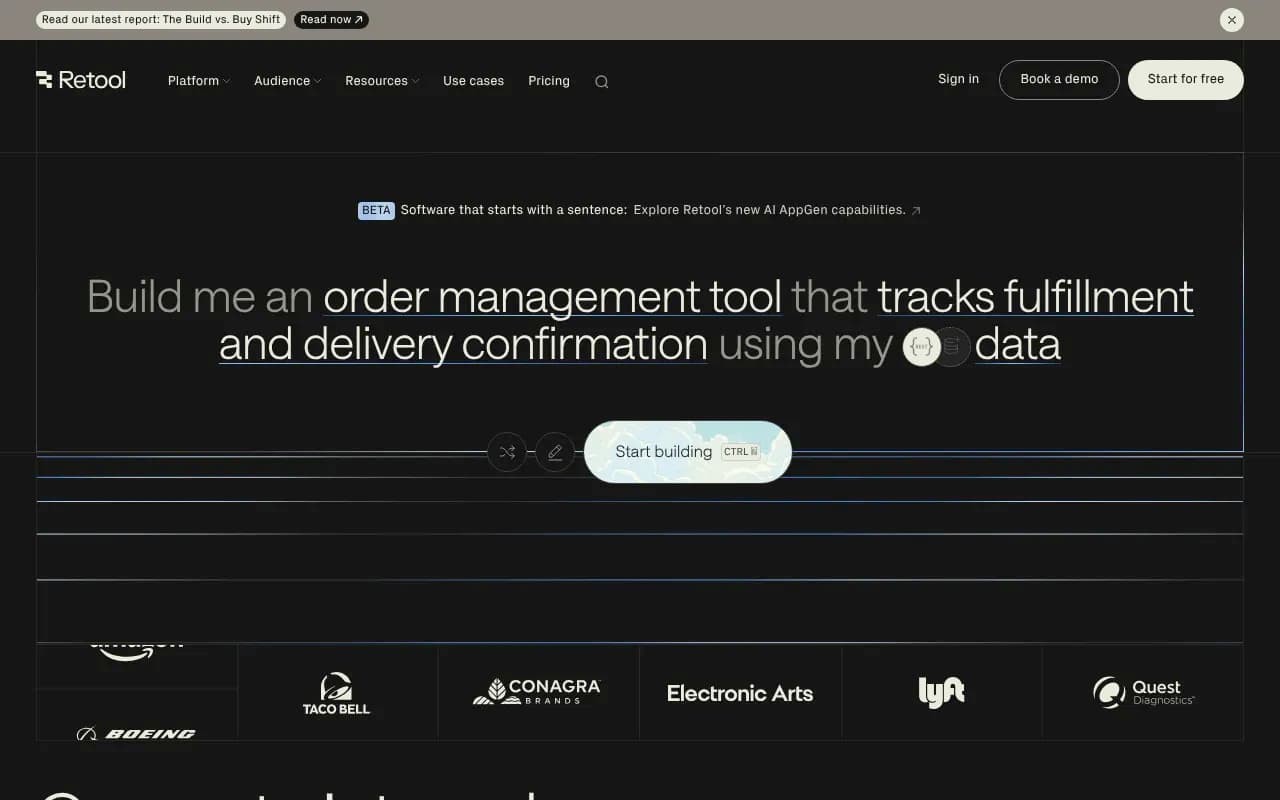
Retool is a low-code platform that helps teams build internal tools, dashboards, admin panels, and AI-powered apps in hours instead of weeks. Connect to any database, API, or LLM, then use drag-and-drop components, SQL, and JavaScript to create production-ready software. Trusted by Amazon, DoorDash,
Summary
Retool is a low-code development platform that lets technical teams build internal tools, dashboards, admin panels, and AI-powered applications without writing everything from scratch. Instead of spending weeks building CRUD interfaces or custom admin tools, you connect your databases and APIs, drag components onto a canvas, write queries in SQL or JavaScript, and ship production software in hours. Over 10,000 companies -- including Amazon, DoorDash, Brex, and OpenAI -- use Retool to replace months of custom development with days of configuration.
- Best for: Engineering teams, data teams, operations teams, and technical product managers at startups through Fortune 500 companies who need to build internal software fast
- Standout strength: The combination of visual drag-and-drop UI building, direct SQL/JavaScript access, and native AI capabilities (LLM integrations, AI-generated queries, workflow automation) in one platform
- Honest limitation: Retool is not a no-code tool for non-technical users -- you need SQL knowledge and some JavaScript comfort to unlock its full power. The learning curve is real.
- Pricing: Free tier available. Paid plans start at $10/user/month (Team), $50/user/month (Business), with Enterprise custom pricing.
Retool sits in a unique position: more powerful than pure no-code tools like Bubble or Webflow, but dramatically faster than building everything in React or Vue. It's the tool engineering teams reach for when they need internal software yesterday but refuse to compromise on flexibility or data security.
What Retool Actually Is
Retool launched in 2017 with a simple premise: most internal tools share the same building blocks (tables, forms, charts, buttons), so why rebuild them every time? The platform provides 100+ pre-built UI components that connect directly to your data sources. You arrange components visually, write queries to fetch and manipulate data, add business logic in JavaScript, and deploy. No webpack configs, no CSS battles, no authentication boilerplate.
The company raised $145M in Series C funding in 2024 and now serves over 10,000 companies. What started as a tool for building admin panels has evolved into a full application platform with AI agents, workflow automation, mobile apps, and embedded analytics capabilities. The core insight remains: most internal software is 80% the same, so Retool handles that 80% and lets you focus on the 20% that's unique to your business.
Who Uses Retool
Retool's sweet spot is technical teams at companies with 50-5000 employees who need to build internal software but don't want to dedicate engineering sprints to it. Typical users:
- Engineering teams building admin panels, internal dashboards, database management tools, and customer support interfaces. Example: a SaaS company building a tool for their support team to refund customers, update subscriptions, and view user activity logs.
- Data teams creating SQL-based dashboards, data quality monitoring tools, experiment tracking systems, and internal analytics apps. Example: a data analyst building a dashboard that pulls from Snowflake, PostgreSQL, and Google Sheets to track KPIs across departments.
- Operations teams automating manual workflows, building inventory management systems, creating approval workflows, and connecting disparate systems. Example: an ops manager building a tool to process vendor invoices that pulls data from Stripe, updates Salesforce, and sends Slack notifications.
- AI/ML teams building model monitoring dashboards, content moderation tools, prompt testing interfaces, and AI agent management systems. Example: an ML engineer building a tool to review flagged content, trigger model retraining, and track performance metrics.
Retool is NOT for:
- Non-technical teams who need a true no-code solution (try Airtable or Notion instead)
- Consumer-facing applications (Retool is optimized for internal tools, not public websites)
- Teams that need pixel-perfect custom design (you're working with Retool's component library, not building from scratch)
Core Features Breakdown
Visual App Builder Drag components (tables, forms, charts, buttons, modals, file uploaders, etc.) onto a canvas, arrange them in containers, and wire them together with data. Each component exposes properties you can bind to queries, JavaScript expressions, or other components. The canvas shows you exactly what users will see, but you're not limited to visual editing -- you can drop into code at any point. The component library includes 100+ pre-built elements: data tables with sorting/filtering/pagination, charts (line, bar, pie, scatter, candlestick), forms with validation, file uploaders, rich text editors, calendars, maps, and more. You can also build custom components in React if you need something specific.
Database & API Integrations Retool connects to 50+ data sources out of the box: PostgreSQL, MySQL, MongoDB, BigQuery, Snowflake, Redshift, DynamoDB, Elasticsearch, REST APIs, GraphQL, Google Sheets, Airtable, Salesforce, Stripe, HubSpot, Zendesk, Slack, and more. You write queries in SQL, JavaScript, or the native query language for each source. Queries are first-class objects you can reference throughout your app, trigger on events (page load, button click, timer), and chain together with transformers. The query editor includes autocomplete, syntax highlighting, and preview results. You can also connect to any REST or GraphQL API, including your own internal services.
AI & LLM Integration Retool has native integrations with OpenAI, Anthropic (Claude), Google Gemini, Amazon Bedrock, Cohere, and Hugging Face. You can call LLMs directly from queries, build AI agents that use tools and memory, generate SQL queries from natural language, create content moderation workflows, build document processing pipelines, and more. The AI Query Builder uses GPT-4 to generate SQL from plain English descriptions of what you want to query. Retool Agents let you build multi-step AI workflows that can call APIs, query databases, and make decisions based on LLM responses. Example use case: an AI agent that reads support tickets, categorizes them, pulls relevant customer data from your database, drafts a response using Claude, and routes to the right team.
Workflow Automation Retool Workflows is a visual workflow builder for backend automation. You can trigger workflows on a schedule (cron), via webhook, or manually from a Retool app. Workflows support branching logic, loops, error handling, and retries. Common use cases: syncing data between systems, processing files uploaded to S3, sending scheduled reports, triggering alerts based on database changes, or orchestrating multi-step AI pipelines. Workflows run on Retool's infrastructure (or yours if self-hosted) and include built-in logging and monitoring.
Mobile Apps Retool Mobile lets you build native iOS and Android apps using the same component library and data sources as web apps. You design the mobile UI in Retool's canvas, connect to your data sources, and deploy to TestFlight or Google Play. Mobile apps support offline mode, push notifications, camera access, and location services. This is useful for field service apps, inventory management, delivery tracking, or any scenario where your team needs internal tools on mobile devices.
Permissions & Access Control Retool includes granular permission controls at the app, folder, resource, and query level. You can create user groups (e.g. "Support Team", "Admins", "Read-Only"), assign permissions, and control who can view, edit, or run specific apps and queries. Retool integrates with SSO providers (Okta, Google, Azure AD, OneLogin) and supports SAML, OAuth, and LDAP. You can also implement row-level security by filtering queries based on the logged-in user's attributes. Audit logs track every action (who ran which query, when, and what data they accessed) for compliance and security.
Version Control & Deployment Retool apps are stored as JSON and can be synced to Git (GitHub, GitLab, Bitbucket). You can create branches, review changes via pull requests, and deploy apps through CI/CD pipelines. Retool supports multiple environments (development, staging, production) with separate data sources and configurations for each. You can also export apps as JSON and import them into other Retool instances. The built-in version history lets you roll back to any previous version of an app.
JavaScript & Custom Code While Retool provides visual tools, you can write JavaScript anywhere: in query transformers, component event handlers, or standalone JavaScript queries. You have access to libraries like Lodash, Moment.js, and Numeral.js by default, and you can import external libraries via npm. For more complex logic, you can write custom React components and import them into Retool. This flexibility means you're never stuck -- if Retool's built-in features don't cover your use case, you can code your way out.
Embedded Analytics Retool apps can be embedded into other web applications via iframe or React component. This is useful for adding internal dashboards to your main product, giving customers access to their data, or embedding admin tools into your existing internal portal. You control authentication and pass user context to the embedded app.
Self-Hosting Retool offers self-hosted deployment via Docker, Kubernetes, or AWS/GCP/Azure VMs. You run Retool on your own infrastructure, which means your data never leaves your network. Self-hosted instances support the same features as Retool Cloud, including automatic updates. This is critical for companies with strict data residency or compliance requirements.
Integrations & Ecosystem
Retool integrates with 50+ databases and APIs out of the box, including PostgreSQL, MySQL, MongoDB, BigQuery, Snowflake, Redshift, Salesforce, Stripe, HubSpot, Zendesk, Slack, Google Sheets, Airtable, REST APIs, GraphQL, and more. For AI use cases, it connects to OpenAI, Anthropic, Google Gemini, Amazon Bedrock, Cohere, and Hugging Face. Retool also has a REST API and webhooks for programmatic access, plus integrations with Git providers (GitHub, GitLab, Bitbucket) for version control. You can connect to any service with a REST or GraphQL API, and Retool provides a JavaScript SDK for building custom integrations.
Pricing & Value
Retool uses per-user pricing with three main tiers:
- Free: Up to 5 users, unlimited apps, 500 workflow runs/month, 5GB storage. Good for small teams or proof-of-concept projects.
- Team ($10/user/month, billed annually): Unlimited users, unlimited apps, 10,000 workflow runs/month, 50GB storage, email support. This is the entry point for most small teams.
- Business ($50/user/month for standard users, $15/user/month for end users, billed annually): Audit logs, advanced permissions, on-premise deployment, SSO, priority support, custom branding, 100,000 workflow runs/month, 500GB storage. This is where most mid-size companies land.
- Enterprise (custom pricing): Dedicated support, SLA, advanced security features, unlimited workflow runs, custom storage, and more. Typical for companies with 500+ employees or strict compliance requirements.
Retool also distinguishes between "standard users" (builders who create and edit apps) and "end users" (people who only use apps). End users are cheaper, which makes Retool cost-effective for tools used by large teams.
Compared to competitors like Appsmith (open-source, free self-hosted), Budibase (similar pricing but fewer integrations), or Airplane (workflow-focused, higher pricing), Retool is mid-to-high priced but offers the most mature feature set and largest integration library. The value proposition is clear: if Retool saves your team from building even one internal tool from scratch, it pays for itself in the first month.
Strengths
- Speed: You can build a functional admin panel or dashboard in hours, not weeks. The combination of pre-built components, direct database access, and visual editing removes 90% of the boilerplate.
- Flexibility: Unlike pure no-code tools, Retool doesn't box you in. You can write SQL, JavaScript, or custom React components whenever you need more control.
- Integration breadth: 50+ native integrations plus REST/GraphQL support means you can connect to almost anything. The AI integrations (OpenAI, Claude, Gemini, Bedrock) are particularly strong.
- Security & compliance: Granular permissions, audit logs, SSO, self-hosting, and SOC 2 Type II certification make Retool viable for regulated industries (healthcare, finance, etc.).
- AI capabilities: The combination of LLM integrations, AI agents, and workflow automation makes Retool one of the best platforms for building AI-powered internal tools.
Limitations
- Learning curve: Retool is not a no-code tool. You need SQL knowledge and JavaScript comfort to build anything non-trivial. The documentation is good, but expect a few days of learning before you're productive.
- Design constraints: You're working with Retool's component library and design system. If you need pixel-perfect custom UI or complex animations, you'll fight the platform. Retool is optimized for function over form.
- Performance at scale: For apps with very large datasets (millions of rows) or complex queries, you may hit performance limits. Retool is fast for typical internal tool use cases but not optimized for high-traffic consumer apps.
- Pricing for large teams: At $50/user/month (Business tier), costs add up quickly for teams with 50+ builders. The end-user pricing ($15/month) helps, but you need to plan for this in your budget.
Bottom Line
Retool is the best low-code platform for technical teams who need to build internal tools fast without sacrificing flexibility or security. If you're an engineer, data analyst, or technical product manager who's tired of rebuilding the same admin panels and dashboards, Retool will save you hundreds of hours. The AI capabilities (LLM integrations, agents, workflow automation) make it particularly strong for teams building AI-powered internal tools in 2026.
Best use case in one sentence: A startup engineering team that needs to build 5-10 internal tools (admin panel, support dashboard, data quality monitor, customer refund tool, etc.) in the next quarter without dedicating engineering sprints to it.
Similar and alternative tools to Retool