Key takeaways
- Most rollout chaos comes from buying tools before deciding who owns the data, the prompts, and the weekly decisions. Fix ownership first.
- Treat ChatGPT, Google AI Overviews, and Perplexity as separate channels. Their citation behavior differs a lot, so one blended dashboard will mislead you.
- Run a 30-day pilot with one team, 25 to 50 prompts, and one written question you want answered. Expand only after the pilot changes a real decision.
- Pick a platform that goes from tracking to action (content, crawler data, traffic), not one that only reports mentions.
- Write a one-page governance doc covering brand facts, review rules for AI-written content, and who can publish.
Why rollouts go sideways
I have watched the same pattern play out a few times. Someone in SEO signs up for a visibility tracker. Someone in content starts using an AI writer. A social manager connects a third scheduling tool with its own AI features. Three months later there are five logins, no agreed definition of success, and a CMO asking why the AI search report says something different from the SEO report.
The tools are rarely the problem. The problem is that AI search touches everyone: SEO, content, PR, social, product marketing, and web development. If no one decides how those groups share data and decisions, each group builds its own version of reality.
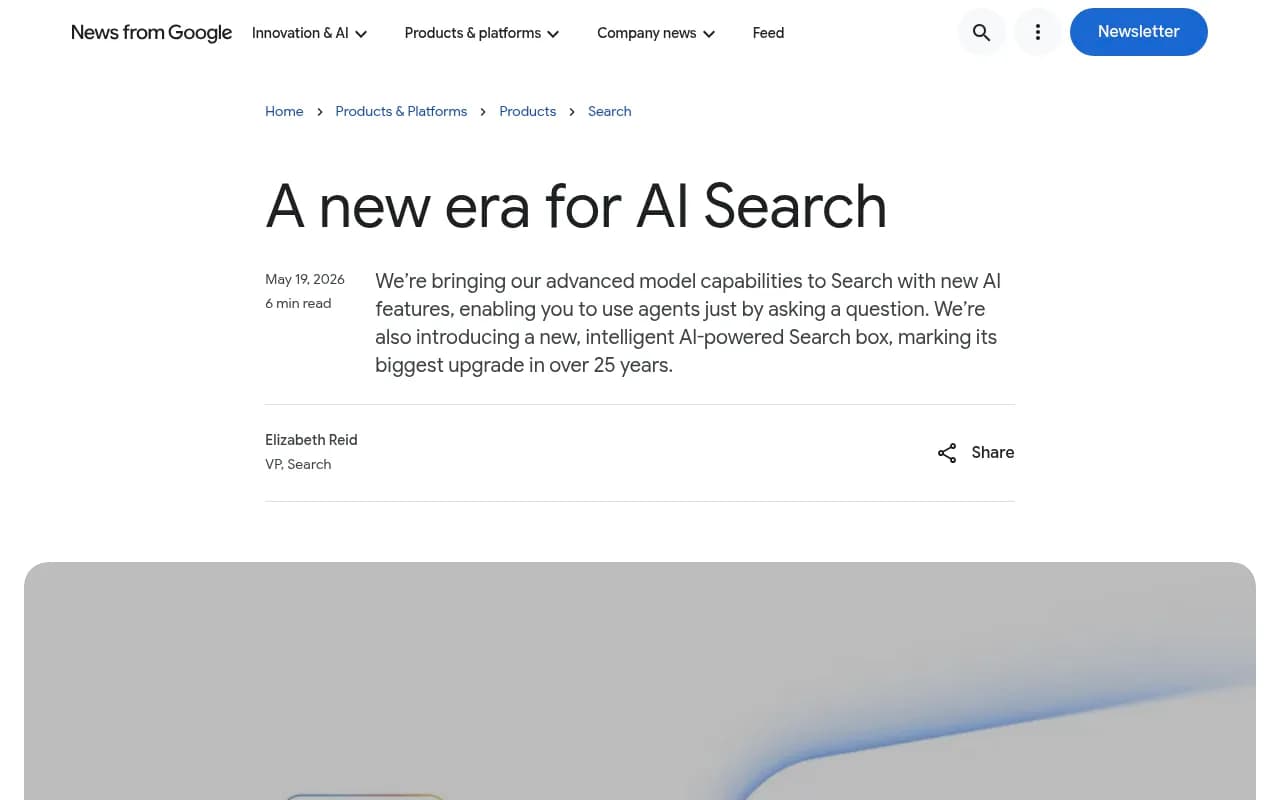
The pressure to move is real. Google announced a rebuilt, AI-powered Search box at I/O on May 19, 2026, which it described as the biggest upgrade to Search in over 25 years, along with search agents that handle tasks like finding and booking. Aprimo, citing Gartner, notes that 40% of enterprise applications are expected to include task-specific AI agents by the end of 2026. Your team will feel pressure to do something. The goal is to do it in an order that holds up.
Step 1: Audit what you already have
Before adding anything, list every tool that already touches search, content, or reporting. You will likely find overlap. Many SEO suites, social platforms, and CRMs now ship AI features, and some of what you are about to buy is already in a contract you pay for.
Build a simple inventory with these columns: tool, owner, monthly cost, who actually logs in, and what decision it informs. If the last column is blank, that is your first cut.
Also check the basics that AI tools depend on:
- Can AI crawlers read your site, or does a CDN rule or robots.txt block them?
- Is Google Search Console connected and used weekly?
- Do you have an analytics setup that can separate AI referrals from other traffic?
- Is there a single source for brand facts (positioning, pricing, product names)?
A free starting point for the first item is a crawler readiness check. It takes minutes and often surfaces a problem nobody knew about.
Step 2: Decide what question you are answering
AI search tools produce a lot of numbers. Without a question, those numbers become a reason for meetings instead of decisions. Pick one primary question for the first quarter. Good examples:
- Which of our top 20 commercial topics do we not appear in at all?
- Which pages get cited, and which pages get crawled but never cited?
- Is AI-referred traffic converting better or worse than organic?
- Which competitors show up where we do not?
Write the question down. Everything in the pilot should help answer it. If a feature does not, ignore it for now.
Step 3: Assign roles before you assign logins
The cleanest rollouts I have seen have a small, boring role map. It looks like this:
| Role | Responsibility | Typical owner |
|---|---|---|
| Program owner | Picks tools, owns budget, runs the weekly review | Head of SEO or growth |
| Data steward | Maintains the prompt set, brand aliases, competitor list | SEO analyst |
| Content lead | Turns gaps into briefs, owns review of AI-assisted drafts | Content manager |
| Technical lead | Crawler access, schema, site audit fixes, tracking script | Web or SEO engineer |
| Brand reviewer | Signs off on facts, tone, and claims | Product marketing or brand |
| Executive sponsor | Receives the monthly summary, clears blockers | CMO or VP |
One person can hold several of these on a small team. What matters is that each is named. The data steward role is the one most teams skip, and it is the one that prevents chaos later, because prompt sets drift when everyone edits them.
Step 4: Understand that engines behave differently
A frequent early mistake is treating "AI search" as one channel. The data says otherwise.
According to Promptwatch Data on sources per response, ChatGPT cites about 5 sources per web-search answer, Google AI Overviews cites about 10, and Perplexity sits almost exactly at 10 every day. Copilot swung from under 2 to nearly 17 in a few weeks before settling low. That page is dated September 2025, so treat the exact figures as a baseline, but the pattern matters: Perplexity is stable enough to use as a test bench, while Copilot should be judged on monthly trends instead of weekly snapshots.
Social sources show an even bigger split. In Promptwatch's social citation data for Sep 28 to Oct 4, 2026, social platforms made up 0.46% of ChatGPT citations but 12.2% of Google AI Overviews citations and 2.7% of Perplexity citations. Reddit's share in ChatGPT fell sharply in August, which Promptwatch tracked in its Reddit report. If your social team plans a Reddit-heavy AI visibility push based on last year's advice, this is where you stop them.
Content type matters too. In Promptwatch's ChatGPT content-type data for the same week, product pages were 22.4% of citations, landing pages 16.8%, and listicles 13.6%. For commercial prompts, those types plus comparisons made up almost 70%. And per the content half-life study, news pages lose half their citations in about 36 days while landing pages and docs hold on for months.
What this means for rollout: set up per-engine tracking, and give each team the slice that fits its work. Product marketing cares about product and landing pages. The PR team cares about news decay. Social cares about which engines cite social at all.
Step 5: Choose tools by job, not by hype
The catalog of AI visibility tools is crowded. A useful way to cut it down is to sort by what the tool does after it shows you a number.
| Tool category | What it answers | Examples | Rollout risk |
|---|---|---|---|
| Prompt trackers | Was my brand mentioned? | Otterly.AI, Peec AI | Teams see the gap but have no workflow to close it |
| Full visibility platforms | Why, where, what traffic, what to fix | Promptwatch, Profound | Heavier setup, needs a program owner |
| Enterprise SEO suites with AI add-ons | How does AI fit into existing SEO reporting | Semrush, BrightEdge, Conductor | Fixed prompt sets, shallower AI data |
| Content generators | Can we produce drafts faster | Jasper, Copy.ai | No grounding in citation data, quality risk |
| Workflow glue | Can we connect it all | Zapier, n8n, Make | Silent failures if nobody owns them |
For most marketing teams, I would pick one platform that covers tracking, crawler visibility, and content action, then add point tools only where there is a clear gap. Promptwatch is the one we use and recommend here. It monitors the real interfaces of ChatGPT, Google AI Overviews, AI Mode, Gemini, Perplexity, Copilot and others, adds IP-verified AI crawler logs and visitor analytics, and has an Action Board and Content Agent for turning gaps into published pages. That combination is useful in a rollout because it gives different teams one shared set of data instead of five exports.

If you prefer to compare before committing, the GEO software directory at bestgeosoftware.com lists the field, and the trackers are sorted at ai-rank-tools.com.
A few others worth a look depending on your situation:
- Profound, for large enterprises with a dedicated monitoring budget.

- Otterly.AI, for a cheap, simple tracker when you only need mention data.

- Semrush, if your team already lives in it and just wants a first look at AI data.
- Zapier, for routing alerts and reports into Slack and project tools.
Be honest about tradeoffs during evaluation. A broader platform costs more and takes longer to configure. A simple tracker is quick to adopt but will leave your content team asking what to do next. Neither is wrong; they fit different maturity levels.
Step 6: Run a 30-day pilot
A pilot keeps a bad decision small. Here is a structure that works.
Week 1: setup
- Pick one pilot group: usually SEO plus one content writer.
- Build a monitor of 25 to 50 prompts across three buckets: category questions, comparison prompts, and branded prompts.
- Add brand aliases and your five main competitors.
- Connect Search Console and install the traffic script so AI referrals can be separated.
- Check crawler access and fix anything blocking AI bots.
Week 2: baseline
- Record visibility, share of voice, position, and sentiment per engine.
- List the ten biggest gaps: prompts where competitors appear and you do not.
- Note which of your pages are crawled but never cited.
Week 3: act
- Ship three to five pieces of work: refreshed pages, one new comparison page, a fix to a crawler issue.
- Use the brand book or a fact sheet so every draft carries the same positioning.
- Have the brand reviewer check every AI-assisted draft before it goes live.
Week 4: review
- Compare the published pages against the baseline. Were they crawled? Cited? Did traffic move?
- Write a one-page summary: what we asked, what we found, what we changed, what we would do next.
Expect noisy results. AI answers vary run to run, and a single week proves little. The pilot's real output is a working process and a decision on whether to expand.
Step 7: Write the governance doc
Do this during the pilot, not after. It can be one page:
- Brand facts: product names, pricing language, claims you can and cannot make.
- AI content rules: what AI may draft, what needs human editing, what must be fact-checked, and what never gets published automatically.
- Publishing rights: who can push to the CMS, and whether a review inbox is required.
- Data rules: who can edit prompts and competitors, and how changes are logged.
- Security: which tools are approved, where customer data is not allowed, and who signs off on new vendors. If your procurement team asks, certifications like ISO/IEC 27001 and GDPR compliance are the usual first questions.
The Aprimo piece makes a point worth borrowing: the highest-performing companies treat AI as a reason to redesign workflows rather than bolt it onto the old ones. The governance doc is where that redesign gets written down.

Step 8: Expand in waves
After the pilot, add teams in a fixed order, one wave per month or quarter.
| Wave | Team | What they get | Success signal |
|---|---|---|---|
| 1 | SEO and content | Full tracking, gap analysis, content workflow | Gaps closed, pages cited |
| 2 | Product marketing | Competitor comparison views, product page insight | Better positioning in comparison prompts |
| 3 | PR and social | Source and citation reports, sentiment | Fewer surprises, smarter channel choices |
| 4 | Leadership and agencies | Dashboards and scheduled reports | Monthly review without ad hoc requests |
Resist giving everyone edit rights on day one. Viewer access to dashboards plus a shared Slack digest covers most people. Reserve editor roles for the data steward and program owner.
Step 9: Train people on judgment, not buttons
Tool training is the easy part. The harder skill is reading the data without overreacting. Cover these in a short internal session:
- A single response is not a trend. Look at weeks, not days.
- Read metrics together. Low share of voice is a coverage problem. Late position is a prominence problem. Mentions without citations to your own site point to content or crawlability trouble. Weak sentiment is a reputation problem.
- Do not copy what worked in one engine into another without checking.
- AI-written content still needs facts checked. A fast draft with a wrong claim costs more than a slow one.
It also helps to keep a running log of changes you make and when. When visibility moves, you want to know whether it was your page update or a model change.
Step 10: Measure business impact, not just mentions
Mentions are an input. Leadership will ask about revenue, so set up the connection early.
- Track AI-referred visits and conversions separately from organic search.
- Compare conversion rates against other channels. Crisp, for example, reported AI traffic converting at twice the rate of traditional channels with Promptwatch data behind its content program.
- Report on pages: which pages are crawled, cited, and clicked, and which are not.
- Keep a monthly summary of three numbers per engine: visibility, citations to your own domain, and AI-referred conversions.
If you cannot connect any of this to traffic or pipeline after one quarter, either the tracking is incomplete or the program is not working. Both are worth knowing.
Common mistakes to avoid
- Buying several trackers at once and comparing their numbers. They sample differently and will disagree.
- Letting every team build its own prompt list.
- Publishing AI drafts without a human reviewer.
- Chasing social citations in ChatGPT after the August drop.
- Skipping crawler access checks, then wondering why good content never shows up.
- Reporting only mentions, with no link to traffic.
A simple 90-day timeline
| Days | Focus | Output |
|---|---|---|
| 1-15 | Audit, owner, question, tool shortlist | Inventory and role map |
| 16-45 | Pilot with one team | Baseline, five shipped changes, one-page summary |
| 46-60 | Governance and training | Policy doc, internal session |
| 61-90 | Wave 2 and 3 rollout | Shared dashboards, weekly review rhythm |
By day 90, you should have one platform, one prompt set owned by one person, a weekly review that produces actions, and a monthly report leadership actually reads. If you want outside help setting it up, an agency such as 1001 SEO Media works on exactly this kind of technical SEO and GEO rollout, but a small team with a clear owner can do it alone.
Start with the audit this week. Everything else depends on knowing what you already have and who owns it.