Key takeaways
- Google says no special optimization is required to appear in AI Overviews. A page needs to be indexed and snippet-eligible, so your Search Console data is the right place to start.
- Search Console's AI reporting is thinner than many blog posts claim. The new Generative AI performance reports show impressions by page, not clicks or queries, and are rolling out to a subset of sites first.
- The practical method is to find queries with high impressions and weak clicks, check which ones trigger AI Overviews, then rewrite the pages that rank but don't get cited.
- Query fan-out means AI Overviews pull from adjacent subtopics. Your "abandoned" long-tail queries often matter more than your head terms.
- Pair Search Console with a citation tracker, because Search Console cannot tell you which competitors were cited instead of you.
What Search Console can and can't tell you about AI Overviews
Let me start with a correction, because a lot of guides get this wrong. Some articles claim Search Console has dedicated "AI Overviews" and "AI Mode" filters under Search Type, complete with queries and clicks. I couldn't verify that, and other sources contradict it. Mintec and Auspia both say AI activity is counted inside the Web search type, mixed with classic results, with no AI-only filter.
What Google has actually announced is a set of "Search Generative AI performance reports," introduced on the Search Central blog on June 3, 2026. Here is what is known:
- Separate views for Search and for Discover.
- A staged rollout to a subset of websites first.
- Impressions, pages, countries and devices (devices only for Search), with hourly, daily, weekly and monthly dates.
- No clicks and no queries.
- The same data still sits in the overall Performance report.
So check your own account before you plan anything around a filter. If you have the new report, great. If not, the method below works with the standard Performance report.
There is also a position quirk worth knowing. Search Console gives every link in an AI Overview the same position, because the overview is treated as one block. Mintec makes this point, and it means the position number is not a real rank. John Mueller declined to say how AI Mode citations are counted, and told Search Engine Roundtable in September 2026 that tracking will "evolve over time." Don't build a dashboard that treats position as gospel.
What Google itself says about appearing
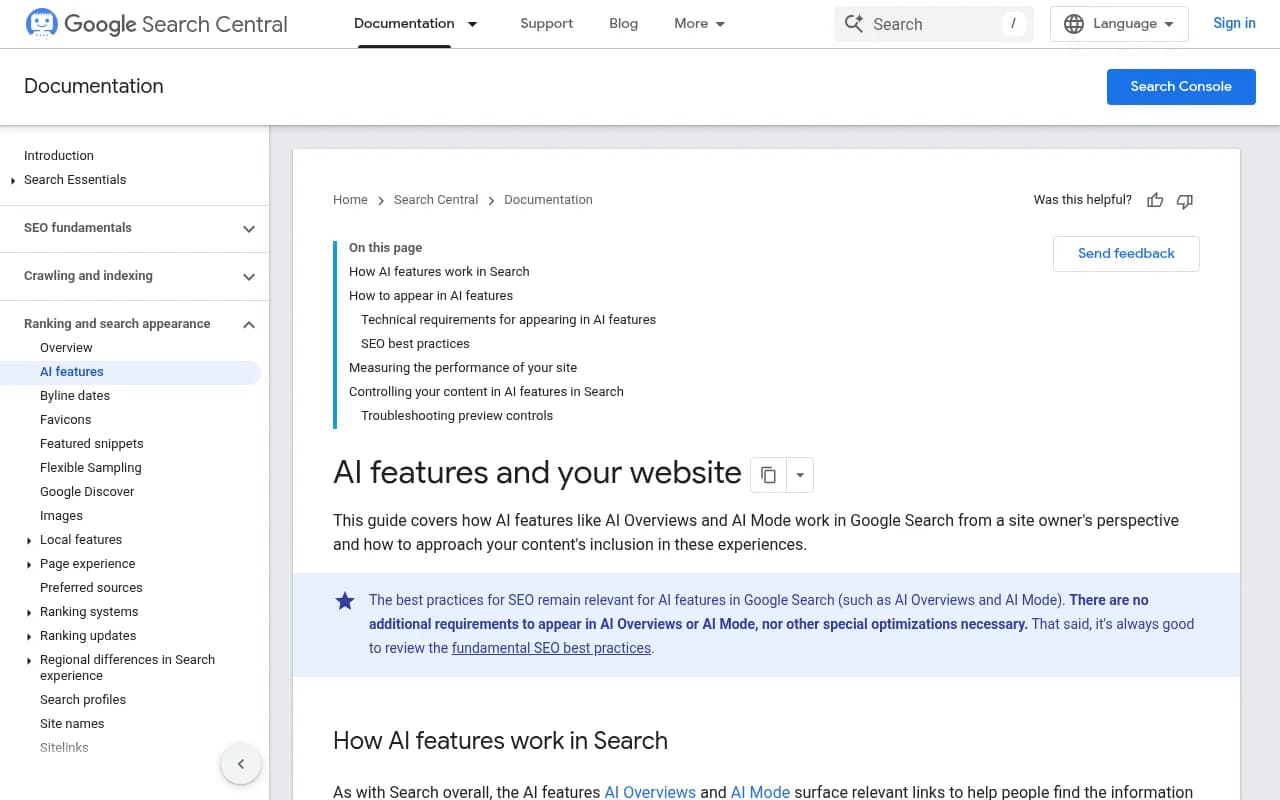
The Search Central doc on AI features is short and, honestly, a bit anticlimactic. To be a supporting link in AI Overviews or AI Mode, a page must be indexed and eligible to show in Google Search with a snippet. No extra technical requirements. Google states that "specific optimization isn't required" and points to the usual basics:
- Allow crawling in robots.txt and at the CDN or host level.
- Use internal links.
- Give people a good page experience.
- Keep important content in text form.
The doc also explains query fan-out. Both AI Overviews and AI Mode may run several related searches across subtopics, which surfaces a wider and more varied set of links than classic search. And AI Overviews only appear when Google decides they add something beyond classic results, so plenty of queries never trigger one.
This matters for how you use your data. If the eligibility bar is just "indexed with a snippet," then your Search Console Coverage and Performance reports are already the diagnostic. The question becomes which of your eligible pages actually earn the citation, and why not the rest.
Step 1: Pull the queries that are likely to trigger AI Overviews
AI Overviews skew toward informational, question-style searches. Start there.
- Open Performance, set the date range to the last 3 months, and compare with the previous period.
- Filter queries with a regex for question patterns:
^(how|what|why|when|which|can|does|is|are|should)\b
- Add a second pass for long conversational queries by using a regex that matches 7 or more words:
([^ ]+ ){6,}[^ ]+
- Export both lists.
Longer queries are where AI features are most active. The third-party digitalapplied write-up claims AI Mode queries run 2.3x longer than typical ones. Treat that figure as unverified, but the direction matches what you'd expect from conversational search.
Step 2: Find the impressions-without-clicks pattern
This is the signal I'd trust most. A query with rising impressions, a decent position, and a falling click-through rate is often one where an AI Overview now sits on top. The digitalapplied piece cites CTR drops between 15% and 89% when an overview is present, though that range is third party and I wouldn't quote it to a client as fact.
In your export, sort by impressions and flag rows where:
- Average position is under 10, and
- CTR is below what that position normally earns for your site, and
- CTR fell compared with the prior period.
Those are your candidate queries. Search the live results for ten of them by hand. Does an AI Overview appear? Are you cited in it? Write down who is.
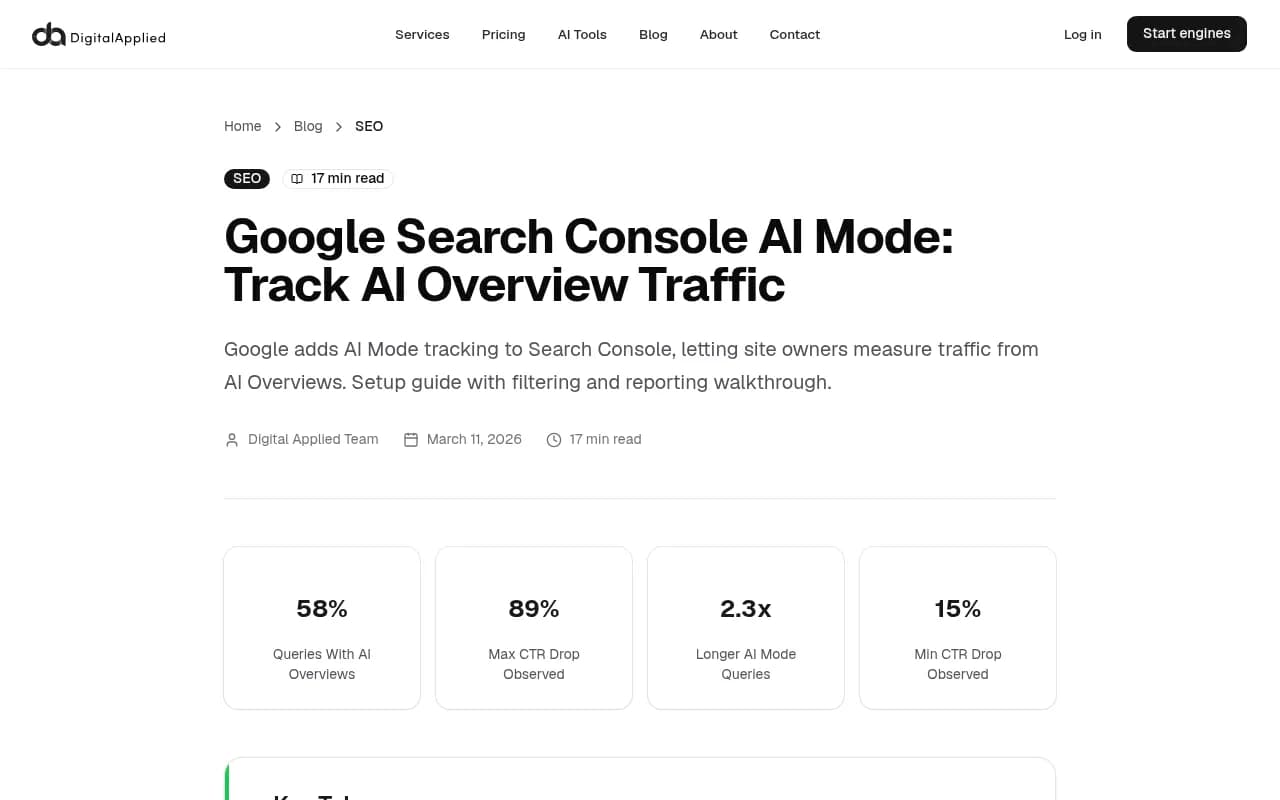
The article above is worth reading for the filtering ideas, but verify its claims about dedicated AI segments in your own account first.
Step 3: Split pages into three groups
For each candidate query, map it to the ranking page and sort pages into buckets.
| Group | What you see | What it usually means | Action |
|---|---|---|---|
| Cited and clicked | Healthy impressions, stable CTR | The page already works | Keep it fresh, protect it |
| Ranking, not cited | Top-10 position, an overview appears, you aren't in it | Content is hard to extract or answers the wrong angle | Rewrite the top, add direct answers |
| Not ranking | Positions 11-30 on adjacent queries | Missing subtopic coverage | Add sections or new pages for fan-out topics |
The middle group is where the quickest wins live. These pages already passed the eligibility test. Google just chose other sources.
A Searchable article makes the point that AI Overview citations don't only come from the top 10 organic results, so also check pages sitting on page two. A Reddit thread in r/seogrowth makes a similar observation about query expansion: Google pulls from adjacent keywords that most sites have abandoned. I'd treat both as anecdotal, but they fit what Google's own fan-out description implies.
Step 4: Rewrite for extraction, not for tricks
Google says nothing special is required, so I'm skeptical of any guide promising secret formatting. What does consistently help is making content easy to lift and unambiguous.
- Put a two or three sentence answer directly under the heading that matches the question.
- Use heading tags that reflect your actual structure, as Google's guidance recommends.
- Keep key facts in plain text, not buried in images or scripts.
- Add original data, tests or first-hand detail. Generic summaries are easy for a model to replace.
- Cover the sub-questions a searcher would ask next, since fan-out searches for them.
Check snippet controls too. If a page carries nosnippet or a restrictive max-snippet setting, it can't be a supporting link. Search the HTML of your key pages for these directives before rewriting anything.
Step 5: Match the format AI Overviews actually cite
Promptwatch Data tracked what Google AI Overviews cited in July 2026. Across the month, listicles averaged 18.0%, product pages 16.3%, how-tos 15.1% and news articles 13.5%, with video at 5.9% and social posts at 5.1%. Product pages were the top format every day from July 28, ending the month at 17.9% against 16.2% for listicles. Listicles averaged about 26% in Q1, so the mix is moving.
On the source side, Promptwatch's June 2026 AI Overview citation share data (May 31 to June 26, partial month) put YouTube at 4.16%, Reddit at 2.72% and google.com at 2.30% of all citations. google.com's share doubled from 1.15% in May.
What does that mean for your Search Console work? Two things:
- If your best-ranking page for a query is a thin blog post and the overview cites product pages or how-tos, the format may be the mismatch.
- If YouTube keeps showing up for your topic, a video with a matching title is a legitimate second asset. Google's own surfaces appear to be favored.
As a broader check on how the sources shift, see the Promptwatch Data hub, which also tracks Reddit and social citation changes across models.
Step 6: Track what Search Console can't
Search Console tells you that your page had AI-surface impressions. It does not tell you which prompts, which competitors, or whether a citation appeared at all on a given day. That's the gap third-party tools fill.
Promptwatch monitors the real Google AI Overviews and AI Mode interfaces by country, shows which of your pages get cited, and lines up Search Console data against AI crawls and citations, so you can answer "which pages rank but never get cited?" directly. It also has an Action Board and Content Agent for the rewriting work if you'd rather not do it by hand.

Other options if you want to compare:
| Tool | Strength | Consider if |
|---|---|---|
| Promptwatch | Tracking plus content gap analysis, crawler logs and publishing | You want data and execution in one place |
| Semrush | Broad SEO suite with AI tracking added | You already live in Semrush |
| Ahrefs Brand Radar | Brand monitoring in AI search | You use Ahrefs for backlinks |
| Otterly.AI | Lightweight prompt tracking | You only need mention checks |
| Peec AI | Monitoring-focused | You want a simple tracker |

For a wider browse, the GEO software directory at bestgeosoftware.com lists more options by category.
If you want a crawler to check eligibility issues first, Screaming Frog is a quick way to find noindexed pages, snippet directives and orphaned URLs.

Step 7: Build a monthly routine
A workable loop does not need much:
- Export question and long-tail queries from Search Console, compared month over month.
- Flag queries with falling CTR and stable position.
- Manually check 10 to 20 of them for an AI Overview and note who is cited.
- Rewrite two or three pages per cycle: answer first, subtopics added, original data included.
- Resubmit through the URL Inspection tool if the page changed meaningfully.
- Revisit after four to six weeks and compare impressions on the page.
If the new generative AI report is available to you, add page-level impressions to this routine. It won't give you queries, so keep the standard report open next to it.
Common mistakes
- Treating position in Search Console as a ranking inside the overview. It's one shared block position.
- Chasing clicks as the only success metric. Overviews can lift visibility while clicks fall, so watch impressions and brand searches too.
- Rewriting pages that are not indexed. Fix indexing and snippet eligibility first.
- Copying a competitor's format without checking whether the query type even triggers an overview. Google shows them only when it judges them additive.
- Believing any single tactic. Google's official line is that standard SEO fundamentals apply, and that is the safest baseline.
Bottom line
Your Search Console data won't tell you everything about AI Overviews, and anyone claiming a clean AI filter should be checked against your own account. But it does show where you rank, where clicks are vanishing and which question-style queries deserve a rewrite. Start with the ranking-but-not-cited pages, make the answers easy to extract, and add a citation tracker to see what Google's report leaves out.