Key takeaways
- OpenCode's websearch tool supports five providers: Exa, Firecrawl, Parallel, Tavily, and TinyFish. Exa is one option, not the only one, so your docs need to be findable across several indexes.
- Search and fetch are separate tools.
websearchfinds pages,webfetchpulls a URL as markdown. Your docs have to win at both steps. - Exa says it powers search for most of the largest coding-agent companies, and it built a dedicated ingestion pipeline for docs, changelogs and issues. Fresh, clean, well-sectioned pages are what that pipeline favors.
- There is no public OpenCode citation data yet. The closest evidence is Promptwatch Data on ChatGPT, where docs and help centers earn the largest share of software citations.
- Measure instead of guessing: check crawler access, track prompts developers actually ask, and watch what AI traffic does on your site.
What actually happens when OpenCode searches the web
OpenCode is an open source coding agent. When you ask it for something current, like the latest release notes for a library, it can run a web search, read the results, and include source links in its answer. The official web search docs describe the flow plainly: the first search asks you to allow web search and pick a provider, and OpenCode remembers your choice.
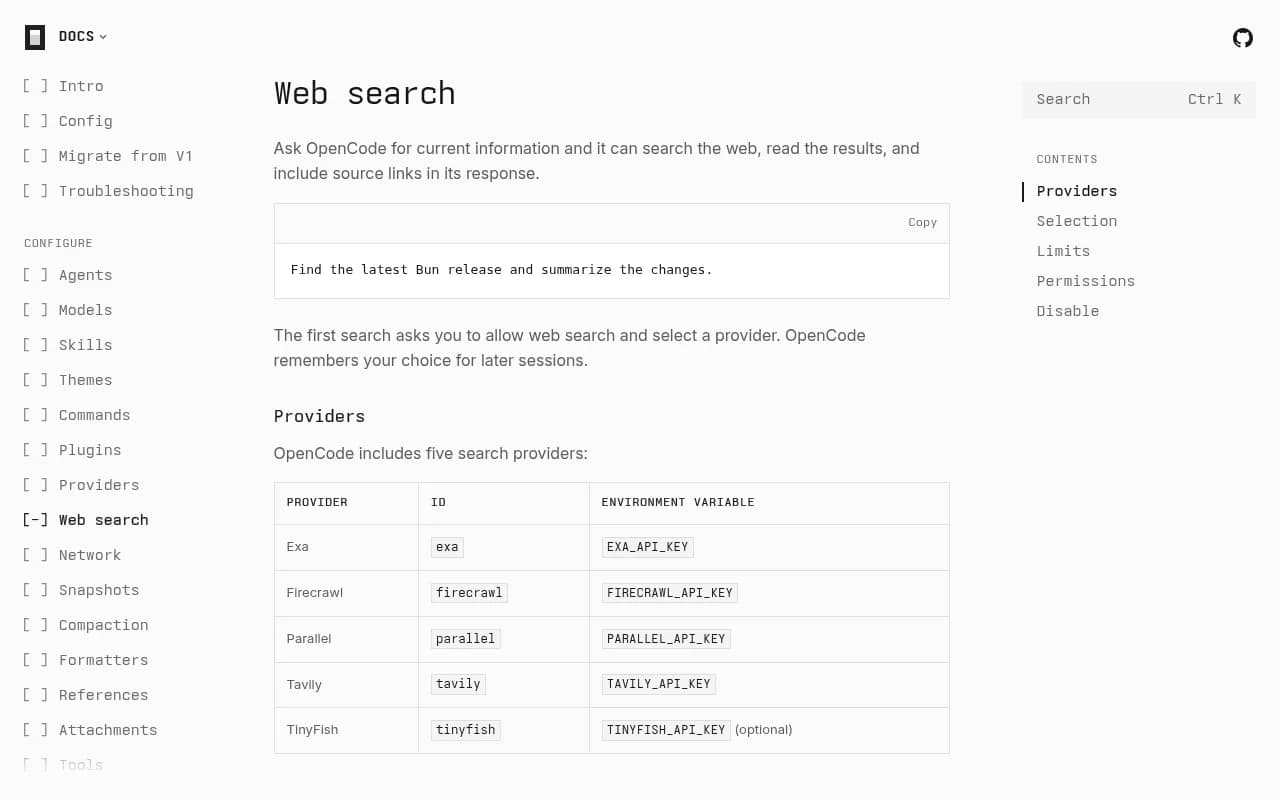
A prompt as simple as this triggers it:
Find the latest Bun release and summarize the changes.
The agent then chooses the tool itself. OpenCode's tools documentation says you ask for the outcome and it picks the available tools, asking for approval where needed.
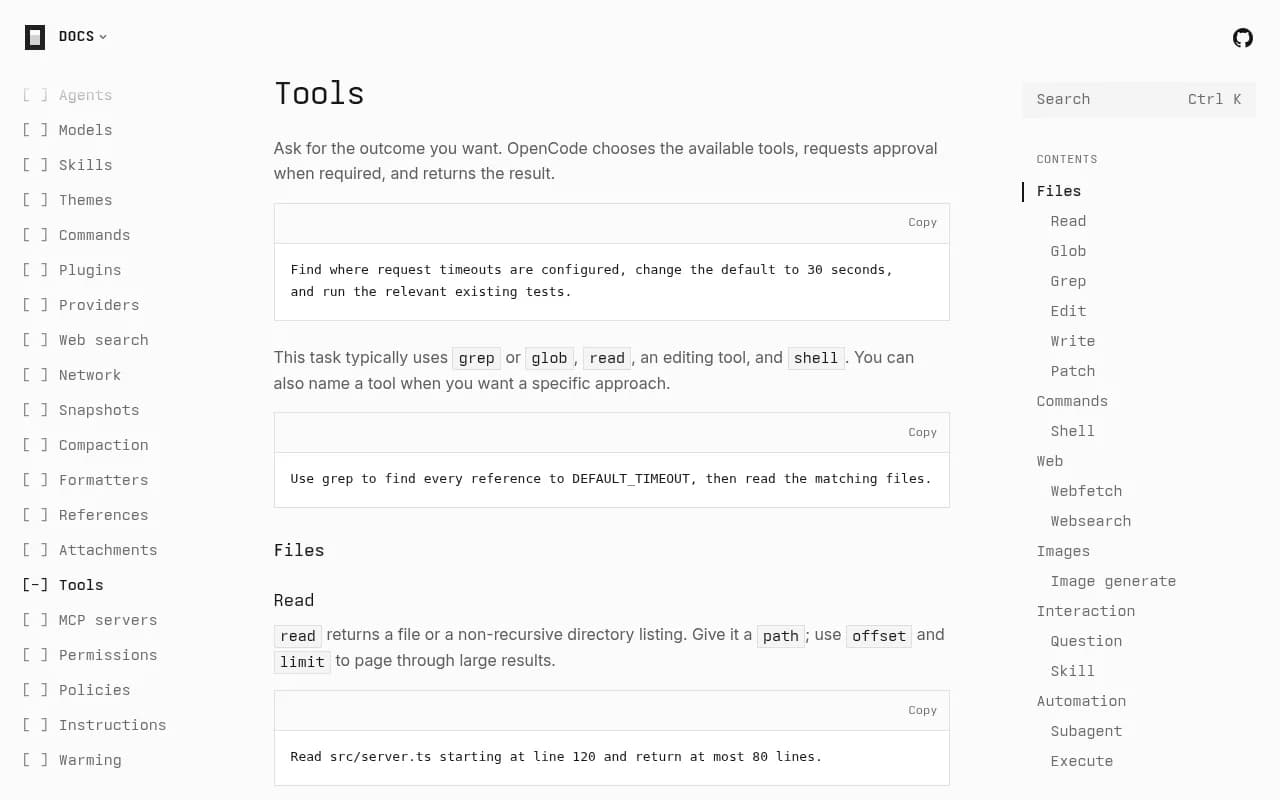
Two tools matter for anyone who publishes documentation:
websearchruns a query against a search provider and returns results.webfetchtakes a URL and returns the page as markdown.
That split is the whole game for docs visibility. A page can be great and still never get fetched because it never showed up in search. Or it can show up and then fail at fetch time because it renders badly as markdown.
Exa is one of five providers
The headline version of this story is that OpenCode searches through Exa. That is true, but incomplete. According to the docs, OpenCode includes five search providers:
| Provider | ID | Environment variable |
|---|---|---|
| Exa | exa | EXA_API_KEY |
| Firecrawl | firecrawl | FIRECRAWL_API_KEY |
| Parallel | parallel | PARALLEL_API_KEY |
| Tavily | tavily | TAVILY_API_KEY |
| TinyFish | tinyfish | TINYFISH_API_KEY (optional) |
You can connect an account from the TUI with /connect, or set the variable before launching, for example TAVILY_API_KEY=your-key opencode.
I could not confirm from the docs whether Exa is the default provider, or exactly how OpenCode calls it (direct API or Exa's MCP endpoint). Treat any claim that "OpenCode uses Exa by default" with some suspicion until you check your own install. What the docs do confirm is that Exa is a first-class option, and a lot of users will pick it.
Pinning a provider versus random mode
You can skip the selection prompt by setting a provider in opencode.jsonc:
{
  "$schema": "https://opencode.ai/config.json",
  "websearch": {
    "provider": "tavily"
  }
}
Or you can set "provider": "random", which picks an available provider automatically. This is where things get interesting for visibility. In random mode each session sticks with its provider until that provider is rate limited. Then OpenCode moves on to another one.
A GitHub issue reports that the built-in websearch unexpectedly switched between Exa and Parallel on adjacent searches. I have not verified the details, but it fits the documented fallback behavior. The practical takeaway: the same developer, in the same afternoon, can get answers built from different indexes.
Rate limits and fallbacks
When a provider returns HTTP 429, random selection retries with another one. The limited provider waits out its Retry-After period, or 60 seconds if the header is missing or invalid.
Exa returns HTTP 429
→ Exa enters cooldown
→ OpenCode retries with another provider
If every provider is cooling down, the search fails immediately. Restarting a session's server clears its remembered provider, and cooldowns are shared by sessions in the same workspace.
There is also community noise. A Reddit thread asks whether Exa search is still free in OpenCode after queries started failing. I could not verify the cause, and I did not find current Exa pricing or free-tier terms for OpenCode, so check exa.ai/pricing before assuming anything. Exa itself is not a permanently free API, though it offers a trial, per the Open WebUI integration docs.
Permissions and the off switch
Searches use a websearch permission action with the query as the resource. Many developers will leave this on ask, which means a human sees each query before it runs:
{
  "$schema": "https://opencode.ai/config.json",
  "permissions": [
    {
      "action": "websearch",
      "resource": "*",
      "effect": "ask"
    }
  ]
}
And "websearch": false removes the tool from model requests entirely.
This matters because it caps how much you can lean on agent search as a channel. Some teams will disable it for security reasons. Others will approve queries one at a time. When search is off, the agent falls back to training data, and your freshest docs are invisible to it. That is an argument for keeping your docs structured well enough to land in training corpora too, not just live search.
Why Exa's design matters for docs teams
Exa's own writing about coding agents is worth reading if you publish documentation. In its WebCode evaluation post, Exa says it powers search for most of the largest coding-agent companies and has seen a surge in code-search queries, with a particularly large jump at the end of 2025. It also says documentation, changelogs and issues update constantly, so it built a dedicated ingestion pipeline focused on fresh, clean results rather than full-page chrome.
The eval itself measures two things:
- Contents quality, including highlights: can the provider surface the exact section of a page that answers the query? Exa's example pulled the specific bullet from Apple documentation that answered the question.
- Retrieval quality: can the provider find that niche page among the whole web? Exa builds questions from segments buried deep in a document.
Both are things you can influence. Nobody can tune Exa's ranking, but you can make your pages easy to retrieve and easy to excerpt.
What clean and sectioned looks like in practice
Based on how Exa describes its pipeline, these habits make sense:
- One question per heading. If a section heading reads like the question a developer would ask, a highlight extractor has an obvious unit to pull.
- Put the answer in the first sentence under the heading, then add detail.
- Keep changelogs dated and one release per entry, since agents ask for "latest" things constantly.
- Avoid burying the answer in tabs, accordions, or content that only appears after JavaScript runs.
- Keep navigation and boilerplate light so the page body is the bulk of the markdown.
To be clear, this is inference from Exa's published design goals, not a documented ranking rule. Exa has not published a checklist for docs authors.
Treat your own domain as a retrieval surface
Agents do not only search the open web. They also scope searches to a domain. Promptwatch's data on ChatGPT found that on August 8, 2026, site: queries jumped from 0.37% to 16.8% of all fanout queries, roughly 1 in 6 compared with about 1 in 280 before. Average fanout queries per response rose from about 1.08 to about 1.83 the same day, so the site: searches were added on top of generic ones. The full write-up is in Promptwatch's report on ChatGPT's site: operator fanouts.
This is ChatGPT data, not OpenCode data, and I want to be careful here. But it shows how agent-style search behaves when a provider decides to verify an answer on a specific domain. A site: query can only return pages a search engine has indexed from your domain. Thin category pages, a broken internal search, and unindexed content all cost you answers. The same logic should apply to any search backend an OpenCode user connects.
What the citation data says about docs
I found no OpenCode-specific data on which docs get cited. Nobody seems to have published it. The nearest proxy is software prompts in ChatGPT. In Promptwatch's software citation report (Sep 28 to Oct 4, 2026), GitHub was the most cited domain at 1.2%, followed by learn.microsoft.com at 0.98% and G2 at 0.73%. By source type, docs and help centers earned the largest share at 2.64%, ahead of vendor sites at 2.01%, review sites and analysts at 1.57%, GitHub at 1.2% and app stores at 0.47%.
| Source type (ChatGPT, software prompts) | Citation share |
|---|---|
| Docs and help centers | 2.64% |
| Vendor sites | 2.01% |
| Review sites and analysts | 1.57% |
| GitHub | 1.2% |
| App stores | 0.47% |
Take it as directional. A coding agent is a different surface from a chatbot, and developers ask it different questions. Still, the pattern lines up with Exa's own emphasis on documentation, changelogs and issues. Two more reports are worth a look if you plan content: the ChatGPT content half-life report shows how long different content types stay cited, and the content type breakdown shows what gets cited most.
A practical checklist for docs visibility
1. Make sure crawlers can reach you
If a provider cannot fetch and index your pages, nothing else matters. Check robots.txt, bot protection rules, and rate limiting that might block unfamiliar crawlers. Promptwatch's free tools, like the AI Crawler URL Inspector and the Agentic Readiness Check, are a quick way to see which crawlers can read your site. The robots.txt generator for AI helps if you need to adjust rules deliberately.
2. Get indexed, not just published
Search providers index the web on their own schedules. Submit sitemaps, keep internal links healthy, and confirm in Google Search Console that docs pages are indexed. Orphan pages and pages missing from the sitemap are the usual culprits.
3. Write for the fetch step
Because webfetch returns markdown, a page that is mostly widgets, tabs and scripts converts badly. Preview your key pages as plain markdown. If the converted text is a mess, the agent gets a mess. Note that markdown files themselves are a small slice of citations: Promptwatch Data shows they make up just 0.05% of AI search citations, because markdown serves agents, not AI search. Don't swap your HTML docs for .md files. Make the HTML convert cleanly.
4. Keep release information fresh and dated
Agents love "latest" queries, like OpenCode's own example about the latest Bun release. A changelog with clear dates and version numbers answers those directly. Stale pages with ambiguous "current version" language invite wrong answers.
5. Keep a public GitHub presence
The software citation data shows GitHub as the top cited domain. Maintain a readable README, tagged releases, and issues that actually get answered. Agents read them.
6. Consider an llms.txt
Exa's own blog page opens with a pointer to its site index at exa.ai/llms.txt, telling agents to use it to discover products, pricing and docs. There is no evidence in my research that OpenCode's search tool reads llms.txt, so don't expect it to move rankings. It is cheap, though, and agents that browse sites directly can use it. The LLMs.txt generator makes it a ten-minute job.
How to measure whether any of this works
Here is the uncomfortable part. You cannot see OpenCode's searches. You can see their downstream effects: crawler hits, referral traffic, and what AI models say about your product when asked. That means measuring a few things together.
- Whether AI crawlers fetch your docs, and which pages fail.
- Whether your pages get cited for the prompts developers ask.
- Whether those answers describe your product accurately.
- Whether any of it turns into visits and signups.
Promptwatch is built for this loop. It tracks how ChatGPT, Perplexity, Google AI Overviews, Claude and other engines mention and cite your brand, and it covers coding agents like Codex, Claude Code and OpenCode, which matters for developer-tool and API companies. IP-verified AI crawler logs show which bots read which pages and where they hit errors, so you can tell an access problem from a content problem. Its content gap analysis then points to prompts where competitors get cited and you do not.

If you want a quick baseline before committing to anything, the free AI visibility report scans how ChatGPT, Gemini and Perplexity talk about your brand. Pricing starts at $95 per month for Essential, with a 7-day free trial on monthly billing; confirm current plans at promptwatch.com/pricing.
Other options exist. Directories like bestgeosoftware.com list GEO platforms side by side, and lighter trackers such as Otterly.AI cover basic prompt monitoring.

The difference to weigh is whether a tool only reports a score or also helps you act on it, and whether it shows crawler-level evidence.
What I would not do
A few temptations are worth resisting.
- Don't rewrite your whole docs site around one provider. OpenCode alone supports five, and random mode can rotate between them mid-session.
- Don't assume Exa's behavior today is permanent. Promptwatch makes the same point about ChatGPT: platform-wide rollouts change quickly, so monitor continuously instead of reacting to one shift.
- Don't treat agent search as your only developer channel. Plenty of users disable the tool or require approval for each query.
- Don't invent a ranking factor. Nobody outside Exa knows its exact ranking mix.
Wrapping up
OpenCode's web search is simple on the surface: allow it, pick a provider, get an answer with sources. Underneath, there are five providers, rate-limit fallbacks, a separate fetch step, and a permission layer that can shut the whole thing off. For docs teams, the useful move is boring and solid. Keep pages crawlable, indexed, sectioned by question, dated where freshness matters, and convertible to clean markdown. Then watch crawler logs and citation data to see whether agents are actually reading you.
That is also the honest limit of what anyone can say today. There is no public OpenCode citation dataset. Until there is, ChatGPT-based research from sources like Promptwatch Data is the best proxy, and your own crawler logs are the best ground truth.