Key takeaways
- Claude Code and Codex often build things themselves instead of recommending a tool. When they do pick one, they pick decisively, so being in the shortlist matters a lot.
- Tracking has two layers: selection (does the agent choose you?) and usability (can it onboard once it has chosen you?). Test both.
- Results vary by model version and harness settings. Log the model, tool version and permission config on every run.
- No first-party dataset exists yet for Claude Code or Codex recommendations. Promptwatch Data covers ChatGPT and AI crawlers, which is useful context, not agent-run data.
- The fixes are mostly boring and effective: crawlable docs, a clean public GitHub repo, quickstarts that work, and consistent third-party profiles.
Why this is worth measuring
A developer types "add payments to this app" or "set up background jobs" into a terminal agent. The agent reads the repo, maybe searches the web, and then either installs something or writes the code itself. If your SDK is not what it reaches for, the developer may never see your name.
That is a new distribution channel, and almost nobody measures it. I'll be upfront about the state of the evidence: it is thin, mostly third party, and changes quickly. But the one serious study I found is enough to justify building a small test harness.
Amplifying's study, "What Claude Code Actually Chooses" (February 2026, Claude Code v2.1.39), ran 2,430 open-ended responses across three models (Sonnet 4.5, Opus 4.5, Opus 4.6), four repos and 20 tool categories. No tool names appeared in the prompts. About 85% of responses gave a parseable pick. Two findings matter for SDK owners:
- "Custom/DIY" was the most common label, showing up in 12 of 20 categories. Feature flags went DIY 69% of the time, and Python auth 100%.
- When the agent did pick a tool, it was decisive: GitHub Actions 93.8%, Stripe 91.4%, shadcn/ui 90.1%, and Vercel for every JavaScript deployment pick.
So the market looks winner-take-most in categories where the agent does pick something, and your biggest competitor is often "write it yourself."
Models also disagree. Prisma was 79% of Sonnet 4.5's JavaScript ORM picks but 0% for Opus 4.6, which chose Drizzle every time. That is why you track by model version rather than by "Claude Code" as a whole.
The two layers: selection and usability
The Prompting Company (a vendor, so read its claims as marketing) frames the problem usefully. I'd borrow the framing even if you ignore the product.
- Selection: given a task, does the agent shortlist and pick your SDK?
- Usability: once the agent has picked you, can it install, authenticate and get a first call working from your docs?
Most teams only think about the first. But an SDK that gets picked and then fails at auth step three will teach the agent nothing good, and the developer will blame you. Run both tests.
Step 1: Define the tasks and categories you want to win
Write 10 to 20 task prompts, phrased the way a developer would phrase them, with no brand names in them.
- "Add email sending to this Express app."
- "I need to process webhooks reliably. Set it up."
- "Add vector search to this Python service."
Split them into three types:
| Prompt type | Example | What it tells you |
|---|---|---|
| Open-ended task | "Add payments to this app" | Whether you are in the default shortlist |
| Constrained task | "Add payments, TypeScript, serverless" | Whether you win in your sweet spot |
| Head-to-head | "Compare X and Y for this repo" | How the agent describes you versus rivals |
Keep the open-ended set separate from the head-to-head set. Naming a brand in the prompt contaminates the selection test.
Step 2: Build a small set of test repos
Agents read the files in front of them. A repo that already uses a competitor will bias results toward that competitor. Create 3 to 4 starter repos:
- A blank project in your primary language.
- A project in a second ecosystem (for example Python and JavaScript).
- A project that already uses a competitor, to test switching.
- A project that already uses your SDK, to test whether the agent keeps or removes it.
Commit them to a throwaway GitHub org and reset to a clean state before every run.
Step 3: Run the agents headlessly and repeatably
Both tools have non-interactive modes. Examples are claude -p for Claude Code and codex exec for Codex. I could not verify the current flags in official docs while researching this, so check code.claude.com/docs and OpenAI's Codex documentation before you script anything. Settings change often.
Whatever the exact commands, the shape of the harness is the same:
for task in tasks/*.txt; do
  for run in 1 2 3; do
    git -C testrepo reset --hard && git -C testrepo clean -fd
    # run the agent non-interactively with the task prompt
    # capture the full transcript and the final diff
    # save to results/<model>/<task>/<run>/
  done
done
Three runs per task is the minimum. Amplifying used three runs per repo and category, because a single run is an anecdote.
Pin the configuration
A Hacker News commenter on the armature.tech study ("Which tools do Claude, Codex and Cursor choose? 17k runs") argued that harness behavior matters as much as model preference. In Claude Code, WebFetch asks permission per domain and WebSearch is a separately gated tool, so the cheapest path is often just the files already in the repo. The commenter said Codex has less friction before a fetch. That is one person's opinion and I did not verify it, but the practical lesson is sound: your permission and web-search settings change what the agent reaches for.
So decide on two configurations and run both:
- Locked down: no web access, repo only. This measures what the model knows from training.
- Web enabled: search and fetch allowed. This measures whether your docs are findable and readable.
The gap between the two is itself a finding. If you win with web access and lose without it, your docs are doing the work and the model has not learned you yet.
Step 4: Log what matters
For every run, store a row like this:
| Field | Why |
|---|---|
| Agent and version | Behavior shifts between releases |
| Model | Picks differ by model (Prisma vs Drizzle) |
| Web access on or off | Changes the retrieval path |
| Task ID and run number | For variance |
| Pick (your SDK, competitor, DIY, none) | The core metric |
| Ranked alternatives mentioned | Shortlist presence |
| Sources fetched | Which of your pages were read |
| Task completed (yes/no) | The usability layer |
| Friction notes | Where onboarding broke |
Classify picks with a short script, or have a second model read the diff and label the pick. Keep the label set small: your SDK, named competitor, Custom/DIY, none. Spot check 10% by hand, because classifiers get confused when the agent installs a package as a transitive dependency.
Step 5: Compute four numbers
- Pick rate: share of runs where the agent installs or recommends your SDK.
- Shortlist rate: share of runs where you are mentioned at all, even if not chosen.
- DIY rate: share of runs where the agent writes it from scratch. If this is high, your category has an awareness or friction problem, not a competitor problem.
- Completion rate: of runs that picked you, how many ended with a working integration.
Report each by model and by configuration. Do not average across models. The Amplifying data shows why: a blended number would hide a 79% to 0% swing.
Step 6: Run a usability test against your own docs
This is the Prompting Company style test, and you can approximate it for free. Give an agent a fresh sandbox, tell it to integrate your SDK (now naming it), and give it only your public docs. Judge the result by whether a first successful API call happens.
The vendor reports that some products scored 100 on its Agent-Ready scale while a major payments platform and a widely used AI SDK scored 0% completion. I can't verify those scores, and they are one task per run, which the vendor itself admits is a sample and not a census. But the idea is right. Note exactly where the agent stalls: an auth flow that needs a browser, a quickstart that assumes an installed CLI, a code sample with a stale import.
Step 7: Check the supply side, which you control
Agents recommend what they can read. Three areas deserve attention, and you can measure all of them.
Crawlability of docs
Promptwatch Data's ChatGPT software citations report (Sep 28 to Oct 4, 2026) is ChatGPT data, not agent data, but it points in the same direction. GitHub was the top software domain at 1.2% of citations, learn.microsoft.com followed at 0.98%, and G2 at 0.73%. By source type, docs and help centers led at 2.64%, and vendor sites plus docs together earned about three times what review sites and analysts did. The report's advice for developer tools: publish crawlable docs, keep a public GitHub presence, and keep G2 and Capterra profiles current.
Also relevant: on August 8, 2026, ChatGPT started using site:-scoped fanout queries at scale, jumping from 0.37% to 16.8% of fanouts, per Promptwatch's site: operator report. If an agent does something similar, site:yourdocs.com [topic] only works on indexed pages. Treat your own domain as a retrieval surface.
Crawler access
Check robots.txt, CDN and WAF rules for every AI crawler. In Promptwatch's AI crawler traffic data (Jun 8 to Sep 6, 2026), OpenAI made up 79.8% of IP-verified AI crawler requests in the week of Aug 31 to Sep 6, down from 94.8% in mid June, so other operators are growing. Compare your own logs to that mix. If one provider is nearly absent, you probably have a block.
Tools like Promptwatch can show IP-verified AI crawler logs with per-page errors, which makes it easy to tell an access problem from a content problem. Its AI crawler logs feature is the relevant piece here.

The free Agentic Readiness Check also tests which AI crawlers can read your site and whether you publish things like llms.txt. Markdown, for what it's worth, is just 0.05% of AI search citations per Promptwatch Data: it serves agents, not AI search, so don't expect an llms.txt file to carry your strategy.
Repo and package presence
Coding agents read what is in the repo and what is on package registries. Make sure your README has a working install snippet, a minimal example, and an honest description of when to use you. Pin examples to current versions. A stale import in a README is copied into thousands of generated projects.
Step 8: Track the web-facing side continuously
Your agent harness measures what a coding agent does. A separate question is what ChatGPT, Perplexity and Google say when a developer asks the same question in a browser, and those answers feed the same awareness loop. For that you want an AI visibility platform that runs prompts on the real interfaces and records citations.
Promptwatch tracks ChatGPT, Gemini, Perplexity, Claude and Google AI Overviews, and it also tracks how Codex, Claude Code and OpenCode recommend tools, SDKs and docs, which is rare in this category. Pair it with your own harness: the harness gives you controlled experiments, and the platform gives you ongoing monitoring plus the content gap analysis. Confirm current plans at promptwatch.com/pricing, since the free starting points are a 7-day trial and the free AI visibility report.
If you want to compare other options, the GEO software directory at bestgeosoftware.com lists the field, and several in our catalog cover similar ground:
| Tool | Strength | Caveat for SDK owners |
|---|---|---|
| Promptwatch | Prompt tracking, crawler logs, content gap analysis, coding agent visibility | Business plan needed for the Content Agent |
| Profound | Enterprise monitoring | Higher price, no agentic execution |
| Otterly.AI | Simple, affordable prompt tracking | No crawler logs or content generation |
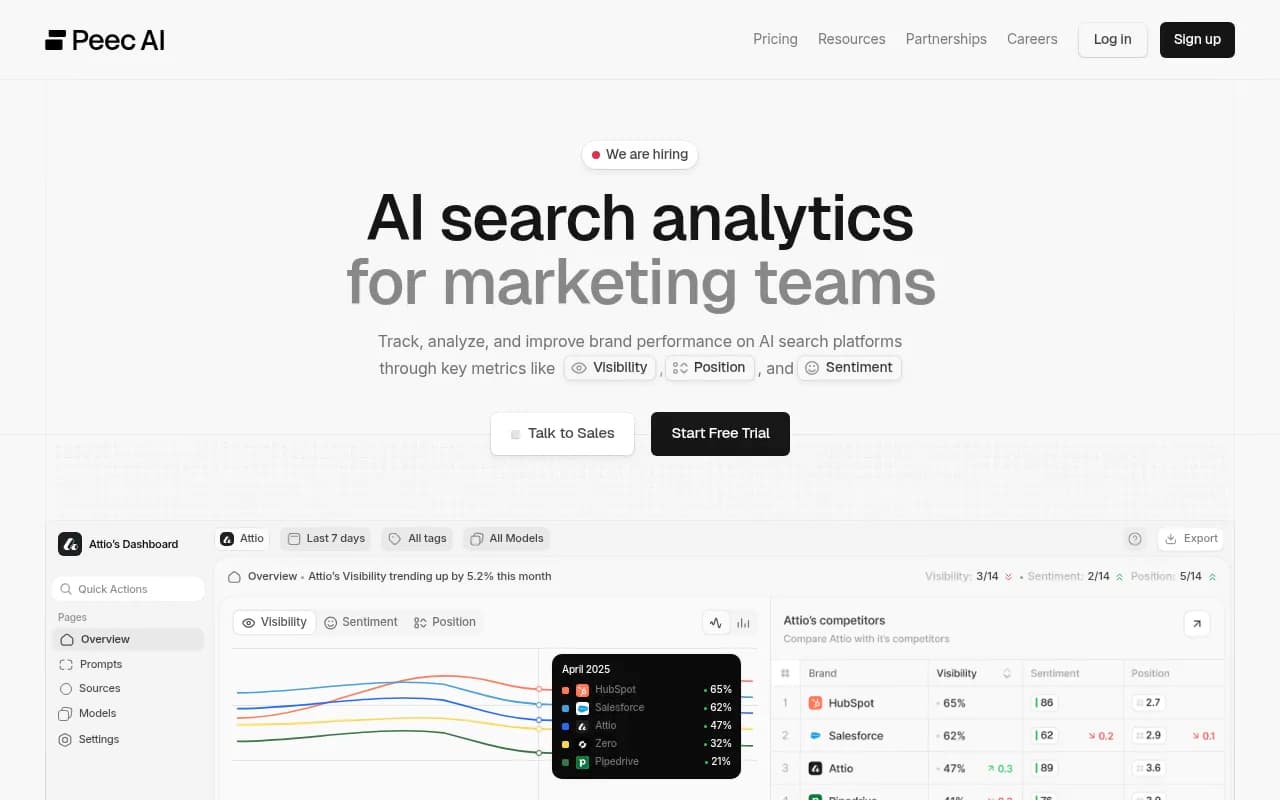
| Peec AI | Monitoring across engines | Monitoring only |

Step 9: Turn findings into fixes
Read the failures, not just the percentages. In my experience the patterns fall into a handful of buckets:
- High DIY rate: the agent thinks the task is easier to write itself. Publish a three-line quickstart and a comparison page that says why using you beats rolling your own.
- Loses to a named competitor: study the pages the agent fetched when it chose them. Match their clarity, not their length.
- Picked you, failed to complete: fix the docs step where it stalled. This is the cheapest win.
- Wins on one model, loses on another: check whether the docs-enabled run differs. If so, you are relying on retrieval and not training memory. That is fine, but fragile.
- Never fetched your docs: crawlability or indexing problem. Check Search Console and your crawler logs.
Step 10: Re-run on a schedule
Models, harness defaults and search behavior change without notice. ChatGPT's site: behavior changed overnight in August, and the Amplifying results already differ by model version. Re-run the full suite whenever a new Claude or Codex model ships, and at least monthly otherwise. Store every run so you can chart pick rate over time and tie moves to doc changes.
A realistic cadence for a small team:
- Weekly: the open-ended selection suite, web enabled, latest model of each agent.
- Monthly: the full matrix across configurations and test repos.
- On every major docs release: the usability test.
Limits you should state when you report this
Be honest with stakeholders. Your harness measures a sample of tasks on a sample of repos. Results shift with every model release. Agents sometimes run with developer-specific config files, memory and rules that your clean sandbox does not replicate. And you own the fixes: no tracker will do them for you, though platforms with a content agent can draft and publish pages once you know which gaps matter.
It is also worth noting what the data does not say. Promptwatch has no report specific to Claude Code or Codex recommendations, so the reports cited above are ChatGPT and crawler data. I'd treat them as directional context for docs and GitHub strategy, and treat your own harness runs as the actual evidence.
If you also need a team to handle the docs, GEO and technical SEO side of this, 1001 SEO Media runs that kind of work for brands that want to show up in AI answers.
Quick start checklist
- Write 10 to 20 brand-free task prompts across open, constrained and head-to-head types.
- Create 3 to 4 clean test repos and reset them before every run.
- Run Claude Code and Codex headlessly, three runs per task, with and without web access.
- Log agent version, model, config, pick, sources fetched and completion.
- Report pick rate, shortlist rate, DIY rate and completion rate by model.
- Audit docs crawlability, robots.txt and CDN rules for every AI crawler.
- Keep GitHub, the README and G2 or Capterra profiles current.
- Re-run monthly and after every major model release.