Social Champ Review 2026
Schedule unlimited posts across multiple platforms with bulk uploading, content recycling, and team collaboration at affordable pricing.
Summary
- Best for budget-conscious teams: Social Champ delivers enterprise-level scheduling and analytics at prices 30-40% below competitors like Hootsuite or Sprout Social, making it ideal for agencies, small businesses, and solopreneurs managing multiple clients
- Unlimited posting is the standout: Unlike most competitors that cap posts per month, Social Champ allows unlimited scheduled posts on all paid plans -- a massive advantage for high-volume content operations
- 12-platform coverage: Supports Facebook, Instagram, X/Twitter, LinkedIn, TikTok, YouTube, Pinterest, Google Business Profile, Threads, Mastodon, Bluesky, and WhatsApp Business
- Limitations: Analytics are basic compared to Sprout Social or Agorapulse; no native mobile app (web-only); AI features feel tacked-on rather than deeply integrated
- Pricing sweet spot: Growth plan at $89/month for 15 accounts and unlimited posts beats Buffer ($120 for 10 accounts, 2000 posts) and Hootsuite ($249 for 10 accounts)
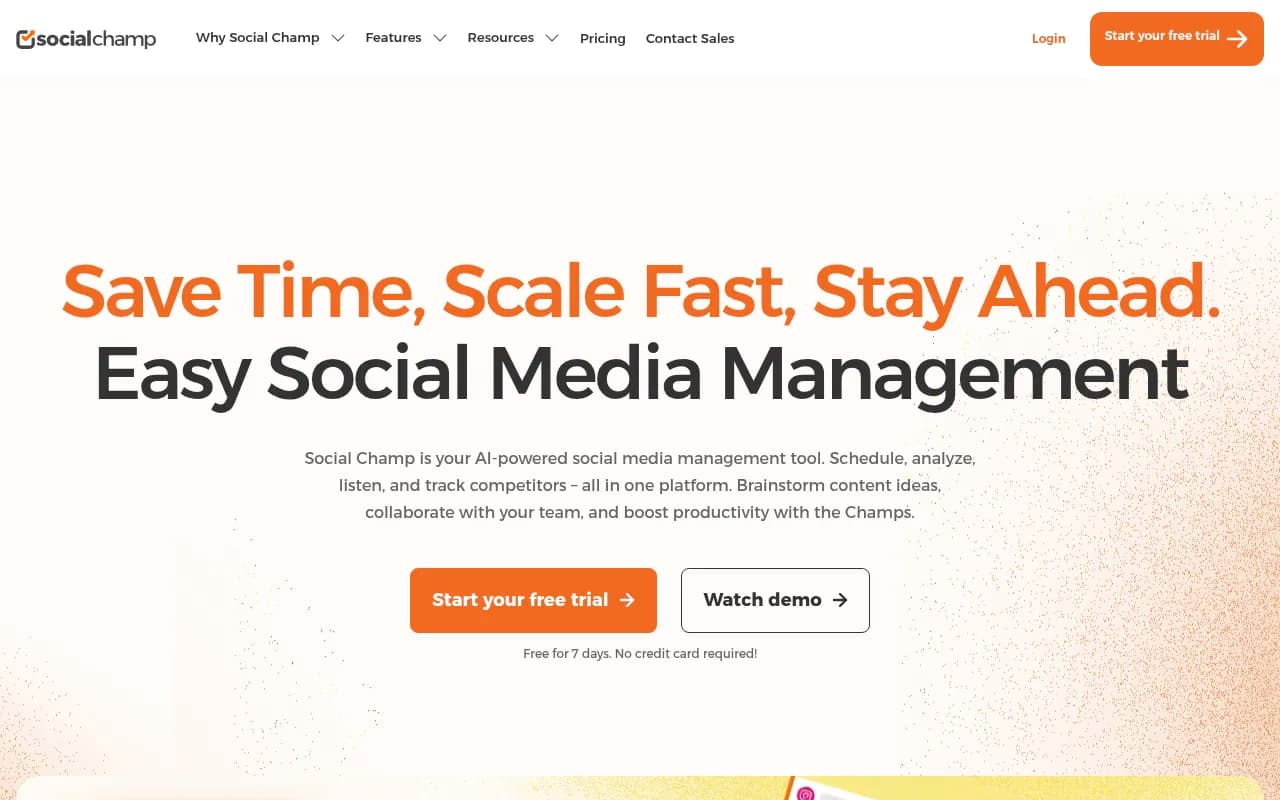
Social Champ positions itself as the scrappy underdog in social media management -- the tool that gives you 80% of what the expensive platforms offer at 40% of the price. Founded in 2017 and based in Pakistan, it's grown to serve over 100,000 users including recognizable names like Guy Kawasaki and Neal Schaffer. The pitch is simple: why pay $300/month for Hootsuite when you can get unlimited scheduling, team collaboration, and basic analytics for under $100?
The platform supports 12 social networks, which puts it ahead of most mid-tier competitors. You get the usual suspects (Facebook, Instagram, X, LinkedIn, TikTok, YouTube) plus newer platforms like Threads, Bluesky, and Mastodon. WhatsApp Business support is a recent addition that few competitors offer. Each platform gets native features -- Instagram carousels, TikTok video uploads, LinkedIn document posts, YouTube Shorts scheduling.
Publish: The scheduling engine
The core scheduling interface is clean and functional. You write your post, attach media, customize per-platform (different captions for Instagram vs LinkedIn, for example), and either schedule immediately or add to a queue. The queue system is where Social Champ shines for high-volume users. You can set up time slots (say, 9am, 1pm, 5pm daily) and dump 50 posts into the queue -- the tool auto-assigns them to the next available slot. Competitors like Buffer charge extra for queue features or limit how many posts you can queue.
Bulk upload via CSV is surprisingly robust. You prepare a spreadsheet with columns for post text, image URLs, publish times, and platform tags, then upload. Social Champ processes it and populates your calendar. This is a lifesaver for agencies managing 20+ client accounts. The CSV template is well-documented, though you'll need to host images externally (Google Drive, Dropbox) and reference URLs -- no direct file uploads in bulk mode.
Content recycling (they call it "Repeat Posts") lets you automatically republish evergreen content on a schedule. Set a post to repeat weekly, monthly, or at custom intervals. You can create categories ("Blog Promotions", "Product Features") and recycle entire batches. This is standard in most tools, but Social Champ's implementation is straightforward -- no confusing rules or limits.
RSS feed integration pulls blog posts automatically and converts them into social posts. You connect your WordPress RSS feed, set a template ("New post: [title] [link]"), and Social Champ generates posts whenever you publish. It supports custom fields, so you can pull featured images or excerpts. This feature alone justifies the price for content marketers running blogs.
Team collaboration includes approval workflows, role-based permissions (admin, manager, contributor), and internal notes on drafts. The approval system is basic -- drafts go to a queue, managers approve or reject with comments. No Slack notifications or advanced routing like "send to legal if post mentions pricing." For small teams (3-10 people), it works fine. Larger agencies will miss the granular controls in tools like Planable or Loomly.
Calendar: Visual planning
The calendar view shows all scheduled posts across accounts in a drag-and-drop interface. You can filter by platform, account, or label (custom tags like "Campaign-Q1" or "Client-Acme"). Dragging a post to a new date/time reschedules it instantly. The calendar supports multiple views: day, week, month. There's a shareable link feature that generates a read-only calendar URL for clients -- useful for agencies showing content plans without giving dashboard access.
One quirk: the calendar doesn't show post performance metrics inline (likes, comments). You have to click into each post to see analytics. Competitors like Agorapulse overlay engagement data directly on calendar tiles, making it easier to spot winners.
Analytics: Basic but functional
Social Champ's analytics are where the budget positioning shows. You get standard metrics: impressions, reach, engagement rate, follower growth, top posts. Reports are exportable as PDF, PPT, or CSV with white-label branding (remove Social Champ logos). Google Analytics 4 integration tracks UTM parameters and conversions.
What's missing: sentiment analysis, competitive benchmarking beyond basic follower counts, and advanced attribution modeling. The competitor tracking feature shows follower growth and post frequency for up to 5 competitors, but doesn't analyze their content strategy or engagement patterns. Tools like Rival IQ or Brandwatch go much deeper here.
The "Best Time to Post" feature uses AI to analyze your audience activity and suggest optimal posting times. It's accurate enough for general guidance ("post to Instagram at 11am and 7pm") but doesn't account for content type or campaign goals. Sprout Social's ViralPost does this better with per-post recommendations.
Engage: Unified inbox
The social inbox aggregates comments, messages, and reviews from all connected accounts into one feed. You can reply, assign to team members, label conversations ("Support", "Sales Lead"), and mark as resolved. Team collision detection shows when a colleague is typing a response to the same message, preventing duplicate replies.
It works well for moderate volumes (50-200 messages/day). High-traffic accounts will find it clunky -- no saved replies/canned responses, no chatbot integration, and the filtering isn't as smart as Agorapulse's rule-based inbox routing. Facebook and Instagram DMs are supported, but X DMs require Twitter API v2 access (extra setup).
Social Listening: Trend spotting
This is a newer feature (added 2024) that monitors keywords, hashtags, and brand mentions across platforms. You set up streams for terms like "#SaaS" or "project management tool" and Social Champ surfaces relevant posts, sentiment breakdowns (positive/neutral/negative), and trending topics.
It's useful for finding content ideas or tracking brand reputation, but it's not a replacement for dedicated listening tools like Brandwatch or Talkwalker. The data is limited to public posts (no access to private groups or forums), and sentiment analysis is basic keyword matching rather than true NLP. For small businesses wanting to dip into listening without paying $500/month, it's a solid entry point.
Champ AI Suite: Mixed results
Social Champ added AI features in 2023-2024 to stay competitive. The AI Content Wizard generates post captions from prompts ("Write a LinkedIn post about remote work benefits"). The AI Imaginator creates images from text descriptions using DALL-E style generation. Both are powered by OpenAI's APIs.
The content wizard is hit-or-miss. It produces generic, buzzword-heavy captions that need heavy editing. Prompts like "engaging Instagram caption for a coffee shop" yield "Coffee lovers, unite! ☕ Start your day right with our freshly brewed magic!" -- serviceable but not inspired. You're better off using ChatGPT directly and pasting results into Social Champ.
The image generator is similarly basic. It's fine for quick graphics (quote cards, simple illustrations) but can't match Canva's templates or Midjourney's quality. Most users will stick to uploading their own images.
Integrations
Social Champ connects to Google Drive, Dropbox, OneDrive, Flickr, and Imgur for media storage. Canva integration lets you design graphics in Canva and push them directly to Social Champ. Bitly shortens links automatically. WordPress plugin syncs blog posts. ChatGPT integration (via API key) powers the AI writing features.
No Zapier or Make.com integration, which limits automation possibilities. The API is available on Business and Enterprise plans but documentation is sparse -- expect to contact support for help.
Who is it for
Social Champ fits three main personas:
Agencies managing 10-50 client accounts: The unlimited posting and bulk upload features are game-changers. A typical agency might schedule 500-1000 posts/month across clients. On Buffer's Team plan ($120/month for 10 accounts, 2000 posts), you'd hit limits fast. Social Champ's Growth plan ($89/month for 15 accounts, unlimited posts) scales better. The white-label reports and client calendar links are nice touches.
Small business owners and solopreneurs: If you're managing 3-5 social accounts for your own business and posting daily, the Starter plan ($29/month for 6 accounts) is hard to beat. You get all core features -- scheduling, analytics, inbox -- without the bloat of enterprise tools. The free plan (3 accounts, 15 posts/month) is genuinely usable for testing or very light usage.
Content-heavy operations: Bloggers, media companies, and e-commerce brands that publish multiple times daily benefit from the queue system and RSS automation. If you're running a content marketing engine that cranks out 5-10 blog posts per week and promotes each across 6 platforms, Social Champ's automation saves hours.
Who should skip it: Enterprise teams needing advanced analytics, sentiment analysis, or deep integrations with CRM/marketing automation tools. Social Champ doesn't integrate with Salesforce, HubSpot, or Marketo. If you need to track social leads through your funnel or run sophisticated attribution reports, look at Sprout Social or Hootsuite.
Influencers and creators focused on Instagram/TikTok growth might prefer Later or Planoly, which offer visual grid planning, hashtag suggestions, and link-in-bio tools that Social Champ lacks.
Pricing breakdown
Free Plan: 3 social accounts, 15 posts/month, 1 user. Good for personal use or testing. No analytics or inbox.
Starter Plan: $29/month (annual) or $35/month (monthly). 6 accounts, unlimited posts, 3 users, basic analytics, inbox, calendar. Best for solopreneurs or small businesses.
Growth Plan: $89/month (annual) or $99/month (monthly). 15 accounts, unlimited posts, 6 users, full analytics, white-label reports, social listening (5 streams), AI features. Sweet spot for agencies and growing teams.
Business Plan: $179/month (annual) or $199/month (monthly). 30 accounts, unlimited posts, 12 users, priority support, API access, advanced analytics. For larger agencies.
Enterprise: Custom pricing. 50+ accounts, unlimited users, dedicated account manager, custom integrations.
Compare to competitors: Buffer Team ($120/month for 10 accounts, 2000 posts), Hootsuite Professional ($249/month for 10 accounts), Sprout Social Standard ($249/user/month for 5 accounts). Social Champ undercuts all of them by 30-50% while offering unlimited posting.
Strengths
Unlimited posting on all paid plans: This is the killer feature. Most competitors cap posts at 100-2000/month. Social Champ removes that constraint entirely, making it ideal for high-volume operations.
12-platform support: Broader than most mid-tier tools. Threads, Bluesky, and WhatsApp Business support are rare finds.
Bulk upload and RSS automation: Saves massive time for agencies and content marketers. The CSV upload is more reliable than competitors.
Transparent pricing: No hidden fees or surprise charges. What you see on the pricing page is what you pay.
Responsive support: 96% satisfaction rating, 30-minute response time during business hours (Pakistan timezone, so US users may see delays). Live chat and email support on all plans.
Limitations
Basic analytics: No sentiment analysis, limited competitive insights, no advanced attribution. Fine for small businesses, insufficient for data-driven enterprises.
No mobile app: Web-only interface. You can use it on mobile browsers, but the experience is clunky. Competitors like Buffer and Later have polished native apps.
AI features feel bolted-on: The content wizard and image generator aren't good enough to replace dedicated tools. They're nice-to-haves, not core value.
Limited integrations: No Zapier, no CRM connections, sparse API documentation. Automation enthusiasts will be frustrated.
Time zone quirks: Support is based in Pakistan (PKT timezone). US and European users sometimes report slow response times outside Pakistan business hours.
Bottom line
Social Champ is the budget champion for teams that prioritize scheduling volume and multi-platform coverage over advanced analytics. If you're an agency managing 15+ client accounts and scheduling 500+ posts/month, the Growth plan ($89/month) delivers unbeatable value. The unlimited posting, bulk upload, and RSS automation alone justify the price.
Small businesses and solopreneurs get a solid all-in-one tool for under $30/month -- hard to find elsewhere. The free plan is generous enough for personal use or testing before committing.
Skip it if you need enterprise-grade analytics, deep CRM integrations, or a polished mobile app. Social Champ is the Honda Civic of social media tools -- reliable, affordable, gets you where you need to go, but won't turn heads. For most users, that's exactly what they need.
Similar and alternative tools to Social Champ