Key takeaways
- Use one row per citation, not one row per prompt. Almost half of ChatGPT responses cite 10 or more unique domains, so a per-prompt row loses most of the data.
- Log from the real ChatGPT interface, record the date, and add content type and prompt intent columns so you can benchmark against public data.
- Record first-seen and last-seen dates for every URL. Cited pages decay at different speeds, and news disappears fastest.
- The ChatGPT add-in for Excel and Google Sheets can help with formulas and cleanup, but its "citations" are cell references, not web sources.
- A spreadsheet works up to a few dozen prompts. Past that, manual logging stops being worth your time.
Why keep a citation log at all
Ask ChatGPT the same question on Monday and again on Friday and you will often get different sources. If you only remember "we showed up once," you have nothing to act on. A log turns anecdotes into a dataset: which of your pages get cited, which competitors keep showing up, and which prompts you never appear in.
I like spreadsheets for this because they force you to look at actual responses. Dashboards summarize. A spreadsheet makes you read the answer, notice that the cited page is a three-year-old listicle, and think about why.
The free template structure below takes about 20 minutes to set up in Excel or Google Sheets. There is no downloadable file to hunt for. You build it from the column list, which means you understand every field when you need to change it.
What the data says your log needs to capture
The design of the log should follow how ChatGPT actually cites, so here are the findings that shaped the columns.
Responses cite many domains
In Promptwatch's data on unique domains per ChatGPT response (Sep 28 to Oct 4, 2026), 47.6% of responses cited 10 or more domains and 66.1% cited at least 8. Only 6% cited three domains or fewer. Brand-specific prompts look different: 21.3% cited 10 or more, and the most common count was 5 domains.
The consequence is simple. If one response produces 10 citations, a one-row-per-prompt sheet forces you to cram 10 URLs into a cell. You cannot filter, count, or pivot that. One row per citation fixes it.
Content type matters
Promptwatch Data on ChatGPT citation share by content type (Sep 28 to Oct 4, 2026) found product pages were the most cited type at 22.4%, then landing pages at 16.8% and listicles at 13.6%. How-to guides were 8.7%, documentation 7.5%, comparisons 5.9% and news 5.7%.
If you tag each citation with a content type, you can compare your own mix against that baseline. Maybe your log shows 40% of citations going to listicles from third-party sites while your own product pages never appear. That is a useful gap.
Citations expire
The ChatGPT content half-life report tracked every page ChatGPT cited on July 6, 2026 through Oct 4, 2026. After 30 days, 78% of landing pages and 76% of docs were still cited. After 60 days, about 55% of product pages, reviews and how-tos were still cited, and those types reach their half-life at 74 to 77 days. News decays fastest: half of news pages were gone after 36 days.
So a single check is a snapshot that goes stale. Your log needs first-seen and last-seen dates, and you need a re-check schedule.
The column structure
Create a sheet named Citations with these columns. Keep the header row frozen.
| Column | What goes in it | Example |
|---|---|---|
| Date checked | Date you ran the prompt | 2026-10-30 |
| Prompt ID | Short key that links to the Prompts sheet | P014 |
| Prompt text | Exact wording used | best invoicing software for freelancers |
| Prompt intent | Commercial, informational, or branded | Commercial |
| Country / language | Where and how you ran it | US / English |
| Citation position | Order in the source list (1, 2, 3...) | 3 |
| Cited URL | Full URL | https://example.com/pricing |
| Cited domain | Extracted with a formula | example.com |
| Content type | Product page, landing page, listicle, how-to, docs, comparison, news, FAQ, review, other | Product page |
| Source owner | Own, competitor, third party | Competitor |
| Brand mentioned in text | Yes or No | Yes |
| Unique domains in response | Count for the whole response | 11 |
| First seen | Earliest date this URL appeared | 2026-09-12 |
| Last seen | Most recent date this URL appeared | 2026-10-30 |
| Notes | Anything odd | Cited only after follow-up |
The content type and intent labels deliberately mirror the categories in Promptwatch's reports, so your numbers can sit next to the public ones without translation.
A second sheet for prompts
Add a sheet named Prompts with Prompt ID, prompt text, intent, topic, country, and check frequency. It keeps wording consistent across runs. Changing one word in a prompt can change the sources, so reuse the exact text every time.
Step by step: building the log
1. Pick your prompt set
Start with 20 to 30 prompts. Split them roughly across the three intents:
- Commercial: "best [category] for [use case]", "[category] pricing comparison"
- Informational: "how to [task your product solves]"
- Branded: "[your brand] reviews", "[your brand] vs [competitor]"
One prompt tells you almost nothing. Promptwatch's own advice from the unique-domains report is to measure across many prompts and to track where and how you appear, not just whether you are cited. That is why there is a position column.
2. Run prompts in the actual ChatGPT interface
Use the web or app version of ChatGPT with search turned on, logged out or in a clean account if you can. API outputs can differ from what users see, so the interface is the right source for a log meant to reflect real exposure. That last point is my inference rather than a documented rule, but it matches how the better tracking platforms collect data.
Open the Sources panel under the response and copy each cited URL in order. Note the date and country.
3. Enter one row per citation
If a response cites 9 sources, you add 9 rows, all with the same date and prompt ID. Fill the Unique domains in response column with the same number on each of those rows. You can compute it later with a formula, but typing it in the moment is faster.
4. Extract the domain with a formula
In Google Sheets or Excel, with the URL in column G:
=REGEXEXTRACT(G2,"https?://(?:www\.)?([^/]+)")
REGEXEXTRACT works in Google Sheets. In Excel, the equivalent in recent versions is REGEXEXTRACT as well, but if yours lacks it, use:
=LET(u,SUBSTITUTE(SUBSTITUTE(G2,"https://",""),"http://",""),SUBSTITUTE(LEFT(u,FIND("/",u&"/")-1),"www.",""))
5. Maintain first seen and last seen
This is the column pair that makes the log more than a list. Keep a third sheet named URLs with one row per unique URL. Then use:
First seen: =MINIFS(Citations!A:A, Citations!G:G, A2)
Last seen:  =MAXIFS(Citations!A:A, Citations!G:G, A2)
Times cited: =COUNTIF(Citations!G:G, A2)
Now the URLs sheet tells you which pages are persistent and which showed up once and vanished.
6. Add a summary sheet
Build a pivot table or a few COUNTIFS formulas to answer the questions that matter:
- Citations by domain (top 10)
- Citations by content type, as a percentage of total
- Share of citations going to your own domain, by prompt intent
- Prompts with zero own-domain citations
A simple own-citation share formula:
=COUNTIFS(Citations!K:K,"Own") / COUNTA(Citations!G2:G)
Re-check cadence
The half-life data suggests a rhythm. Landing pages, docs, comparisons and listicles tend to stay cited for long stretches (the report says their half-life is likely near or beyond 90 days, with a caveat that its window ends at day 90). Product pages, reviews and how-tos fade around 74 to 77 days. News is the outlier.
| Content you care about | Suggested re-check | Why |
|---|---|---|
| News and announcements | Weekly | Half of cited news pages dropped out within 36 days |
| Product pages, reviews, how-tos | Every 2 to 4 weeks | About 55% still cited at day 60 |
| Landing pages, docs, comparisons | Monthly | 67% to 78% still cited at 30 to 60 days |
| Branded prompts | Every 2 weeks | They shift with new reviews and press |
Run the full prompt set at least monthly, and rerun anything where your last-seen date is getting old. If a URL you depend on stops appearing, that is your cue to refresh the page.
Using ChatGPT inside your spreadsheet
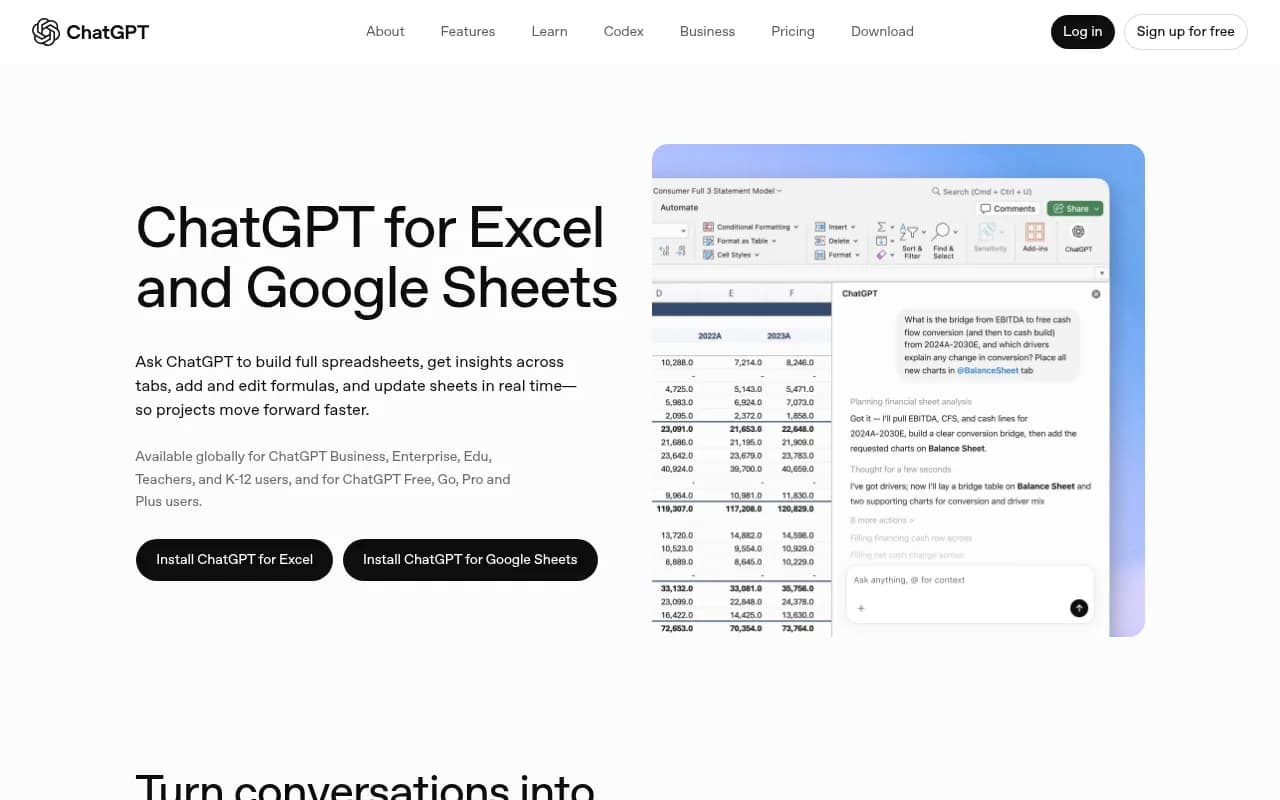
OpenAI released ChatGPT for Excel in beta on March 5, 2026, added Google Sheets in beta on April 22, and made both generally available on May 5, 2026. It is available on Free, Go, Plus, Pro, Business, Enterprise, and education plans. You install it from Home, then Add-ins in Excel (search for ChatGPT), or from Extensions, then Add-ons in Google Sheets.
For a citation log it is handy for three jobs:
- Writing or debugging the domain-extraction and MINIFS formulas above
- Classifying a pasted batch of URLs into content types (check its work, it will guess on ambiguous pages)
- Summarizing the pivot tables into plain-language findings
The add-in explains what it is doing, asks permission before editing, and lets you revert changes, which is reassuring when you have 500 rows of hand-entered data.
One pitfall: the add-in links its answers to the cells it references. Those are cell references. They are not web-source citations, so do not confuse them with what ChatGPT cites when it searches the web. The add-in will not populate your log. You still collect the real citations from the ChatGPT interface yourself.
Interpreting what you collect
After two or three weeks of data, look for patterns before you act.
Low own-citation share on commercial prompts
Commercial prompts lean on product pages (26.0%), landing pages (20.6%) and listicles (15.0%) in the Promptwatch data. If competitors win these, check whether your product and pricing pages say plainly what you do. Pricing pages are classified as landing or product pages in that taxonomy, so they count.
Third-party listicles dominate
If the same two or three listicles appear across most of your prompts, you have a different job: get included in them. That is outreach, not on-page work.
Mentioned but not cited
When the response text names your brand but no row has your domain, the model knows you from somewhere else. That points to a crawlability or content gap on your own site.
Social and forum sources are thin
Do not be surprised if Reddit barely shows up. Promptwatch's data shows reddit.com's share of ChatGPT citations falling from roughly 4% to 0.5% on August 14, 2026, and social platforms made up only 0.46% of ChatGPT citations in the week of Sep 28 to Oct 4, 2026. Google AI Overviews gets 12.2% from social, so if you log multiple engines, add an Engine column and expect different mixes.
Limits of the spreadsheet approach
I will be honest: this method has a ceiling. Each prompt takes a couple of minutes to run and transcribe. Thirty prompts across two countries and a weekly cadence is already several hours a month, and typos creep in. Results vary run to run, so one check per month is a thin sample. There is also no crawler data and no visitor tracking, so you cannot tell whether a citation sent any traffic.
When you hit that wall, tools exist to automate the collection. Promptwatch runs prompts in the real ChatGPT interface daily, logs citations with content types and positions, and adds crawler logs and AI traffic data that a spreadsheet cannot produce. Your sheet maps cleanly onto it, since the columns above mirror its taxonomy.

Other options in the same space include Otterly.AI for lighter monitoring and Peec AI, both more tracking-focused.


For a wider list, the GEO software directory at bestgeosoftware.com compares options by feature.
When to stay in the spreadsheet
- You have fewer than 30 prompts and one market
- You are validating whether AI visibility matters for your business before paying for anything
- You want to learn what the data looks like so you can judge a tool's output later
Quality checks for your log
A few habits keep the data trustworthy:
- Use identical prompt wording each run. Store it in the Prompts sheet and paste it.
- Note the date and country on every row. Location changes answers.
- Strip tracking parameters from URLs before counting them, or the same page will look like five.
- Add a data validation dropdown to Content type and Source owner so labels stay consistent.
- Spot-check 10% of rows monthly against the live response.
- Never delete rows. Add new dated ones, so decay is visible.
A minimal version if you are short on time
If 15 columns feels like too much, start with seven: date, prompt, intent, position, cited URL, cited domain, source owner. You can add content type and first-seen later. Just keep one row per citation from day one, because restructuring a one-row-per-prompt sheet afterward is miserable.
Build it this week, run your first 20 prompts, and look at the pivot by domain. Within an hour you will know which competitors and third-party sites ChatGPT trusts in your category.