Guideflow Review 2026
Enables product marketing teams to create interactive demos, walkthroughs, and guides without coding, improving product adoption and sales enablement.
Key Takeaways
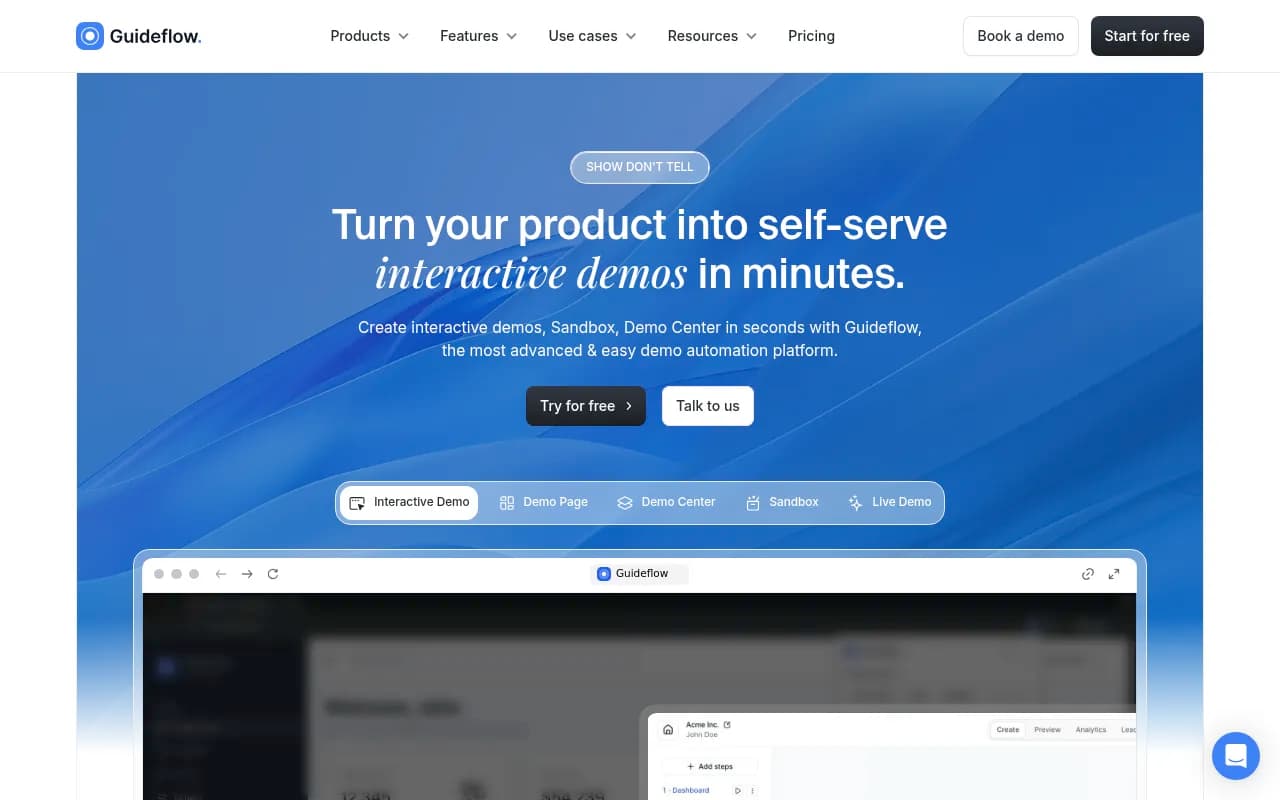
- Guideflow is a no-code demo automation platform that lets teams create interactive product demos, sandboxes, and demo centers in seconds -- used by Amplitude, Gorgias, ChartMogul, and others
- Captures your product flow via browser extension, auto-generates step-by-step demos, and offers AI-powered editing, personalization, and voiceovers
- Pricing starts at $35/month for individuals, $499/month for startups, $1,499/month for growing teams, plus enterprise plans
- Strong for marketing, sales, and customer success teams who need to show product value quickly without engineering resources
- Lacks advanced analytics depth and custom branding flexibility compared to some enterprise-focused competitors
Guideflow is a demo automation platform built for teams that need to show their product instead of explaining it. Founded to solve the problem of static screenshots and clunky screen recordings, it lets you capture your product's actual interface, turn it into an interactive walkthrough, and share it anywhere -- landing pages, emails, Slack, LinkedIn, or embedded in your docs. The platform is used by over 500,000 demos across companies like Amplitude, Gorgias, ChartMogul, Scaleway, and Forest Admin. It's designed for product marketers, sales teams, customer success, and support who want to create demos without waiting on engineering or design resources.
The core pitch: you install a browser extension, click through your product as you normally would, hit "finish," and Guideflow generates an interactive demo automatically. From there, you can edit steps, add tooltips, personalize text and images, blur sensitive data, and share a link or embed code. The whole process takes a few minutes instead of hours of video editing or slide deck assembly.
Capture & Auto-Generation
Guideflow's capture flow is straightforward. You install the Chrome extension, navigate to your product (or any web app), start recording, and click through the steps you want to showcase. The extension captures each screen state, UI element, and interaction. When you're done, it processes the recording and generates a step-by-step interactive demo with tooltips and navigation automatically placed.
This is faster than tools like Loom or traditional screen recording because you're not dealing with video files -- the output is a lightweight, clickable HTML experience that loads instantly and works on any device. You can capture flows across multiple pages, complex dashboards, or multi-step onboarding sequences without worrying about file size or playback issues.
The capture works on most web apps, though some heavily dynamic SPAs or apps with aggressive anti-scraping measures can cause issues. Guideflow handles standard SaaS UIs (dashboards, forms, tables, modals) well, but if your product relies on WebGL, canvas rendering, or custom iframes, you might hit limitations.
Editing & Customization
Once the demo is generated, you land in Guideflow's editor. This is where you refine the experience. You can:
- Edit tooltips and step descriptions: Change the auto-generated text to match your messaging, add context, or highlight specific features
- Reorder or delete steps: Remove unnecessary clicks or rearrange the flow to emphasize key actions
- Personalize elements: Swap out placeholder text, images, or data with custom values -- useful for ABM campaigns where you want to show a prospect's company name or logo in the demo
- Blur or hide elements: Mask sensitive data, internal tools, or UI elements you don't want visible
- Add branding: Insert your logo, adjust colors, and customize the demo's look to match your brand guidelines
- Embed CTAs: Add buttons or forms to capture leads, book meetings, or drive signups directly from the demo
The editor is drag-and-drop and doesn't require coding. It's not as granular as Figma or a full design tool, but it's more flexible than most demo platforms. You can adjust individual elements on each step, which is rare -- competitors like Navattic or Storylane tend to offer more template-based customization.
One limitation: you can't fully redesign the UI or add custom CSS. If you want pixel-perfect control over every element, you'll need to work within Guideflow's constraints or consider a more developer-friendly tool.
AI-Powered Features
Guideflow leans into AI for speed. The platform offers:
- Auto-generated tooltips and descriptions: AI writes step descriptions based on what it sees in the UI, which you can edit or accept as-is
- AI voiceovers: Generate narration for your demo in multiple languages without recording audio yourself
- AI avatars: Add a virtual presenter to guide users through the demo (think talking head in the corner)
- Translations: Automatically translate your demo into other languages to support global teams or multi-region campaigns
The AI features are hit-or-miss. The auto-generated text is usually generic and needs editing to sound human. The voiceovers are serviceable but have that slightly robotic cadence you'd expect from TTS. The avatars are more novelty than necessity -- they can feel gimmicky unless you're targeting a very specific use case (like training videos).
That said, these features save time. If you're launching a demo in five languages and don't have a localization team, the AI translation is a huge shortcut. If you need a quick voiceover for a sales deck, the TTS is faster than hiring a voice actor.
Demo Types: Interactive Demo, Sandbox, Demo Center, Mobile Demo, Live Demo
Guideflow offers five main demo formats:
-
Interactive Demo: The core product. A guided, step-by-step walkthrough where users click through a pre-defined flow. Best for landing pages, sales decks, or onboarding sequences where you want to control the narrative.
-
Sandbox: A free-roam version of your product where users can click around and explore on their own. This is closer to a live demo environment but without needing to spin up actual infrastructure. Useful for technical buyers who want to poke around before committing to a trial.
-
Demo Center: A branded hub where you organize multiple demos in one place. Think of it as a demo library -- you can group demos by use case, persona, or feature set. Good for enterprise sales teams or agencies managing multiple client demos.
-
Mobile Demo: Optimized for mobile devices. The demo renders as a phone screen with swipe gestures and mobile UI patterns. Useful if your product is a mobile app or if you're targeting mobile-first users.
-
Live Demo: A cloned version of your product with emulated data. This is the most advanced option -- it's not just screenshots, it's a functional replica of your app with fake data pre-populated. Requires more setup but gives prospects a near-real experience without access to your production environment.
Most users start with Interactive Demo and expand into Sandbox or Demo Center as they scale. The Live Demo feature is newer and still being refined -- it's powerful but requires more technical configuration than the other formats.
Personalization at Scale
Guideflow's personalization engine lets you create one demo and dynamically customize it for different viewers. You can:
- Insert variables like
{{first_name}},{{company}}, or{{industry}}that auto-populate based on URL parameters or form submissions - Swap images, logos, or data tables to match the viewer's context
- Show or hide steps based on audience segment (e.g., show advanced features to enterprise prospects, hide them for SMB leads)
This is where Guideflow shines for ABM campaigns. Instead of creating 50 separate demos for 50 accounts, you create one demo with personalization tokens and generate unique links for each prospect. The demo feels custom-built even though it's templated.
Competitors like Demostack and Reprise offer similar personalization, but Guideflow's implementation is more accessible to non-technical users. You don't need to write scripts or configure complex logic -- it's mostly point-and-click.
Sharing & Distribution
Once your demo is ready, you can share it via:
- Public link: A shareable URL you can send in emails, Slack, or social media
- Embed code: Drop the demo into your website, landing page, or help docs as an iframe or widget
- Social media: Guideflow generates preview cards optimized for LinkedIn, Twitter, and Facebook
- Email: Embed a thumbnail or GIF that links to the full demo
- Integrations: Push demos into HubSpot, Salesforce, Notion, or other tools via Zapier or native integrations
The embed options are flexible. You can embed the full demo, a thumbnail with a play button, or a floating widget that appears on specific pages. The demos load fast (under 2 seconds) and work on all browsers and devices.
One gap: no native video export. If you want to turn your demo into an MP4 for a conference presentation or YouTube, you'll need to screen-record it yourself. Competitors like Arcade and Supademo offer video export as a built-in feature.
Analytics & Insights
Guideflow tracks:
- Views: How many people opened the demo
- Completion rate: What percentage of viewers finished the full flow
- Drop-off points: Which steps lose the most viewers
- Time spent: How long users engage with each step
- Lead capture: Form submissions, email signups, or CTA clicks
- Heatmaps: Where users click or hover (limited to certain plans)
The analytics are solid for basic tracking but not as deep as dedicated product analytics tools. You can see aggregate data and identify problem areas, but you can't drill into individual user sessions or build custom funnels. If you need granular behavioral data, you'll want to integrate with Amplitude, Mixpanel, or Google Analytics.
Guideflow does integrate with HubSpot and Salesforce, so you can push demo engagement data into your CRM and trigger follow-ups based on who watched what.
Integrations & Ecosystem
Guideflow integrates with:
- CRMs: HubSpot, Salesforce, Pipedrive
- Marketing automation: Marketo, Pardot, ActiveCampaign
- Collaboration tools: Slack, Notion, Confluence
- Analytics: Google Analytics, Segment
- Automation: Zapier (connects to 3,000+ apps)
The integrations are functional but not exhaustive. You can push demo data into your CRM or trigger Slack notifications when someone completes a demo, but there's no native integration with tools like Intercom, Drift, or Gong. If you need deeper integrations, you'll rely on Zapier or custom API work.
Guideflow does offer an API for enterprise customers, but documentation is sparse. If you're a developer looking to build custom workflows, expect to work with their support team to figure out the details.
Who Is It For
Guideflow is built for:
- Product marketers launching new features or running ABM campaigns who need to create demos quickly without design or engineering support
- Sales teams (especially pre-sales and SDRs) who want a library of ready-to-share demos for different use cases, industries, or personas
- Customer success and support teams who need to walk users through features, troubleshoot issues, or reduce ticket volume with self-serve guides
- Agencies and consultants managing multiple client products who need a scalable way to create and organize demos
- Startups and scale-ups (10-200 employees) who don't have dedicated demo engineering resources but need to show product value fast
It's less suited for:
- Enterprise teams with complex, highly customized products that require pixel-perfect demos or deep technical integrations -- tools like Demostack or Reprise are better fits
- Teams that need video-first content for YouTube, paid ads, or conference presentations -- Loom or Arcade are more appropriate
- Companies with strict security or compliance requirements who can't use third-party capture tools on their production environment
Pricing & Value
Guideflow offers four tiers:
- Free: $0/month. Try interactive demos with basic features. Limited to a few demos and views.
- Solo: $35/month. For individuals. Unlimited demos, basic analytics, and sharing options.
- Growth: $499/month. For startups. Team collaboration, advanced personalization, integrations, and priority support.
- Advanced: $1,499/month. For growing teams. Demo Center, Sandbox, Mobile Demo, custom branding, and advanced analytics.
- Enterprise: Custom pricing. Live Demo, SSO, dedicated support, SLAs, and API access.
The Solo plan is affordable for freelancers or small teams testing the waters. The Growth plan is where most startups land -- it unlocks the features you need to scale (team workspaces, integrations, personalization). The Advanced plan is for companies running serious demo programs with multiple use cases. Enterprise pricing is negotiable but expect $3,000-$10,000/month depending on volume and requirements.
Compared to competitors:
- Navattic: Starts at $500/month, similar feature set but more polished UI and better analytics
- Storylane: Starts at $400/month, strong on personalization but weaker on mobile demos
- Demostack: Starts at $30,000/year, enterprise-focused with live demo cloning and deep customization
- Arcade: Starts at $40/month, video-first demos with export options but less interactivity
Guideflow sits in the middle -- more affordable than enterprise tools, more feature-rich than budget options. The value is best for teams that need speed and flexibility without a massive budget.
Strengths
- Speed: You can create a functional demo in under 10 minutes. The capture-and-generate flow is faster than any competitor.
- Personalization: Dynamic variables and element swapping make it easy to scale one demo across multiple audiences.
- No-code editor: Non-technical users can build and edit demos without developer help.
- Multiple demo formats: Interactive, Sandbox, Demo Center, Mobile, and Live Demo cover most use cases.
- AI features: Auto-generated text, voiceovers, and translations save time, even if they need polish.
Limitations
- Analytics are basic: You get views, completion rates, and drop-offs, but no session replay, custom funnels, or deep behavioral data. Teams serious about optimization will need to integrate with Amplitude or Mixpanel.
- Customization constraints: You can't add custom CSS or fully redesign the UI. If you need pixel-perfect branding or complex interactions, you'll hit walls.
- Capture limitations: Some apps (especially those with heavy JavaScript, WebGL, or anti-scraping measures) don't capture cleanly. You might need to manually edit or recreate certain screens.
- No video export: If you want an MP4 for a presentation or ad campaign, you'll need to screen-record the demo yourself.
- Integration gaps: No native support for Intercom, Drift, Gong, or other popular sales/support tools. You'll rely on Zapier or custom API work.
Bottom Line
Guideflow is the right choice for product marketing, sales, and customer success teams at startups and mid-market companies who need to create interactive demos fast without engineering resources. It's especially strong for ABM campaigns, sales enablement, and self-serve onboarding where you want to show your product in action rather than describe it.
If you're a solo marketer or small team looking to add interactive demos to your landing pages or sales decks, the Solo or Growth plan is a no-brainer. If you're running a larger demo program with multiple use cases, personas, or regions, the Advanced or Enterprise plan gives you the tools to scale.
Skip it if you need enterprise-grade customization, deep analytics, or video-first content. For those use cases, look at Demostack, Navattic, or Arcade instead.
Best use case in one sentence: Product marketers at B2B SaaS companies (10-200 employees) who need to create personalized, interactive demos for landing pages and sales outreach without waiting on engineering.
Tags:
Similar and alternative tools to Guideflow