Key takeaways
- Google AI Overviews traffic is technically measurable, but GA4 lumps it together with regular organic search -- making it invisible by default
- Google Search Console is your best starting point: filter for queries where AI Overviews appear and compare impressions vs. clicks
- A custom channel grouping in GA4 can surface referral traffic from other AI platforms, but AI Overviews specifically requires a different approach
- AI Overview visitors tend to convert better than average organic visitors -- so the traffic is worth tracking properly
- Dedicated GEO platforms like Promptwatch go further than analytics workarounds, showing you exactly which prompts you appear in and which ones you're missing
Here's a frustrating situation a lot of marketers are in right now: your organic traffic looks fine, maybe even good. But you have a nagging feeling that something is going on with AI Overviews -- you just can't prove it either way.
You're not imagining things. Google AI Overviews is almost certainly sending traffic to your site. The problem is that GA4 doesn't tell you. When someone clicks a link inside an AI Overview, the session lands in your analytics as plain organic search traffic. No flag, no separate row, nothing to distinguish it from someone who clicked a regular blue link.
This guide walks through every method available in 2026 to detect, estimate, and track that traffic -- from free workarounds in Search Console to proper GEO monitoring platforms.
Why GA4 can't see AI Overview traffic
The core issue is how Google passes referral data. When a user clicks through from an AI Overview, the traffic arrives with the same google / organic source/medium as any other Google search click. Google doesn't append a parameter, doesn't send a separate referrer, and doesn't flag it in any way that GA4 can pick up automatically.

This isn't a bug -- it's just how the system works. AI Overviews are still part of Google Search, so the traffic behaves like search traffic. The result is that your organic channel in GA4 is a mix of:
- Regular blue-link clicks
- AI Overview clicks
- Featured snippet clicks
- People's Also Ask clicks
- Shopping tab redirects
All blended together, indistinguishable.
Compare this to ChatGPT or Perplexity traffic, which arrives with a proper referrer URL (like chatgpt.com or perplexity.ai) and can be isolated in GA4 with a custom channel grouping. AI Overviews don't give you that luxury.
So what can you actually do?
Method 1: Use Google Search Console to estimate AI Overview impact
Search Console is the most reliable free tool for this, and it's more useful than most people realize.
Step 1: Check which queries trigger AI Overviews
Google Search Console now shows AI Overview data in the Performance report. Go to Search Console, open the Performance tab, and look for the "Search type" filter. You can filter by "AI Overviews" to see which of your queries are appearing inside AI-generated answers.
This doesn't directly tell you how much traffic you're getting from AI Overview clicks specifically, but it tells you something important: where you have a presence.
Step 2: Compare impressions vs. clicks for AI Overview queries
Here's where it gets interesting. Pull the queries where you appear in AI Overviews and look at their CTR. According to data from Dataslayer, AI Overviews have cut organic CTR by around 61% for affected queries -- because users often get their answer without clicking.
If you see a query with high impressions, decent ranking, but unusually low CTR, that's a signal that an AI Overview is eating your clicks. The flip side: if CTR is holding up despite an AI Overview, you're likely getting some of those citation clicks.
Step 3: Track position changes over time
Filter your Search Console data to show queries where your pages rank in positions 1-5 and cross-reference with queries that now trigger AI Overviews. A drop in clicks without a drop in impressions is the clearest signal that AI Overviews are affecting your traffic -- and that some of what remains is coming through the AI Overview itself.
Method 2: Set up a custom channel grouping in GA4 for other AI platforms
This method doesn't solve the AI Overviews problem directly, but it does something valuable: it makes all your other AI referral traffic visible, which gives you a baseline for understanding AI-driven behavior on your site.
In GA4, go to Admin > Data Display > Channel Groups and create a new channel group called "AI Assistants" or similar. Add rules for the referral sources you want to capture:
chatgpt.comperplexity.aiclaude.aigemini.google.comcopilot.microsoft.comyou.comphind.com
There are 65+ AI platforms sending referral traffic in 2026, but the top five (ChatGPT, Perplexity, Gemini, Copilot, Claude) drive the vast majority of measurable AI referral sessions. Start there.
Once this is set up, you'll have a dedicated channel in your GA4 reports showing AI assistant traffic separately from organic. This is genuinely useful -- not just for AI Overviews analysis, but for understanding how AI-referred visitors behave compared to other channels.
One thing worth noting: Google recently added a default "AI assistant" channel group to GA4 that captures some of this automatically. But the default grouping doesn't cover every platform, and it still doesn't capture AI Overviews traffic. The custom setup gives you more control.
Method 3: Use URL parameters on your most important pages
This is a more aggressive approach, and it requires some coordination, but it works.
If you're actively trying to get cited in AI Overviews for specific pages, you can add UTM parameters to the URLs you submit or promote -- for example, in your sitemap, in structured data, or in any external mentions. The idea is that if AI models crawl and index a URL with a parameter, some of that traffic might carry the parameter through.
In practice, this is unreliable for AI Overviews specifically because Google strips parameters when rendering search results. But it can work for other AI platforms that link directly to your pages. For AI Overviews, the better approach is to combine Search Console data with behavioral analysis in GA4.
Method 4: Look for behavioral signals in GA4
Since you can't directly tag AI Overview traffic, you can look for its fingerprints in how users behave.
AI Overview visitors tend to arrive with a specific intent: they already have a partial answer from the AI, and they clicked through for more detail, to verify something, or to take an action. This creates a behavioral pattern:
- Lower bounce rates than average organic (they came with purpose)
- Higher conversion rates on specific pages
- Shorter time-on-page for informational content (they got what they needed quickly)
- Higher engagement on product or service pages
According to data from KP Playbook, AI Overview visitors can convert up to 40% better than regular organic visitors. If you segment your organic traffic by landing page and see certain pages outperforming on conversion without a clear reason, AI Overview citations could be a factor.
To test this hypothesis: identify the pages you know appear in AI Overviews (from Search Console), then look at how those specific pages perform in GA4 compared to similar pages that don't appear in AI Overviews. The comparison won't be perfect, but patterns will emerge.
Method 5: Use a dedicated GEO monitoring platform
The methods above are workarounds. They're useful, but they're all indirect. If you want to actually know which prompts trigger your citations in AI Overviews, how often you appear, and what competitors are getting cited for that you're not -- you need a platform built for this.
Promptwatch tracks AI search behavior across 10 models including Google AI Overviews, ChatGPT, Perplexity, Claude, Gemini, and more. Rather than inferring AI Overview traffic from Search Console patterns, it directly monitors which prompts surface your content, how citation frequency changes over time, and which pages are being picked up by AI crawlers.

The part that goes beyond analytics is the answer gap analysis: it shows you which prompts your competitors appear in that you don't. That's not something any GA4 workaround can tell you. It's the difference between measuring what's already happening and understanding what you're missing.
For teams that want to act on this data rather than just observe it, Promptwatch also has content generation tools that create articles and briefs based on real prompt data -- so you can fill the gaps that AI Overviews are exposing.
Comparison: methods for tracking AI Overview traffic
| Method | Cost | Accuracy | What it tells you | Effort |
|---|---|---|---|---|
| Google Search Console filtering | Free | Medium | Which queries trigger AI Overviews; impression/CTR trends | Low |
| GA4 custom channel grouping | Free | Low (for AI Overviews) | AI referral traffic from chatbots; not AI Overviews | Medium |
| Behavioral analysis in GA4 | Free | Low | Indirect signals from pages cited in AI Overviews | High |
| UTM parameters | Free | Very low | Partial; unreliable for AI Overviews specifically | Medium |
| GEO monitoring platform (e.g. Promptwatch) | Paid | High | Direct citation tracking, prompt data, competitor gaps | Low |
What to do once you find the traffic
Knowing you're getting AI Overview traffic is useful. Knowing which pages are cited, for which queries, and how that compares to competitors is where the real work starts.
A few things worth doing once you have visibility:
Protect the pages that are already cited
If Search Console shows certain pages appearing in AI Overviews, treat those pages as high-value assets. Keep them updated, make sure the structured data is clean, and don't let them go stale. AI models tend to re-crawl pages that have been cited before -- so a page that's already in the mix is easier to keep in the mix than to get back in.
Identify the queries where you're close but not cited
This is where gap analysis becomes valuable. If a competitor is getting cited for "best [your category] for [use case]" and you're not, that's a content gap you can close. The query exists, the AI model is answering it, and someone else is getting the credit.
Don't ignore the CTR drop
AI Overviews are genuinely reducing click-through rates for many queries -- the 61% figure from Dataslayer's research is significant. The right response isn't to panic, but to shift focus toward queries where a click is still likely (transactional, comparison, or high-specificity queries) and to make sure your citation presence is strong enough that even if someone doesn't click, they see your brand name in the answer.
Track AI crawler activity on your site
One underused signal is your own server logs. AI crawlers from Google, OpenAI, Perplexity, and others leave traces in your server logs or CDN logs. If you're on Cloudflare, Fastly, or Vercel, you can set up integrations to capture this data. Seeing which pages AI crawlers are hitting -- and how often -- gives you a leading indicator of future citations before they show up in analytics.
Tools worth knowing about
Beyond Promptwatch, a few other platforms are worth mentioning depending on your needs and budget:
If you want lightweight AI visibility monitoring without a full GEO platform, Otterly.AI and Peec AI offer basic tracking at lower price points.


For enterprise teams that need deep attribution and revenue connection, Profound and Goodie AI are in that space.

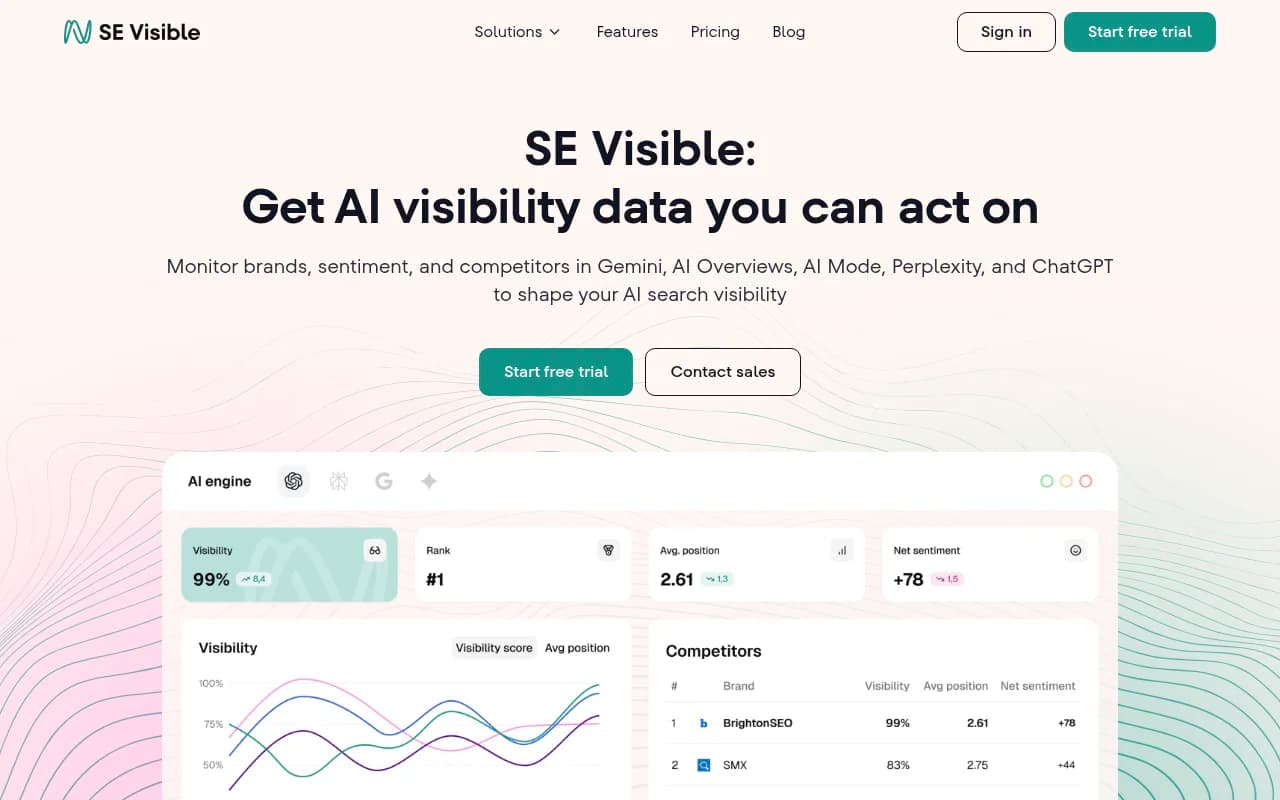
And if you're already using SE Ranking for traditional SEO, their AI visibility module (SE Visible) adds some AI search tracking without switching platforms entirely.
The honest summary
There's no single clean solution for tracking Google AI Overviews traffic in GA4 in 2026. Google hasn't given us a direct way to separate it from organic, and the workarounds all involve some degree of inference.
What you can do:
- Use Search Console to identify which queries and pages have AI Overview presence
- Set up a custom GA4 channel group to capture other AI referral traffic and understand AI visitor behavior
- Use behavioral signals on your cited pages as a proxy for AI Overview traffic quality
- If the volume justifies it, use a dedicated GEO platform to get actual citation data rather than estimates
The traffic is there. It's just hidden inside a channel that was designed before AI Overviews existed. The marketers who figure out how to see it -- and act on it -- will have a real advantage over those still looking at a blended organic number and wondering why conversions feel off.