Keyword.com Review 2026
Focuses on keyword rank tracking and search performance monitoring with AI-enhanced insights for SEO campaigns.
Key takeaways
- Verified accuracy: Spyglass system provides third-party verified keyword tracking down to ZIP code level, with live SERP snapshots you can show clients
- AI visibility tracking: Monitors brand mentions across ChatGPT, Perplexity, Gemini, and Claude -- a feature most traditional rank trackers lack entirely
- Built for agencies: White-label reporting, custom domains, automated email reports, and API access make client management seamless
- Lacks content optimization: Monitoring-only platform -- no content gap analysis, AI content generation, or traffic attribution like Promptwatch offers
- Pricing: Starts at $69/mo (Basic plan), with 14-day free trial available

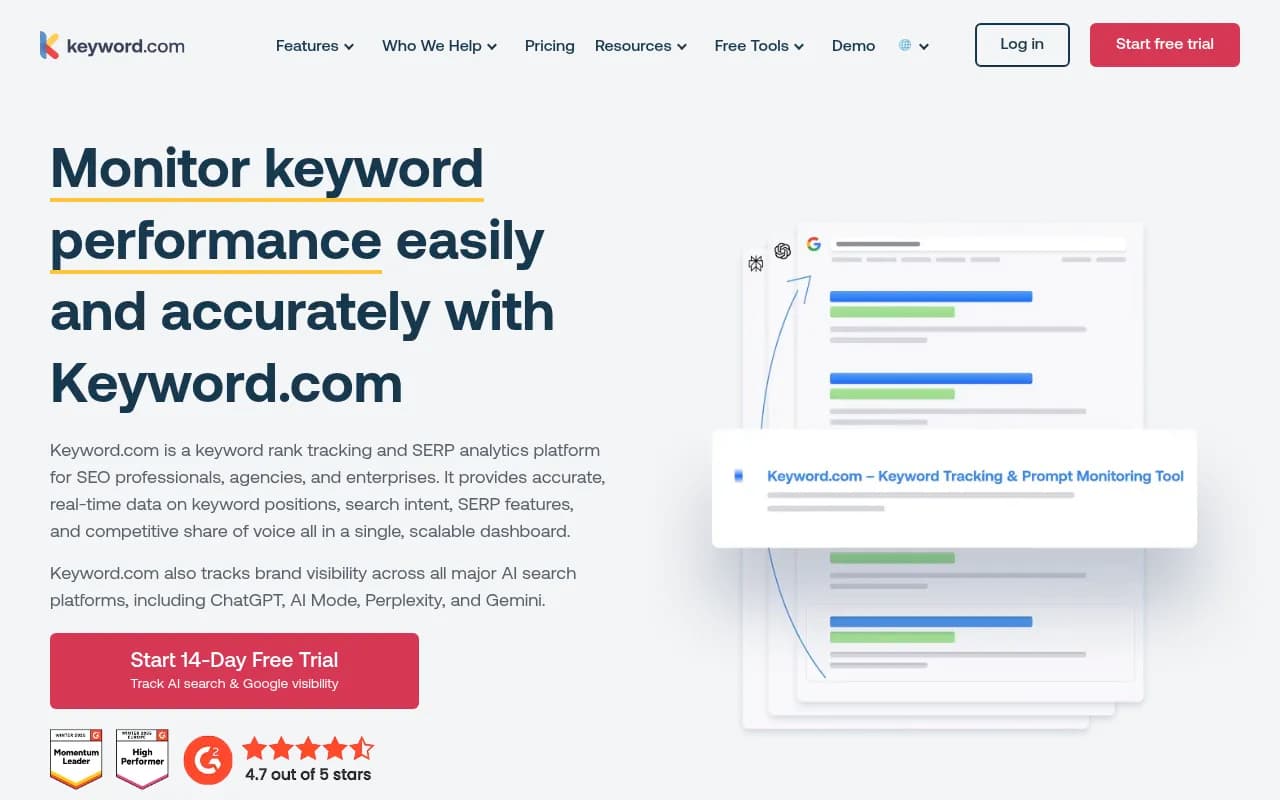
Keyword.com (formerly Serpbook) is a keyword rank tracking and SERP analytics platform that's been serving SEO agencies and professionals since 2011. It's built around one core promise: accurate, verifiable keyword position data you can actually trust. In an industry where rank trackers often show wildly different numbers, Keyword.com's Spyglass verification system lets you pull up the actual live SERP for any keyword and prove to clients exactly where they rank.
The platform recently expanded beyond traditional Google rank tracking to include AI visibility monitoring across ChatGPT, Perplexity, Gemini, and Claude. This positions it as a hybrid tool -- part traditional SEO tracker, part AI search visibility monitor. But unlike dedicated AI visibility platforms, Keyword.com's AI features are an add-on to its core rank tracking functionality, not the foundation.
The target audience is clear: SEO agencies managing multiple client sites, in-house SEO teams at mid-sized companies, and enterprise organizations tracking large keyword portfolios. Freelancers and solo consultants can use it, but the pricing and feature set (white-label reporting, API access, custom domains) are optimized for teams billing clients monthly.
Key features
Daily rank tracking with on-demand updates: Keyword.com tracks keyword positions daily by default, with the option to trigger on-demand updates whenever you need fresh data. You can set keywords to update weekly if you're tracking long-tail terms that don't fluctuate much, or hit the refresh button before a client call to pull the latest rankings. Updates happen across desktop and mobile, with separate tracking for each device type.
Spyglass verification system: This is Keyword.com's standout differentiator. Every keyword ranking comes with a clickable icon that opens a live SERP snapshot -- the actual Google results page for that keyword, from the exact location you're tracking. It's not a cached screenshot; it's a real-time browser simulation that shows the SERP as it appears to a user in that ZIP code. This matters for client trust. When a client questions a ranking, you click the icon and show them the live result. Most rank trackers (Semrush, Ahrefs, AccuRanker) don't offer this level of verifiability.
Local rank tracking with ZIP-code precision: You can track rankings for any ZIP code worldwide, not just city-level or country-level. This is critical for local SEO campaigns where a business might rank #3 in one neighborhood and #12 two miles away. Keyword.com also tracks Google Business Profile results separately, so you can see both organic rankings and local pack positions for the same keyword. Competitors like BrightLocal offer similar granularity, but Keyword.com integrates it into the same dashboard as your national tracking.
Share of voice analytics: Instead of just showing you whether you rank #5 or #7, Keyword.com calculates what percentage of total search visibility you own for a set of keywords compared to competitors. If you're tracking 100 keywords and your site appears in the top 10 for 60 of them, while Competitor A appears for 75, you can see the gap in market presence. This metric is more useful for agencies reporting to clients than raw position changes, because it ties directly to traffic potential.
SERP feature tracking: Keyword.com monitors which SERP features appear for each keyword -- featured snippets, People Also Ask boxes, image packs, video carousels, local packs, and Google AI Overviews. You can filter keywords by which features are present, identify snippet opportunities, and track whether your site is winning those features over time. The AI Overview tracker specifically shows when Google's AI-generated answer appears for a keyword, which is increasingly important as AI Overviews roll out more widely in 2026.
Search intent classification: Keywords are automatically tagged with intent categories (informational, navigational, commercial, transactional) based on SERP analysis. You can filter your keyword list by intent to see which types of queries you're winning vs. losing, or group keywords by intent in reports. This helps prioritize optimization efforts -- if you're ranking well for informational queries but poorly for commercial ones, you know where to focus content.
AI visibility monitoring: The AI tracker monitors brand mentions and rankings across ChatGPT, Perplexity, Gemini, and Claude. You enter prompts (e.g. "best project management tools for agencies"), and Keyword.com shows whether your brand appears in the AI-generated response, where it ranks, and which competitors are mentioned. You can track sentiment (positive, neutral, negative) and see citation sources. This is a newer feature (added in 2024-2025) and feels less mature than the core rank tracking. It's a monitoring dashboard, not an optimization platform -- you see where you're invisible, but the tool doesn't help you fix it. Platforms like Promptwatch go further by analyzing content gaps, generating AI-optimized content, and tracking AI crawler logs.
White-label reporting: Agencies can generate branded PDF or CSV reports, create shareable live dashboards with custom URLs, and host ranking reports on their own domain (e.g. reports.youragency.com). Reports can be scheduled to email clients automatically (daily, weekly, monthly). The report builder lets you customize which metrics appear, add your logo, and include client-specific notes. This is table-stakes for agency tools, but Keyword.com executes it well -- the reports look professional and load fast.
Keyword tagging and clustering: You can organize keywords into tags (e.g. "product pages", "blog content", "local keywords") and view aggregate performance for each tag. This is more flexible than rigid folder structures in tools like Semrush. You can apply multiple tags to a single keyword, then filter or report on any combination. It's useful for large portfolios where you need to segment by client, campaign, or content type.
Integrations: Keyword.com connects to Google Analytics 4, Google Search Console, and Google Looker Studio. The GA4 integration pulls traffic data so you can see rankings alongside actual clicks and conversions. The Looker Studio connector lets you build custom dashboards combining rank data with other marketing metrics. There's also a full API for pulling keyword data into your own tools or internal dashboards. The API is well-documented and supports bulk exports, making it a good fit for agencies building custom client portals.
Competitor tracking: You can add competitor domains to any keyword and see their rankings side-by-side with yours. The platform tracks up to 10 competitors per keyword (configurable). You can also run competitor keyword discovery to find keywords your competitors rank for that you don't track yet. This isn't as deep as dedicated competitor research tools (Semrush's Organic Research is more comprehensive), but it's enough for basic competitive monitoring.
Who is it for
Keyword.com is built for SEO agencies managing 10-100+ client sites. The white-label reporting, custom domains, and API access are designed for teams that need to deliver branded reports and integrate rank data into client dashboards. Agencies billing $5k-50k/month in SEO retainers will find the most value here -- the pricing scales with keyword volume, so you can start small and grow as you add clients.
In-house SEO teams at mid-sized companies (50-500 employees) tracking 500-5,000 keywords are another strong fit. If you're managing SEO for a multi-location business (retail chains, healthcare networks, real estate firms), the local rank tracking with ZIP-code precision is a major advantage. You can track how each location ranks in its specific market without paying for separate tools.
Enterprise organizations tracking 10,000+ keywords across multiple brands or regions can use Keyword.com, but they'll likely need custom pricing and dedicated support. The platform scales well technically (customers mention tracking 50k+ keywords), but the UI and reporting features are optimized for mid-market use cases, not massive enterprise portfolios with complex hierarchies.
Freelancers and solo consultants can use Keyword.com if they're managing multiple client sites and need professional reporting. But if you're just tracking your own blog or a single client, the pricing ($69/mo minimum) is steep compared to simpler tools like SerpRobot or Nightwatch. The value proposition here is agency-grade features, not budget tracking.
Keyword.com is NOT a good fit for users who want an all-in-one SEO suite. It doesn't do keyword research (beyond competitor discovery), backlink analysis, site audits, or content optimization. You'll need to pair it with Ahrefs, Semrush, or Screaming Frog for those functions. It's also not ideal for users who want deep AI search optimization -- the AI visibility tracker shows you where you're invisible, but tools like Promptwatch provide content gap analysis, AI content generation, and crawler log monitoring to actually improve your AI rankings.
Integrations and ecosystem
Keyword.com integrates with Google Analytics 4, Google Search Console, and Google Looker Studio. The GA4 integration is straightforward -- connect your account, and Keyword.com pulls traffic data for the pages ranking for your tracked keywords. You can see rankings, impressions, clicks, and conversions in one view. The GSC integration works similarly, pulling query-level data to compare tracked keywords with actual search performance.
The Looker Studio connector is a major selling point for agencies. You can pull Keyword.com data into Looker Studio dashboards alongside GA4, GSC, and other marketing data sources. This lets you build unified client dashboards that show SEO performance in context with paid search, social, and conversion metrics. The connector supports all core metrics (rankings, share of voice, SERP features, AI visibility).
The API is well-documented and supports REST calls for pulling keyword data, triggering on-demand updates, and managing projects. Agencies use it to build custom client portals or integrate rank data into internal tools. Rate limits are generous (10,000 requests/day on higher plans), and the API returns JSON with clean, predictable schemas. There's no webhook support for real-time updates, but you can poll the API as often as needed.
No Zapier integration, which is a minor inconvenience for users who want to automate workflows (e.g. send a Slack message when a keyword drops below position 10). You'd need to use the API directly or build a custom integration.
No browser extension or mobile app. All tracking and reporting happens in the web dashboard. This is fine for agencies doing weekly or monthly reporting, but less convenient for consultants who want to check rankings on the go.
Pricing and value
Keyword.com pricing starts at $69/month for the Basic plan, which includes 250 keywords, daily updates, and basic reporting. The Business plan is $149/month for 1,000 keywords, white-label reporting, and API access. The Agency plan is $299/month for 2,500 keywords, custom domains, and priority support. Enterprise pricing is custom and starts around $500-1,000/month for 10,000+ keywords.
All plans include a 14-day free trial with 200 keywords and daily updates. No credit card required. Annual billing gets you 2 months free (17% discount).
AI visibility tracking is a separate add-on, starting at $24.50/month for 50 credits (one credit = one prompt check across one AI model). If you want to track 50 prompts across ChatGPT, Perplexity, Gemini, and Claude, that's 200 credits/month, or roughly $98/month extra. This makes the AI features expensive compared to dedicated AI visibility platforms -- Promptwatch starts at $99/month for 50 prompts across 10+ AI models, plus content gap analysis and AI content generation.
Compared to competitors:
- Semrush Position Tracking: $129.95/month for 500 keywords (part of the Pro plan). More expensive per keyword, but includes keyword research, site audits, and backlink analysis. Semrush doesn't offer ZIP-code-level local tracking or AI visibility monitoring.
- Ahrefs Rank Tracker: Included in the $129/month Lite plan, tracks 750 keywords. Similar pricing to Keyword.com, but Ahrefs also includes keyword research and backlink tools. Ahrefs Brand Radar (AI visibility) is a separate feature with fixed prompts -- less flexible than Keyword.com's custom prompt tracking.
- AccuRanker: $116/month for 1,000 keywords. Comparable pricing and features (daily updates, local tracking, white-label reports). AccuRanker has a faster UI and better bulk keyword management, but no AI visibility tracking.
- BrightLocal: $39/month for 25 keywords (local SEO focus). Much cheaper for local-only tracking, but lacks national rank tracking and AI features.
- Promptwatch: $99/month for 50 prompts across 10+ AI models, plus content gap analysis, AI content generation, crawler logs, and traffic attribution. If your primary goal is AI visibility optimization (not just monitoring), Promptwatch offers more value. Keyword.com's AI tracker is monitoring-only.
Keyword.com is competitively priced for agencies that need accurate rank tracking and white-label reporting. The Spyglass verification and ZIP-code local tracking justify the cost if those features matter to your workflow. But the AI visibility add-on is expensive for what you get -- it's a monitoring dashboard without the optimization tools that make AI visibility actionable.
Strengths and limitations
Strengths:
-
Spyglass verification is unmatched: Being able to show clients the live SERP for any keyword builds trust and eliminates disputes about ranking accuracy. No other rank tracker offers this level of verifiability.
-
ZIP-code-level local tracking: Critical for local SEO campaigns where rankings vary block by block. Most competitors only track city-level or country-level.
-
White-label reporting is agency-ready: Custom domains, automated email reports, and branded PDFs make client reporting seamless. The Looker Studio integration is a major plus for agencies building unified dashboards.
-
Share of voice analytics: More useful than raw position tracking for understanding market presence and competitive gaps.
-
API is well-documented and flexible: Agencies building custom client portals or internal tools will appreciate the clean API and generous rate limits.
Limitations:
-
AI visibility tracking is monitoring-only: You see where you're invisible in ChatGPT or Perplexity, but the tool doesn't help you fix it. No content gap analysis, no AI content generation, no crawler logs, no traffic attribution. Promptwatch offers all of these in a single platform, making it a stronger choice for users who want to optimize AI visibility, not just track it.
-
No keyword research or content tools: Keyword.com is purely a rank tracker. You'll need separate tools for keyword discovery, content optimization, and site audits. This makes it more expensive when you factor in the cost of Ahrefs or Semrush alongside it.
-
AI visibility pricing is steep: $24.50/month for 50 credits (one prompt, one model) adds up fast. Tracking 50 prompts across 4 AI models costs nearly $100/month extra, on top of the base rank tracking plan. Promptwatch includes 50 prompts across 10+ models for $99/month total, plus optimization features.
-
No mobile app or browser extension: All tracking happens in the web dashboard. This is fine for weekly reporting but inconvenient for on-the-go checks.
-
Limited competitor research: The competitor keyword discovery feature is basic compared to Semrush or Ahrefs. You can see which keywords competitors rank for, but you don't get search volume, difficulty scores, or content gap analysis.
Bottom line
Keyword.com is a strong choice for SEO agencies and in-house teams that need accurate, verifiable rank tracking with professional white-label reporting. The Spyglass verification system and ZIP-code local tracking are standout features that justify the price if those capabilities matter to your workflow. The Looker Studio integration and API make it a good fit for agencies building custom client dashboards.
But if your goal is AI visibility optimization -- not just monitoring -- Keyword.com's AI features fall short. The AI tracker shows you where you're invisible in ChatGPT and Perplexity, but it doesn't help you close the gap. You won't get content gap analysis, AI content generation, crawler logs, or traffic attribution. For that, you need a dedicated AI visibility platform like Promptwatch, which offers monitoring plus the optimization tools to actually improve your rankings in AI search.
Best use case: SEO agencies managing 10-100 client sites that need accurate rank tracking, local SEO monitoring, and white-label reporting, paired with a separate tool (Ahrefs, Semrush, or Promptwatch) for keyword research and content optimization.
Tags:
Frequently asked questions
Similar and alternative tools to Keyword.com
