Sendr Review 2026
Combines massive contact database with automated engagement tools, streamlining outbound campaigns and lead generation for GTM teams.
Key Takeaways
- Personalization at scale: Record one video or voice note, then Sendr's AI (including lip-sync tech) personalizes it for every contact -- no need to re-record for each prospect
- All-in-one GTM stack: Combines lead database (479M+ contacts), data enrichment, personalized video/voice, dynamic landing pages, and automation in one platform -- replaces multiple tools
- Strong engagement results: Users report 7X higher click-through rates, 1-in-150 meeting booking rates, and 66 meetings booked in 2 weeks from targeted campaigns
- Best for: Sales teams, SDRs, and demand gen teams at B2B startups and scale-ups who want to break through inbox noise with personalized video outreach
- Limitations: Newer platform (less mature than incumbents like Vidyard or Loom), pricing can add up quickly with credit-based model, and AI-generated personalization may feel uncanny to some recipients
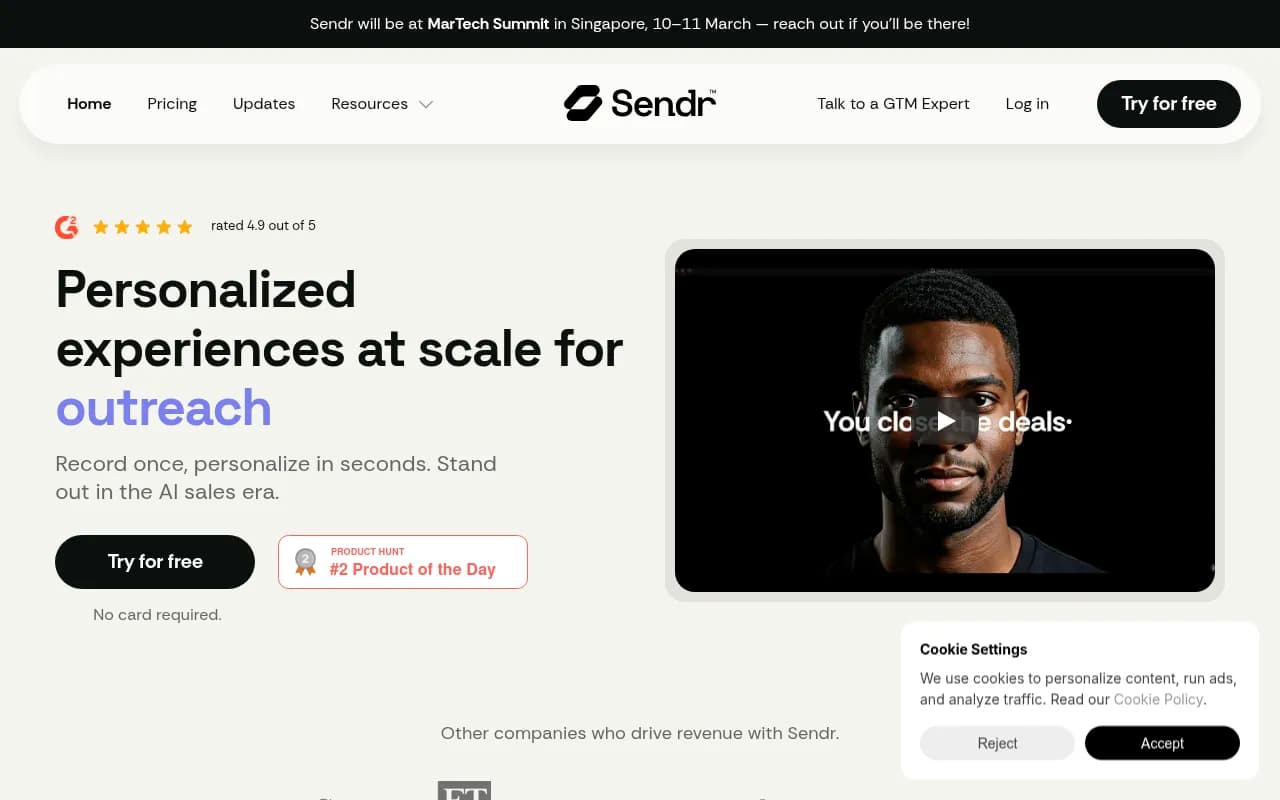
Sendr is a sales outreach platform built around one core idea: personalized video and voice messages book more meetings than text-only emails, but recording individual videos for hundreds of prospects is impossible. So Sendr uses AI to solve that problem. You record one video or voice note, then their generative AI personalizes it for every contact on your list -- changing the spoken name, company, or other details while syncing lip movements to match. The result is a video that looks and sounds like you recorded it specifically for that person, even though you only hit record once.
The platform launched in 2024 and quickly gained traction with B2B sales teams looking for an edge in cold outreach. It's rated 4.9/5 on Product Hunt and has been used by companies like Financial Times, Content Marketing Media, and Storemapp to book meetings at rates that would be impossible with standard email campaigns. One user (Josh Whitfield at Content Marketing Media) booked 83 meetings from 17,000 contacts using Sendr's GIF-in-email feature. Another (Gurbinder Beesal at FT) saw 7X higher click-through rates compared to previous campaigns sent to the same list.
Sendr isn't just a video tool. It's positioning itself as an all-in-one GTM stack that replaces your lead database, data enrichment tool, video messaging platform, landing page builder, and outreach automation software. Whether that's realistic depends on your team's needs, but the integration is tighter than stitching together five separate tools.
Lead Finder & Contact Database
Sendr includes access to 479 million global B2B contacts, refreshed every 30-45 days. You can search by job title, company size, industry, location, and other filters to build targeted lists. The database claims 78% coverage for professional emails and 93% for work mobile numbers globally, with 98% accuracy validation. You only pay for contacts Sendr successfully finds -- no wasted credits on bad data.
The search interface is straightforward: pick your filters, preview the results, export to a table, then let Sendr's AI verify and enrich the data in one click. This is faster than bouncing between a lead database (Apollo, ZoomInfo) and a separate enrichment tool (Clearbit, Clay). The enrichment includes details like year-end months, last funding rounds, open job positions, and other firmographic data that helps you personalize outreach.
Compared to Apollo or ZoomInfo, Sendr's database is smaller (Apollo claims 275M contacts, ZoomInfo over 100M companies). But for most mid-market sales teams, 479M contacts is more than enough. The real question is data quality -- and user reviews suggest Sendr's validation is solid, though not perfect. Expect some bounces, like any lead database.
AI-Powered Video & Voice Personalization (Lipsync)
This is Sendr's standout feature. You record one video or voice note -- say, a 30-second intro explaining why you're reaching out. Then you upload a CSV with prospect names, companies, and any other variables you want to personalize. Sendr's AI generates a unique version of your video for each contact, changing the spoken words ("Hi Sarah at Acme Corp" becomes "Hi John at Beta Inc") and syncing your lip movements to match the new audio.
The lip-sync tech (branded as "Lipsync") is the key differentiator. Most AI video tools (Synthesia, HeyGen) use fully synthetic avatars that look obviously fake. Sendr uses your real face and voice, then applies AI to adjust lip movements and audio. The result is more authentic -- it looks like you actually recorded the video for that person. Whether it crosses into "uncanny valley" territory depends on the viewer, but early user feedback suggests it works well enough to book meetings.
You can also generate personalized voice notes (audio-only) if video feels too aggressive for your audience. Both formats can be embedded in emails as GIFs (which auto-play in most inboxes) or sent as links to personalized landing pages.
The workflow is fast. Record once, upload your list, wait a few minutes for processing, then send. No need to spend hours on camera or hire a video editor. For sales teams sending 500+ personalized emails per week, this is a huge time saver.
Personalized Landing Pages
Every video or voice note can be hosted on a dynamic landing page that's personalized for the recipient. The page includes their name, company logo, and any other details you want to display. You can add CTAs (book a meeting, reply to this email, visit our website), embed calendars (Calendly, HubSpot Meetings), and track engagement in real time.
The landing pages are mobile-responsive and load fast. Sendr tracks who viewed the page, how long they watched the video, and whether they clicked any CTAs. This data feeds back into your outreach workflow so you can follow up with engaged leads at the right moment.
Compared to standalone tools like Vidyard or Loom, Sendr's landing pages are more integrated -- you don't need to copy-paste embed codes or manually track views. But they're less customizable. If you want full design control, you'll need to export the video and host it yourself.
Automation & Workflows
Sendr includes pre-built automation templates for common outreach workflows: cold email sequences, LinkedIn DM campaigns, follow-up reminders, and retargeting engaged leads. You can set up "always-on" workflows that trigger based on lead behavior (e.g. send a follow-up video if they watched 50% of the first video but didn't book a meeting).
The automation is simpler than dedicated tools like Outreach.io or SalesLoft -- no complex branching logic or A/B testing. But for most small-to-mid-sized sales teams, the pre-built templates are enough. You can also integrate Sendr with your existing CRM (HubSpot, Salesforce, Pipedrive) via Zapier or native integrations, so leads flow into your pipeline automatically.
One nice touch: Sendr shows real-time engagement tracking, so you can see when a prospect views your video and follow up immediately. This is harder to do with email-only outreach, where you're guessing based on open rates.
Data Cleanup & Enrichment
Sendr's AI data cleanup tool verifies and enriches contact lists in one click. Upload a CSV, and Sendr will validate emails, find missing phone numbers, add firmographic data (company size, industry, funding), and flag invalid records. This replaces tools like NeverBounce or Hunter.io.
The enrichment is powered by Sendr's own database plus third-party APIs. It's not as deep as Clay (which lets you chain together dozens of enrichment sources), but it's faster and requires zero configuration. For most sales teams, "good enough" enrichment that happens automatically is better than perfect enrichment that requires a data engineer.
Integrations & Ecosystem
Sendr integrates with HubSpot, Salesforce, Pipedrive, Zapier, Calendly, and Google Workspace. You can also connect it to LinkedIn Sales Navigator to pull lead lists directly. The integrations are native (no API keys required), which makes setup easier than tools that rely on Zapier for everything.
There's no public API yet, so custom integrations aren't possible. This limits Sendr's appeal to larger enterprises with complex tech stacks. But for SMBs and mid-market companies, the out-of-the-box integrations cover most use cases.
Sendr also has a browser extension for Chrome that lets you send personalized videos directly from LinkedIn or Gmail. This is useful for one-off outreach or quick follow-ups.
Who Is It For
Sendr is built for B2B sales teams, SDRs, and demand gen teams at startups and scale-ups. Specifically:
- Sales teams at SaaS companies (10-100 employees) who need to book 20-50 meetings per month from cold outreach. Sendr's video personalization helps you stand out in crowded inboxes, and the built-in lead database means you don't need a separate Apollo or ZoomInfo subscription.
- SDRs and BDRs who are tired of low reply rates from text-only emails. Personalized video gets higher engagement, and Sendr's AI makes it scalable.
- Demand gen teams running ABM campaigns who want to send hyper-personalized outreach to a small list of high-value accounts. Record one video, personalize it for 50 target accounts, and track engagement in real time.
- Agencies and consultancies pitching new clients. A personalized video explaining why you're a good fit is more memorable than a generic email.
Sendr is less useful for:
- Enterprise sales teams with complex CRM workflows and strict compliance requirements. Sendr's automation is too simple, and there's no SOC 2 certification yet.
- Transactional sales (e-commerce, consumer products) where video outreach doesn't make sense.
- Teams that already have a mature video outreach process using Vidyard or Loom. Sendr's AI personalization is the main differentiator -- if you're already recording individual videos, you won't see much benefit.
Pricing & Value
Sendr uses a credit-based pricing model. Credits are consumed when you generate personalized videos, enrich contacts, or export leads from the database. Pricing tiers:
- Growth Plan: $97/month, includes 2,500 credits and 500 AI-generated videos. Best for solo SDRs or small teams.
- Team Plan: ~$299/month (estimated), includes 5 seats and higher credit limits. Best for sales teams of 5-10 people.
- Free Plan: Allows up to 15,000 emails sent (no video personalization), useful for testing the platform.
Credits are consumed as follows: 1 credit per contact enriched, 1 credit per email sent with a personalized video, and additional credits for advanced features like lip-sync. The exact credit costs aren't publicly listed, which makes it hard to estimate total cost. For a team sending 1,000 personalized videos per month, expect to pay $200-$400/month depending on usage.
Compared to competitors:
- Vidyard (from $19/user/month) is cheaper but doesn't include lead database or AI personalization.
- Apollo (from $49/user/month) includes a lead database but no video features.
- Loom (from $12.50/user/month) is cheaper but lacks personalization and outreach automation.
Sendr's value proposition is consolidation: replace 3-4 tools with one platform. If you're currently paying for Apollo ($49/mo), Vidyard ($19/mo), and Clearbit ($500/mo), Sendr at $97-$299/mo is a good deal. But if you only need one of those features, Sendr is overkill.
There's a free trial (no credit card required), which is rare for B2B sales tools. This makes it easy to test the platform before committing.
Strengths
- AI lip-sync personalization is genuinely impressive -- it looks real enough to book meetings, and it's 10X faster than recording individual videos.
- All-in-one platform replaces lead database, enrichment, video messaging, landing pages, and automation -- fewer tools to manage.
- Strong engagement results from real users (7X higher CTR, 1-in-150 meeting rates) suggest the approach works.
- Fast setup -- no API keys, no complex configuration, just upload a list and start sending.
- Real-time engagement tracking lets you follow up at the perfect moment.
Limitations
- Credit-based pricing can get expensive fast if you're sending high volumes. The lack of transparent credit costs makes budgeting hard.
- Newer platform (launched 2024) means fewer integrations, no public API, and less mature features compared to incumbents like Vidyard or Outreach.io.
- AI-generated videos may feel uncanny or manipulative to some recipients -- there's a risk of backlash if prospects realize the video wasn't actually recorded for them.
- Smaller database (479M contacts) compared to Apollo (275M) or ZoomInfo (100M+ companies). Coverage may be weaker in niche industries or non-US markets.
- No SOC 2 or enterprise-grade compliance yet, which limits appeal to larger companies.
Bottom Line
Sendr is best for B2B sales teams at startups and scale-ups (10-100 employees) who want to break through inbox noise with personalized video outreach but don't have time to record individual videos. The AI lip-sync tech is the real differentiator -- it makes video personalization scalable in a way that wasn't possible before. If you're currently using Apollo for leads, Vidyard for video, and Clearbit for enrichment, Sendr can replace all three and save you money. But if you only need one of those features, or if you're at an enterprise with complex compliance requirements, stick with the incumbents. Best use case in one sentence: SDRs at B2B SaaS companies who need to book 20-50 meetings per month from cold outreach and want higher reply rates than text-only emails can deliver.
Tags:
Similar and alternative tools to Sendr