Ubersuggest Review 2026
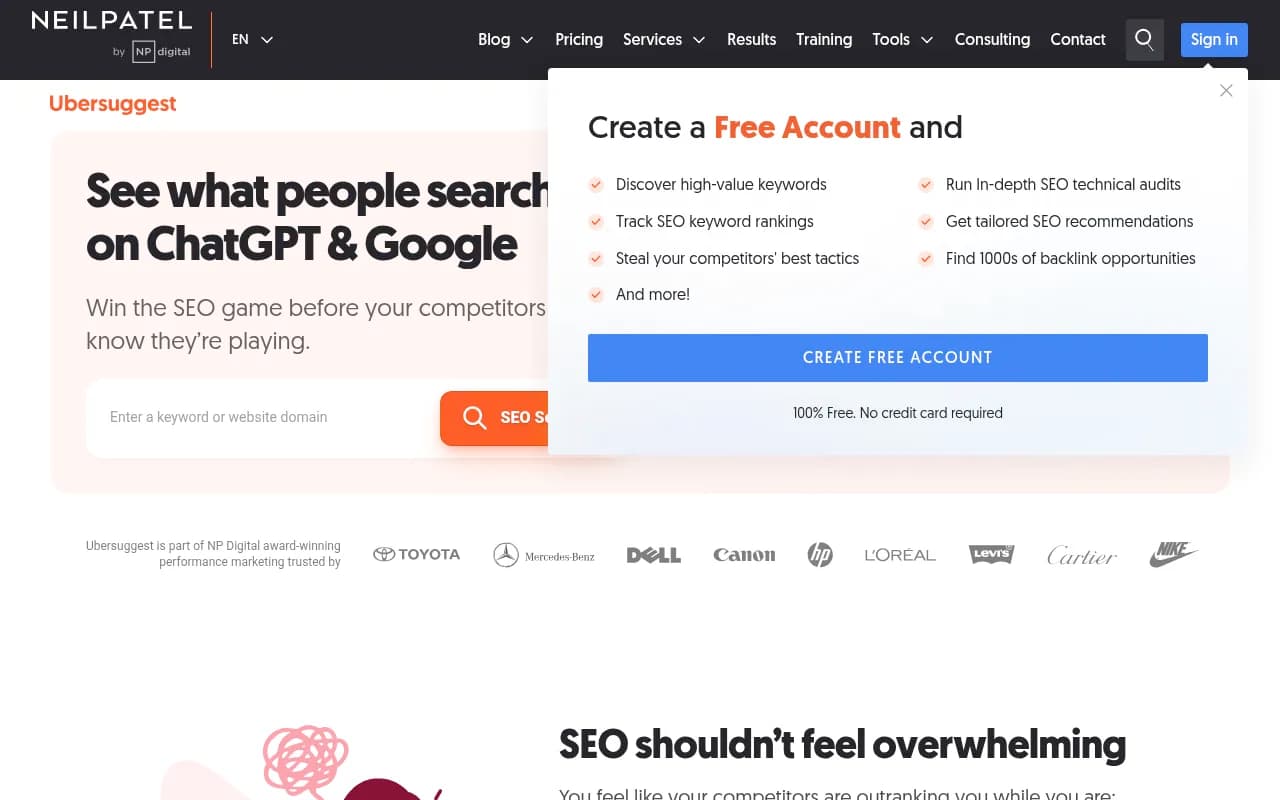
Ubersuggest is Neil Patel's all-in-one SEO platform combining keyword research, competitor analysis, site audits, and rank tracking with AI-powered insights. Built for marketers, agencies, and businesses who want affordable SEO tools without the enterprise price tag. Get keyword data, backlink oppor
Key takeaways
- Affordable alternative to enterprise SEO tools: Ubersuggest offers lifetime plans starting at a fraction of what Ahrefs, SEMrush, or Moz charge monthly -- making professional SEO accessible to solopreneurs and small teams
- AI-enhanced keyword research: Combines a 100M+ keyword database with AI-generated suggestions, search volume data, difficulty scoring, and brand mentions in AI models like ChatGPT
- All-in-one SEO suite: Keyword research, competitor analysis, site audits, backlink tracking, rank monitoring, and content gap analysis in a single platform
- Built by Neil Patel: Backed by one of the most recognized names in digital marketing, with educational resources and support that help users actually understand SEO strategy
- Limitations vs competitors: Smaller keyword database than Ahrefs/SEMrush, less granular filtering, and some users report data accuracy issues compared to enterprise tools
Ubersuggest started as a simple keyword suggestion tool and evolved into a full SEO platform after Neil Patel acquired it in 2017. What began as a free Chrome extension now powers SEO strategies for over 500,000 companies -- from freelance bloggers to enterprise brands like Toyota, Nike, and Microsoft. The pitch is simple: get the core SEO features you actually use without paying $99-$400/month for enterprise tools loaded with features you'll never touch.
The platform targets three main groups. Solo marketers and small business owners who need keyword data and rank tracking but can't justify Ahrefs pricing. Agencies managing multiple client sites who want affordable per-project tools. And in-house marketing teams at mid-sized companies who need collaboration features without enterprise complexity. If you're spending more than 10 hours a week on SEO, Ubersuggest probably has something useful for you.
Neil Patel's involvement is both the platform's biggest strength and a polarizing factor. Some users trust the brand because of his blog, YouTube channel, and decades of marketing credibility. Others see it as overhyped compared to more technical tools. Either way, the educational angle is real -- Ubersuggest comes with webinars, tutorials, and email support that actually helps beginners understand what the data means.
Key features
AI Keyword Research: The core feature pulls from a 100M+ keyword database and layers on AI-generated suggestions. You enter a seed keyword and get search volume, CPC estimates, SEO difficulty scores, and related long-tail variations. The AI component suggests content angles and shows which brands are mentioned in AI model responses (ChatGPT, Perplexity, etc.). This is newer territory for traditional SEO tools -- most competitors still focus purely on Google search data. The difficulty scoring uses a 0-100 scale that factors in domain authority of ranking pages, backlink profiles, and content depth. It's not perfect (no keyword difficulty metric is), but it gives you a quick filter for winnable vs impossible keywords.
Competitor Analysis: Enter a competitor's domain and Ubersuggest reverse-engineers their SEO strategy. You see their top-ranking pages, estimated monthly traffic, backlink sources, and which keywords drive the most visits. The Top Pages report is particularly useful -- it shows exactly which articles are winning for them, along with social shares and backlink counts. You can export this data and use it as a content roadmap. The Traffic Analyzer estimates monthly visits and traffic sources (organic, paid, social, referral). Accuracy varies -- it's directional, not exact, but good enough for competitive benchmarking.
Site Audit: Crawls your website and flags technical SEO issues -- broken links, missing meta descriptions, slow page speed, duplicate content, mobile usability problems, and more. The audit generates a health score (0-100) and prioritizes fixes by impact. Each issue includes an explanation of why it matters and how to fix it. This is where Ubersuggest's educational angle shines -- the tool doesn't just dump error codes, it explains what "canonical tag missing" actually means and why Google cares. The crawler is less comprehensive than Screaming Frog or Sitebulb (it won't catch every edge case), but it covers 90% of what most sites need.
Backlink Data: Shows who's linking to your site (or a competitor's), anchor text distribution, domain authority of linking sites, and new/lost backlinks over time. You can filter by dofollow/nofollow, identify toxic links, and find backlink opportunities by seeing who links to competitors but not you. The backlink index is smaller than Ahrefs or Majestic -- Ubersuggest claims billions of backlinks tracked, but Ahrefs has over 30 trillion. For most users, the difference doesn't matter. You'll find the major backlinks and opportunities. If you're doing deep link prospecting for a Fortune 500 site, you'll want Ahrefs.
Rank Tracking: Monitor your keyword rankings daily across desktop and mobile. You can track up to 25-150 keywords depending on your plan, set up local tracking for specific cities, and get alerts when rankings change significantly. The dashboard shows ranking trends over time, estimated traffic from each keyword, and SERP feature tracking (featured snippets, People Also Ask boxes, etc.). Compared to dedicated rank trackers like AccuRanker or SERPWatcher, Ubersuggest's tracking is basic but functional. It updates daily, not on-demand, and doesn't support as many advanced filters.
Content Ideas: Enter a keyword and Ubersuggest suggests blog post titles, questions people are asking, and content formats that perform well. This pulls from search data, social shares, and backlink patterns to show you what's already working. The AI Writer (a newer add-on) can generate full blog drafts based on these ideas, though the quality is hit-or-miss -- it's a starting point, not a finished article. The Content Gap Analysis compares your site to competitors and shows keywords they rank for that you don't. This is one of the most actionable features -- it literally tells you what content to create next.
SERP Analysis: For any keyword, Ubersuggest shows the top 100 ranking pages with domain authority, page authority, backlinks, social shares, and estimated visits. You can see exactly what it takes to rank -- how strong the competition is, what type of content is winning (listicles, how-tos, product pages), and whether you have a realistic shot. This is standard for SEO tools, but Ubersuggest presents it in a beginner-friendly way with visual indicators for difficulty.
Chrome Extension: A free browser extension that overlays Ubersuggest data directly on Google search results. You see search volume, CPC, and competition metrics without leaving the SERP. It also works on competitor sites -- visit any domain and the extension shows traffic estimates, top keywords, and backlink data in a sidebar. This is one of Ubersuggest's best features for quick research without opening the full dashboard.
Who is it for
Ubersuggest is built for marketers who need SEO data but don't have enterprise budgets. The sweet spot is solo consultants, small agencies (1-10 people), and in-house marketers at companies with 10-100 employees. If you're managing 1-5 websites and tracking 50-200 keywords, Ubersuggest gives you everything you need without the complexity of Ahrefs or SEMrush.
Freelance content writers and bloggers use it for keyword research and content ideas. You can find low-competition long-tail keywords, see what's ranking, and build a content calendar without paying $99/month. The lifetime plan (pay once, use forever) makes sense for this group -- you're not billing clients monthly, so a one-time cost is easier to justify.
Small digital agencies use Ubersuggest for client reporting and competitive analysis. The white-label reports aren't as polished as Agency Analytics or SEMrush, but they're good enough for small clients who care more about results than presentation. The multi-project dashboard lets you track 2-10 sites depending on your plan, which works for boutique agencies.
Who should NOT use Ubersuggest: Enterprise SEO teams managing 50+ sites, agencies with Fortune 500 clients, or anyone doing deep technical SEO audits. The data isn't granular enough, the backlink index is too small, and the API is limited. If you're already paying for Ahrefs or SEMrush and using advanced features (link intersect, content explorer, historical data), Ubersuggest won't replace them. It's a budget alternative, not a feature-for-feature competitor.
Integrations and ecosystem
Ubersuggest integrates with Google Search Console to pull real search query data directly from your site. This is one of the most useful integrations -- it shows which keywords are already driving traffic and where you're ranking on page 2 (easy wins to optimize). You can also connect Google Analytics for traffic attribution, though the integration is basic compared to tools like Supermetrics.
The Chrome extension is the most-used integration -- it overlays Ubersuggest data on Google search results, YouTube, and competitor websites. Over 1 million users have installed it. There's also a WordPress plugin that suggests keywords and optimization tips as you write posts, though it's not as sophisticated as Yoast or Rank Math.
API access is available on higher-tier plans, but it's limited compared to Ahrefs or SEMrush. You can pull keyword data, backlink reports, and rank tracking via API, but rate limits are strict and documentation is sparse. Most users don't need the API -- the dashboard and CSV exports cover 95% of use cases.
No native integrations with Zapier, Slack, or project management tools. You can export data to CSV and import it elsewhere, but there's no automated workflow support. This is a gap compared to enterprise tools that integrate with everything.
Mobile app: Ubersuggest has iOS and Android apps that let you check rankings, run quick keyword searches, and view site audits on the go. The apps are functional but limited -- you can't run full audits or export data from mobile.
Pricing and value
Ubersuggest's pricing is its biggest competitive advantage. Most comparable SEO tools charge $99-$400/month. Ubersuggest offers lifetime plans -- pay once, use forever -- starting at $120 for the Individual plan. That's less than two months of Ahrefs Lite.
Here's the breakdown:
Individual (Lifetime $120 or $12/month): 1 website, 150 tracked keywords, 1,000 keyword searches per day, 25 backlink reports per day, 1 user. This works for solo bloggers or freelancers managing one site.
Business (Lifetime $200 or $20/month): 7 websites, 300 tracked keywords, 2,500 keyword searches per day, 50 backlink reports per day, 2 users. Good for small agencies or marketers managing multiple projects.
Enterprise (Lifetime $400 or $40/month): 15 websites, 900 tracked keywords, 5,000 keyword searches per day, 100 backlink reports per day, 5 users. For larger agencies or in-house teams.
All plans include site audits, competitor analysis, content ideas, and the Chrome extension. The AI Writer is an add-on ($20-$30/month depending on plan).
Compared to competitors:
- Ahrefs Lite: $129/month (1 user, 500 tracked keywords, 100 keyword searches per day)
- SEMrush Pro: $139.95/month (1 user, 500 tracked keywords, 3,000 keyword searches per day)
- Moz Pro: $99/month (1 user, 300 tracked keywords, 150 keyword searches per day)
Ubersuggest is 90% cheaper if you go lifetime. Even the monthly plans are half the price of competitors. The trade-off is a smaller dataset and fewer advanced features. For most small businesses and agencies, that trade-off is worth it.
Free tier: Ubersuggest offers limited free access -- 3 keyword searches per day, basic SERP analysis, and the Chrome extension. It's enough to test the tool but not enough for daily use.
Strengths and limitations
Strengths:
-
Affordability: The lifetime pricing model is unmatched. You can get professional SEO tools for less than the cost of two months of Ahrefs. For budget-conscious marketers, this is the main reason to choose Ubersuggest.
-
Beginner-friendly interface: The dashboard is clean, intuitive, and doesn't overwhelm you with data. Every metric includes a tooltip explaining what it means. This is a huge advantage over Ahrefs or SEMrush, which assume you already know SEO.
-
Educational resources: Neil Patel's blog, YouTube channel, and webinars teach you how to use the data. Most SEO tools give you data and leave you to figure out what to do with it. Ubersuggest actually helps you learn.
-
AI-enhanced features: The AI keyword suggestions and brand mention tracking (ChatGPT, Perplexity) are ahead of most traditional SEO tools. This is where Ubersuggest is innovating while competitors play catch-up.
-
Chrome extension: The free extension is genuinely useful and works on Google, YouTube, and competitor sites. It's one of the best quick-research tools available.
Limitations:
-
Smaller dataset: Ubersuggest's keyword and backlink databases are significantly smaller than Ahrefs, SEMrush, or Moz. You'll find the major keywords and backlinks, but you'll miss long-tail variations and niche link opportunities. For most users this doesn't matter, but if you're doing deep competitive research, you'll hit the limits.
-
Data accuracy issues: Some users report discrepancies between Ubersuggest's traffic estimates and actual Google Analytics data. Keyword difficulty scores can be inconsistent -- a keyword marked "easy" might be harder to rank for than the score suggests. This is true of all SEO tools to some degree, but Ubersuggest's estimates are less reliable than Ahrefs or SEMrush.
-
Limited filtering and segmentation: You can't drill down into data as deeply as you can with enterprise tools. For example, you can't filter backlinks by TLD, language, or link type as granularly. The rank tracker doesn't support as many location or device combinations.
-
No advanced link analysis: Ahrefs has features like Link Intersect (find sites linking to multiple competitors but not you) and Content Explorer (find top-performing content by topic). Ubersuggest has basic backlink reports but lacks these advanced prospecting tools.
-
AI Writer quality: The AI content generation is a nice add-on, but the output is generic and needs heavy editing. It's not a replacement for a human writer -- more like a first-draft generator that saves you 30 minutes, not 3 hours.
Bottom line
Ubersuggest is the best SEO tool for marketers who need core functionality without enterprise pricing. If you're a solo consultant, small agency, or in-house marketer managing 1-10 sites, the lifetime plan is one of the best deals in SEO software. You get keyword research, competitor analysis, rank tracking, and site audits for less than two months of Ahrefs.
The trade-offs are real -- smaller dataset, less granular filtering, occasional data accuracy issues -- but for most users, these don't matter. You'll find the keywords you need, spot the backlink opportunities that matter, and track your rankings reliably. The beginner-friendly interface and educational resources make it easier to actually use the data instead of drowning in metrics.
Best use case in one sentence: Small businesses and agencies who want affordable, actionable SEO data without the complexity of enterprise tools.
Tags:
Frequently asked questions
Similar and alternative tools to Ubersuggest
